

Ever squinted at the tab list trying to figure out why your hits aren't registering? Ping View Mod solves that by replacing the vague signal-bar icons with actual numeric ping values, color-coded so you can tell at a glance whether your connection — or another player's — is healthy. The best part is how it keeps the vanilla tab list feel intact, slotting the latency numbers in without cluttering the interface.
Key Features
- Numeric ping display — Your own latency and every other player's ping appear directly in the tab list as readable numbers instead of ambiguous signal bars.
- Color-coded values — Low ping shows in green, moderate in yellow, and high in red, giving you instant visual feedback on connection quality.
- Vanilla-faithful design — The tab list layout stays as close to the default Minecraft look as possible, so nothing feels out of place.
- Zero configuration needed — Install it and it works out of the box with no settings to tweak or menus to navigate.
Screenshots


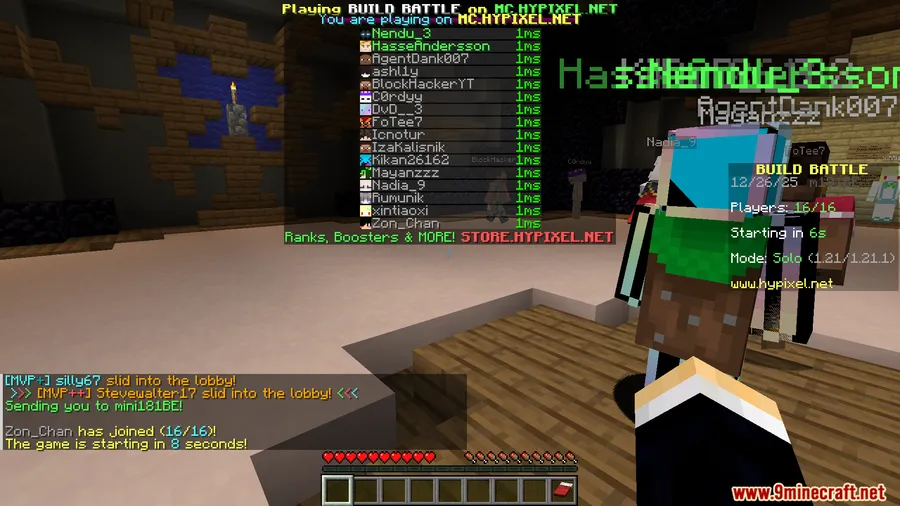
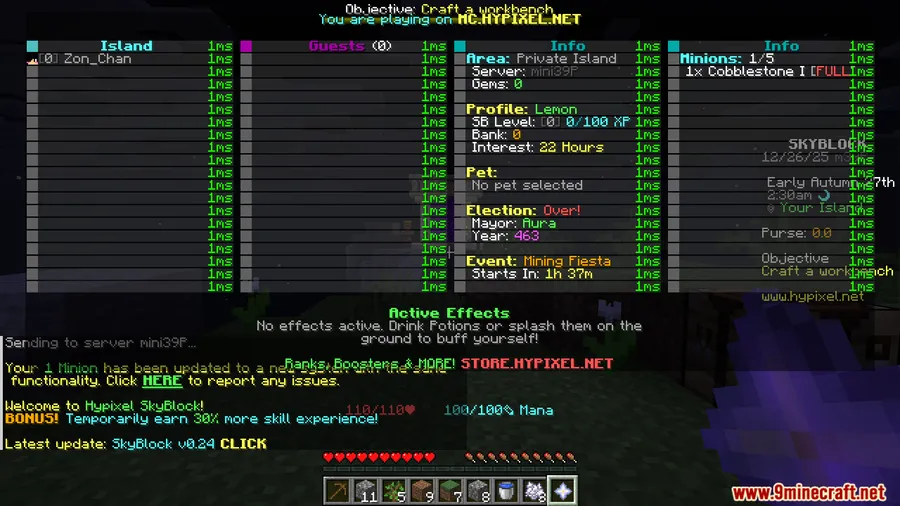
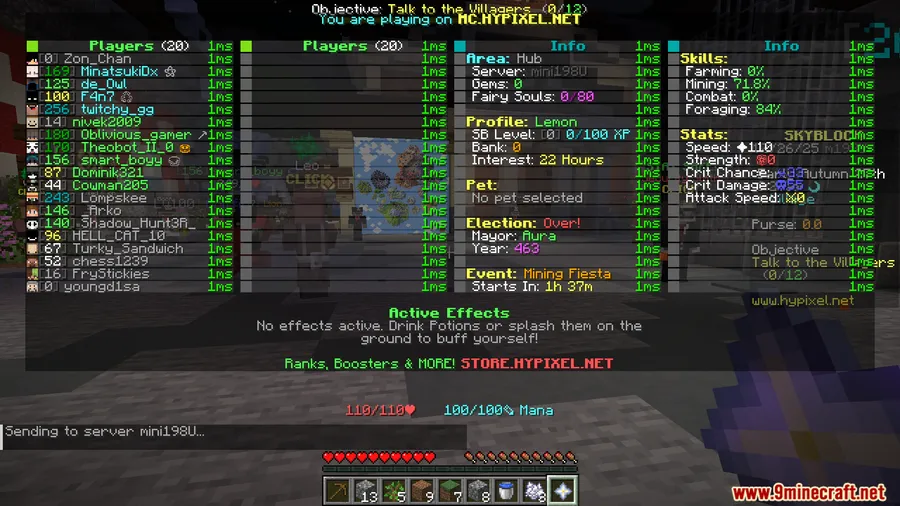
How to Install
- Download and install Fabric Loader or NeoForge for your Minecraft version.
- If using Fabric, make sure Fabric API is placed in your
modsfolder. - Download the Ping View Mod file matching your loader and Minecraft version.
- Drop the downloaded
.jarfile into your.minecraft/modsfolder. - Launch Minecraft and press Tab in any multiplayer server to see ping values.
Requirements
| Mod Loader | Dependencies | Minecraft Versions |
|---|---|---|
| Fabric, NeoForge | Fabric API, NeoForge Installer | 1.21.11, 1.21.10, 1.21.9, 1.21.8, 1.21.7, 1.21.6 |
Pros & Cons
Pros
- Replaces unhelpful signal bars with exact numeric ping values
- Color coding makes connection quality obvious at a glance
- Maintains the clean, vanilla appearance of the tab list
- Works immediately after installation with no setup required
- Supports both Fabric and NeoForge loaders
Cons
- Only useful in multiplayer — provides no benefit in singleplayer worlds
- Limited to tab list display with no HUD or on-screen overlay option
- No configuration options for players who want to customize color thresholds
Download
Always download mods from official sources to stay safe.
FAQ
Does Ping View Mod work on multiplayer servers?
Yes, it is designed specifically for multiplayer. It displays your ping and every other player's ping directly in the tab list when you press Tab on any server.
What do the colors in the ping display mean?
The mod uses color-coded values for quick readability — generally green for low latency, yellow for moderate, and red for high ping — so you can instantly assess connection quality without reading each number.
Do I need Fabric API if I'm using NeoForge?
No. Fabric API is only required when running the Fabric version of the mod. If you install Ping View Mod through NeoForge, you just need the NeoForge Installer and the matching mod file.


![[Let's Do] Candlelight - Farm&Charm compat Mod (1.21.1) - thumbnail](http://mcinside.com/wp-content/uploads/2026/04/thumbnail-81-52x52.webp)


![[Let's Do] Meadow Mod (1.21.1) - thumbnail](http://mcinside.com/wp-content/uploads/2026/04/thumbnail-64-52x52.webp)


![Not Enough Recipe Book [NERB] Mod (1.21.11) - thumbnail](http://mcinside.com/wp-content/uploads/2026/04/thumbnail-63-52x52.webp)