

Plan | Player Analytics Mod is aimed at server owners and staff who want clear, in-house analytics instead of guessing how their community is using a server. It includes a built-in webserver that shows online activity, playerbase trends, and player-level statistics over time, while keeping the data on your own server.
Key Features
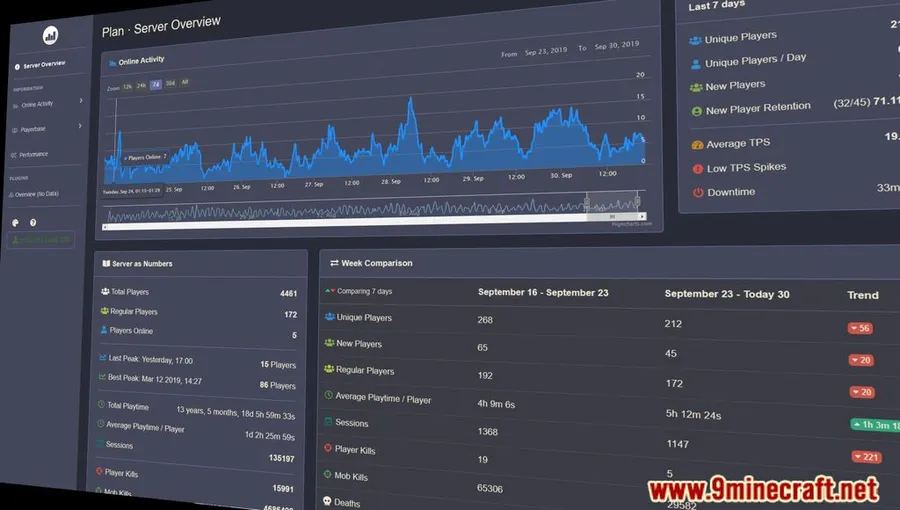
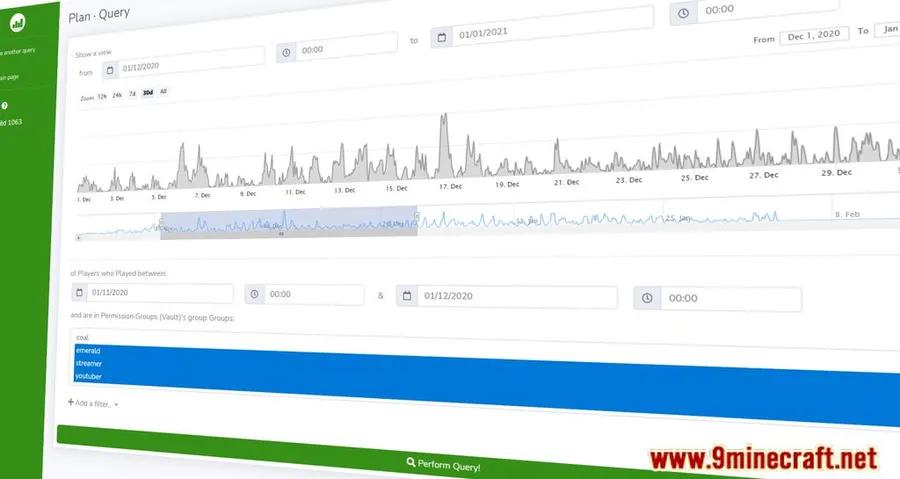
- Displays player activity, server statistics, and longer-term trends through a built-in web interface.
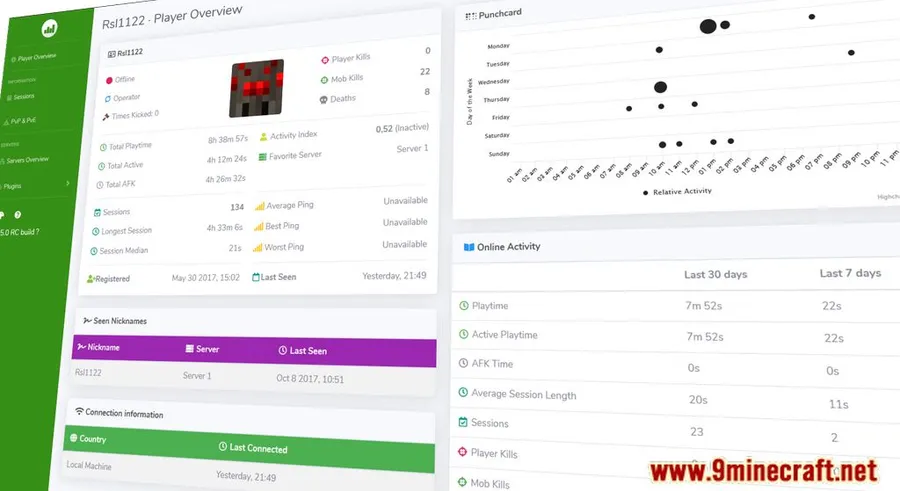
- Breaks analytics down per player with details such as playtime, activity heatmaps, and join history.
- Shows who is online, what they are doing, and how server performance is holding up.
- Helps staff track retention, daily active users, and peak activity times.
- Supports more than 50 popular plugins, including Towny, LuckPerms, and Essentials, to add extra context to analytics.
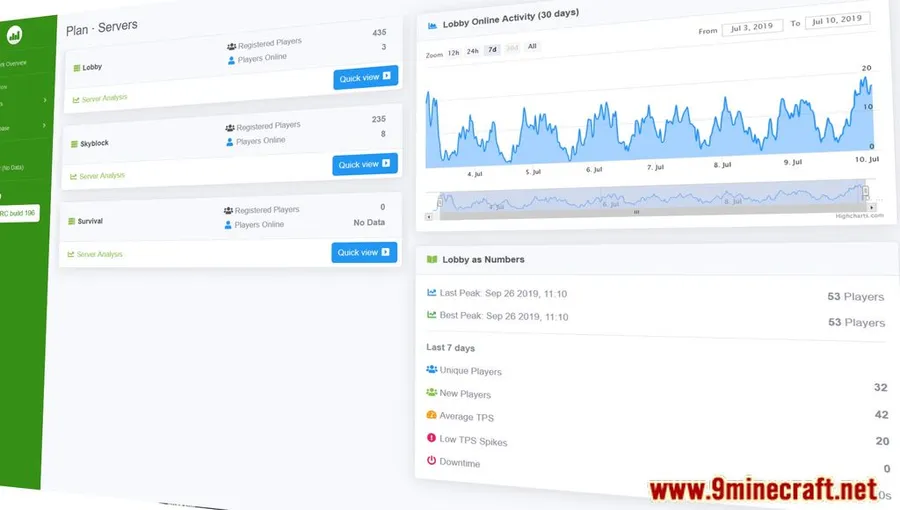
- Can aggregate analytics across multiple servers, including setups using BungeeCord or Velocity.
- Keeps analytics data on your own server rather than relying on third-party tracking or external storage.
Screenshots


How to Install
- Make sure your setup is running a supported Minecraft version.
- Install Fabric Modloader.
- Install Fabric API.
- Use the Fabric build that matches your Minecraft version from the download section below.
Requirements
| Requirement | Details |
|---|---|
| Mod Loader | Fabric |
| Dependencies | Fabric API |
| Minecraft Version | 1.21.11, 1.21.10, 1.21.9, 1.21.6, 1.21.5, 1.21.4, 1.21.1, 1.21, 1.20.1, 1.20, 1.19.4, 1.19.3, 1.19.2, 1.19, 1.18.2, 1.18.1, 1.17.1 |
Pros & Cons
Pros
- Built-in web interface makes server activity easier to review over time.
- Includes both server-wide trends and detailed player-level statistics.
- Supports multi-server analytics in one view.
- Data stays on your own server.
- Plugin support adds useful context for established server setups.
Cons
- Fabric-only according to the listed builds and requirements.
- Requires Fabric API in addition to the mod itself.
- Best suited to server staff and administrators rather than players looking for gameplay changes.
Download
Always download mods from official sources to stay safe.
What's New
- Hotfix for a config update bug in build 3288.
- Fixed an issue where reloading config could reset some values to default.
- Fixed table sorting for alphabetical entries.
- Minor dependency updates.
- Release pipelines were added for Ore, Hangar, and Modrinth.
FAQ
What does Plan | Player Analytics Mod actually track?
Based on the listed features, it tracks player activity, server stats, online activity, playerbase trends, retention, daily active users, peak times, and player-specific details such as playtime, activity heatmaps, and join history.
Does Plan | Player Analytics Mod support multiple servers?
Yes. The mod supports multi-server setups and can aggregate analytics into one view, with BungeeCord and Velocity specifically mentioned in available information.
Is Plan | Player Analytics Mod available for Fabric only?
From the provided requirements and download data, the listed builds are for Fabric and also require Fabric API.




![[Let's Do] Candlelight - Farm&Charm compat Mod (1.21.1) - thumbnail](http://mcinside.com/wp-content/uploads/2026/04/thumbnail-81-52x52.webp)


![[Let's Do] Meadow Mod (1.21.1) - thumbnail](http://mcinside.com/wp-content/uploads/2026/04/thumbnail-64-52x52.webp)


![Not Enough Recipe Book [NERB] Mod (1.21.11) - thumbnail](http://mcinside.com/wp-content/uploads/2026/04/thumbnail-63-52x52.webp)