
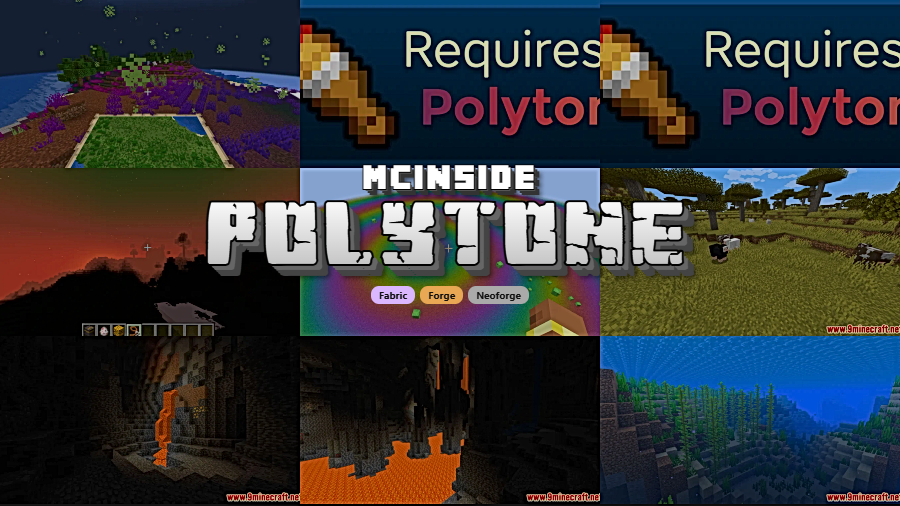
Polytone is a client-side customization mod that allows players to customize map colors, block colors, colormaps, biome colors, dye colors, block sounds, and much more through resource packs for Minecraft Fabric, Forge, and NeoForge.
One of the biggest frustrations for resource pack creators has always been the limited control Minecraft offers over colors, sounds, and visual properties. For years, OptiFine was the only solution — but it came with trade-offs like incompatibility with performance mods and a closed-source codebase. Polytone, created by MehVahdJukaar, solves this problem by providing an open-source, lightweight alternative that not only replaces OptiFine's color.properties system but goes far beyond it with features that were previously impossible. With over 9.5 million downloads on Modrinth, it has quickly become one of the most widely adopted resource pack utility mods in the Minecraft ecosystem.
Key Features of Polytone
- Custom Colormaps for Blocks and Fluids — Polytone lets you define entirely custom colormaps for any block or fluid in the game. This means resource pack creators can make water look tropical in beach biomes, lava glow differently in the Nether, or leaves shift to unique autumn hues. It gives packs a level of environmental storytelling that vanilla Minecraft simply cannot achieve.
- Custom Biome Colors and Effects — You can customize grass, foliage, sky, and fog colors on a per-biome basis. This is essential for resource packs that aim for a cohesive visual identity — imagine a dark fantasy pack where every swamp has eerie green fog, or a vibrant pack where plains glow with golden grass. Polytone makes each biome feel truly distinct.
- Custom Lightmaps and Sky Colors — Lightmaps control how light interacts with the world at different times of day and light levels. With Polytone, pack creators can craft dramatic sunsets, moody torchlight, or alien-looking skies without needing shaders. This feature alone can transform the entire atmosphere of a Minecraft world.
- Client-Side Custom Sounds and Sound Events — Polytone allows resource packs to add entirely new sound events and change existing block sounds. Walking on grass can crunch like autumn leaves, doors can creak ominously, or you can register completely new sound events for use in custom content. This turns resource packs into full sensory experiences.
- Custom Particles and Particle Colors — Beyond just textures, Polytone lets you customize particle colors and add client-side particles. Campfire smoke can turn blue, enchantment particles can glow red, or breaking blocks can shower the correct color fragments. These small details add up to a dramatically more polished visual experience.
- GUI Customization — Move Slots and Add Elements — One of Polytone's more advanced features is the ability to move GUI slots and add new GUI elements through resource packs. This opens the door for packs that completely retheme the inventory, crafting table, or other interfaces without requiring a separate GUI mod.
- Full OptiFine color.properties Compatibility — If you already use resource packs built for OptiFine's color customization system, Polytone provides backwards compatibility. Existing packs that relied on OptiFine's color.properties will work with Polytone out of the box, making migration seamless for both creators and players.
How to Install Polytone
- Choose and install a compatible mod loader: Fabric, Forge (for 1.20.1), or NeoForge (for 1.21+). Make sure the loader version matches your Minecraft version.
- If using Fabric, also install Fabric API, as most Fabric mods require it as a dependency.
- Download the correct Polytone file for your Minecraft version and mod loader from the official Modrinth page.
- Place the downloaded
.jarfile into your.minecraft/modsfolder. If the folder does not exist, launch Minecraft once with your mod loader to generate it. - Launch Minecraft and apply any Polytone-compatible resource pack. The mod runs client-side only, so no server installation is needed.
Requirements & Compatibility
| Minecraft Version | Supported Loaders |
|---|---|
| 1.21.11 | NeoForge, Fabric |
| 1.21.1 | NeoForge, Fabric |
| 1.21 | NeoForge, Fabric |
| 1.20.1 | Forge, Fabric |
Polytone is a client-side mod, meaning it only needs to be installed on the player's client. It does not need to be installed on servers. The mod is designed to be lightweight and appears to have minimal performance overhead, focusing on resource pack integration rather than runtime processing.
What's New
- Hotfix for color expressions in environment attributes that were incorrectly returning 0.
- Continued support for Minecraft 1.21.11 on both NeoForge and Fabric.
- The mod remains under active development with regular updates — last updated March 28, 2026.
Pros and Cons
Pros
- Massively expands what resource packs can customize — colors, sounds, particles, GUI, and more
- Full backwards compatibility with OptiFine's color.properties format
- Client-side only — no server installation required
- Supports all three major mod loaders (Fabric, Forge, NeoForge)
- Open-source under GPL-3.0 with active development and documentation
- Appears to be lightweight with minimal performance impact
Cons
- Requires a compatible resource pack to see any visual changes — the mod alone does nothing visible
- Advanced features like GUI customization and custom sound events have a learning curve for pack creators
- Forge support is limited to 1.20.1; newer versions require NeoForge
- Some wiki sections are still under construction, which can make documentation incomplete for newer features
Alternatives to Polytone
- Colormatic — A Fabric-only mod that provides custom biome colors and colormaps, though with a narrower feature set focused specifically on color customization rather than Polytone's broader scope.
- OptiFine — The long-standing all-in-one optimization and customization mod that includes the original color.properties system, but is closed-source and often incompatible with other performance mods like Sodium.
- Chime — A client-side Fabric mod that lets resource packs add custom item model predicates and conditional textures, complementing Polytone's color and sound customization with more item-level control.
Download Polytone
| Minecraft Version | Fabric | Forge | NeoForge |
|---|---|---|---|
| For Minecraft 1.21.11 | Download | — | Download |
| For Minecraft 1.21.1 | Download | — | Download |
| For Minecraft 1.21 | Download | — | Download |
| For Minecraft 1.20.1 | Download | Download | — |
Always download mods from official sources to stay safe.
Frequently Asked Questions
Is Polytone client-side only?
Yes — Polytone is entirely client-side and does not need to be installed on any server. It works through resource packs loaded on the player's client, so you can use it freely on multiplayer servers without the server needing the mod.
Does Polytone replace OptiFine?
Partially — Polytone replaces OptiFine's color.properties customization system and is fully backwards compatible with resource packs that use it. However, it does not replace OptiFine's other features like shaders, zoom, or performance optimizations. You would need separate mods for those functions.
Can I use Polytone with Sodium or other performance mods?
Yes — because Polytone is a resource pack utility mod rather than a rendering mod, it is designed to work alongside performance mods like Sodium, Lithium, and similar optimizers. There are no known conflicts with major performance-focused mods.
Do I need a special resource pack to use Polytone?
Yes — Polytone is a framework that enables resource packs to customize colors, sounds, and other properties. Without a compatible resource pack, the mod has no visible effect. Many popular resource packs already include Polytone support, or you can create your own using the mod's wiki documentation.
Does Polytone work on Minecraft 1.21.11?
Yes — Polytone supports Minecraft 1.21.11 on both Fabric and NeoForge. The mod is actively updated with the latest version released on March 28, 2026. For Minecraft 1.20.1, both Forge and Fabric versions are available.


![Not Enough Recipe Book [NERB] Mod (1.21.11) - thumbnail](http://mcinside.com/wp-content/uploads/2026/04/thumbnail-63-52x52.webp)


