

Ever locked yourself out of gamerule settings after creating a Minecraft world? Unless you know your way around commands, those toggles for daylight cycle, mob griefing, and keep inventory are essentially frozen the moment you hit "Create New World." Preferred Gamerules Mod solves that by letting you adjust any gamerule directly from an in-game config screen — no commands required. With over 324,000 downloads and steady updates since early 2024, it has quietly become a go-to utility for players who want full control over their world settings without opening a chat window.
Key Features
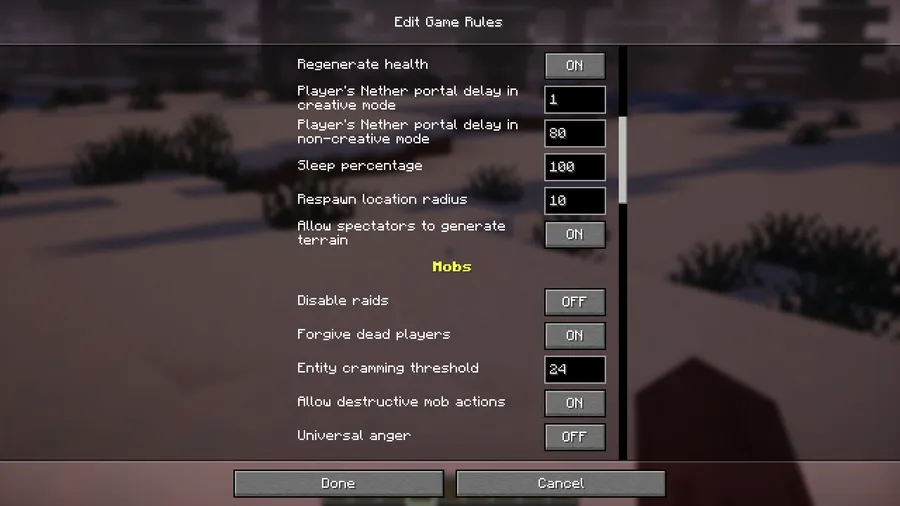
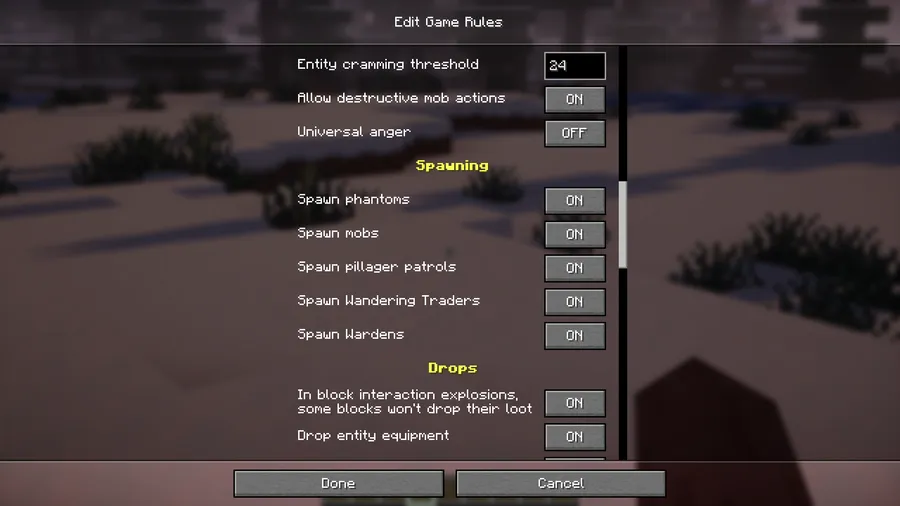
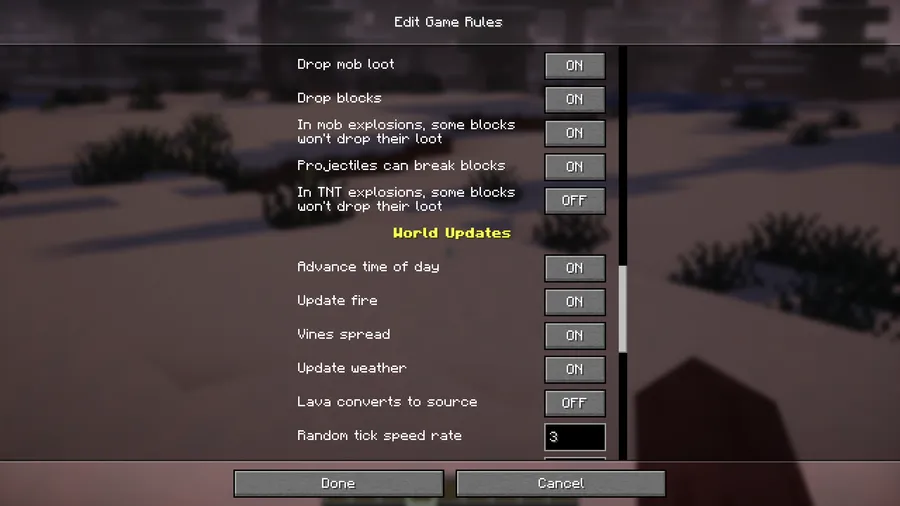
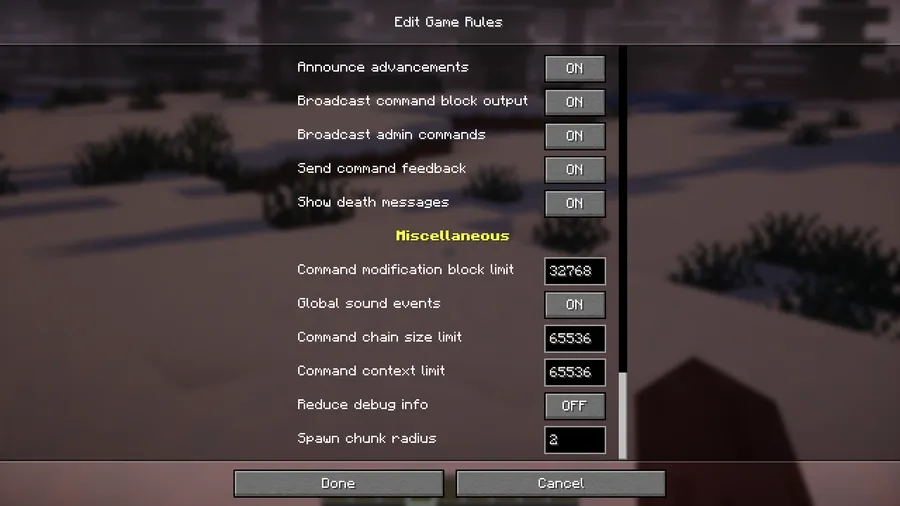
- Post-creation gamerule editing — Change any gamerule on a world that has already been created, removing the need for slash commands or cheats.
- Mod Menu integration — Access all gamerule toggles through Mod Menu's familiar config screen, keeping everything organized in one place.
- Straightforward config options — Each gamerule is clearly labeled and easy to understand, so you can make changes without guessing what a setting does.
Screenshots


How to Install
- Download and install Fabric Loader for your Minecraft version.
- Place Fabric API and Mod Menu into your
modsfolder — both are required dependencies. - Download the Preferred Gamerules Mod file that matches your Minecraft version.
- Drop the downloaded
.jarfile into your.minecraft/modsfolder. - Launch Minecraft with the Fabric profile and access gamerule settings through Mod Menu.
Requirements
| Mod Loader | Dependencies | Minecraft Versions |
|---|---|---|
| Fabric | Fabric API, Mod Menu | 26.1, 1.21.11, 1.21.10, 1.21.9, 1.21.8, 1.21.7, 1.21.6, 1.21.5, 1.21.4, 1.21.3, 1.21.1, 1.21, 1.19.2 |
Pros & Cons
Pros
- Eliminates the need to use commands for gamerule changes
- Works across a wide range of Minecraft versions, from 1.19.2 to 26.1
- Clean Mod Menu integration keeps settings accessible and organized
- Open-source under the MIT license, actively maintained
Cons
- Fabric-only — no Forge or NeoForge support available
- Requires Mod Menu as a dependency, adding an extra install step
- Limited to gamerule tweaks — does not add new custom gamerules
Download
Always download mods from official sources to stay safe.
What's New
- Ported to Minecraft 26.1, ensuring compatibility with the latest game version.
- Continues to support older versions back to 1.19.2 for players on legacy worlds.
- Maintained under active development with the most recent update on March 25, 2026.
FAQ
Can I change gamerules on an existing survival world without enabling cheats?
Yes — that is the core purpose of this mod. Once installed, you can modify any gamerule through Mod Menu's config screen without needing to enable cheats or use commands.
Does Preferred Gamerules Mod work with Forge or NeoForge?
No, this mod is built exclusively for the Fabric mod loader. You will need Fabric Loader, Fabric API, and Mod Menu installed to use it.
Will this mod conflict with other mods that modify world settings?
The mod only adjusts vanilla gamerule values through Minecraft's built-in system, so it appears to be lightweight and unlikely to cause conflicts with other Fabric mods.


![[Let's Do] Candlelight - Farm&Charm compat Mod (1.21.1) - thumbnail](http://mcinside.com/wp-content/uploads/2026/04/thumbnail-81-52x52.webp)


![[Let's Do] Meadow Mod (1.21.1) - thumbnail](http://mcinside.com/wp-content/uploads/2026/04/thumbnail-64-52x52.webp)


![Not Enough Recipe Book [NERB] Mod (1.21.11) - thumbnail](http://mcinside.com/wp-content/uploads/2026/04/thumbnail-63-52x52.webp)