
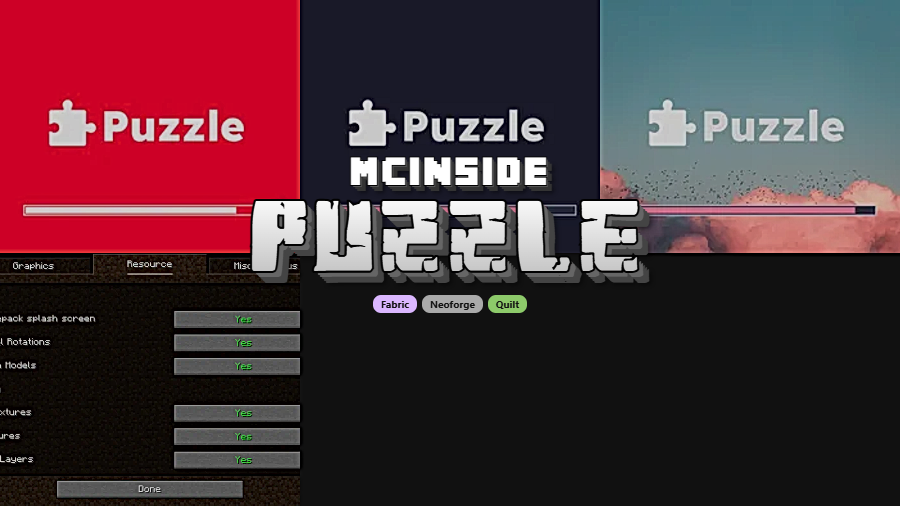
Puzzle is a utility mod that provides a unified configuration GUI for OptiFine alternative mods and adds resourcepack features like custom splash screens and unlocked model rotation values for Minecraft Fabric, NeoForge, and Quilt.
For years, OptiFine was the go-to performance and visual enhancement mod for Minecraft. But its closed-source nature made it a nightmare for mod developers — constant compatibility issues, cryptic errors, and no way to debug what went wrong. The community responded by building open-source alternatives: Iris for shaders, Continuity for connected textures, LambDynamicLights for dynamic lighting, and so on. The problem? You now need to install half a dozen separate mods and hunt through ModMenu to find each one's settings. That's the exact pain point Puzzle was built to solve. With over 16 million downloads on Modrinth, it has become the standard glue layer that ties the OptiFine replacement ecosystem together — offering a single, unified settings screen and filling in the gaps where no standalone replacement exists yet.
Key Features of Puzzle Mod
- Unified Configuration Screen — Instead of opening ModMenu and searching through individual mods one by one, Puzzle places all OptiFine-alternative settings into a single configuration screen accessible from the vanilla options menu. This saves time and makes it far easier to tweak visual settings without losing track of which mod controls what.
- Built-in OptiFine Features — Some OptiFine features still have no standalone replacement mod. Puzzle fills those gaps directly, including resourcepack-provided custom splash screens. This means you can enjoy a more complete OptiFine-like experience without actually needing OptiFine installed.
- Unlocked Rotation Values for Resource Packs — Vanilla Minecraft limits JSON model rotation to specific fixed angles. Puzzle removes this restriction, allowing resourcepack creators to rotate model elements to any angle they want. This opens up significantly more creative freedom for custom item and block models.
- Bigger JSON Model Sizes — Minecraft's default model system caps element sizes, which limits what resourcepack developers can build. Puzzle raises these limits, enabling larger and more detailed custom models without needing external tools or hacks.
- Broad Mod Integration — Puzzle includes built-in support for popular mods like Iris, Continuity, Cull Leaves, LambDynamicLights, LambdaBetterGrass, CITResewn, Entity Texture Features, and Entity Model Features. Each of these mods can be configured directly through Puzzle's unified screen, and the mod offers an API so other developers can hook into the system as well.
- Multi-Axis Rotation Backport — The multi-axis rotation system introduced in Minecraft 1.21.11 has been backported all the way to 1.20.1 through Puzzle. Resourcepack creators can use modern rotation capabilities on older Minecraft versions, which is especially valuable for servers that haven't updated yet.
- Triple Loader Support — Puzzle runs on Fabric, NeoForge, and Quilt, covering virtually every modern mod loader in the Minecraft ecosystem. You don't need to worry about whether your loader is supported — Puzzle has you covered regardless of which platform you prefer.
Screenshots
How to Install Puzzle Mod
- Install your preferred mod loader — Fabric, NeoForge, or Quilt — if you haven't already.
- Download the correct version of Puzzle for your Minecraft version from the download section below. Make sure you select the file matching your mod loader.
- Place the downloaded
.jarfile into your.minecraft/modsfolder. If the folder doesn't exist, launch the game once with your mod loader to generate it. - Puzzle depends on MidnightLib, which is typically bundled. If prompted, download MidnightLib separately and place it in the mods folder as well.
- Launch Minecraft and open the options menu — you'll find Puzzle's unified configuration screen alongside the standard settings.
Requirements & Compatibility
| Requirement | Details |
|---|---|
| Mod Loaders | Fabric, NeoForge, Quilt |
| Minecraft Versions | 1.18 – 1.21.11, 26.1 |
| License | MIT (open source) |
| Author | Motschen |
| Last Updated | March 25, 2026 |
| Dependencies | MidnightLib (usually bundled) |
What's New
- v2.3.1: Ported to Minecraft 26.1. The unified GUI has been removed since Sodium now provides its own system for registering custom mod options — new resourcepack features are planned for future updates.
- v2.3.0: Backported Minecraft 1.21.11's multi-axis rotation system for models all the way back to MC 1.20.1 through 1.21.10.
- v2.2.1: Added support for Minecraft 1.21.11 (Mounts of Mayhem), fixed crashes when ModMenu is missing, and restored splash screen logo blending on 1.21.4.
- v2.2.0: Introduced a multiversion build environment, ensuring Puzzle stays up-to-date across all relevant Minecraft versions simultaneously.
Pros and Cons
Pros
- Centralizes configuration for multiple OptiFine replacement mods into one screen
- Fills in missing OptiFine features like custom splash screens that no other mod covers
- Supports all three major mod loaders — Fabric, NeoForge, and Quilt
- Offers unique resourcepack features like unlocked rotation and bigger model sizes
- Open source under MIT license with active development since 2022
- Extremely wide version support from 1.18 through 26.1
Cons
- Unified GUI removed in v2.3.1 for 26.1 — Sodium handles this now, but older versions may still need it
- Depends on MidnightLib, adding another mod to your loader
- Only useful if you're already using OptiFine alternatives — adds little value on its own without companion mods
Alternatives to Puzzle Mod
- Fabulously Optimized — A complete modpack that bundles OptiFine alternatives pre-configured, ideal if you want a ready-to-play setup without manually selecting individual mods.
- Sodium — The leading performance optimization mod for Minecraft that dramatically improves frame rates and now includes its own custom options system for mod integration.
- Iris Shaders — A standalone OptiFine shader replacement that works alongside Sodium, handling shader packs without the compatibility issues OptiFine brings.
Download Puzzle Mod
| Minecraft Version | Fabric | NeoForge | Quilt |
|---|---|---|---|
| For Minecraft 26.1 | Download | Download | Download |
| For Minecraft 1.21.11 | Download | Download | Download |
| For Minecraft 1.21.10 | Download | Download | Download |
| For Minecraft 1.21.9 | Download | Download | Download |
| For Minecraft 1.21.8 | Download | Download | Download |
| For Minecraft 1.21.7 | Download | Download | Download |
| For Minecraft 1.21.6 | Download | Download | Download |
| For Minecraft 1.21.5 | Download | Download | Download |
| For Minecraft 1.21.4 | Download | Download | Download |
| For Minecraft 1.21.3 | Download | Download | Download |
| For Minecraft 1.21.2 | Download | — | Download |
| For Minecraft 1.21.1 | Download | Download | Download |
Always download mods from official sources to stay safe.
Frequently Asked Questions
Is Puzzle compatible with OptiFine?
No — Puzzle is designed as a companion for OptiFine alternatives, not OptiFine itself. The entire purpose of Puzzle is to unify mods like Iris, Continuity, and LambDynamicLights that replace OptiFine's features. Running both Puzzle and OptiFine simultaneously would cause conflicts since they target the same functionality from opposite approaches.
Does Puzzle affect performance or FPS?
Puzzle appears to be lightweight and primarily functions as a configuration layer and resourcepack feature provider. It does not include heavy rendering changes on its own. The performance impact comes from whichever OptiFine replacement mods you install alongside it, not from Puzzle itself.
Do I need all the supported mods installed for Puzzle to work?
No — Puzzle works with whatever OptiFine alternatives you have installed. You can use it with just one or two mods like Iris and Continuity, and Puzzle will only show configuration options for the mods it detects. You don't need to install all eight supported mods to benefit from the unified settings screen.
Does Puzzle work on servers?
Yes — Puzzle is a client-side mod and does not need to be installed on the server. It handles visual configuration and resourcepack features that only affect your local game client. You can safely use it on any multiplayer server without the server needing to have Puzzle installed.
What happened to the unified GUI in Minecraft 26.1?
It was intentionally removed in version 2.3.1. Sodium now provides its own system for mods to register custom options, making Puzzle's unified GUI redundant on Minecraft 26.1. The developer has indicated that exciting new resourcepack capabilities are planned to replace this feature, and the change will also roll out to older versions in future updates.



![[Let's Do] Meadow Mod (1.21.1) - thumbnail](http://mcinside.com/wp-content/uploads/2026/04/thumbnail-64-52x52.webp)


![Not Enough Recipe Book [NERB] Mod (1.21.11) - thumbnail](http://mcinside.com/wp-content/uploads/2026/04/thumbnail-63-52x52.webp)


