
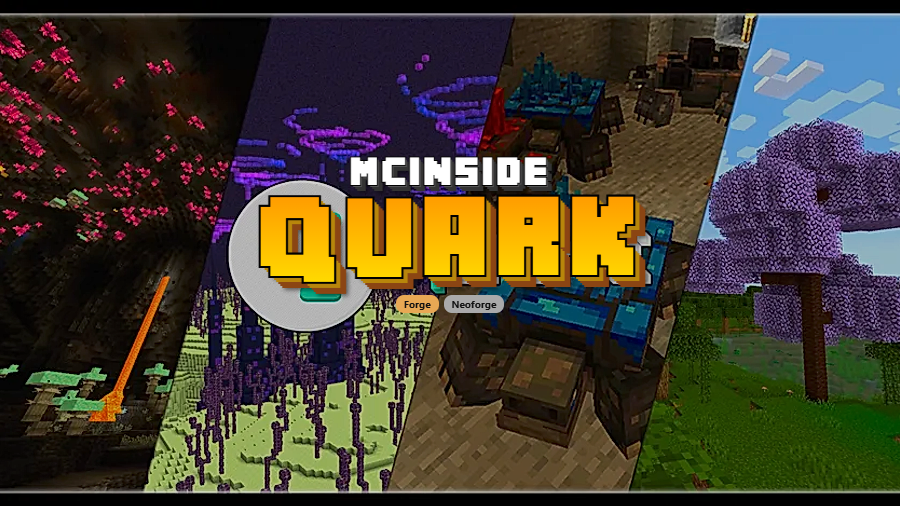
Quark is a modular content-expansion mod that adds over a hundred small but impactful features to vanilla Minecraft, available for Forge and NeoForge. Named after the subatomic particle, Quark focuses on bite-sized additions — new blocks, mobs, tools, mechanics, and quality-of-life tweaks — that individually feel minor but collectively transform the game.
Vanilla Minecraft is a fantastic sandbox, but after hundreds of hours, you start noticing the gaps. Why can't pistons push chests? Why are there no vertical slabs? Why does breeding animals require you to stand there clicking one by one? These are the kinds of friction points that Quark was built to eliminate. With over 14 million downloads on Modrinth alone, it has become a staple in modded Minecraft loadouts across every major version. Created by Vazkii and the Violet Moon team, Quark earns its popularity by respecting vanilla design principles — everything it adds feels like it could have shipped with the base game. Every single module can be toggled on or off through an in-game configuration menu accessed via a "Q" button on the title screen, so you never have to keep a feature you dislike.
Key Features of Quark Mod
- Feeding Trough — Automatic Animal Breeding — Tired of manually feeding every cow and sheep in your mega farm? The Feeding Trough is a placeable block that automatically breeds nearby animals when loaded with the right food. This single feature saves enormous amounts of tedious clicking and makes large-scale animal farming genuinely practical without needing a complex redstone setup.
- Vertical Slabs — The Most Requested Vanilla Feature — Vertical slabs have been one of the most requested additions to Minecraft for years, and Quark finally delivers them. Available for every slab type in the base game plus Quark's own additions, vertical slabs open up entirely new building possibilities. Walls, facades, and interior details that previously required awkward workarounds now look clean and intentional.
- Pistons Push Tile Entities — In vanilla Java Edition, pistons cannot push chests, furnaces, or other tile entities. Quark fixes this by bringing over the Bedrock Edition behavior, letting pistons move these blocks freely. This unlocks a huge range of redstone contraptions — hidden storage systems, moving furnace arrays, and compact sorting machines that were previously impossible on Java.
- Variant Bookshelves, Chests, and Ladders — Every wood type in the game gets matching bookshelves, chests, and ladders. This sounds simple, but it has a massive impact on building. Your spruce cabin no longer needs oak bookshelves breaking the aesthetic, and your dark oak library finally has matching shelves. These are the details that turn a good build into a great one.
- Toretoises — Living Ore Generators — These charming underground creatures slowly grow ore on their backs, creating a renewable source of minerals. Toretoises add a unique passive farming mechanic that rewards patience and exploration. They are found deep underground and can be fed to encourage ore growth, offering an alternative progression path for players who prefer farming over mining.
- Pickarang — Throwable Boomerang Pickaxe — The Pickarang is a pickaxe you throw like a boomerang, and it mines blocks on contact before returning to your hand. It is perfect for grabbing ores across lava pools, breaking blocks at a distance, or just having fun with a unique combat-utility hybrid tool. It can be enchanted with Efficiency and even Silk Touch for extra versatility.
- Glimmering Weald — A New Underground Biome — This rare deep underground biome fills caverns with bioluminescent mushrooms and introduces the Stone Fae, a cute passive mob. The Glimmering Weald gives spelunkers a genuine reward for deep exploration and adds atmospheric variety to caves that vanilla Minecraft sorely needs. It transforms underground exploration from a resource grind into a scenic adventure.
Screenshots
How to Install Quark Mod
- Install NeoForge for Minecraft 1.21.1 or 1.21, or Minecraft Forge for versions 1.20.1 and earlier.
- Download and install the required library mod: Zeta for versions 1.20.1 and newer, or AutoRegLib for 1.19.2 and prior.
- Download Quark for your Minecraft version from the download section below.
- Place both the library mod file and the Quark .jar file into your
.minecraft/modsfolder. - Launch Minecraft with your Forge or NeoForge profile. Click the "Q" button on the title screen to configure individual modules to your liking.
Requirements & Compatibility
| Minecraft Version | Mod Loader | Required Library |
|---|---|---|
| 1.21.1 | NeoForge | Zeta |
| 1.21 | NeoForge | Zeta |
| 1.20.1 | Forge | Zeta |
| 1.19.2 | Forge | AutoRegLib |
| 1.18.2 | Forge | AutoRegLib |
| 1.16.5 | Forge | AutoRegLib |
| 1.15.2 | Forge | AutoRegLib |
| 1.14.4 | Forge | AutoRegLib |
Quark has built-in compatibility with JEI and TerraBlender. Note that Quark may be incompatible with OptiFine — if you experience issues, the developer recommends switching to a Sodium fork instead.
What's New
- Fixed an issue where enchantment glints appeared weaker than normal when Quark was installed.
- Resolved a potential crash when saving and exiting while wearing a backpack after extended play sessions.
- Fixed a crash related to searching in chests and shulker boxes.
- Corrected loot table issues for potted plants and Chorus Vegetation.
- Fixed Automatic Tool Restock's Important Enchantments and Matrix enchantment recipe display in JEI.
Pros and Cons
Pros
- Over 100 modules, all individually toggleable through an in-game menu
- Vanilla-friendly design philosophy — additions feel like natural extensions of the base game
- Massive version support from 1.9.4 through 1.21.1
- Actively maintained with frequent bug fixes and improvements
- Built-in compatibility with popular mods like JEI and TerraBlender
Cons
- Requires a separate library mod (Zeta or AutoRegLib) as a dependency
- May conflict with OptiFine — players need to use a Sodium fork instead
- Not available for Fabric — Forge and NeoForge only
- The sheer number of features can feel overwhelming for first-time users
Alternatives to Quark Mod
- Supplementaries — A decoration and utility mod that adds functional blocks like signs, jars, and wind vanes, complementing Quark's feature set with a focus on atmospheric details.
- Charm — A Fabric-friendly alternative inspired by Quark that brings similar vanilla-plus enhancements to the Fabric mod loader ecosystem.
- Create — A mechanical engineering mod that expands on Quark's redstone improvements with kinetic machinery, conveyor belts, and automated crafting systems.
Download Quark Mod
| Minecraft Version | Forge | NeoForge |
|---|---|---|
| For Minecraft 1.21.1 | — | Download |
| For Minecraft 1.21 | — | Download |
| For Minecraft 1.20.1 | Download | — |
| For Minecraft 1.19.2 | Download | — |
| For Minecraft 1.18.2 | Download | — |
| For Minecraft 1.16.5 | Download | — |
| For Minecraft 1.15.2 | Download | — |
| For Minecraft 1.14.4 | Download | — |
| For Minecraft 1.12.2 | Download | — |
| For Minecraft 1.11.2 | Download | — |
| For Minecraft 1.10.2 | Download | — |
| For Minecraft 1.9.4 | Download | — |
Always download mods from official sources to stay safe.
Frequently Asked Questions
Is Quark compatible with OptiFine?
No — Quark may be incompatible with OptiFine and can cause visual glitches or crashes when both are installed. The Quark development team recommends uninstalling OptiFine and using a Sodium fork instead if you experience issues with the two mods together.
Does Quark work on Fabric?
No, Quark is only available for Forge and NeoForge. It does not have a Fabric version. Players on Fabric looking for a similar experience should consider Charm, which was inspired by Quark and designed for the Fabric loader.
Can I disable individual Quark features I don't like?
Yes — every single feature in Quark can be toggled on or off individually. After installing Quark, click the "Q" button on the Minecraft title screen to access the configuration menu. Most features also contain additional sub-options so you can fine-tune the mod's behavior to your exact preferences.
What library mod does Quark need to run?
Zeta is required for Minecraft 1.20.1 and newer versions. For Minecraft 1.19.2 and earlier, you need AutoRegLib instead. Without the correct library mod installed, Quark will not load and Minecraft will show an error on startup.
Is Quark safe for multiplayer servers?
Yes, Quark is widely used on modded multiplayer servers. It needs to be installed on both the server and all connecting clients for full functionality. Server administrators can use the same in-game configuration to control which modules are active, ensuring a consistent experience for all players.


![[Let's Do] Meadow Mod (1.21.1) - thumbnail](http://mcinside.com/wp-content/uploads/2026/04/thumbnail-64-52x52.webp)


![Not Enough Recipe Book [NERB] Mod (1.21.11) - thumbnail](http://mcinside.com/wp-content/uploads/2026/04/thumbnail-63-52x52.webp)


