

Raised Mod is a utility mod that lets you reposition vanilla and supported modded GUI layers and fix the hotbar selection texture for Minecraft Fabric, Forge, and NeoForge.
If the default Minecraft HUD keeps getting in the way, Raised Mod solves a very specific but surprisingly common problem: it lets you move interface elements where they make sense for your screen and setup. With 2,029,769 downloads on Modrinth, this has clearly become a trusted utility for players who care about a cleaner in-game layout.
Key Features of Raised Mod
- Move vanilla GUI layers — You can shift core HUD elements instead of accepting the default layout. That matters if you want the hotbar closer to center, cleaner spacing for recording, or a less distracting survival interface.
- Control supported modded overlays — Raised Mod allows compatible mods to register their own overlay layers for repositioning. This makes mixed modpacks easier to tune because your UI does not have to become a pile of overlapping widgets.
- Automatic capture for many Forge and NeoForge overlays — Mods that register overlays through the standard registry can be added to Raised Mod's layer system automatically. In practice, that means many modded HUD elements can be adjusted without waiting for custom integration.
- Event-based overlay movement — If a mod renders through a supported vanilla-layer render event on Forge or NeoForge, it can move along with that vanilla layer. Similar behavior applies on Fabric when overlays are injected within Raised Mod's targeted render scope, which helps keep related UI elements aligned.
- Individual or synced layer movement — You can tune one layer at a time or sync movement so the in-game GUI shifts together. That flexibility is useful when you want either precise micro-adjustments or a fast global layout change.
- Multiple configuration methods — Layer positions can be edited through the config file, commands, or the options screen opened with the default tilde key or from the mods screen on Forge and NeoForge. The options screen uses slider limits, so direct config edits or commands are better if you need larger offsets.
Screenshots
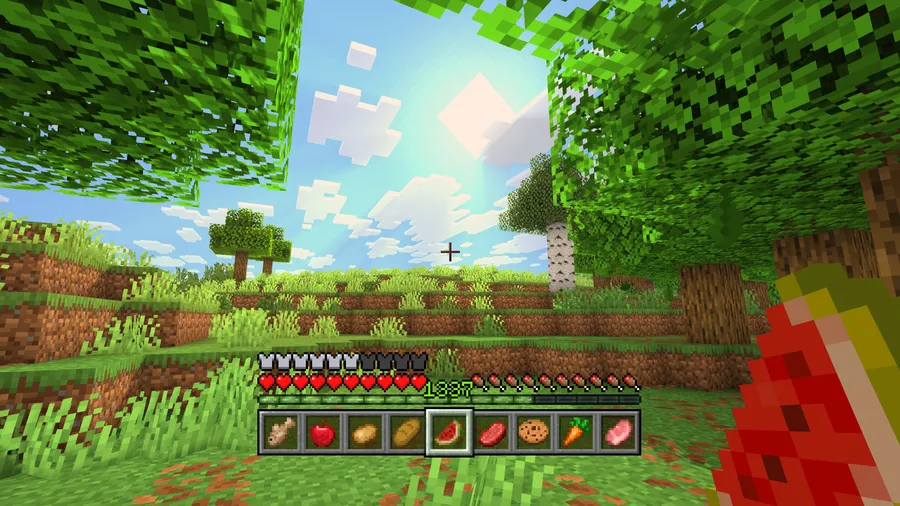
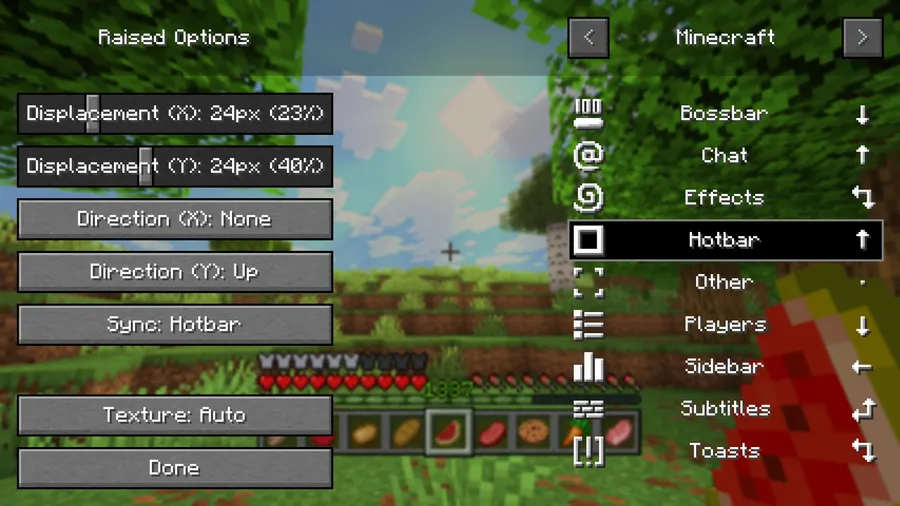
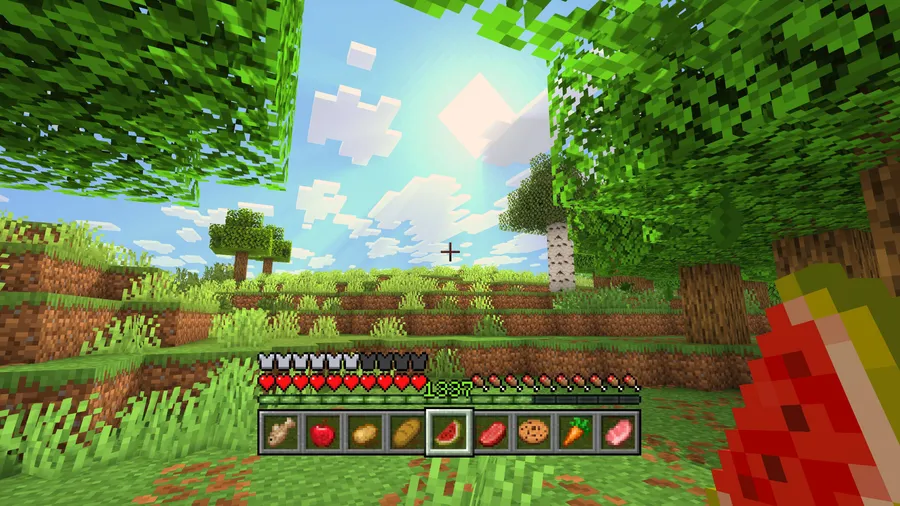
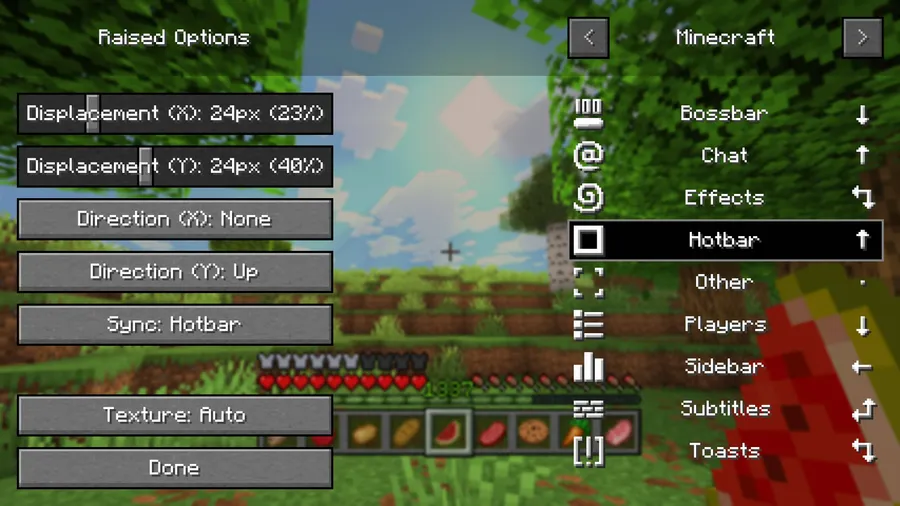
How to Install Raised Mod
- Check your Minecraft version and choose the matching Raised Mod build from the download section.
- Install the correct mod loader first: Fabric, Minecraft Forge, or NeoForge.
- Place the Raised Mod file into your Minecraft mods folder for that instance or profile.
- Launch the game, open a world, and adjust GUI layers from the options screen, commands, or config file.
- If you need offsets beyond the options sliders, edit the config directly or use commands for unrestricted displacement.
Requirements & Compatibility
| Item | Details |
|---|---|
| Supported Loaders | Fabric, Minecraft Forge, NeoForge |
| Supported Minecraft Versions | 26.1.1, 26.1, 1.21.11, 1.21.10, 1.21.9, 1.21.8, 1.21.7, 1.21.6, 1.21.5, 1.21.4, 1.21.3, 1.21.2, 1.21.1, 1.21, 1.20.6, 1.20.5, 1.20.4, 1.20.3, 1.20.2, 1.20.1, 1.20, 1.19.4, 1.19.3, 1.19.2, 1.19.1, 1.19, 1.18.2, 1.18.1, 1.18, 1.17.1 |
| Category | Minecraft Mods |
| Tag | Utility |
| Author | yurisuika |
| License | LGPL-3.0-or-later |
What's New
- Fixed a Forge and NeoForge config loading issue on Minecraft 1.20.4 and lower.
- Removed the duplicate entrypoint problem in the client mod class that caused the main constructor to be ignored.
- Added a config-loaded log message to help troubleshoot early-registering mod layers.
Pros and Cons
Pros
- Strong control over HUD positioning and hotbar placement.
- Supports vanilla layers and many modded overlays.
- Configurable through UI, commands, or direct config editing.
Cons
- Slider-based screen editing has displacement limits.
- Some mod overlays still depend on how those mods render their UI.
- Advanced layout tuning may require config or command edits.
Alternatives to Raised Mod
- Mod Menu — A useful companion if you want easier access to mod settings on Fabric.
- Jade — A complementary HUD mod if you want richer block and entity info overlays.
- AppleSkin — A practical UI-focused mod if food and hunger display improvements matter in your setup.
Download Raised Mod
| Minecraft Version | Fabric | Forge | NeoForge |
|---|---|---|---|
| For Minecraft 26.1.1 | Download | — | Download |
| For Minecraft 26.1 | Download | — | Download |
| For Minecraft 1.21.11 | Download | Download | Download |
| For Minecraft 1.21.10 | Download | Download | Download |
| For Minecraft 1.21.9 | Download | Download | Download |
| For Minecraft 1.21.8 | Download | Download | Download |
| For Minecraft 1.21.7 | Download | Download | Download |
| For Minecraft 1.21.6 | Download | Download | Download |
| For Minecraft 1.21.5 | Download | Download | Download |
| For Minecraft 1.21.4 | Download | Download | Download |
| For Minecraft 1.21.3 | Download | Download | Download |
| For Minecraft 1.21.2 | Download | Download | Download |
Always download mods from official sources to stay safe.
Frequently Asked Questions
Does Raised Mod work with Fabric, Forge, and NeoForge?
Yes — the available builds listed here cover Fabric, Forge, and NeoForge. Just make sure you install the file that matches both your loader and Minecraft version.
Can Raised Mod move modded HUD overlays too?
Yes — supported modded layers can be moved, and many Forge or NeoForge overlays registered through the standard overlay registry are captured automatically. Some overlays can also move with vanilla layers depending on how the other mod renders them.
Can I move the hotbar closer to the center of the screen?
Yes — hotbar repositioning is one of the clearest reasons to use Raised Mod. You can move that layer directly and fine-tune the placement to match your preferred HUD layout.
Is the options screen the only way to configure Raised Mod?
No — you can also use commands or edit the config file directly. That matters because the options screen intentionally limits displacement values to keep slider controls usable.
Where can I report bugs or read documentation?
The GitHub wiki and issue tracker are the official places for documentation and bug reports based on the project links in the mod data. There is also a Discord link listed by the author for support.


![[Let's Do] NetherVinery Mod (1.20.1) - thumbnail](http://mcinside.com/wp-content/uploads/2026/04/thumbnail-83-52x52.webp)


![CobbleDollars [Cobblemon Addon] Mod (1.21.1) - thumbnail](http://mcinside.com/wp-content/uploads/2026/04/thumbnail-108-52x52.webp)
