

Embeddium (Rubidium) Extra Mod is an optimization and utility mod that adds extra visual and interface controls for Embeddium or Rubidium on Minecraft Forge and NeoForge. It works as a port of Sodium Extra for the Forge-side ecosystem, giving players more ways to tune how the game looks and feels.
The main problem this mod solves is simple: Embeddium or Rubidium can improve the rendering side of Minecraft, but many players still want deeper control over visuals without jumping through menus or relying on unrelated tweaks. That is where this project stands out. With more than 6 million downloads on Modrinth, it has strong social proof, and its feature set clearly targets players who want cleaner visuals, fewer distractions, and more choice over what the game renders on screen.
Key Features of Embeddium (Rubidium) Extra Mod
- Animations Settings — This section lets you control effects like fire, water, lava, and block animations. That matters because busy animation layers can make the screen feel noisy in large bases or modded worlds, so having the option to dial them back helps you shape a cleaner gameplay experience.
- Particles Settings — The mod can control many particle effects, including particles added by other mods. For players running heavier packs, this is useful because particles are often one of the first things that make combat, farming, or machine rooms look cluttered rather than readable.
- Details Settings — You can adjust sky, stars, the sun and moon, weather, and other world details. These settings matter when you want the world to match your preference, whether that means a simpler look for focus or a more selective presentation that keeps the atmosphere without every visual layer turned on.
- Render Settings — This includes controls for fog, static entities, and other miscellaneous rendering behavior. In practice, that gives you more say over visibility and scene clarity, which is especially helpful if you dislike heavy fog or want to reduce visual distractions in exploration and building sessions.
- Extra Settings — The extra menu includes options for FPS display, coordinates, toast notifications, clouds, and more. These are the quality-of-life settings that make a mod feel worth keeping installed, because they affect what you actually see every minute you play, not just edge-case visuals.
Screenshots
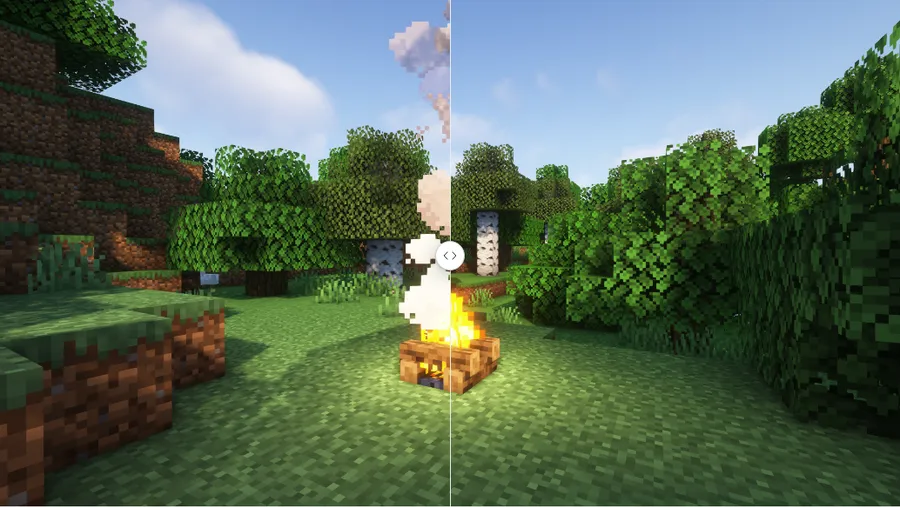
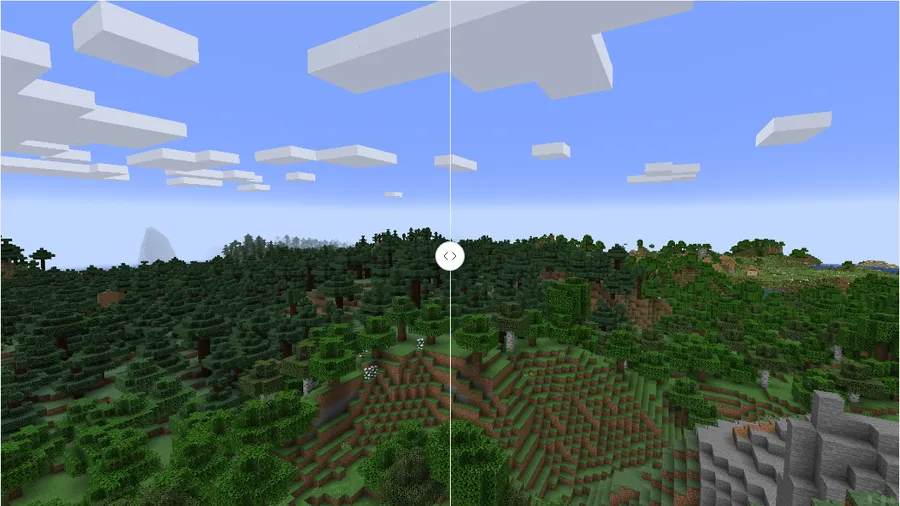
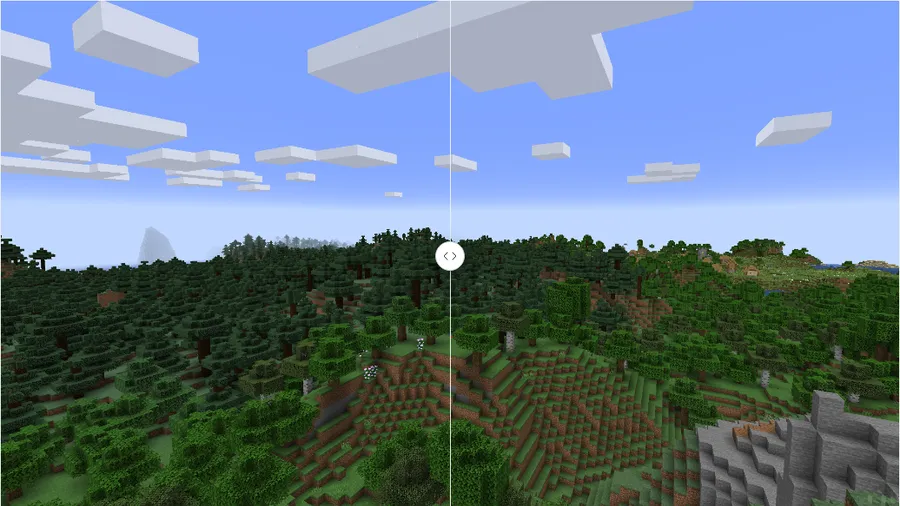
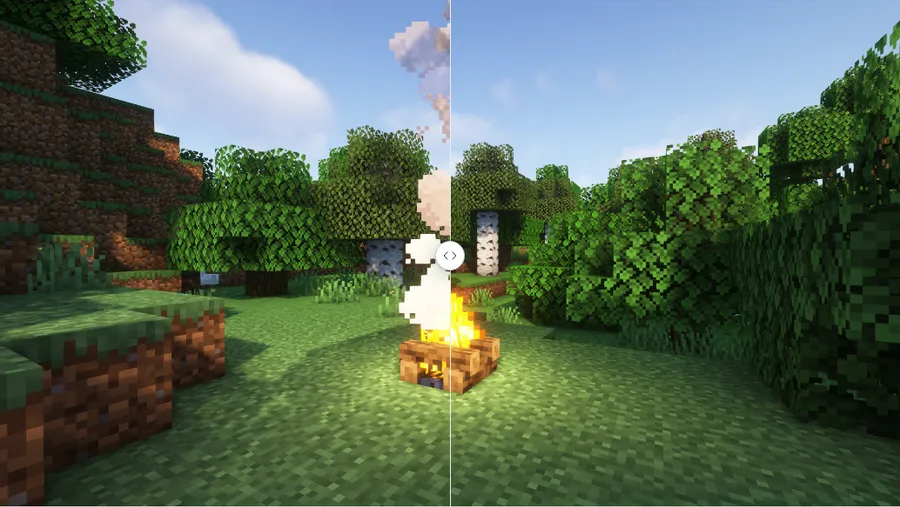
How to Install Embeddium (Rubidium) Extra Mod
- Install the correct mod loader for your setup: Minecraft Forge or NeoForge.
- Make sure you also have Embeddium or Rubidium installed, because this mod depends on one of those projects to function.
- Download the version that matches your Minecraft build and loader, such as 1.21.1 for NeoForge or 1.20.1 for Forge/NeoForge.
- Place the mod file in your Minecraft
modsfolder, then launch the game with the same loader profile you used for the other required mods. - Open the video or related settings in-game and review the extra menus to adjust animations, particles, details, rendering, and interface options to your preference.
Requirements & Compatibility
| Item | Details |
|---|---|
| Category | Minecraft Mods |
| Author | dima_dencep |
| Description | Port of Sodium Extra to work with Embeddium/Rubidium on (Neo)Forge |
| Loaders | Forge, NeoForge |
| Required Platforms | Minecraft Forge, NeoForge |
| Supported Minecraft Versions | 1.21.1, 1.21, 1.20.6, 1.20.4, 1.20.2, 1.20.1, 1.20, 1.19.4, 1.19.3, 1.19.2, 1.19.1, 1.19, 1.18.2, 1.16.5, 1.16.4, 1.16.3, 1.16.2, 1.16.1, 1.16 |
| Tags | cursed, optimization, utility |
| License | LGPL-3.0-only |
What's New
- The latest listed changelog entry references commit
ab30cc1. - The visible change in that entry is an update to
pt_br.json. - The changelog ties that update to issue or pull request
#96. - Modrinth lists the project as updated on 2025-08-07, showing the mod is still being maintained.
Pros and Cons
Pros
- Adds a wide range of visual and interface controls on top of Embeddium or Rubidium.
- Covers both gameplay-facing options and cosmetic details like weather, clouds, and celestial visuals.
- Supports both Forge and NeoForge across many Minecraft versions.
- Very strong adoption, with more than 6 million downloads on Modrinth.
- Open-source project with clear modpack permission as long as attribution is provided.
Cons
- Requires Embeddium or Rubidium, so it is not a standalone install.
- The project name can be confusing because development is focused on Embeddium even though Rubidium compatibility remains a priority.
- Some setups may need an older version of the mod for the game to work properly, according to the provided description.
- Re-hosting or uploading the mod elsewhere is not allowed.
Alternatives to Embeddium (Rubidium) Extra Mod
- Sodium Extra — The original project this mod is based on, aimed at adding extra controls and features around the Sodium-style experience.
- Embeddium — A complementary base mod if you want the environment this add-on is actively developed around.
- Rubidium — Another complementary option if your setup is built around Rubidium and you want this extra settings layer on top.
Download Embeddium (Rubidium) Extra Mod
| Minecraft Version | Forge | NeoForge |
|---|---|---|
| For Minecraft 1.21.1 | — | Download |
| For Minecraft 1.21 | — | Download |
| For Minecraft 1.20.6 | — | Download |
| For Minecraft 1.20.4 | — | Download |
| For Minecraft 1.20.2 | — | Download |
| For Minecraft 1.20.1 | Download | Download |
| For Minecraft 1.20 | Download | Download |
| For Minecraft 1.19.4 | Download | — |
| For Minecraft 1.19.3 | Download | — |
| For Minecraft 1.19.2 | Download | — |
| For Minecraft 1.19.1 | Download | — |
| For Minecraft 1.19 | Download | — |
Always download mods from official sources to stay safe.
Frequently Asked Questions
Do I need Embeddium or Rubidium installed for this mod to work?
Yes — you need Embeddium or Rubidium installed for this mod to work. The project is described as a port of Sodium Extra for that rendering stack, so it adds extra controls rather than replacing the underlying dependency.
Is Embeddium Extra the same thing as Rubidium Extra?
Mostly yes — the naming is connected, but the provided description says development is being done for Embeddium because it is faster to update. Rubidium compatibility is still treated as a priority, although some game versions may work better with older builds.
Should I install this mod if I want more visual settings?
Yes — that is exactly the kind of use case this mod targets. Its menus focus on animation, particle, detail, render, and extra interface controls, which makes it appealing if the default setup feels too limited.
Does this mod support Forge and NeoForge?
Yes — the provided data lists both Forge and NeoForge as supported mod types. Download availability varies by Minecraft version, so it is worth matching the file to your exact game version and loader.
Can I use this mod in a modpack?
Yes — the original description says you can include it in a modpack as long as you provide attribution. That is a useful policy for pack builders who want more graphics controls without switching away from the Forge or NeoForge side of modding.
Can I re-upload this mod somewhere else?
No — the provided common questions section explicitly says re-hosting or uploading the mod somewhere else is not allowed. If you want to share it, the safer approach is to point players to the official project pages instead.


![Not Enough Recipe Book [NERB] Mod (1.21.11) - thumbnail](http://mcinside.com/wp-content/uploads/2026/04/thumbnail-63-52x52.webp)


