
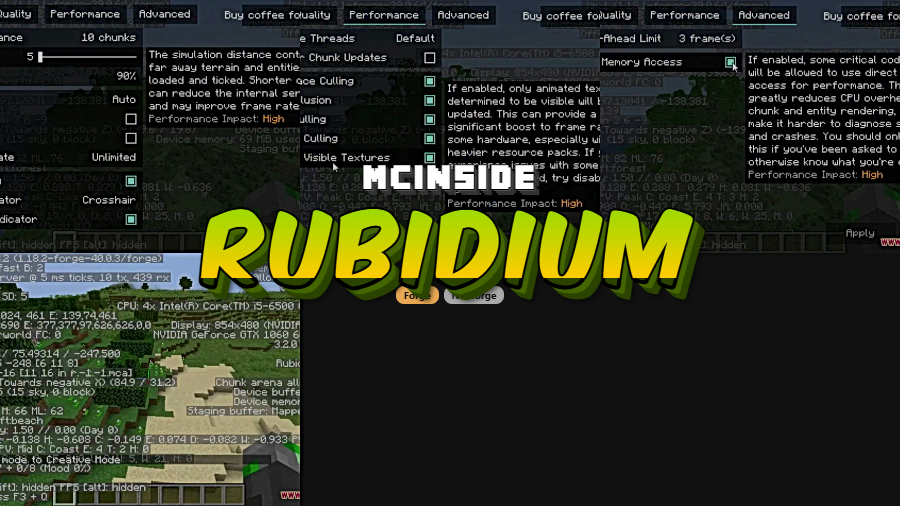
Forge players have long envied Fabric users for having access to Sodium — the gold standard of Minecraft performance mods. Rubidium Mod changes that by bringing Sodium's entire rendering engine to Minecraft Forge as an unofficial fork. Created by Asek3 and downloaded over 3.8 million times on Modrinth, Rubidium delivers the same modern OpenGL pipeline, reduced memory usage, and dramatically improved frame rates that made Sodium famous — all without ever needing to leave the Forge ecosystem. One important caveat: Rubidium is not and never will be compatible with OptiFine.
Key Features
- Modern OpenGL Rendering Pipeline — Replaces Minecraft's outdated chunk renderer with a modern pipeline that uses multi-draw techniques, significantly reducing the number of draw calls and boosting overall frame rates.
- Compact Vertex Data — Rendered chunk data is compressed into a much more compact format, cutting video memory usage and bandwidth requirements substantially compared to vanilla Minecraft.
- Multi-Threaded Block Updates — Nearby block updates leverage multi-threading instead of running on a single thread, greatly reducing the lag spikes that occur when chunks need to be rebuilt.
- Aggressive Face Culling — Chunk faces that aren't visible or face away from the camera are culled early in the rendering process, eliminating unnecessary GPU work before it even starts.
- Faster Chunk Loading — Extensive optimizations to chunk loading and block rendering make loading new terrain significantly faster and less damaging to frame rates while exploring.
- Entity & Item Rendering Improvements — Optimized vertex building and matrix transformations speed up rendering of block entities, mobs, and items noticeably.
- Better Memory Management — Improved object allocation and memory handling reduce overall memory consumption and the frequency of garbage collection lag spikes.
- Enhanced Smooth Lighting — Graphical fixes for smooth lighting effects maintain visual quality while applying meaningful optimizations, including smooth lighting for fluids and special blocks.
- Smooth Biome Blending — Improved biome blending for blocks and fluids delivers better visual transitions between biomes with less computational cost than vanilla blending.
- Smart Texture Updates — Animated textures not currently visible in the world are skipped during updates, saving processing power especially on hardware with limited GPU bandwidth.
Screenshots
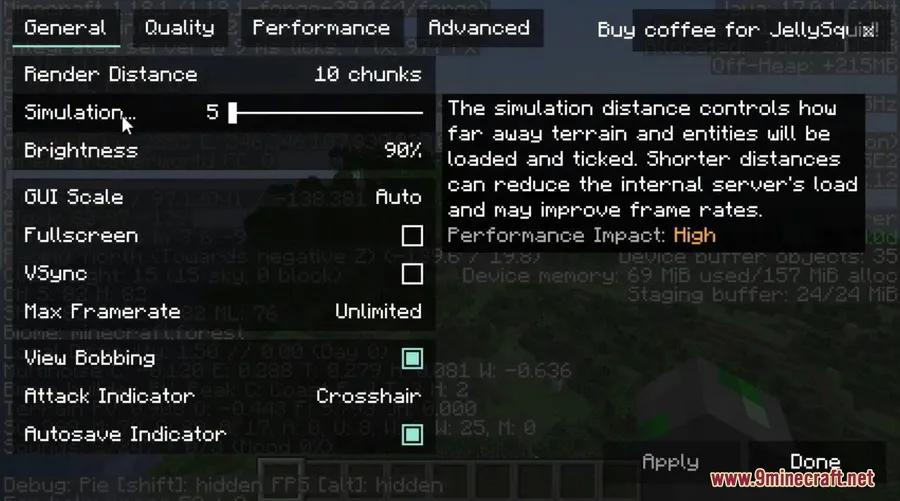
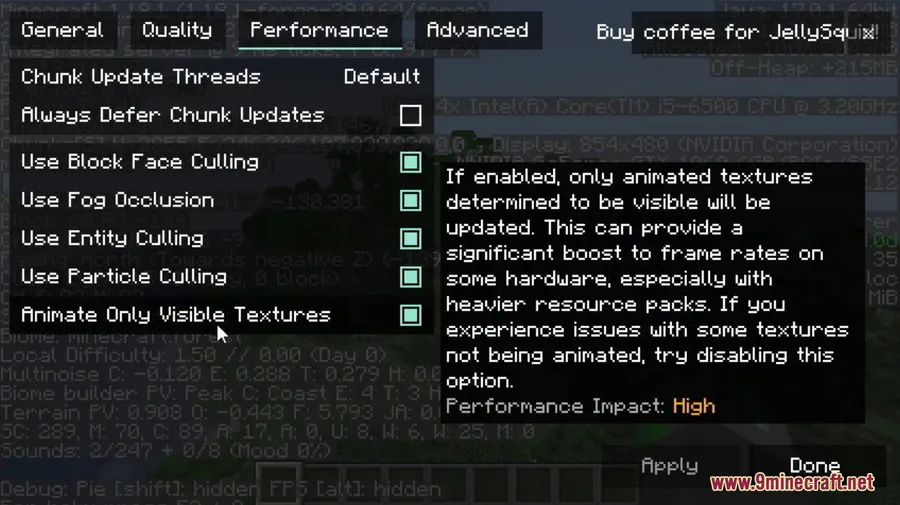
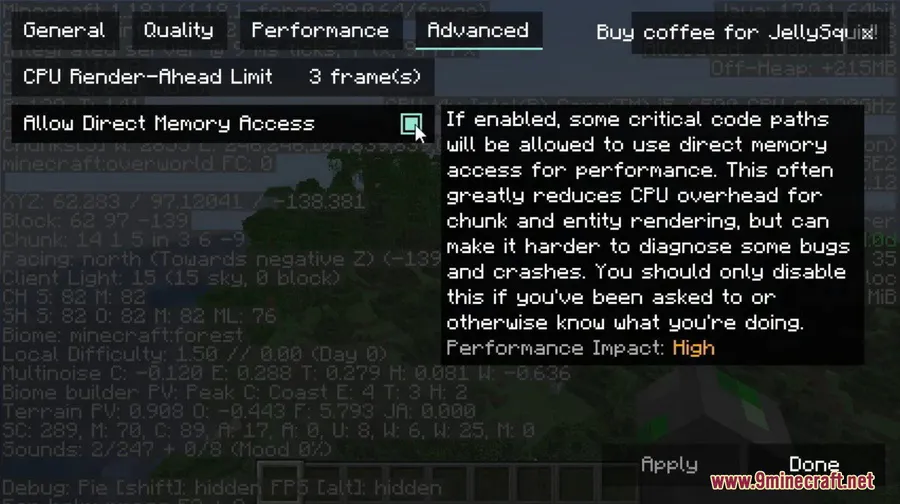
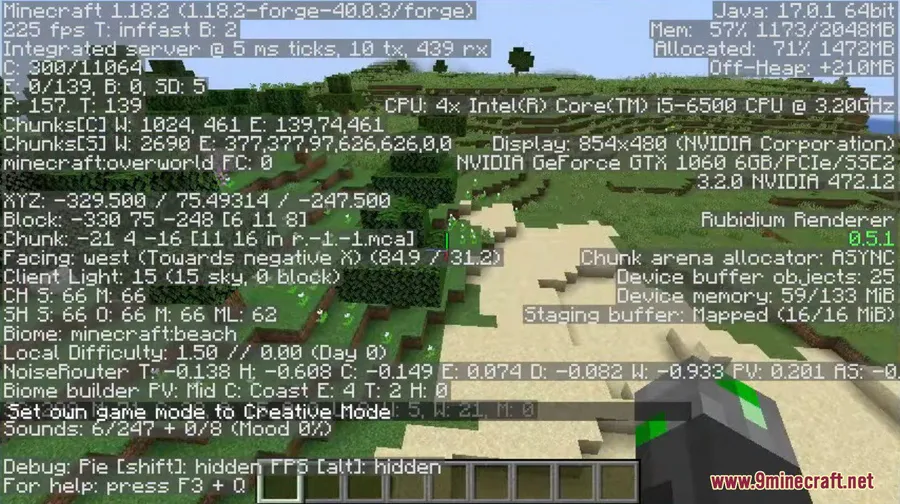
How to Install
- Download and install Minecraft Forge for your desired Minecraft version.
- Download the Rubidium Mod file (.jar) matching your Forge and Minecraft version.
- Open your Minecraft directory and navigate to the
modsfolder (create it if it doesn't exist). - Place the downloaded Rubidium .jar file into the
modsfolder. - Launch Minecraft using your Forge profile — Rubidium will load automatically.
Requirements
| Requirement | Details |
|---|---|
| Mod Loader | Minecraft Forge |
| Dependencies | None (standalone mod) |
| Minecraft Version | 1.16.5, 1.18.1, 1.18.2, 1.19, 1.19.1, 1.19.2, 1.19.3, 1.19.4 |
Pros & Cons
Pros
- Brings Sodium-level rendering optimizations to Forge players
- Modern OpenGL pipeline with multi-draw techniques for better frame rates
- Reduces memory usage through compact vertex data and improved allocation
- Multi-threaded block updates reduce common lag spikes
- Includes visual improvements like smooth fluid lighting and biome blending
- Open source under LGPL-3.0 license
Cons
- Not compatible with OptiFine — you must choose one or the other
- Unofficial fork, so updates may lag behind the original Sodium
- Some Fabric-based Sodium addons via Connector may have compatibility issues (e.g., Indium)
Download
Always download mods from official sources to stay safe.
What's New
- Now fully compatible with Connector, allowing Forge users to bridge some Fabric mod compatibility.
- Supports Fabric addons for Sodium through Connector, though Indium may still have some issues.
- Resolved JEI (Just Enough Items) compatibility issues that previously caused conflicts.
- Fixed crashes when used alongside the Create mod (thanks to embeddedt).
- Upstreamed with the latest Sodium optimizations and includes cloud rendering fixes.
FAQ
Can I use Rubidium with OptiFine?
No. Rubidium is not compatible with OptiFine and the developer has confirmed this will never change. You need to choose one or the other for your Forge installation. For shader support alongside Rubidium, look into Oculus (version 1.6.9 or later is recommended).
Is Rubidium the same as Sodium for Forge?
Rubidium is an unofficial fork of Sodium ported to Minecraft Forge. It contains all the core features and rendering optimizations from Sodium, including the modern OpenGL pipeline, compact vertex data, and multi-threaded block updates.
Does Rubidium work with the Create mod?
Yes. Earlier versions had crash issues when used alongside Create, but the latest release has resolved those conflicts. Make sure you are using an up-to-date version of Rubidium for the best compatibility.


![[Let's Do] Meadow Mod (1.21.1) - thumbnail](http://mcinside.com/wp-content/uploads/2026/04/thumbnail-64-52x52.webp)


![Not Enough Recipe Book [NERB] Mod (1.21.11) - thumbnail](http://mcinside.com/wp-content/uploads/2026/04/thumbnail-63-52x52.webp)


