
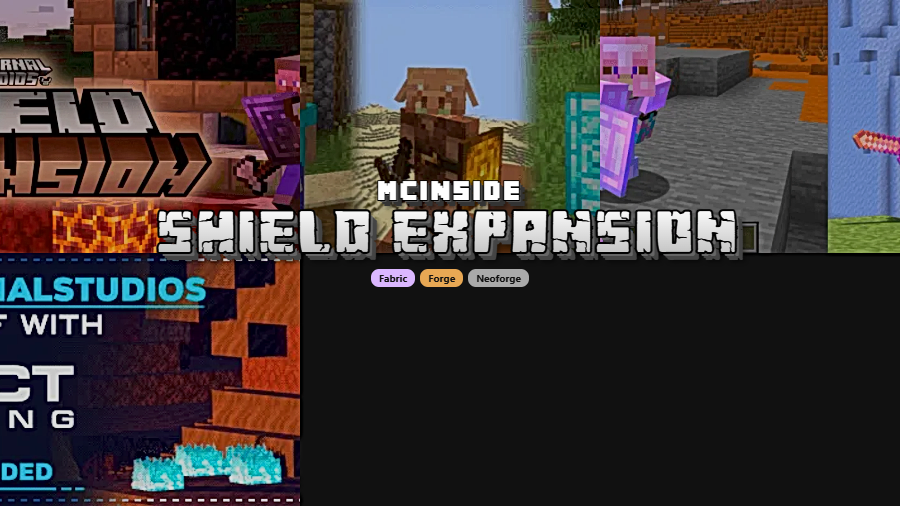
Shield Expansion Mod is a Minecraft combat mod that adds shield tiers, parrying, enchantments, and customization for Fabric, Forge, and NeoForge. It rebalances shields to make blocking more skill-based and flexible across supported versions.
Vanilla shields do the job, but they can feel flat once every fight turns into the same block-and-wait loop. Shield Expansion solves that by giving shields clearer progression, a timing-based parry system, and more reasons to care about which shield you carry into combat. That makes moment-to-moment fighting more engaging without abandoning Minecraft's familiar feel. The appeal is clear from the response it has already received, with more than 1.1 million downloads on Modrinth, and after looking through its design, it is easy to see why players who enjoy adventure and utility mods keep coming back to it.
Key Features of Shield Expansion Mod
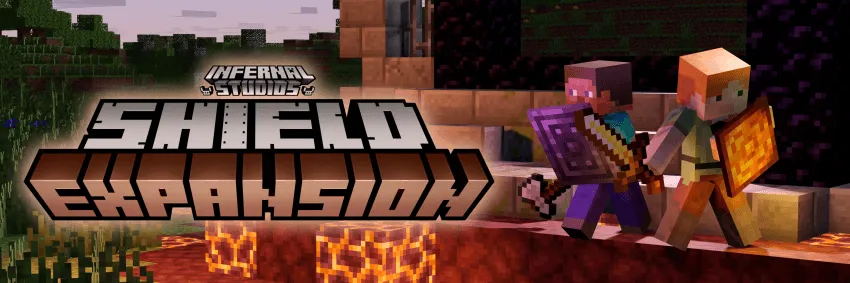
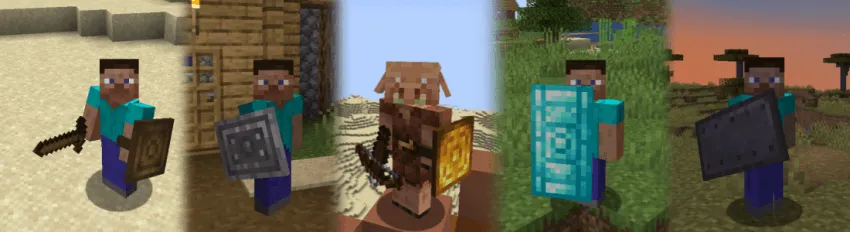
- Shield Tiers — This mod adds traditional shield tiers, which gives your defensive gear a more meaningful sense of progression. Instead of every shield feeling interchangeable, your choice matters more as you move through different stages of survival or modded play.
- Parrying — A well-timed shield raise lets you parry just before an attack lands, which rewards timing rather than passive blocking. In real play, that makes combat feel more active because successful parries can shove back melee enemies and deflect incoming projectiles.
- Off-Guard Cooldown Rework — Shield Expansion introduces an Off-Guard Cooldown system and then lets parrying bypass it when your timing is correct. That creates a better rhythm in fights, since the best defense is no longer just holding up a shield constantly.
- Parry-Bash Damage on Higher Tiers — Wooden and golden shields can push enemies away without dealing damage, while stronger shield tiers can return part of the incoming melee damage through a parry-bash. The tradeoff is important: higher tiers can be more rewarding, but the timing window becomes tighter, so skill matters more as your gear improves.
- Broad Shield Compatibility — The mod is designed so its shield attributes apply to shields from other mods as well. That matters because it helps Shield Expansion fit into larger modpacks instead of feeling locked to a small set of items.
- Customization Through Datapacks and Config — Attributes can be adjusted with a datapack, while core shield functionality can be tuned in the config. For players and pack makers, that means the mod can be shaped around a preferred combat style instead of forcing one fixed balance.
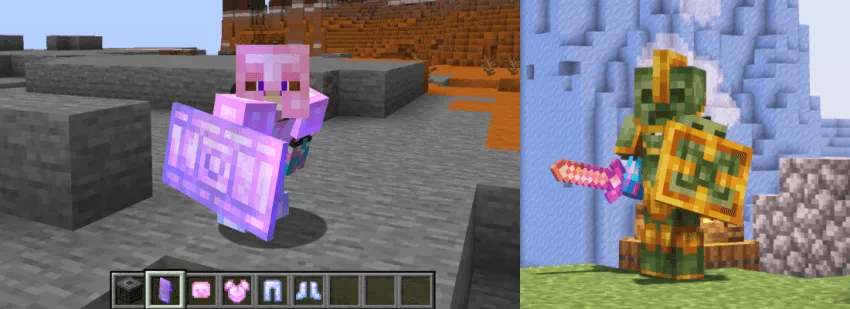
- Built-In Mod Integrations — Shield Expansion includes native compatibility with Mining Master and built-in compatibility for Team Abnormals' Savage and Ravage. Those integrations give it more long-term value, whether you want the Paragon Shield path or prefer stronger resistance-focused shield options.
Screenshots

How to Install Shield Expansion Mod
- Check your Minecraft version and download the build that matches it, such as 1.21.1, 1.20.1, or one of the older supported releases listed below.
- Install the correct mod loader for your setup: Fabric, Forge, or NeoForge.
- Download Shield Expansion for the same Minecraft version and loader combination you plan to use.
- Place the mod file into your Minecraft
modsfolder, then launch the game once with the matching loader profile enabled. - If you use multiple content mods, review your config or datapack settings after startup so shield behavior matches the combat balance you want.
Requirements & Compatibility
| Category | Details |
|---|---|
| Author | InfernalStudios |
| Category | Minecraft Mods |
| Tags | Adventure, Utility |
| Supported Loaders | Fabric, Forge, NeoForge |
| Listed Requirements | Fabric Mod Loader, Minecraft Forge, NeoForge |
| Supported Minecraft Versions | 1.21.1, 1.20.1, 1.19.4, 1.19.2, 1.19.1, 1.19, 1.18.2, 1.18.1, 1.18, 1.16.5, 1.16.4, 1.16.3 |
| Known Integrations | Mining Master, Team Abnormals' Savage and Ravage |
| License | Apache-2.0 |
What's New
- The latest listed update was published on 2026-03-11.
- A reported issue with food acting like shields on Minecraft 1.20.1 was fixed.
- A reported issue with spyglasses acting like shields on Minecraft 1.20.1 was also fixed.
- The recent changelog appears focused on cleaning up unintended shield-like behavior rather than adding a new feature set.
Pros and Cons
Pros
- Makes shield combat feel more skill-based through parrying and timing.
- Adds clearer progression with multiple shield tiers.
- Works across Fabric, Forge, and NeoForge depending on version.
- Includes customization through configs and datapacks.
- Appears friendly to larger mod setups thanks to broad shield compatibility.
Cons
- Players who prefer simple vanilla combat may find the extra timing layer less intuitive at first.
- Some version and loader combinations are more limited than others.
- The tighter parry window on stronger shields may take practice to use consistently.
Alternatives to Shield Expansion Mod
- Combat Roll Mod — A complementary combat mod that pairs well with more active, timing-focused defensive play.
- Cammie's Combat Tweaks — A similar option mentioned for players looking for a Fabric-side combat experience with shield-related changes.
- Guarding Mod — Another comparable recommendation for players who want shield-focused combat adjustments on Fabric.
Download Shield Expansion Mod
| Minecraft Version | Fabric | Forge | NeoForge |
|---|---|---|---|
| For Minecraft 1.21.1 | Download | — | Download |
| For Minecraft 1.20.1 | Download | Download | Download |
| For Minecraft 1.19.4 | — | Download | — |
| For Minecraft 1.19.2 | — | Download | — |
| For Minecraft 1.19.1 | — | Download | — |
| For Minecraft 1.19 | — | Download | — |
| For Minecraft 1.18.2 | — | Download | — |
| For Minecraft 1.18.1 | — | Download | — |
| For Minecraft 1.18 | — | Download | — |
| For Minecraft 1.16.5 | — | Download | — |
| For Minecraft 1.16.4 | — | Download | — |
| For Minecraft 1.16.3 | — | Download | — |
Always download mods from official sources to stay safe.
Frequently Asked Questions
Is Shield Expansion Mod available for Fabric, Forge, and NeoForge?
Yes — Shield Expansion Mod has listed support for Fabric, Forge, and NeoForge. Availability depends on the Minecraft version, so you should match both the game version and the correct loader before installing.
Does Shield Expansion Mod add more than cosmetic shield changes?
Yes — the mod changes shield gameplay in meaningful ways. It adds tiers, parrying, Off-Guard Cooldown interactions, enchantment support, and customization options that affect how shields play in combat.
Can Shield Expansion Mod work with shields from other mods?
Yes — the mod is described as applying its shield attributes to shields from other mods. That makes it especially useful in broader modpacks where you want consistent shield behavior across multiple item sources.
Is Shield Expansion Mod a good choice for combat-focused players?
Yes — this mod is clearly aimed at players who want more engaging and skillful combat. The parry system, projectile deflection, and tier-based tradeoffs give shields a more active role than they have in vanilla Minecraft.
Does Shield Expansion Mod support Minecraft 1.21.1?
Yes — Minecraft 1.21.1 is listed as a supported version. For that version, the provided download information shows Fabric and NeoForge loader support.
Should you install Shield Expansion Mod in a modpack?
Yes — it looks like a strong candidate if your pack wants more interesting defensive combat. Its configurable behavior, compatibility-minded design, and integration notes make it easier to fit into a customized setup than a more rigid combat overhaul.


![[Deprecated] Farmer's Delight [Fabric] Mod (1.20.1, 1.20)](http://mcinside.com/wp-content/uploads/2026/04/thumbnail-77-300x169.webp)


