
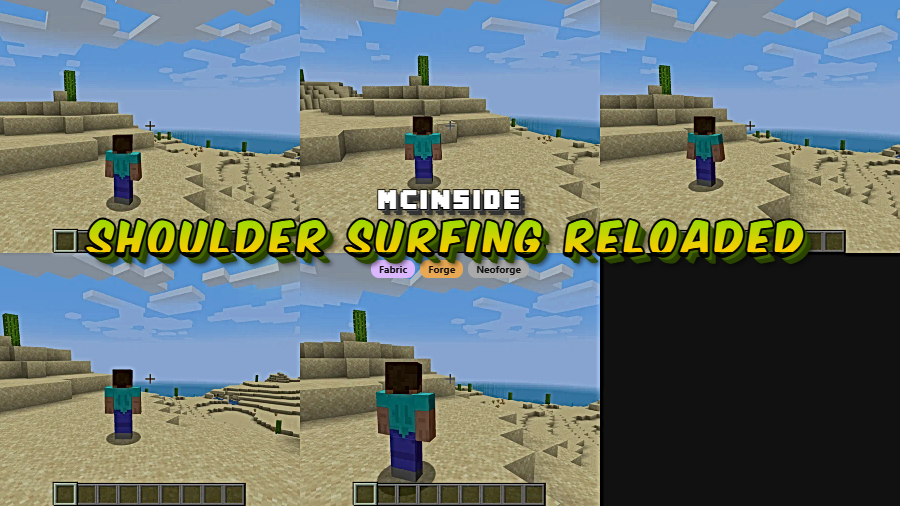
Shoulder Surfing Reloaded is a third person camera mod that adds an over-the-shoulder view, free look, and configurable camera controls for Minecraft on Fabric, Forge, and NeoForge.
Minecraft's default third-person camera often looks good but feels awkward when you actually try to interact with blocks, line up movement, or keep track of what is happening around your character. Shoulder Surfing Reloaded tackles that problem by turning third person into a more usable perspective, and its Modrinth count of 7,789,969 downloads, closing in on 8 million, gives it the kind of social proof that usually points to a widely trusted utility mod.
Key Features of Shoulder Surfing Reloaded
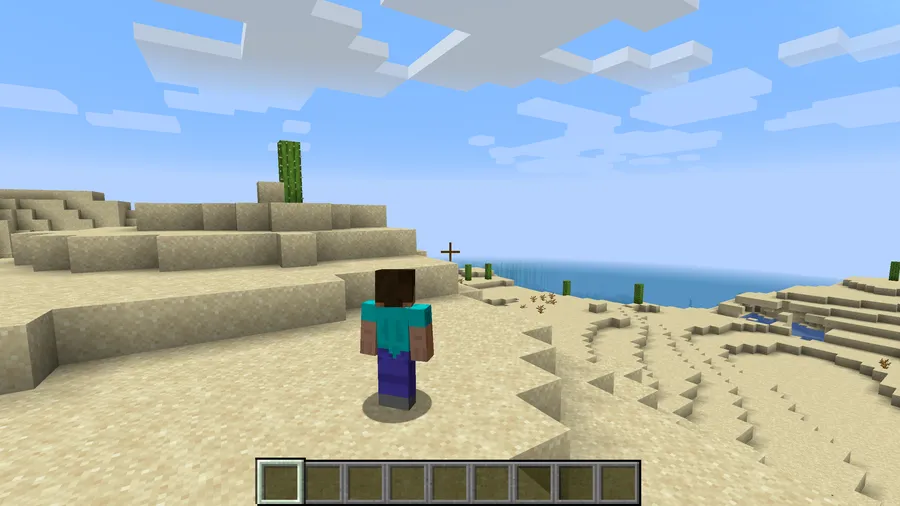
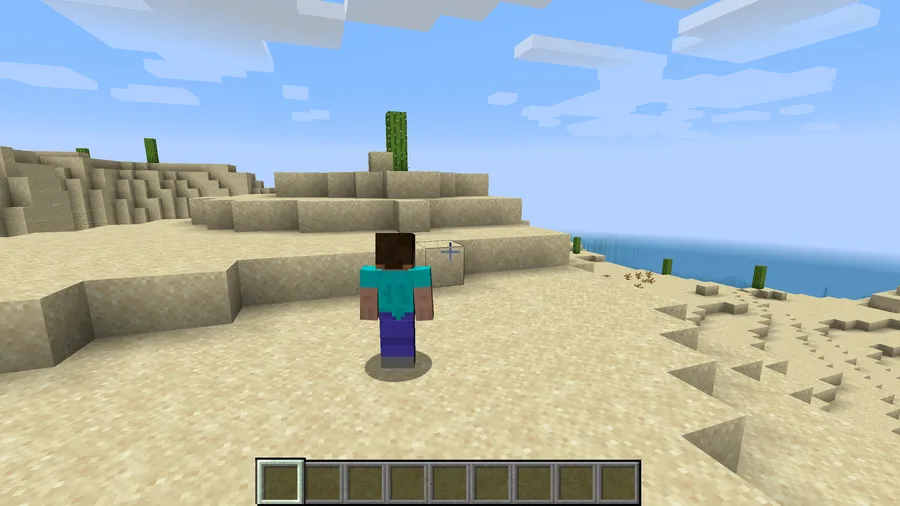
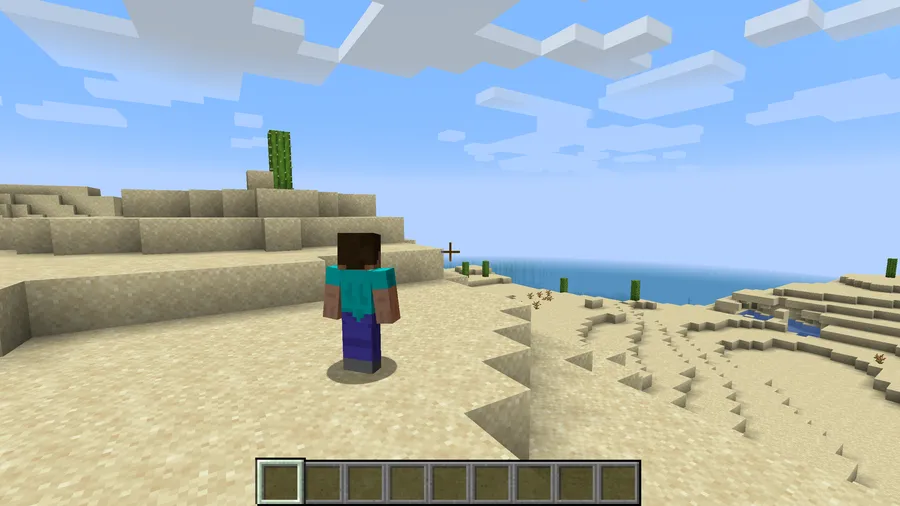
- Over-the-shoulder camera — This is the feature that changes the whole feel of the mod, because it lets you stay in third person while still seeing what you are interacting with more clearly. Instead of treating third person like a novelty angle, it makes that view practical for regular play.
- Decoupled camera movement — You can move left and right without forcing your mouse and character facing to behave like a single locked unit. That matters when you want smoother movement in combat, exploration, or tight spaces where camera control normally feels stiff.
- Free look support — With the default free look key on left alt, you can keep moving in one direction while looking somewhere else. In practice, this gives you better awareness around builds, mobs, and terrain without constantly breaking your movement rhythm.
- Hotkeys for camera adjustment — The default arrow keys, page up, page down, and shoulder switch key make it easy to tune the camera position in-game instead of settling for one fixed angle. That kind of instant adjustment is useful because third-person comfort depends a lot on personal preference and screen setup.
- Crosshair correction and adaptive transparency — The mod adjusts crosshair positioning when using adaptive or dynamic crosshair, and it can fade your player model when the view gets obstructed. Together, those features help keep the camera usable instead of letting your own character model or aim point get in the way.
- Highly configurable, client-side design — Shoulder Surfing Reloaded gives you many options to customize the camera experience, and it works client-side only, so no server mod is required. That makes it easier to add to an existing setup, especially if you want a personal camera upgrade rather than a mod that changes the whole server.
Screenshots
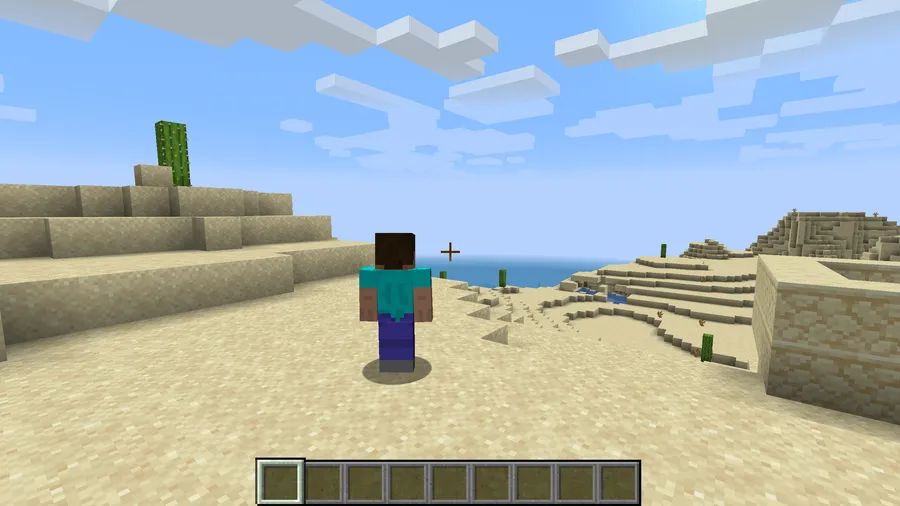
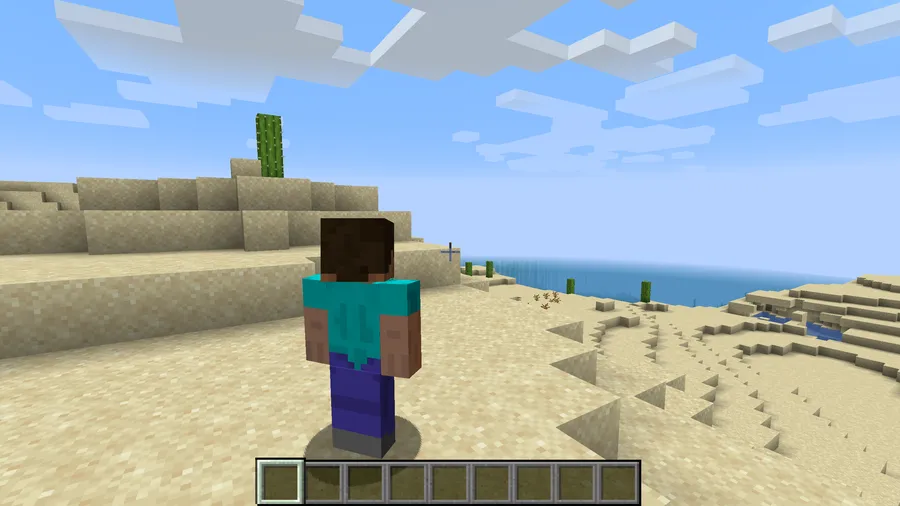
How to Install Shoulder Surfing Reloaded
- Choose the build that matches your game version and loader: Fabric, Forge, or NeoForge. The listed downloads cover Minecraft 26.1, 1.21.11, 1.21.10, 1.21.9, 1.21.1, 1.21, 1.20.1, and 1.20, depending on loader availability.
- Install your preferred loader first: Fabric Mod Loader, Minecraft Forge, or NeoForge.
- If you are using Fabric, also install Fabric API and Forge Config API Port. If you are using Forge, install Forge Config API Port as well.
- Place the correct Shoulder Surfing Reloaded jar file into your
.minecraft/modsfolder, then launch Minecraft with the matching loader profile. - Enter a world or server and use the default camera controls to fine-tune the view: arrow keys, page up, page down, and
oto switch shoulders.
Requirements & Compatibility
| Item | Details |
|---|---|
| Supported loaders | Fabric, Forge, NeoForge |
| Required software | Fabric Mod Loader, Minecraft Forge, or NeoForge, depending on the version you install |
| Extra dependencies | Fabric API and Forge Config API Port for Fabric; Forge Config API Port for Forge |
| Supported Minecraft versions | 26.1, 1.21.11, 1.21.10, 1.21.9, 1.21.1, 1.21, 1.20.1, 1.20, 1.19.2, 1.19.1, 1.19, 1.18.2, 1.18.1, 1.18, 1.8.9, 1.8.8 |
| Client or server | Client-side only; no server mod required |
| Author and license | By Exopandora, licensed under MIT |
What's New
- The latest listed update is dated 2026-03-28.
- Camera rotations no longer follow player rotations while scoping.
- Camera rotations no longer follow player rotations inside GUIs.
Pros and Cons
Pros
- Makes third-person play more practical with an over-the-shoulder camera.
- Offers extensive camera customization and direct hotkey control.
- Works on Fabric, Forge, and NeoForge.
- Client-side only, so it does not require server installation.
- Includes a plugin API for custom camera behavior and compatibility work.
Cons
- The author notes that camera and movement changes can be an issue on servers with strict anti-cheat.
- Fabric and Forge setups may need extra dependencies before the mod works properly.
- Players who prefer completely default controls may need time to adjust hotkeys and camera settings.
Alternatives to Shoulder Surfing Reloaded
- Fabric API — Not a camera replacement, but it is a useful companion download if you are installing the Fabric version of this mod.
- Forge Config API Port — This is another practical companion mod for supported Fabric and Forge setups that need the required config API layer.
- NeoForge — If you prefer running the NeoForge build of Shoulder Surfing Reloaded, this is the loader path to choose.
Download Shoulder Surfing Reloaded
| Minecraft Version | Fabric | Forge | NeoForge |
|---|---|---|---|
| For Minecraft 26.1 | Download | Download | Download |
| For Minecraft 1.21.11 | Download | Download | Download |
| For Minecraft 1.21.10 | Download | Download | — |
| For Minecraft 1.21.9 | Download | Download | — |
| For Minecraft 1.21.1 | Download | Download | Download |
| For Minecraft 1.21 | Download | Download | Download |
| For Minecraft 1.20.1 | Download | Download | — |
| For Minecraft 1.20 | Download | Download | — |
| For Minecraft 1.19.2 | Download | Download | — |
| For Minecraft 1.19.1 | Download | Download | — |
| For Minecraft 1.19 | Download | Download | — |
| For Minecraft 1.18.2 | Download | Download | — |
Always download mods from official sources to stay safe.
Frequently Asked Questions
Is Shoulder Surfing Reloaded a client-side mod?
Yes — it is a client-side mod. The data provided explicitly says no server mods are required, which makes it easier to add to your own setup.
Does Shoulder Surfing Reloaded support Fabric, Forge, and NeoForge?
Yes — the mod supports Fabric, Forge, and NeoForge. Loader availability varies by Minecraft version, so it is worth matching the correct file to your exact setup.
Can I use Shoulder Surfing Reloaded on servers?
Yes — you can use it without installing anything server-side. However, the author also warns that changing camera position and player movement can be an issue on servers with strict anti-cheat, so use it at your own risk.
Does this mod let you look around without changing movement direction?
Yes — that is one of its core features. Free look lets you keep moving in one direction while looking in another, which is useful when you want more awareness without interrupting movement.
Can I move the camera and switch shoulders with hotkeys?
Yes — the mod includes default hotkeys for camera movement and shoulder switching. The listed controls are the arrow keys, page up, page down, and o to swap shoulders.
Does Shoulder Surfing Reloaded have a plugin API?
Yes — it includes a plugin API. According to the provided data, that API is intended to help implement custom camera behaviors and compatibility features more easily.


![[Let's Do] Meadow Mod (1.21.1) - thumbnail](http://mcinside.com/wp-content/uploads/2026/04/thumbnail-64-52x52.webp)


![Not Enough Recipe Book [NERB] Mod (1.21.11) - thumbnail](http://mcinside.com/wp-content/uploads/2026/04/thumbnail-63-52x52.webp)


