
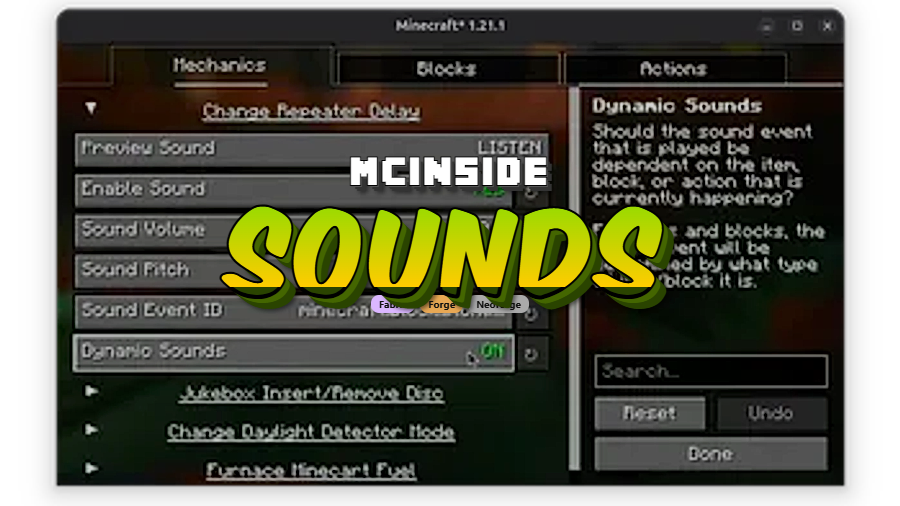
Sounds is a client-side audio overhaul mod that replaces and enhances over 170 sound effects across Minecraft's UI, items, blocks, and in-game actions, available for Fabric, Forge, and NeoForge.
Minecraft's default sound design has improved over the years, but there are still dozens of interactions — clicking through menus, scrolling inventories, sending chat messages — that happen in near silence. After a few hundred hours, even the sounds that do exist start to feel thin. That is exactly the gap Sounds fills. Created by IMB11, this mod has been downloaded over 9.5 million times since its October 2023 release, making it one of the most popular audio mods in the Minecraft modding community. It acts as a spiritual successor to beloved mods like ExtraSounds, Auditory, and QualitySounds, rolling their best ideas into a single, actively maintained package with deep configuration options.
Key Features of Sounds Mod
- Over 170 new and improved sound effects — The mod touches virtually every corner of the game. UI clicks, inventory scrolling, chat message notifications, block interactions, and item usage all receive distinct audio feedback. This transforms Minecraft from a game you play into one you genuinely hear, making every action feel more tactile and responsive.
- Professionally sourced, hand-tweaked audio — Every sound effect is sourced from the Zapsplat library and then individually adjusted by the developer to fit Minecraft's tone. This means you will not get jarring, out-of-place effects — each sound blends naturally with the existing audio landscape while still feeling like a clear upgrade.
- Fully client-side operation — You do not need to convince your server admin to install anything. Sounds runs entirely on your client, which means you can use it on any server, any realm, and any singleplayer world without compatibility concerns. Other players will not be affected by your installation.
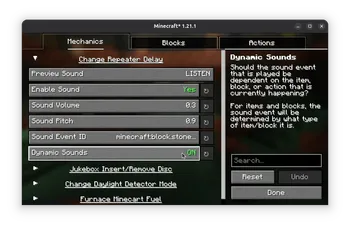
- Deep customization through config and resource packs — Unlike many audio mods that take an all-or-nothing approach, Sounds lets you fine-tune individual sound events through its configuration screen or by editing files in the
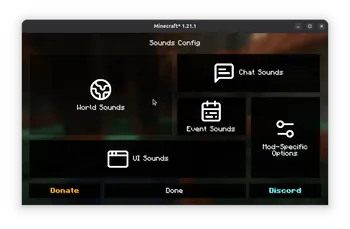
config/sounds/folder. You can also create resource pack addons to define dynamic sounds for modded blocks and items, making this a powerful tool for modpack creators. - Built-in configuration GUI — With Mod Menu installed on Fabric (or through the native config screen on Forge/NeoForge), you get a visual interface to toggle and adjust every sound the mod adds. No manual file editing is required unless you want granular control over dynamic sound definitions.
- Active development and broad version support — Sounds supports Minecraft versions from 1.21 all the way through the latest 26.1 snapshot. The developer consistently ports to new versions shortly after release, so you are unlikely to be left behind after a Minecraft update.
Screenshots
How to Install Sounds Mod
- Install your preferred mod loader: Fabric, Forge, or NeoForge. Fabric offers the broadest version support for this mod, covering 1.21 through 26.1.
- Download and install the two required dependency mods: M.R.U (Mineblock's Resource Utilities) and Yet Another Config Lib (YACL). Both are available on Modrinth.
- For Fabric users who want the in-game configuration screen, also install Mod Menu.
- Download the Sounds version that matches your Minecraft version and mod loader from the download section below.
- Place the downloaded
.jarfile into your.minecraft/mods/folder, then launch the game. No server-side installation is needed.
Requirements & Compatibility
| Requirement | Details |
|---|---|
| Mod Loaders | Fabric, Forge, NeoForge |
| Minecraft Versions | 1.21 – 26.1 |
| Dependencies | M.R.U, Yet Another Config Lib (YACL) |
| Optional | Mod Menu (Fabric config screen) |
| Side | Client-side only |
| License | All Rights Reserved |
What's New
- Ported to Minecraft 26.1 with full compatibility.
- Added a cache for dynamic item sounds, which should improve performance when interacting with inventories.
- Dynamic item sounds now prioritize specific items over tags, resulting in more accurate audio feedback.
- Switched to Fabric's client tag API for cleaner integration.
- Removed outdated sound types and cleaned up references to missing sounds.
Pros and Cons
Pros
- Massive library of 170+ sound effects covering UI, blocks, items, and actions
- Fully client-side — works on any server without installation
- Highly configurable through GUI and resource packs
- Actively maintained with fast updates to new Minecraft versions
- Supports all three major mod loaders
Cons
- Requires two dependency mods (M.R.U and YACL) which adds installation steps
- All Rights Reserved license limits redistribution and modification
- Forge and NeoForge support is limited to fewer Minecraft versions compared to Fabric
- Some players may find certain new sounds distracting until they customize the config
Alternatives to Sounds Mod
- Presence Footsteps — Focuses specifically on footstep sounds, adding unique audio for every block surface you walk on. Pairs well with Sounds for a complete audio overhaul.
- Ambient Sounds — Adds environmental background audio like bird songs, wind, and cave echoes based on your biome and surroundings, complementing Sounds' focus on interaction effects.
- Sound Physics Remastered — Adds realistic reverb, echo, and sound occlusion based on the environment geometry, making audio behave more realistically in caves, buildings, and open spaces.
Download Sounds Mod
| Minecraft Version | Fabric | NeoForge |
|---|---|---|
| For Minecraft 26.1 | Download | — |
| For Minecraft 1.21.11 | Download | — |
| For Minecraft 1.21.10 | Download | — |
| For Minecraft 1.21.9 | Download | — |
| For Minecraft 1.21.8 | Download | — |
| For Minecraft 1.21.7 | Download | — |
| For Minecraft 1.21.6 | Download | — |
| For Minecraft 1.21.5 | Download | Download |
| For Minecraft 1.21.4 | Download | Download |
| For Minecraft 1.21.3 | Download | Download |
| For Minecraft 1.21.1 | Download | Download |
| For Minecraft 1.21 | Download | Download |
Always download mods from official sources to stay safe.
Frequently Asked Questions
Is Sounds mod client-side only?
Yes — Sounds is entirely client-side and does not need to be installed on the server. You can use it on multiplayer servers, realms, and singleplayer worlds without any server-side setup. Other players on the server will not hear your modified sounds.
Does Sounds mod work with Forge and NeoForge?
Yes — Sounds supports Fabric, Forge, and NeoForge. However, Fabric has the widest version coverage, spanning from 1.21 to 26.1. NeoForge support begins at 1.21.5, and Forge compatibility varies by version. Check the download table for your specific Minecraft version.
Will Sounds conflict with other audio mods like Presence Footsteps?
Generally no — Sounds focuses on UI, item, and block interaction sounds, while mods like Presence Footsteps and Sound Physics Remastered target different audio systems. Many players run all three together for a comprehensive audio upgrade. If you do encounter overlapping sounds, the configuration screen lets you disable specific effects.
Does Sounds affect game performance?
The mod appears to be lightweight with minimal performance impact. The latest update added caching for dynamic item sounds, which further optimizes inventory interactions. Since it only modifies sound events and does not alter rendering or world generation, most players should not notice any frame rate difference.
Can I customize which sounds are changed?
Yes — every sound effect the mod adds can be individually configured. You can use the in-game configuration GUI (requires Mod Menu on Fabric) or edit the config files in the config/sounds/ folder directly. For modpack creators, resource packs can define dynamic sound definitions for modded blocks, items, and screens.


