
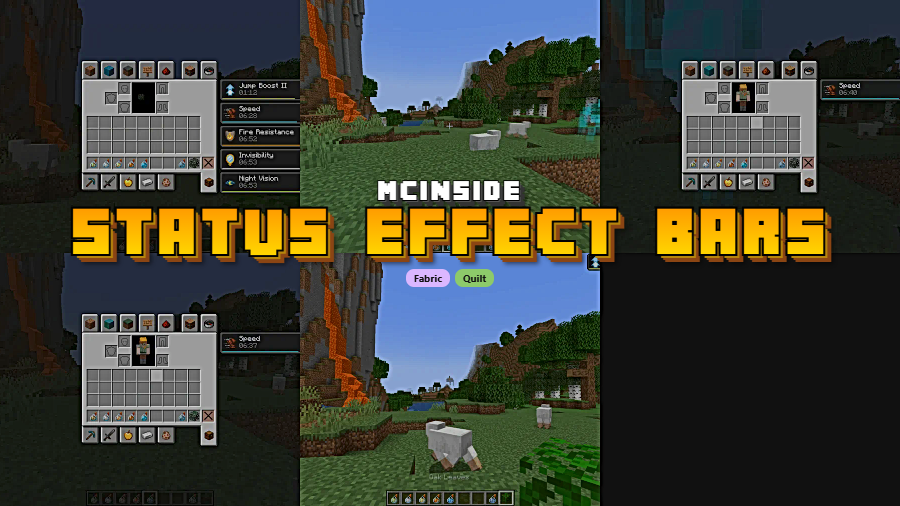
Keeping track of potion and beacon effect timers in Minecraft usually means opening your inventory mid-combat — not ideal when a Wither skeleton is swinging at your face. Status Effect Bars solves this by adding slim, color-coded duration bars directly beneath the effect icons on your HUD, giving you an at-a-glance countdown without ever leaving the action. Created by A5b84 and downloaded over 4.8 million times on Modrinth, this lightweight Fabric mod has become a staple for players who want cleaner, more informative UI elements.
Key Features
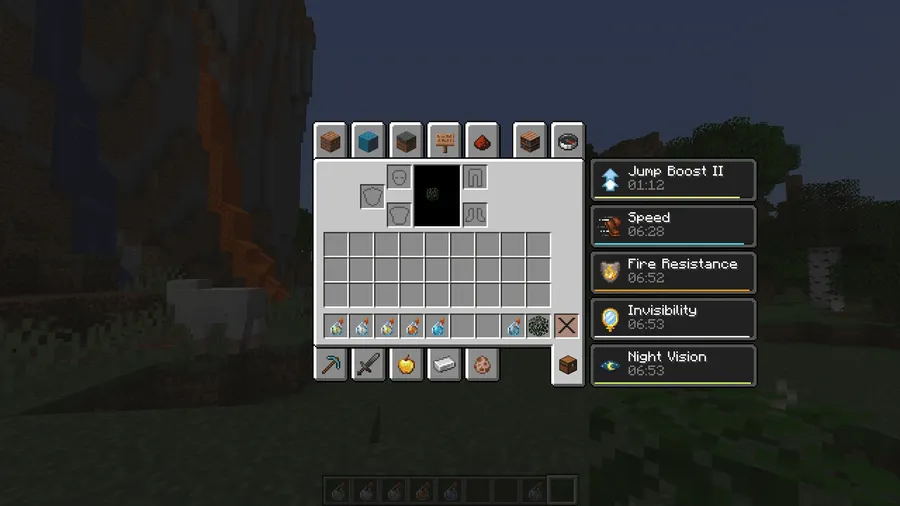
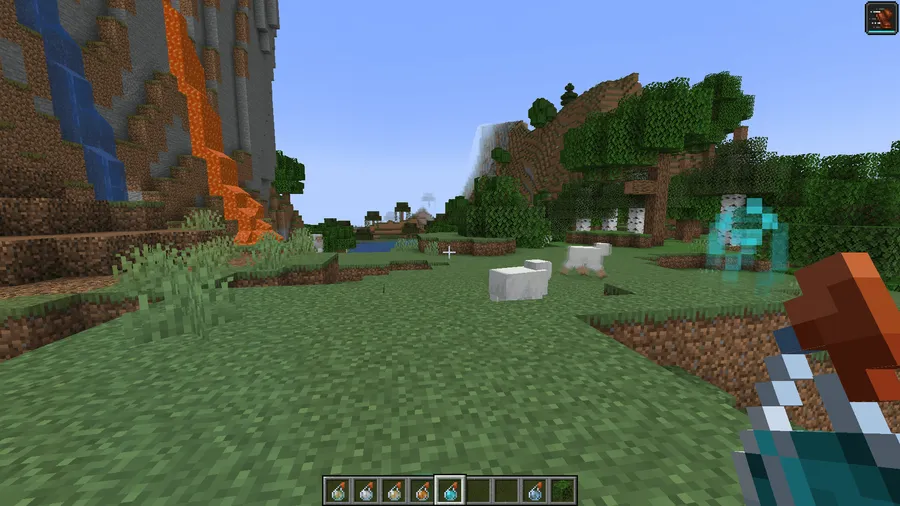
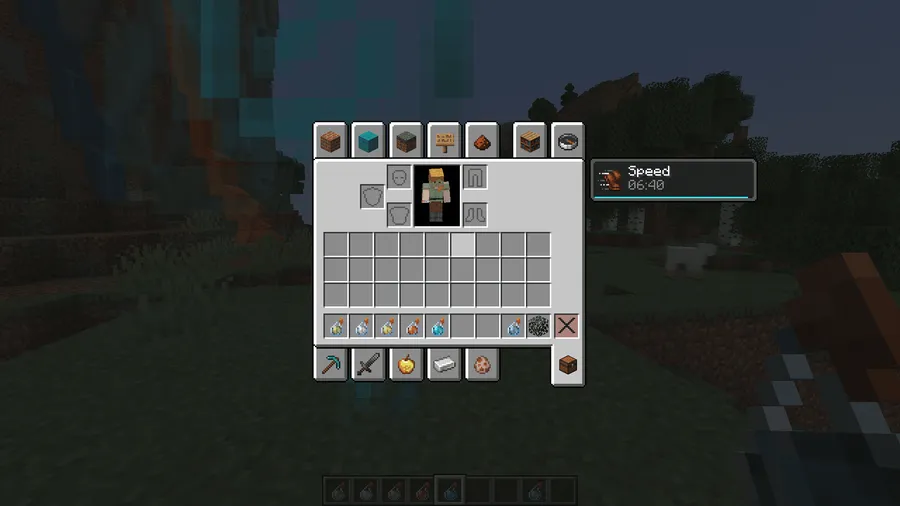
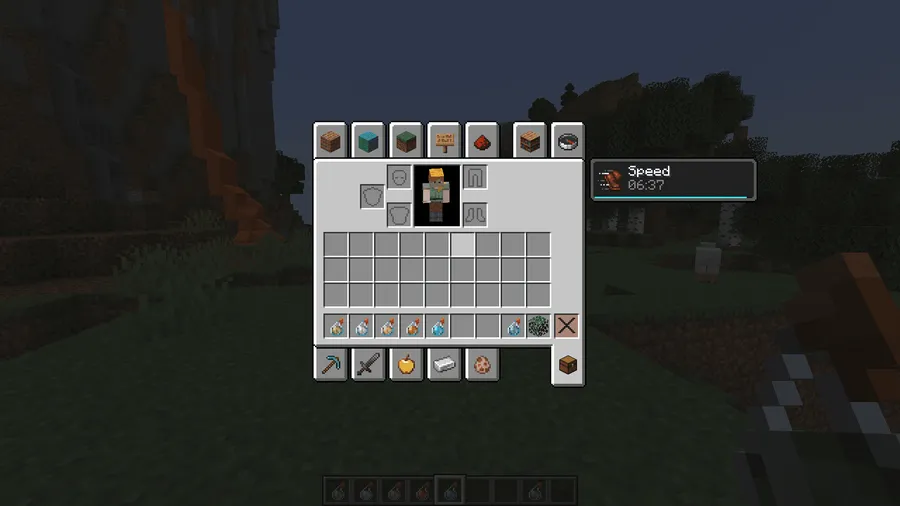
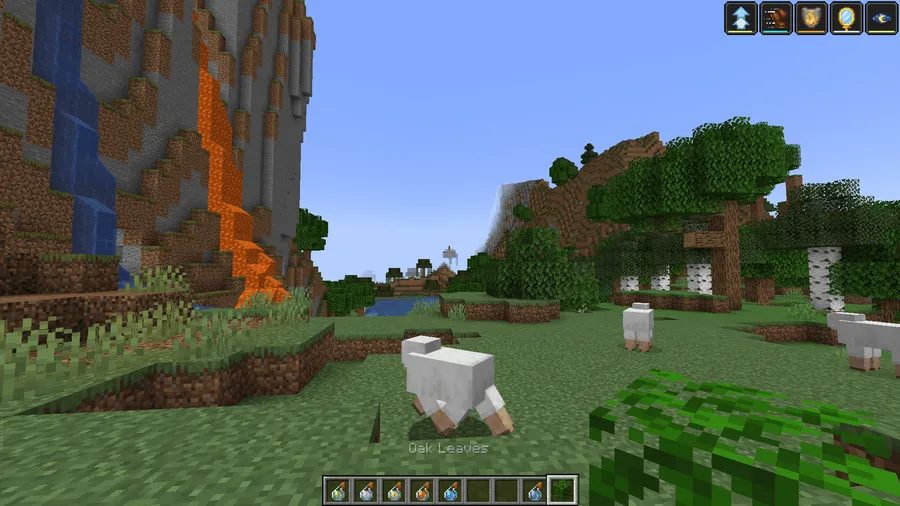
- Visual duration bars on HUD icons — Small, color-coded progress bars appear along the lower edge of each status effect icon on your screen and in the inventory overlay, so you always know how much time remains on every active effect.
- Configurable display settings — A built-in configuration screen (via Cloth Config API) lets you personalize bar appearance, positioning, and behavior to match your preferred UI layout.
- Smart bar hiding — The mod intelligently hides duration bars in specific scenarios, such as permanent beacon effects or ambient effects, keeping your screen uncluttered when exact timing doesn't matter.
- Works in both HUD and inventory — Duration bars show up on the top-right effect icons during gameplay and alongside the full effect list in your inventory screen, providing consistent information everywhere.
Screenshots
How to Install
- Download and install Fabric Loader for your Minecraft version.
- Place the Fabric API and Cloth Config API mod files into your
.minecraft/modsfolder — both are required dependencies. - Download the Status Effect Bars jar file matching your Minecraft version.
- Drop the downloaded jar into your
.minecraft/modsfolder and launch the game.
Requirements
| Component | Details |
|---|---|
| Mod Loader | Fabric, Quilt |
| Dependencies | Fabric API, Cloth Config API |
| Minecraft Versions | 26.1, 1.21.11, 1.21.10, 1.21.9, 1.21.8, 1.21.7, 1.21.6, 1.21.5, 1.21.4, 1.21.3, 1.21.2, 1.21.1, 1.21, 1.20.6, 1.20.5, 1.20.4, 1.20.3, 1.20.2, 1.20.1, 1.20, 1.19.4, 1.19.2, 1.18.2, 1.17.1 |
Pros & Cons
Pros
- No need to open inventory to check effect durations — saves time in combat
- Highly configurable through an in-game settings screen
- Supports a wide range of Minecraft versions from 1.17.1 to 26.1
- Appears to be lightweight — adds only visual UI elements with no gameplay changes
- Open source under LGPL-3.0 license with active development
Cons
- Fabric and Quilt only — no Forge or NeoForge support available
- Requires two additional dependencies (Fabric API + Cloth Config API)
- Purely client-side visual tweak — may overlap with other HUD mods if not configured
Download
Always download mods from official sources to stay safe.
What's New
- Updated to support Minecraft 1.21.11, the latest available version.
- The mod continues to receive regular updates, with the most recent release on December 19, 2025.
- Maintained compatibility across the full 1.17.1–26.1 version range.
FAQ
Does Status Effect Bars work with Quilt?
Yes, the mod supports both Fabric and Quilt mod loaders. You will still need Fabric API (or the Quilt equivalent) and Cloth Config API installed as dependencies.
Can I customize how the duration bars look?
Absolutely. Status Effect Bars includes a built-in configuration screen powered by Cloth Config API, where you can adjust bar appearance and display behavior to suit your preferences.
Does this mod show bars for beacon effects?
The mod intelligently handles beacon effects by hiding bars when appropriate — since beacon buffs refresh continuously while you're in range, a duration bar wouldn't provide useful information in that scenario.


![[Let's Do] Candlelight - Farm&Charm compat Mod (1.21.1) - thumbnail](http://mcinside.com/wp-content/uploads/2026/04/thumbnail-81-52x52.webp)


![[Let's Do] Meadow Mod (1.21.1) - thumbnail](http://mcinside.com/wp-content/uploads/2026/04/thumbnail-64-52x52.webp)
