Status Effect Timer Mod is a Fabric utility mod that overlays a timer on the vanilla status effect HUD icons for Minecraft 1.16.5 through 1.21.11.
The vanilla way of checking effect duration is awkward: you have to interrupt what you are doing, open the inventory, and sometimes work around the recipe book just to see how long your buffs will last. Status Effect Timer Mod fixes that by putting the information directly on the HUD, and its Modrinth listing shows 1,690,410 downloads, which is a strong signal that a lot of players wanted exactly this kind of quality-of-life upgrade.
Key Features of Status Effect Timer Mod
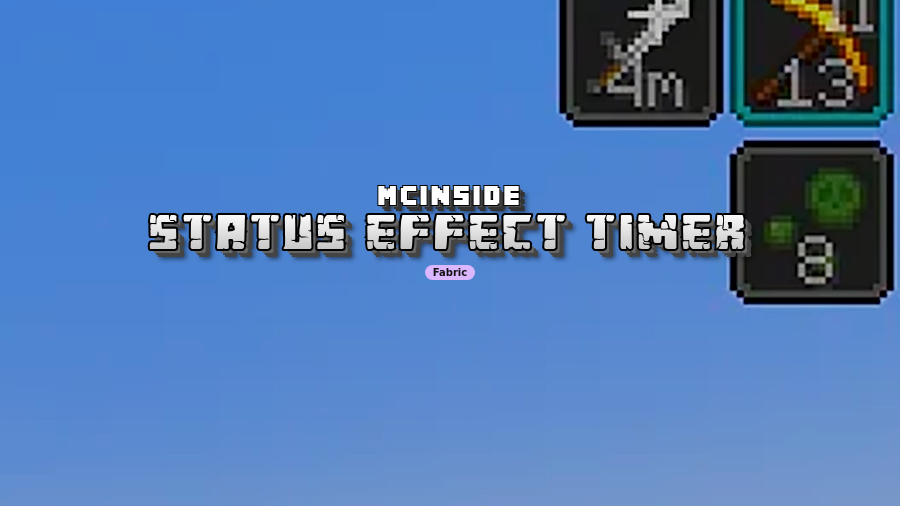
- Timer overlay on the vanilla HUD — The core idea is simple: the remaining duration appears on the same icon Minecraft already uses for status effects. That matters because you can keep moving, fighting, or mining while still knowing whether your buff is about to run out.
- Amplifier display — If an effect has a level boost, such as Haste II, the mod also overlays the amplifier. In practice, that removes a lot of guesswork when you are trying to tell the difference between a basic effect and a stronger one at a glance.
- Readable duration formatting — Short durations are shown in seconds, longer ones switch to minutes with an
m, and very long effects switch to hours with anh. That makes the HUD much easier to scan than a raw ticking counter, especially when you are juggling several buffs at once. - Version-aware handling of infinite effects — On Minecraft versions before 1.19.4, effects longer than 32147 ticks were treated as effectively infinite, and this mod mirrors that older behavior. From 1.19.4 onward, true infinite effects are marked with an
∞symbol, which keeps the display aligned with how the game itself evolved. - No configuration required — There is no settings menu to tune and no feature list to babysit. That is a good fit if you want a small HUD improvement that works immediately and does not turn into another mod you need to keep adjusting.
- Vanilla-first presentation — This is not a full HUD replacement and it does not try to redesign the interface around it. The mod stays inside the vanilla visual language, which makes it easy to adopt without changing the rest of your setup.
Screenshots


How to Install Status Effect Timer Mod
- Install Fabric Mod Loader if you do not already have a Fabric profile ready to use.
- Download the version of the mod that matches your Minecraft release from the download table below.
- Place the mod jar into your Minecraft
modsfolder. - Launch the Fabric instance in your launcher, including Prism Launcher if that is your normal modded setup.
- Load a world and check the status effect HUD to confirm the timer and amplifier overlays appear.
Requirements & Compatibility
| Requirement | Details |
|---|---|
| Loader | Fabric Mod Loader |
| Supported Minecraft versions | 1.16.5 through 1.21.11, including 1.20.x and 1.19.x releases listed in the download data |
| Settings | No settings are required or provided |
| Infinite effect behavior | Pre-1.19.4 long effects are treated as the older near-infinite case; 1.19.4 and newer can show a true ∞ |
| Known incompatibility | Does not work with Slight Gui Modifications when fluidStatusEffects is enabled |
| Another conflict | Conflicts with Giselbaer's Durability Viewer unless its effect time feature is disabled |
What's New
- The latest changelog notes an internal refactor.
- The update was aimed at improving interoperability with other mods.
- No new user-facing settings or visual features are listed in the changelog.
Pros and Cons
Pros
- Shows status effect time directly on the vanilla HUD.
- Also shows the amplifier when an effect is upgraded.
- Uses simple time units that are easy to read quickly.
- No settings screen, so it stays simple to install and use.
Cons
- Fabric-only, so it is not the right pick for other loaders.
- Known conflicts with some HUD and durability mods.
- No customization options for players who want more control.
Alternatives to Status Effect Timer Mod
- Giselbaer's Durability Viewer includes its own status effect timer display, which makes it the closest named alternative if you want overlapping HUD information.
- Slight Gui Modifications is a broader GUI tweak mod, but its status effect display feature is one of the compatibility points to watch here.
- AppleSkin is a useful HUD companion if you like having more survival information visible while you play.
Download Status Effect Timer Mod
| Minecraft Version | Fabric |
|---|---|
| For Minecraft 1.21.11 | Download |
| For Minecraft 1.21.10 | Download |
| For Minecraft 1.21.9 | Download |
| For Minecraft 1.21.8 | Download |
| For Minecraft 1.21.7 | Download |
| For Minecraft 1.21.6 | Download |
| For Minecraft 1.21.5 | Download |
| For Minecraft 1.21.4 | Download |
| For Minecraft 1.21.3 | Download |
| For Minecraft 1.21.2 | Download |
| For Minecraft 1.21.1 | Download |
| For Minecraft 1.21 | Download |
Always download mods from official sources to stay safe.
Frequently Asked Questions
Does Status Effect Timer Mod require Fabric?
Yes. The mod is built for Fabric Mod Loader, and the installation steps in the source data assume a Fabric setup.
Does it have any settings?
No. It is intentionally minimal and does not provide a configuration menu, which is part of its appeal if you want a simple HUD fix.
Does it show status effect amplifiers?
Yes. If the effect has an amplifier, the mod overlays that level as well, so boosted effects are easier to read quickly.
How does it display long durations?
It uses human-friendly units. Seconds are shown normally, effects longer than 60 seconds switch to minutes with m, and effects longer than 60 minutes switch to hours with h.
What happens with infinite effects?
It depends on the Minecraft version. Before 1.19.4, very long effects that the game treated as effectively infinite are handled as the older special case, while 1.19.4 and newer can show a true ∞ symbol.
Will it conflict with other HUD mods?
Yes, with some mods. The data specifically lists a conflict with Slight Gui Modifications when fluidStatusEffects is enabled, and it also conflicts with Giselbaer's Durability Viewer unless that mod's effect time feature is turned off.