
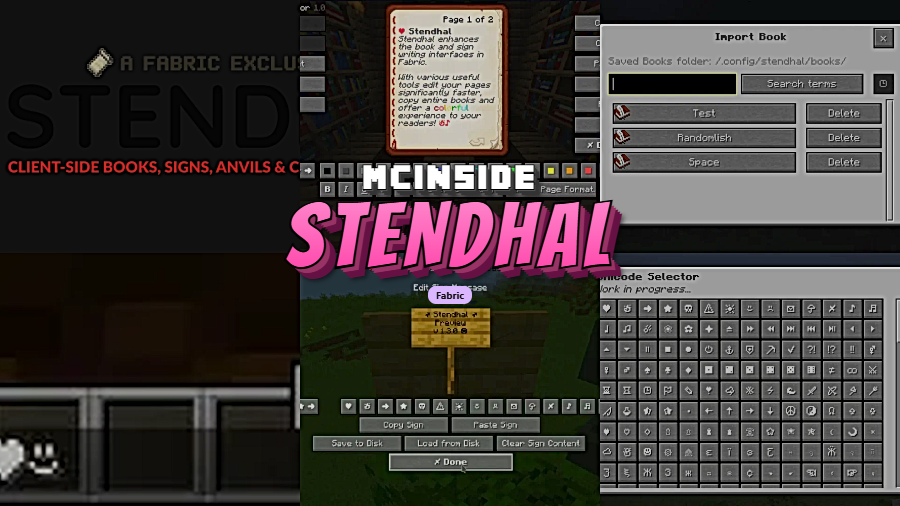
Stendhal Mod is a client-side Fabric mod that upgrades Minecraft book, sign, anvil, and chat interfaces with better editing tools, Unicode utilities, and import/export features for Minecraft Fabric. It focuses on making vanilla text-based tasks easier to manage without changing core gameplay.
Vanilla Minecraft can make writing long books, formatting signs, and managing decorative text feel slow and awkward, especially when you need to fix mistakes or reuse content. Stendhal solves that problem by turning those basic screens into more useful editors, and its more than 6.6 million downloads on Modrinth suggest plenty of players already rely on it for cleaner, faster text work.
Key Features of Stendhal Mod
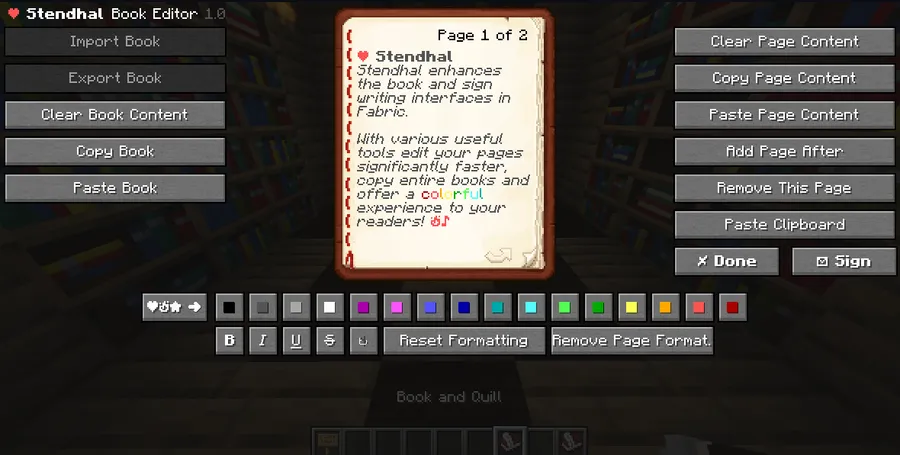
- Better book editing tools — Stendhal adds faster controls for copying, pasting, clearing page content, and managing whole books. That matters because writing in Minecraft often becomes repetitive, and these tools make it much easier to draft, revise, and reorganize book content without fighting the default interface.
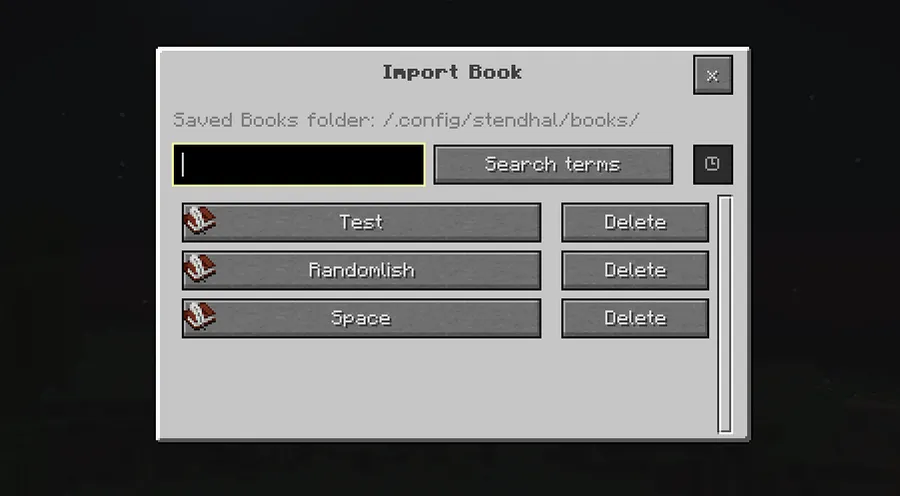
- Book import, export, and reading improvements — On supported versions, the mod lets you import and export books through your Minecraft folder and improves signed-book reading with page index navigation and search. For players who build servers, roleplay worlds, or information hubs, this makes books feel more reusable and much easier to maintain across worlds.
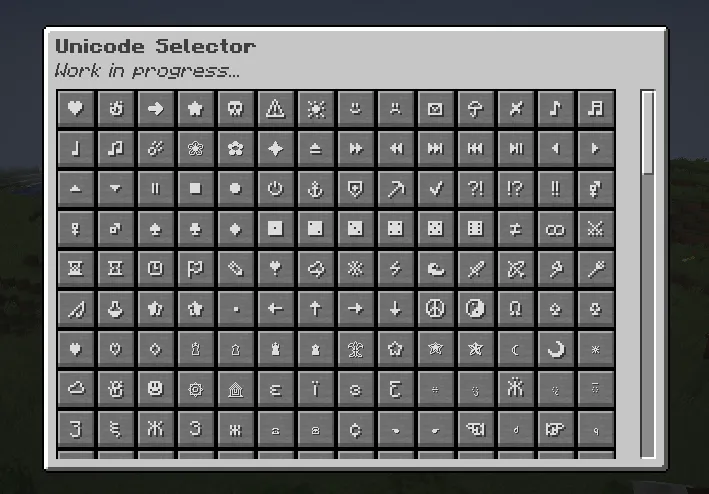
- Formatting and Unicode support for books — The mod includes formatting choices, legacy color options, character counting, and access to 70+ Unicode characters. This is useful because it helps you stay within vanilla limits while still making books look more polished, readable, and expressive for other players.
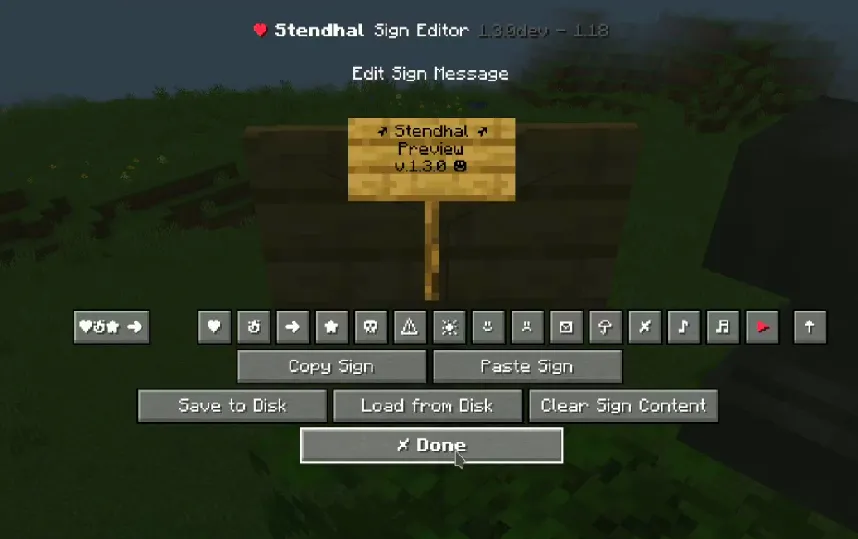
- Faster sign editing — Stendhal streamlines sign work with sign import/export on supported versions, quick sign copy and paste, and one-click clearing. If you use signs for directions, decoration, or server information, those shortcuts save time and make large builds feel less tedious to label properly.
- Chat and anvil text utilities — The mod adds quick access to Unicode characters when chatting and when naming items in an anvil. That gives players a simple way to make conversations, item names, and labels feel more distinct without needing external tools or memorized character codes.
- Configurable and language-friendly design — Stendhal includes a detailed configuration file and community language support. That matters because utility mods are best when they fit your workflow, and this setup appears flexible enough for players who want to tune how the interface behaves.
Screenshots

How to Install Stendhal Mod
- Make sure you are using a supported Minecraft version, such as 1.21.11, and install Fabric Mod Loader.
- Download the correct Stendhal Mod file for your Minecraft version and confirm that it is the Fabric edition, since this mod does not have a Forge version.
- Open your Minecraft directory and place the mod file into the
modsfolder. - Launch Minecraft with the Fabric profile created by Fabric Mod Loader.
- Open a book, sign, chat window, or anvil in-game to verify that the enhanced editing tools are available.
Requirements & Compatibility
| Category | Details |
|---|---|
| Mod Loader | Fabric |
| Required Dependency | Fabric Mod Loader |
| Type | Client-side utility mod |
| Supported Minecraft Versions | 1.21.11, 1.21.10, 1.21.9, 1.21.8, 1.21.7, 1.21.6, 1.21.5, 1.21.4, 1.21.3, 1.21.2, 1.21.1, 1.21, 1.20.6, 1.20.4, 1.20.3, 1.20.2, 1.20.1, 1.20, 1.19.4, 1.19.3, 1.19.2, 1.19.1, 1.19, 1.18.2, 1.18.1, 1.18, 1.17.1, 1.16.5 |
| Important Note | Some newer features may be unavailable on older versions such as 1.16 and 1.17. |
| Author | NebSpacefarer |
What's New
- The latest listed update was published on 2026-01-14.
- The current changelog mentions a fix for importing books with trailing line breaks.
- This adjustment appears aimed at making page imports behave more reliably.
- Players who move written content in and out of the game should benefit most from this update.
Pros and Cons
Pros
- Makes book and sign editing much more practical than vanilla.
- Adds Unicode and formatting tools for more expressive text.
- Supports book and sign import/export on supported versions.
- Includes useful extras for chat and anvil naming.
- Client-side design means it is focused on personal interface improvements.
Cons
- Fabric only, with no Forge version available.
- Some newer features may not be present on older Minecraft versions.
- Players who never use books, signs, or text customization may not need it.
Alternatives to Stendhal Mod
- Sodium — A strong complementary choice if you want performance-focused improvements alongside Stendhal's interface utilities.
- Mod Menu — A useful companion for Fabric players who want an easier way to browse and manage installed mods.
- LambDynamicLights — Another client-side Fabric mod that complements Stendhal by improving visual convenience during regular play.
Download Stendhal Mod
| Minecraft Version | Fabric |
|---|---|
| For Minecraft 1.21.11 | Download |
| For Minecraft 1.21.10 | Download |
| For Minecraft 1.21.9 | Download |
| For Minecraft 1.21.8 | Download |
| For Minecraft 1.21.7 | Download |
| For Minecraft 1.21.6 | Download |
| For Minecraft 1.21.5 | Download |
| For Minecraft 1.21.4 | Download |
| For Minecraft 1.21.3 | Download |
| For Minecraft 1.21.2 | Download |
| For Minecraft 1.21.1 | Download |
| For Minecraft 1.21 | Download |
Always download mods from official sources to stay safe.
Frequently Asked Questions
Is Stendhal Mod a server-side mod?
No — Stendhal is described as a client-side Fabric mod. Its main purpose is to improve how books, signs, anvils, and chat work on your game client.
Does Stendhal Mod work with Forge?
No — this mod is exclusive to Fabric. The provided data explicitly says there is no Forge version and there will not be one.
Which Minecraft versions support Stendhal Mod?
Stendhal supports versions from 1.16.5 up to 1.21.11 in the provided list. However, some newer features may be unavailable if you use older versions like 1.16 or 1.17.
What does Stendhal improve in Minecraft?
Stendhal improves book, sign, anvil, and chat interfaces. In practice, that means faster editing, better formatting options, Unicode access, and import/export tools that make text-heavy tasks much easier to handle.
Should I install Stendhal Mod for normal survival gameplay?
Yes — if you write books, place signs, or care about chat and item-name formatting, it is a very practical utility mod. If you rarely interact with those parts of Minecraft, the benefits may feel more situational.
Can Stendhal help with long written books?
Yes — it includes tools that make longer writing sessions easier to manage. Features like page navigation, search, character counting, copy and paste, and whole-book actions are especially helpful for detailed written content.


![[Let's Do] Candlelight - Farm&Charm compat Mod (1.21.1) - thumbnail](http://mcinside.com/wp-content/uploads/2026/04/thumbnail-81-52x52.webp)


![[Let's Do] Meadow Mod (1.21.1) - thumbnail](http://mcinside.com/wp-content/uploads/2026/04/thumbnail-64-52x52.webp)


![Not Enough Recipe Book [NERB] Mod (1.21.11) - thumbnail](http://mcinside.com/wp-content/uploads/2026/04/thumbnail-63-52x52.webp)