
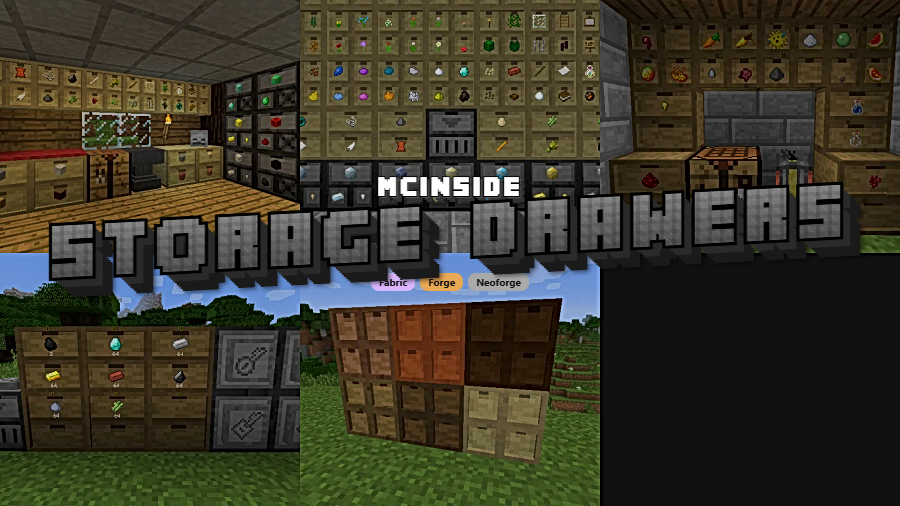
Storage Drawers Mod is a storage mod that adds an interactive bulk storage system for Minecraft on Fabric, Forge, and NeoForge. It is designed to keep frequently used items within easy reach through click-based drawer controls instead of a traditional slotted inventory.
Inventory clutter is one of the most common pain points in long Minecraft sessions, especially once basic materials, mob drops, and crafting ingredients start piling up. This mod tackles that problem with compact drawers that are built for everyday items, and with more than 1.8 million downloads, it has clearly earned trust from a large number of players looking for a practical storage solution.
Key Features of Storage Drawers Mod
- Right-click stack insertion — Right-clicking lets you place the full stack in your hand into a drawer, or as much of that stack as the drawer can accept. In normal play, that matters because it makes cleanup quick after mining, farming, or crafting runs, and it reduces the slow drag-and-drop inventory management that breaks your rhythm.
- Double-right-click inventory dumping — Double-right-clicking sends all compatible stacks from your inventory into the drawer until it fills. This is especially useful when you come back to base with mixed materials, because it turns a repetitive sorting task into a near-instant action.
- Single-item retrieval — Left-clicking removes one item from the drawer at a time. That sounds simple, but it gives you very fine control when you only need one piece for a recipe, a quick repair, or a small adjustment without over-pulling full stacks.
- Full-stack removal — Shift-left-clicking pulls out a full stack from the drawer. For players who craft in batches, build in volume, or restock other containers, that faster stack access makes the drawer system feel practical rather than decorative.
- Management UI with exact counts — Shift-right-clicking with an empty hand opens a UI that shows exact item totals and lets you manage applied upgrades. That extra visibility matters once your storage room grows, because you can check quantities and handle drawer upgrades without guessing what is inside.
- Click-based interaction model — The mod does not use a standard slotted inventory for these containers, and instead each drawer face is the main interaction point. In practice, this gives the system a direct, tactile feel that suits bulk materials well and keeps the focus on quick access rather than menu navigation.
Screenshots
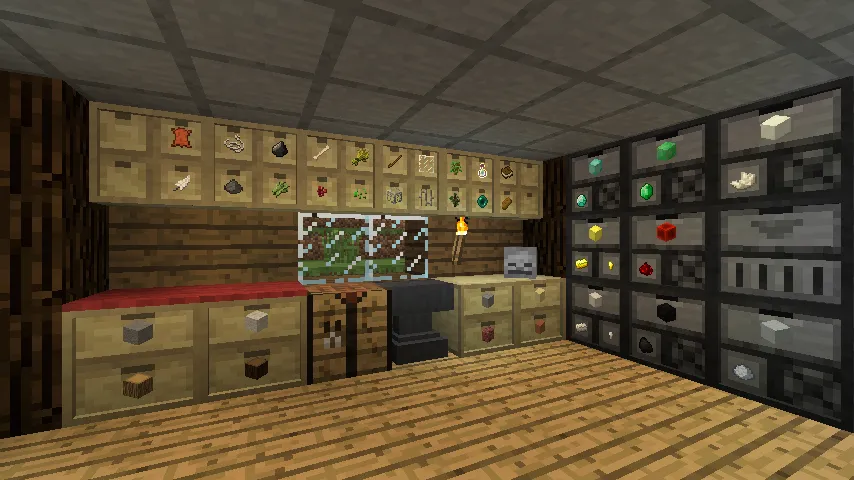
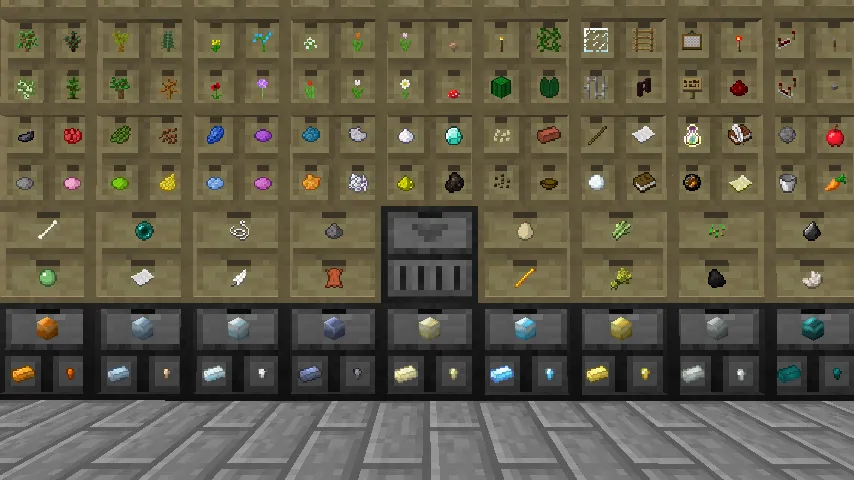
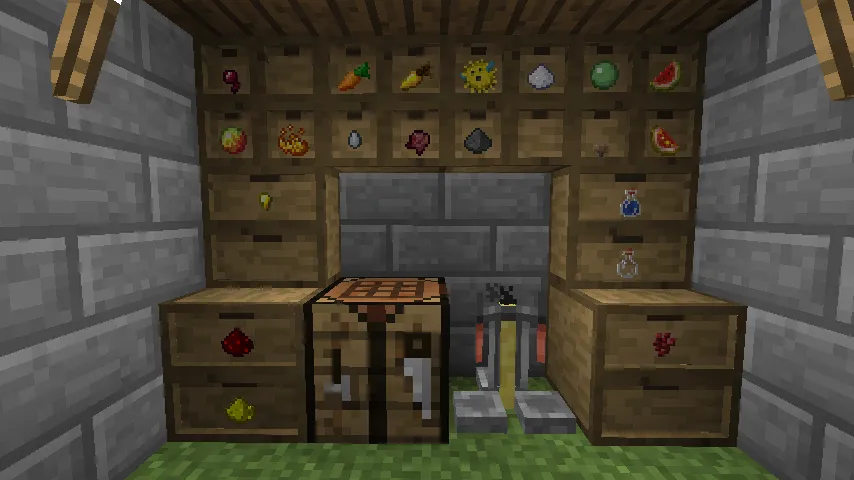
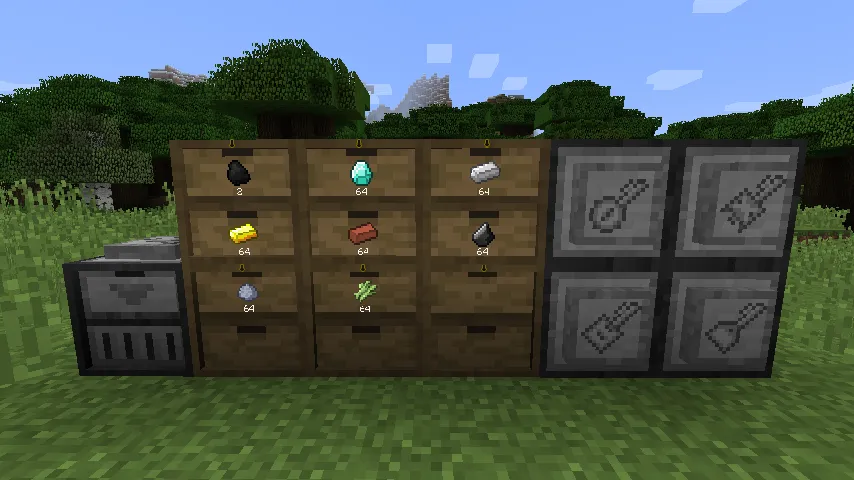
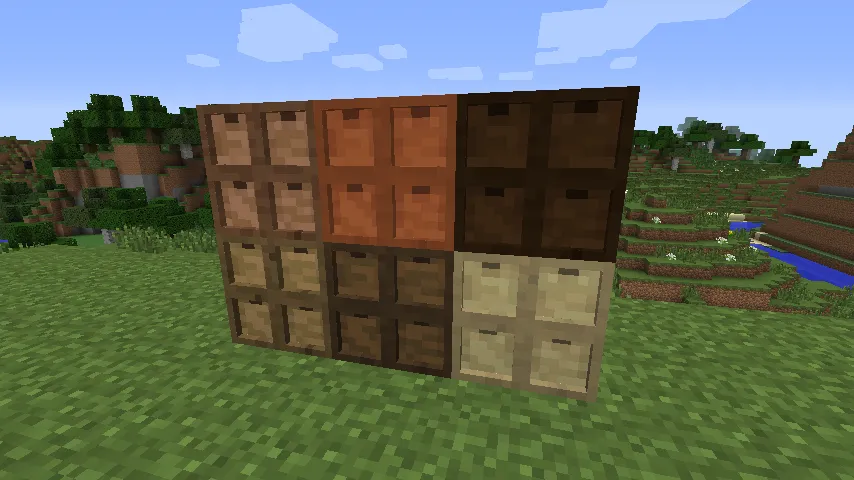
How to Install Storage Drawers Mod
- Choose the version of Storage Drawers Mod that matches your Minecraft version, including 1.21.11, 1.21.10, 1.21.9, 1.21.8, 1.21.7, 1.21.1, 1.21, or 1.20.1.
- Install the mod loader you plan to use: Fabric Mod Loader, Minecraft Forge, or NeoForge.
- Download the correct Storage Drawers file for your loader and Minecraft version combination.
- Place the mod file into your Minecraft mods folder for the chosen loader installation.
- Launch the game with Fabric, Forge, or NeoForge and confirm the mod appears in your installed mods list before loading a world.
Requirements & Compatibility
| Category | Details |
|---|---|
| Mod Name | Storage Drawers Mod |
| Description | Interactive bulk storage solution |
| Supported Loaders | Fabric, Forge, NeoForge |
| Required Loader Options | Fabric Mod Loader, Minecraft Forge, NeoForge |
| Supported Minecraft Versions | 1.21.11, 1.21.10, 1.21.9, 1.21.8, 1.21.7, 1.21.1, 1.21, 1.20.1 |
| Author | Texelsaur |
| License | MIT |
| Category | Minecraft Mods |
What's New
- The latest listed update is dated 2025-12-19.
- The changelog notes that rendering of fill indicators was restored.
- That change should make drawer fill visuals clearer again when checking stored materials at a glance.
- The current project listing also continues support across Fabric, Forge, and NeoForge.
Pros and Cons
Pros
- Focused bulk storage design that keeps common resources easy to access.
- Fast click-based controls for inserting, dumping, and retrieving items.
- Management UI can show exact counts and applied upgrades.
- Available for Fabric, Forge, and NeoForge across several recent Minecraft versions.
- Designed to complement other storage mods rather than replace everything.
Cons
- No traditional slotted inventory interface, which may take adjustment for new users.
- The reversed shift-click behavior may feel unusual for players coming from Jabba.
- Best suited to frequently used bulk items, so it may not cover every storage need by itself.
Alternatives to Storage Drawers Mod
- Jabba — A related storage mod mentioned in the project background, useful for players comparing different click-based bulk storage approaches.
- BiblioCraft — Another mod referenced by the project context, worth checking if you want a storage style that influenced Storage Drawers.
- Storage Mods — A broader option for players who want to compare Storage Drawers with other storage-focused additions before building a full base setup.
Download Storage Drawers Mod
| Minecraft Version | Fabric | Forge | NeoForge |
|---|---|---|---|
| For Minecraft 1.21.11 | Download | Download | Download |
| For Minecraft 1.21.10 | Download | Download | Download |
| For Minecraft 1.21.9 | Download | Download | Download |
| For Minecraft 1.21.8 | Download | Download | Download |
| For Minecraft 1.21.7 | Download | Download | Download |
| For Minecraft 1.21.1 | Download | Download | Download |
| For Minecraft 1.21 | Download | Download | Download |
| For Minecraft 1.20.1 | Download | Download | Download |
Always download mods from official sources to stay safe.
Frequently Asked Questions
What does Storage Drawers Mod do?
Storage Drawers Mod is an interactive bulk storage mod for Minecraft. It gives you drawer-based storage for frequently used items and replaces standard slot management with faster click-based actions on the drawer front.
Should I install Storage Drawers Mod for a survival world?
Yes — it is a strong fit for survival players who collect large amounts of common resources. The mod is built around keeping everyday materials close at hand, which makes it useful for crafting rooms, farms, and long-term base organization.
Does Storage Drawers Mod support Fabric, Forge, and NeoForge?
Yes — the provided data lists Fabric, Forge, and NeoForge support. That makes it easier to use the mod across different modded setups without changing the core storage concept.
Can I see exact item counts in the drawers?
Yes — you can open a UI to view exact counts and manage applied upgrades by shift-right-clicking with an empty hand. That feature is particularly helpful once your storage area grows beyond a few basic resource drawers.
Is the shift-click behavior the same as Jabba?
No — the shift-click behavior is reversed by default compared with Jabba. The project description explains that this choice is based on prioritizing normal interaction with single items, and it also notes that the controls can be reversed in the mod config to match Jabba.
Which Minecraft versions are supported?
The listed supported versions are 1.21.11, 1.21.10, 1.21.9, 1.21.8, 1.21.7, 1.21.1, 1.21, and 1.20.1. You should install the file that matches both your exact Minecraft version and your chosen loader.


![Food Effect Tooltips [Fabric / NeoForge] Mod (26.1.1) - thumbnail](http://mcinside.com/wp-content/uploads/2026/04/thumbnail-267-52x52.webp)


