
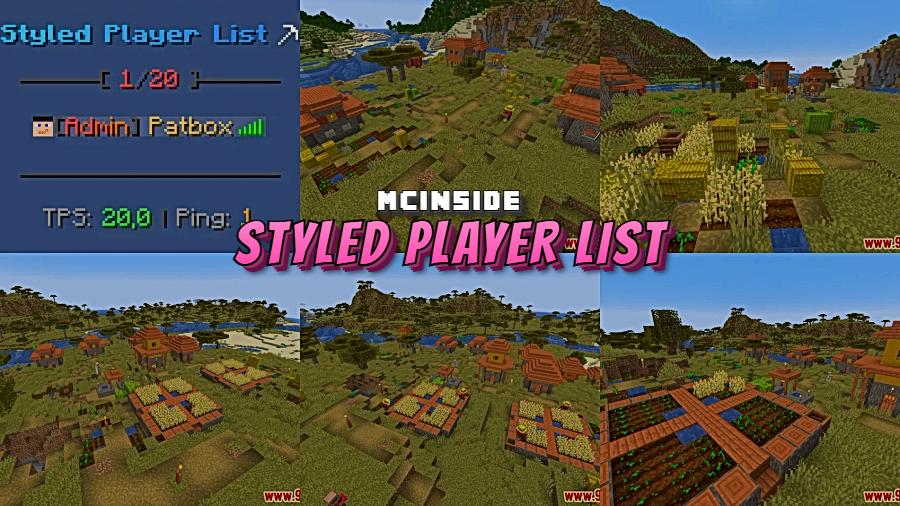
Every Minecraft server owner knows the default TAB player list looks bland and offers zero customization. Styled Player List Mod changes that by giving you full control over how your player list appears — from layout and colors to headers and footers. Downloaded over 144,000 times since its 2021 release and still actively updated, this Fabric-side mod has become a go-to choice for server administrators who want their TAB menu to match their server's branding and style.
Key Features
- Fully customizable player list — Restyle the entire TAB menu to match your server's theme, including text formatting, colors, and layout
- Server-side only — Runs entirely on the server with Fabric, so players don't need to install anything on their client
- Broad version support — Works across a wide range of Minecraft versions from 1.16.5 all the way to 26.1
- Open source — Licensed under LGPL-3.0 with full source code available on GitHub for transparency and community contributions
Screenshots
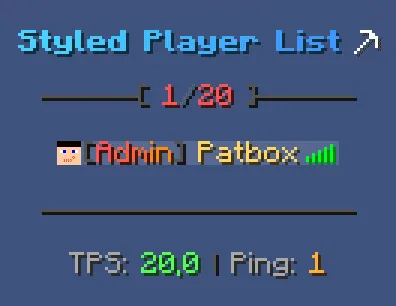
How to Install
- Download and install Fabric Mod Loader for your Minecraft version.
- Download Fabric API and place it in your server's
modsfolder. - Download the Styled Player List Mod file for your Minecraft version from the link below.
- Place the downloaded
.jarfile into your server'smodsfolder. - Restart the server. Configure the player list style through the mod's config files.
Requirements
| Type | Details |
|---|---|
| Mod Loader | Fabric, Quilt |
| Dependencies | Fabric Modloader, Fabric API |
| Minecraft Versions | 26.1, 1.21.11, 1.21.10, 1.21.9, 1.21.8, 1.21.7, 1.21.6, 1.21.5, 1.21.4, 1.21.3, 1.20.4, 1.20.2, 1.19.4, 1.19.3, 1.19.2, 1.19.1, 1.19, 1.18.2, 1.18.1, 1.17.1, 1.16.5 |
Pros & Cons
Pros
- Server-side mod — players don't need to install anything
- Supports both Fabric and Quilt mod loaders
- Actively maintained with updates spanning from 1.16.5 to 26.1
- Open-source under LGPL-3.0, allowing community review and contributions
- Appears to be lightweight as a cosmetic server-side utility
Cons
- No Forge or NeoForge support — Fabric/Quilt only
- Designed for server owners, not useful for singleplayer
- Requires Fabric API as an additional dependency
Download
Always download mods from official sources to stay safe.
What's New
- Updated to support Minecraft 26.1, the latest game version
- New release version 3.11.0 published on March 26, 2026
- Continued compatibility improvements building on the 3.10.0 release for 1.21.11
- Full changelog available on the official GitHub repository
FAQ
Do players need to install Styled Player List on their client?
No. Styled Player List is a server-side mod, which means only the server needs to have it installed. All connected players will see the customized TAB list automatically without installing anything.
Does Styled Player List work with Forge?
No, this mod is built exclusively for Fabric and Quilt mod loaders. There is no Forge or NeoForge version available.
What Minecraft versions does Styled Player List support?
The mod supports a wide range of versions from 1.16.5 up to the latest 26.1, covering most major Minecraft releases. Check the requirements table above for the full list of supported versions.


![[Let's Do] Meadow Mod (1.21.1) - thumbnail](http://mcinside.com/wp-content/uploads/2026/04/thumbnail-64-52x52.webp)


![Not Enough Recipe Book [NERB] Mod (1.21.11) - thumbnail](http://mcinside.com/wp-content/uploads/2026/04/thumbnail-63-52x52.webp)
