

Minecraft's built-in scoreboard sidebar gets the job done, but it's far from pretty — and customization options are practically nonexistent. Styled Sidebars Mod changes that by giving server operators full control over how sidebars look and behave, supporting static, scrolling, and paged layouts through a clean command-based system. With over 10,000 downloads on Modrinth and deep integration with Text Placeholder API, this server-side mod has become a go-to choice for anyone running a Fabric or Quilt server who wants polished information displays without client-side dependencies.
Key Features
- Multiple sidebar display styles — Choose between static, scrolling, and paged sidebars to present information exactly how you want it. Scrolling sidebars are especially useful for longer stat lists that won't fit on screen at once.
- Server-side scoreboard integration — Everything runs through Minecraft's native scoreboard system, meaning players don't need to install anything on their end. The mod handles all rendering and formatting server-side.
- Text Placeholder API support — Full integration with Text Placeholder API and compatible mods opens up dynamic content possibilities, from live player stats to custom formatted text.
- In-game management commands — Switch between sidebar styles, reload configurations on the fly, and even manage sidebars for specific players — all without restarting the server.
Screenshots


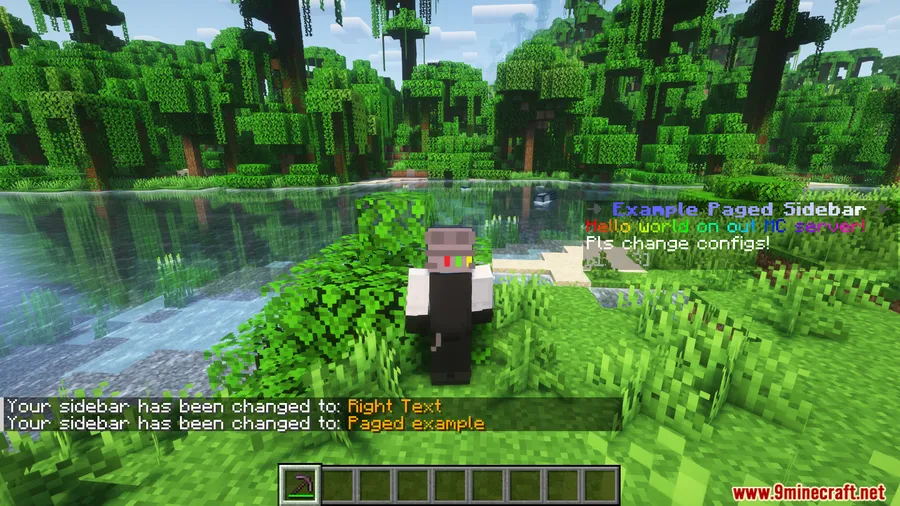


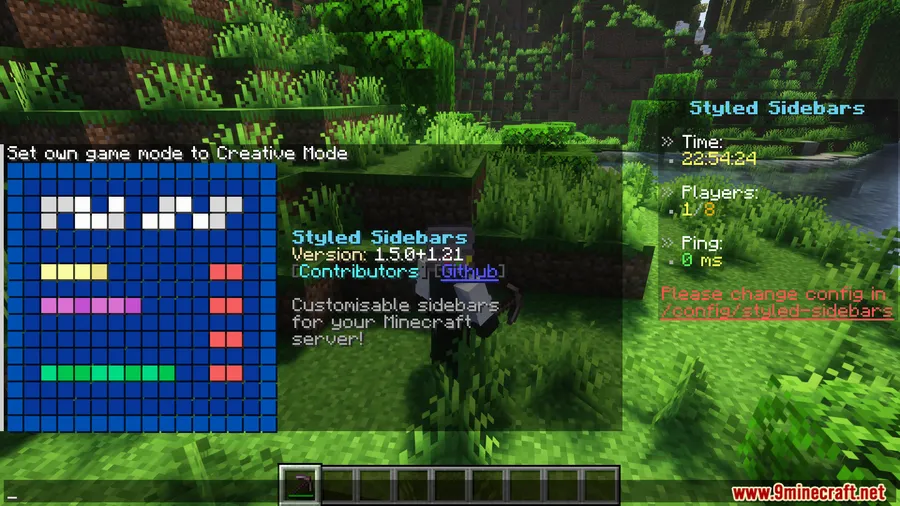
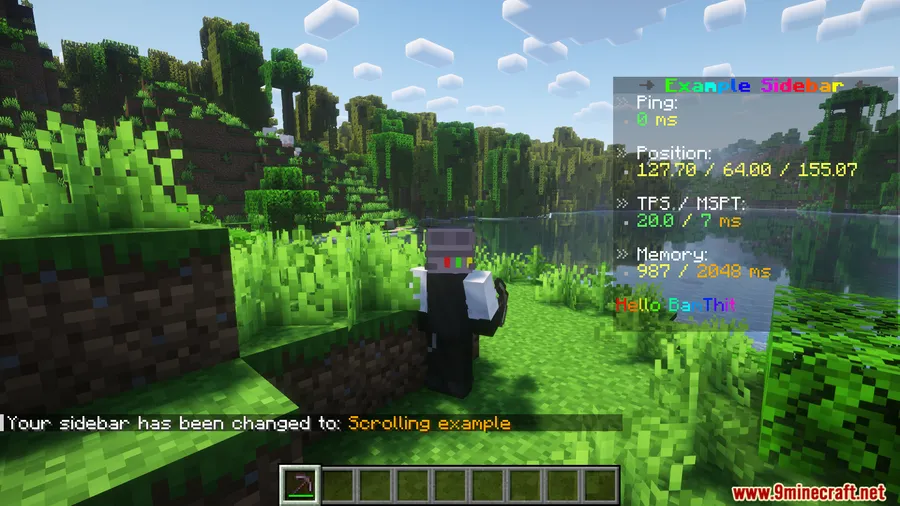
How to Install
- Download and install Fabric Loader (or Quilt Loader) for your Minecraft version.
- Download Fabric API and place it in your server's
modsfolder. - Download Styled Sidebars Mod for your Minecraft version and drop it into the same
modsfolder. - Start (or restart) your server — the mod will generate its configuration files automatically.
- Use the in-game commands to configure and customize your sidebars.
Requirements
| Category | Details |
|---|---|
| Mod Loader | Fabric, Quilt |
| Dependencies | Fabric API, Quilt Loader |
| Minecraft Versions | 26.1, 1.21.11, 1.21.10, 1.21.9, 1.21.8, 1.21.7, 1.21.6, 1.21.5, 1.21.4, 1.21.3, 1.21.1, 1.21, 1.20.6, 1.20.5, 1.20.4, 1.20.3, 1.20.2, 1.20.1, 1.20, 1.19.4, 1.19.3 |
Pros & Cons
Pros
- Fully server-side — players don't need to install anything
- Three distinct sidebar styles (static, scrolling, paged) cover most use cases
- Text Placeholder API integration enables rich dynamic content
- Hot-reload support means no server restarts for config changes
- Wide version support from 1.19.3 all the way to 26.1
Cons
- Fabric/Quilt only — no Forge or NeoForge support
- Server-side mod, so it's not useful for singleplayer unless running a local server
- Requires Fabric API as an additional dependency
Download
Always download mods from official sources to stay safe.
What's New
- Updated to support Minecraft 1.21.11 with the latest Fabric API changes.
- Version bump from 1.9.0 to 1.10.0, indicating new features and improvements.
- Continued compatibility across the 1.21.x branch, now covering 1.21.9 through 1.21.11.
- Full changelog available on the GitHub repository.
FAQ
Does Styled Sidebars Mod need to be installed on the client?
No. Styled Sidebars is entirely server-side, so only the server needs the mod installed. Players can connect with a vanilla Minecraft client and still see the custom sidebars.
Can I use multiple sidebar styles at the same time?
The mod supports static, scrolling, and paged sidebar styles, and you can switch between them using in-game commands. You can also manage sidebar configurations for individual players on the server.
Is Styled Sidebars compatible with Forge or NeoForge?
No, this mod is built for Fabric and Quilt loaders only. There is currently no Forge or NeoForge version available.


![[Let's Do] Candlelight - Farm&Charm compat Mod (1.21.1) - thumbnail](http://mcinside.com/wp-content/uploads/2026/04/thumbnail-81-52x52.webp)


![[Let's Do] Meadow Mod (1.21.1) - thumbnail](http://mcinside.com/wp-content/uploads/2026/04/thumbnail-64-52x52.webp)


![Not Enough Recipe Book [NERB] Mod (1.21.11) - thumbnail](http://mcinside.com/wp-content/uploads/2026/04/thumbnail-63-52x52.webp)