

Subtle Effects is a client-side aesthetic mod that adds new particle effects and ambient sounds to Minecraft, available for Fabric, Forge, and NeoForge. It enhances visual immersion by introducing sparks from fire blocks, sleeping animations, slime trails, dust clouds, and low-health audio cues — all fully configurable.
Vanilla Minecraft has always been sparse when it comes to environmental detail. Torches just sit there. Campfires produce a single smoke column. Mobs land silently from heights. These missing details add up, making the world feel static compared to what it could be. Subtle Effects solves this by layering in dozens of small particle effects and sound cues that make the game world feel alive without turning it into a visual circus. With over 5.5 million downloads on Modrinth, it has become one of the most popular ambient enhancement mods in the community — and for good reason. Every effect can be toggled individually, so you keep full control over your visual experience.
Key Features of Subtle Effects
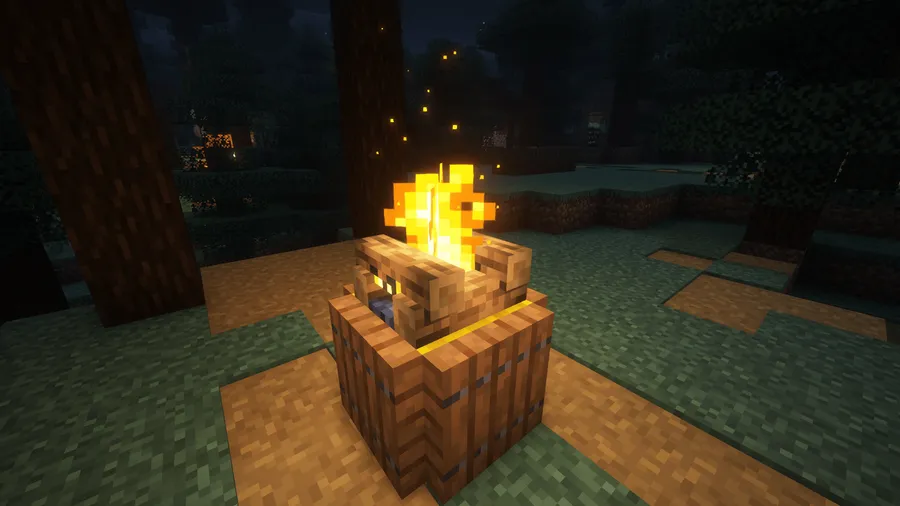
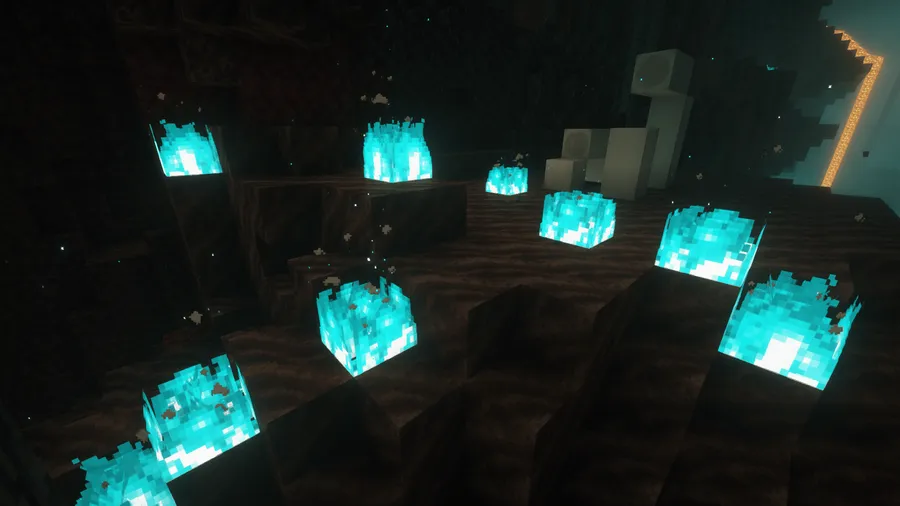
- Fire Block Sparks — Torches, campfires, candles, and other fire-related blocks now emit small sparks that drift upward. This makes light sources feel dynamic rather than static, and it adds warmth to any base or campsite build. The effect is subtle enough that it enhances without distracting.
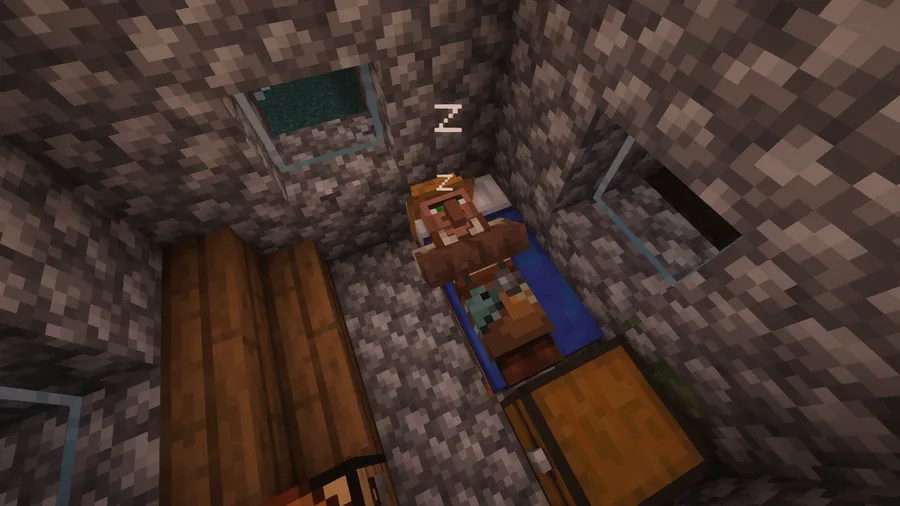
- Sleeping Particles and Snoring — Villagers and players produce Z particles and snoring sounds when sleeping. This small touch brings sleeping mechanics to life and makes villages feel more inhabited. It is especially noticeable at night when you walk through a village and hear the ambient snoring from occupied beds.
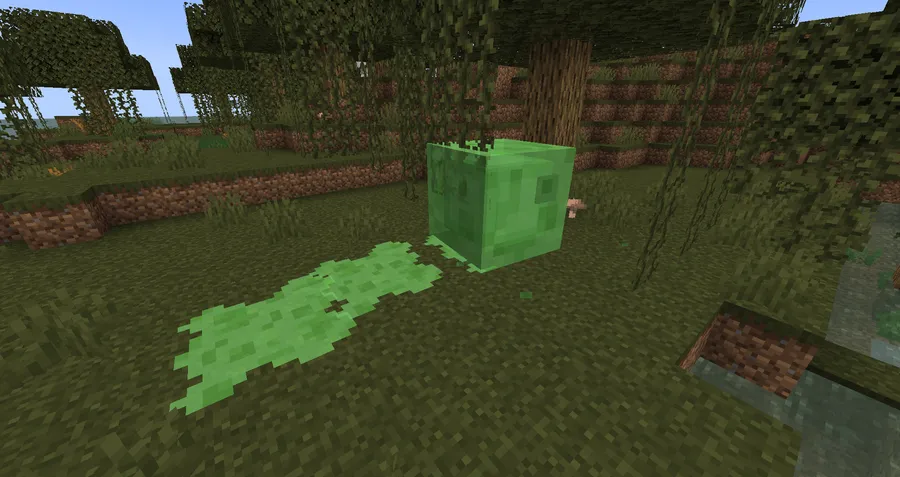
- Slime Trails — Slimes now leave a trail of slime behind them as they bounce around. This creates a visual breadcrumb that helps you track slime movement in swamps or slime chunk farms. It also adds a satisfying gross-out factor that fits the mob perfectly.
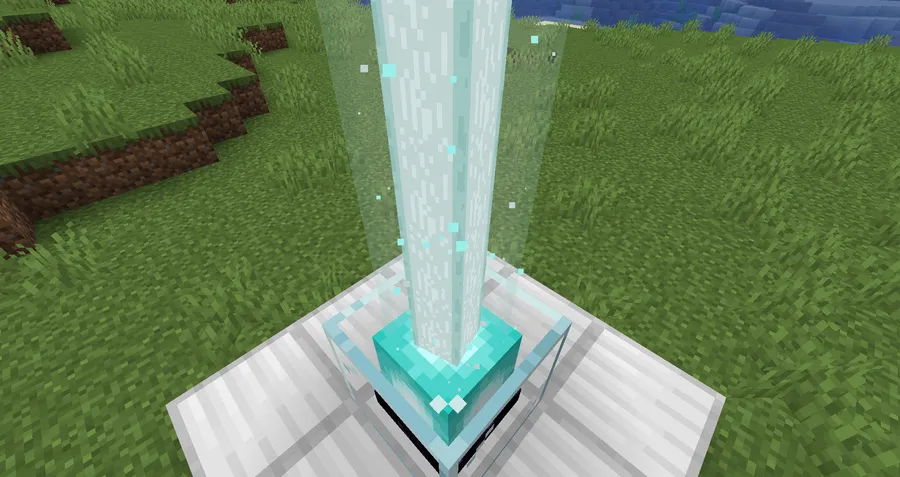
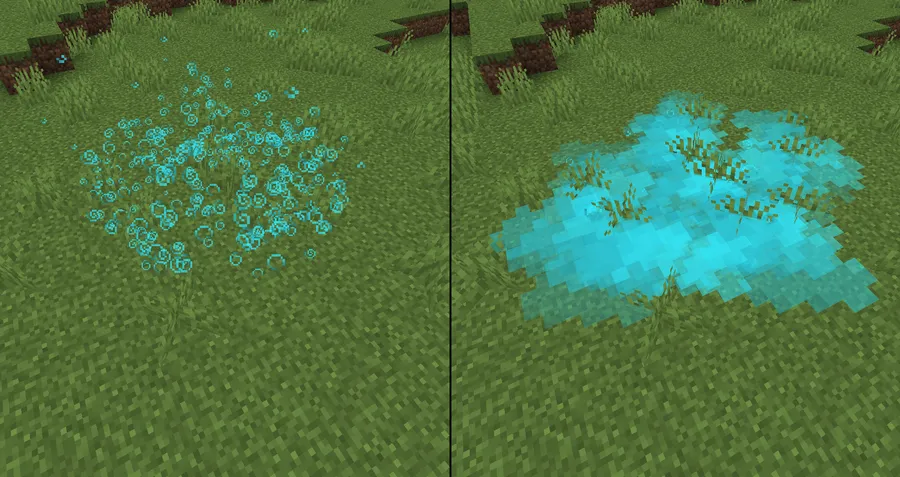
- Dust and Magic Particles — Glowstone and redstone blocks emit dust particles, while Allays and Vexes give off magical sparkles. These effects highlight which blocks are active or special without needing resource pack indicators. Redstone builders benefit from the visual feedback on powered components.
- Low Health Audio Cues — When a player drops to 3 hearts or less, a heartbeat sound plays. At 3 hunger or less, stomach growling kicks in. These audio cues serve as survival warnings that work even when you are not looking at your HUD, making intense combat and exploration moments more immersive.
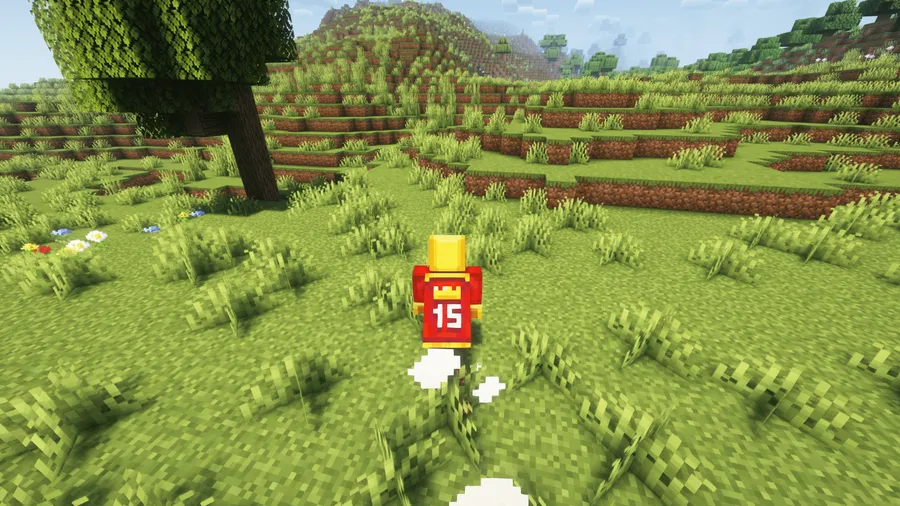
- Running and Landing Dust Clouds — Players and certain mobs kick up dust clouds while sprinting, and mobs produce dust puffs when they hit the ground after falling. This grounds movement in a physical sense — you can see where something just ran or landed, which adds tactical awareness in PvP and PvE scenarios.
- Built-in Particle Culling and Render Distance — The mod includes its own particle culling system and adjustable particle render distance. This means you get all the visual enhancements without unnecessary performance drain from particles rendering far outside your view. Players on lower-end hardware can fine-tune this to maintain smooth framerates.
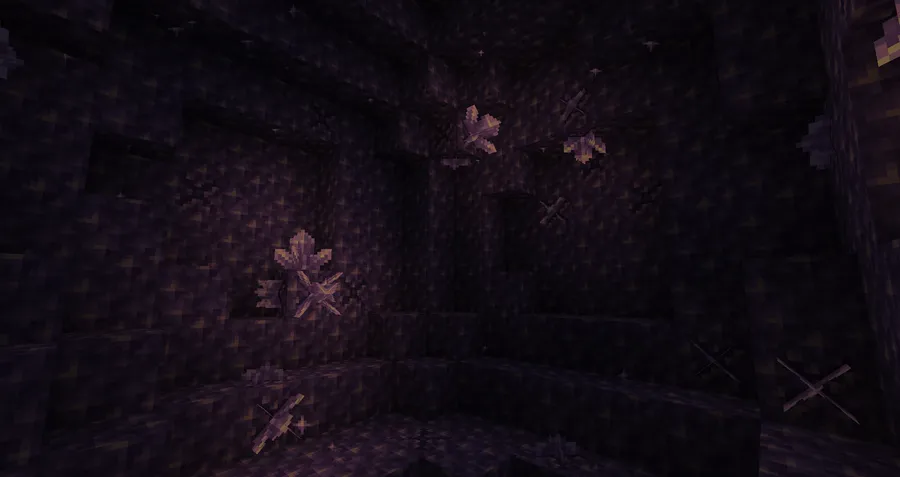
Screenshots

How to Install Subtle Effects
- Install your preferred mod loader: Fabric, Forge, or NeoForge. Subtle Effects supports all three.
- Download the correct version of Subtle Effects for your Minecraft version and mod loader from the official Modrinth or CurseForge page.
- If you are using Fabric or NeoForge, also download the required dependency Fzzy Config, which handles the mod's configuration system.
- Place both
.jarfiles into your.minecraft/modsfolder. Create the folder if it does not exist. - Launch Minecraft with your mod loader profile. Open the mod settings menu to toggle individual effects on or off and adjust the particle render distance to your preference.
Requirements & Compatibility
| Requirement | Details |
|---|---|
| Mod Loaders | Fabric, Forge, NeoForge |
| Minecraft Versions | 1.20.1, 1.21.1, 1.21.4 – 1.21.11, 26.1 |
| Required Dependency | Fzzy Config (Fabric/NeoForge) |
| Side | Primarily client-side (some features need server access) |
| License | All Rights Reserved |
What's New
- Updated minimum required Forge version to 47.4.14 for improved stability.
- Fixed a crash that occurred when using modded spawn eggs on Forge.
- Resolved multiple community-reported issues related to Forge compatibility.
- Continued support for the latest Minecraft versions up to 26.1.
Pros and Cons
Pros
- Every single effect can be individually toggled on or off
- Built-in particle culling keeps performance impact minimal
- Supports all three major mod loaders: Fabric, Forge, and NeoForge
- Primarily client-side, so it works on most servers without server installation
- Over 5.5 million downloads — well-tested and actively maintained
Cons
- Some features like mob head shaders only work with specific mod integrations
- Requires Fzzy Config as an additional dependency on Fabric and NeoForge
- A few features need server-side access to function fully
- All Rights Reserved license limits modpack and redistribution flexibility
Alternatives to Subtle Effects
- Effective — Adds waterfall splash effects, water splashes for entities, and other visual improvements focused primarily on water and weather interactions.
- Particle Rain — Replaces vanilla rain and snow with particle-based weather that looks more natural and blends better with shaders.
- Ambient Sounds — Focuses on the audio side of immersion by adding hundreds of environment-aware sounds based on biome, time of day, and surroundings.
Download Subtle Effects
| Minecraft Version | Fabric | Forge | NeoForge |
|---|---|---|---|
| For Minecraft 26.1 | Download | — | Download |
| For Minecraft 1.21.11 | Download | — | Download |
| For Minecraft 1.21.10 | Download | — | Download |
| For Minecraft 1.21.8 | Download | — | Download |
| For Minecraft 1.21.7 | Download | — | Download |
| For Minecraft 1.21.6 | Download | — | Download |
| For Minecraft 1.21.5 | Download | — | Download |
| For Minecraft 1.21.4 | Download | — | Download |
| For Minecraft 1.21.1 | Download | — | Download |
| For Minecraft 1.20.1 | Download | Download | — |
Always download mods from official sources to stay safe.
Frequently Asked Questions
Is Subtle Effects client-side only?
Mostly yes — the vast majority of features work entirely on the client without any server installation. However, a few features such as certain sound effects and entity interactions require server-side access to function. For singleplayer and servers where you can install mods, all features work out of the box.
Does Subtle Effects work with Sodium or OptiFine?
Yes, Subtle Effects is generally compatible with performance mods like Sodium. Since it includes its own particle culling system, it complements rather than conflicts with rendering optimizations. OptiFine users should test for compatibility with their specific version, as OptiFine modifies particle rendering.
Can I disable specific effects I don't like?
Yes — every effect in Subtle Effects can be individually toggled through the mod's configuration menu. You can also further customize certain effects like particle render distance and culling thresholds. The configuration is handled through the Fzzy Config dependency on Fabric and NeoForge.
Does Subtle Effects affect game performance?
The mod appears to be lightweight thanks to its built-in particle culling and adjustable render distance. These features prevent particles from rendering outside your view or beyond a set distance, which keeps the performance cost low. Players on lower-end systems can reduce the particle render distance for smoother gameplay.
What Minecraft versions does Subtle Effects support?
Subtle Effects supports Minecraft versions from 1.20.1 through the latest 26.1 release. Both NeoForge and Fabric builds are available for all supported versions. Forge support is available for older versions, with NeoForge taking over as the primary Forge-family loader for newer releases.


![[Let's Do] Meadow Mod (1.21.1) - thumbnail](http://mcinside.com/wp-content/uploads/2026/04/thumbnail-64-52x52.webp)


![Not Enough Recipe Book [NERB] Mod (1.21.11) - thumbnail](http://mcinside.com/wp-content/uploads/2026/04/thumbnail-63-52x52.webp)


