
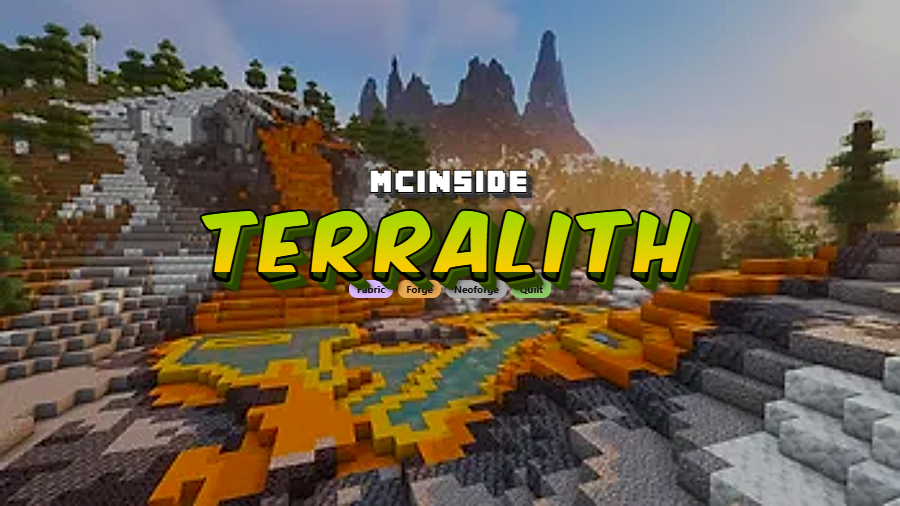
Terralith is a world generation mod that adds nearly 100 new biomes blending realism and light fantasy to Minecraft, using only vanilla blocks, available for Fabric, Forge, NeoForge, and Quilt mod loaders.
Vanilla Minecraft world generation has come a long way since the 1.18 terrain overhaul, but after hundreds of hours, even the revamped biomes start feeling repetitive. You see the same forests, the same plains, and the same mountains over and over. Terralith solves this by injecting nearly 100 new biomes — from Yellowstone-inspired landscapes to floating skylands — while keeping everything built entirely from vanilla blocks. With over 15 million downloads on Modrinth, it has become one of the most trusted world generation mods in the Minecraft community. Created by Starmute and the Stardust Labs team, Terralith doesn't just add more variety — it fundamentally transforms how exploration feels in your survival worlds.
Key Features of Terralith
- Nearly 100 New Biomes — Terralith introduces over 95 brand new biomes ranging from realistic landscapes like Yellowstone and Yosemite Cliffs to fantasy-inspired environments like floating Skylands. Every biome is handcrafted to feel like a natural extension of the vanilla game, meaning you never hit a jarring visual boundary between modded and unmodded terrain.
- Overhauled Vanilla Biomes — Beyond adding new biomes, Terralith also updates nearly every existing vanilla biome with improved terrain features and vegetation. This means even familiar biomes like forests and deserts feel fresh without losing their identity, giving veteran players a reason to explore areas they might otherwise skip.
- New Terrain Types — The mod introduces entirely new terrain categories including canyons, shattered biomes, floating islands, and deep ocean trenches. These dramatic landforms create memorable landmarks in your world and provide unique building opportunities that simply don't exist in vanilla Minecraft.
- Immersive Structures — Terralith includes custom structures designed to complement its overhauled terrain. These structures are placed thoughtfully within biomes so they feel like a natural part of the landscape rather than randomly dropped buildings, enhancing the exploration loop that makes Minecraft compelling.
- Vanilla Block Only Design — Every biome and structure in Terralith is built using only vanilla Minecraft blocks. This is a huge advantage because it means full compatibility with resource packs, no extra download size for custom textures, and a seamless visual experience that blends perfectly with the base game.
- Built-in World Presets — Terralith ships with special world presets like "Amplified + Large Biomes" which combines two popular world types into one, and "Oops! All Skylands" which fills the void with floating island terrain. These presets give players unique ways to experience the mod beyond the standard configuration.
- Optional Add-on Packs — Several companion data packs are available including "Terralith: No Structures" for players who prefer only terrain changes, "Terralith: Extra Recipes" which adds useful crafting expansions for stone variants, and "Terralith: ReStoned" which restores vanilla stone blob generation. This modularity lets you tailor the experience to your preferences.
Screenshots
How to Install Terralith
- Install your preferred mod loader: Fabric, Forge, NeoForge, or Quilt.
- Download and install Lithostitched, which is a required dependency for the mod version of Terralith (version 2.6.0 and later).
- Download the Terralith file matching your Minecraft version and mod loader from the official sources linked below.
- Place the downloaded
.jarfile into your.minecraft/modsfolder. - Launch Minecraft and create a new world — do not add Terralith to an existing world, as this can cause terrain generation issues at chunk borders.
Requirements & Compatibility
| Requirement | Details |
|---|---|
| Mod Loaders | Fabric, Forge, NeoForge, Quilt |
| Minecraft Versions | 1.18.2 – 1.21.11, 26.1 |
| Required Dependency | Lithostitched (for mod version 2.6.0+) |
| Compatible With | Most biome-adding mods (via Terrablender), Tectonic (mod version) |
| Not Compatible With | Biome-adding datapacks; cannot be removed from existing worlds |
What's New
- Updated to support Minecraft 26.1.
- Golden Dandelion can now generate on Autumn Skylands biomes.
- Fixed snow layers not generating under trees in certain snowy biomes.
- More biomes now produce their proper flowers when bonemealing the ground.
- World height in the "Amplified + Large Biomes" world preset increased by 64 blocks, allowing even more dramatic terrain.
Pros and Cons
Pros
- Massive biome variety with nearly 100 new biomes to explore
- Uses only vanilla blocks, ensuring full resource pack compatibility
- Actively maintained with broad version support from 1.18.2 to 26.1
- Works across all major mod loaders (Fabric, Forge, NeoForge, Quilt)
- Optional add-on packs let you customize the experience
- Compatible with other popular world generation mods like Tectonic
Cons
- Cannot be removed from an existing world once installed
- Not recommended to add to existing worlds — requires a world reset
- Biome-adding datapacks are typically not compatible
- Mod version and datapack version are no longer interchangeable as of 2.6.0
- Requires Lithostitched as an additional dependency
Alternatives to Terralith
- Tectonic — A world generation mod focused on dramatic terrain shaping and mountain generation, fully compatible with Terralith's mod version for combined use.
- Biomes O' Plenty — One of the longest-running biome mods for Minecraft, adding a wide variety of new biomes with custom blocks and vegetation for a different aesthetic approach.
- William Wythers' Overhauled Overworld — A world generation datapack and mod that reimagines vanilla biomes with more varied and realistic terrain while maintaining a closer-to-vanilla feel.
Download Terralith
| Minecraft Version | Fabric | Forge | NeoForge | Quilt |
|---|---|---|---|---|
| For Minecraft 26.1 | Download | — | — | — |
| For Minecraft 1.21.11 | Download | Download | Download | Download |
| For Minecraft 1.21.10 | Download | — | Download | Download |
| For Minecraft 1.21.9 | Download | — | Download | Download |
| For Minecraft 1.21.8 | Download | Download | Download | Download |
| For Minecraft 1.21.7 | Download | Download | Download | Download |
| For Minecraft 1.21.6 | Download | Download | Download | Download |
| For Minecraft 1.21.5 | Download | Download | Download | Download |
| For Minecraft 1.21.4 | Download | Download | Download | Download |
| For Minecraft 1.21.3 | Download | Download | Download | Download |
| For Minecraft 1.21.2 | Download | Download | Download | Download |
| For Minecraft 1.21.1 | Download | Download | Download | Download |
Always download mods from official sources to stay safe.
Frequently Asked Questions
Is Terralith compatible with other biome mods?
Yes — Terralith is compatible with most biome-adding mods when using Terrablender or an equivalent compatibility layer. However, biome-adding datapacks are typically not compatible with Terralith. For the best multi-mod world generation setup, stick to mod versions of your chosen world generation packs rather than datapack versions.
Can I add Terralith to an existing Minecraft world?
No, this is not recommended. Adding Terralith to an existing world will create harsh chunk borders where old terrain generation meets new Terralith terrain. You should always create a new world or reset your current world before installing Terralith. Additionally, once Terralith is installed on a world, it cannot be removed without corrupting terrain.
Does Terralith work with Fabric, Forge, and NeoForge?
Yes — Terralith supports all four major Minecraft mod loaders: Fabric, Forge, NeoForge, and Quilt. Make sure to download the correct version for your specific mod loader and Minecraft version. As of version 2.6.0, the mod version requires Lithostitched as a dependency regardless of which loader you use.
Can I use Terralith together with Tectonic?
Yes, but only with the mod versions of both. Terralith is fully compatible with the mod version of Tectonic, and together they provide both biome variety and dramatic terrain generation. If you are using the datapack versions instead, you must use the combined Terratonic datapack rather than installing Tectonic separately.
Does Terralith require a resource pack or custom textures?
No — Terralith uses only vanilla Minecraft blocks for all its biomes, structures, and terrain features. This means it works with any resource pack you already use and adds no additional download size for textures. The vanilla-only approach also ensures that the new biomes blend seamlessly with existing Minecraft terrain without any visual inconsistencies.


![[Let's Do] Meadow Mod (1.21.1) - thumbnail](http://mcinside.com/wp-content/uploads/2026/04/thumbnail-64-52x52.webp)


![Not Enough Recipe Book [NERB] Mod (1.21.11) - thumbnail](http://mcinside.com/wp-content/uploads/2026/04/thumbnail-63-52x52.webp)


