
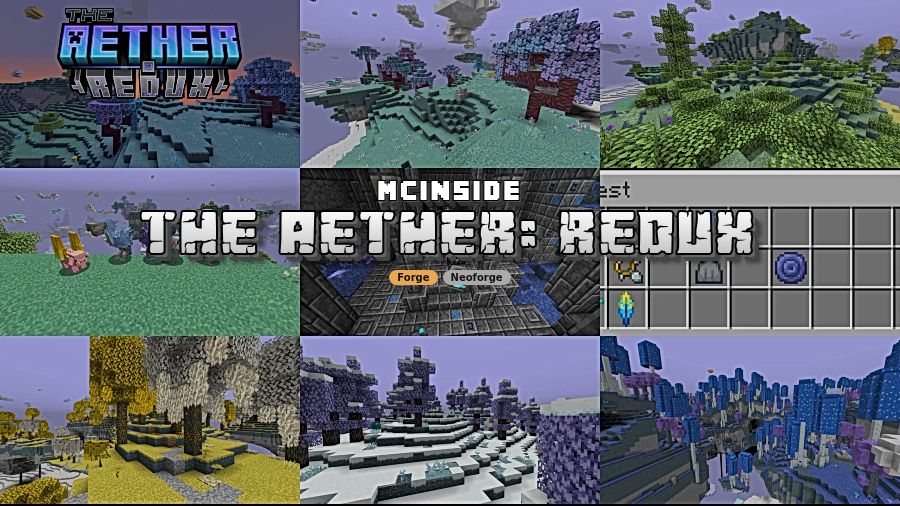
The Aether: Redux Mod is an addon mod that expands The Aether with new biomes, dungeon changes, visual upgrades, and configuration tools for Minecraft Forge and NeoForge on 1.20.1, 1.19.4, and 1.19.2.
If The Aether has started to feel familiar, The Aether: Redux Mod is built to solve that problem by giving the dimension a new layer of variety, polish, and control. It adds more structure to exploration, updates familiar mobs and assets, and gives you enough configuration options to tune the experience to your taste. With more than 1 million downloads on Modrinth, it has clearly found an audience that wants the Aether to feel expanded rather than replaced.
Key Features of The Aether: Redux Mod
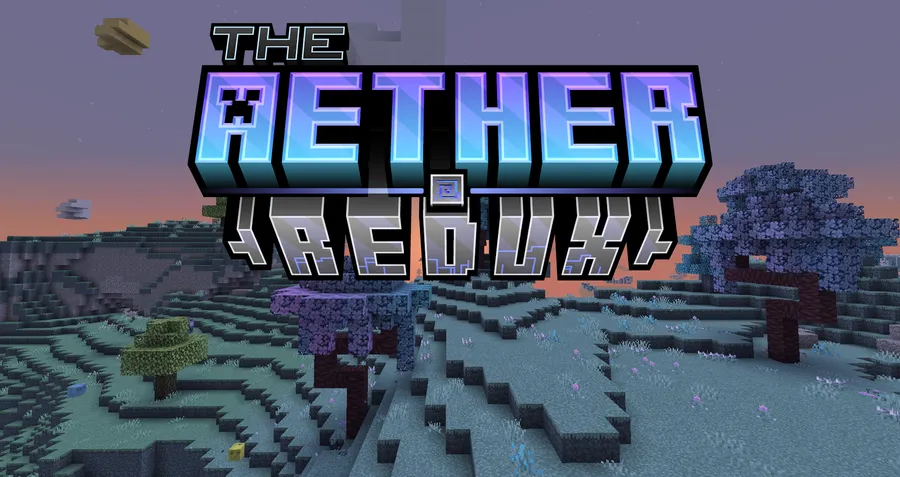
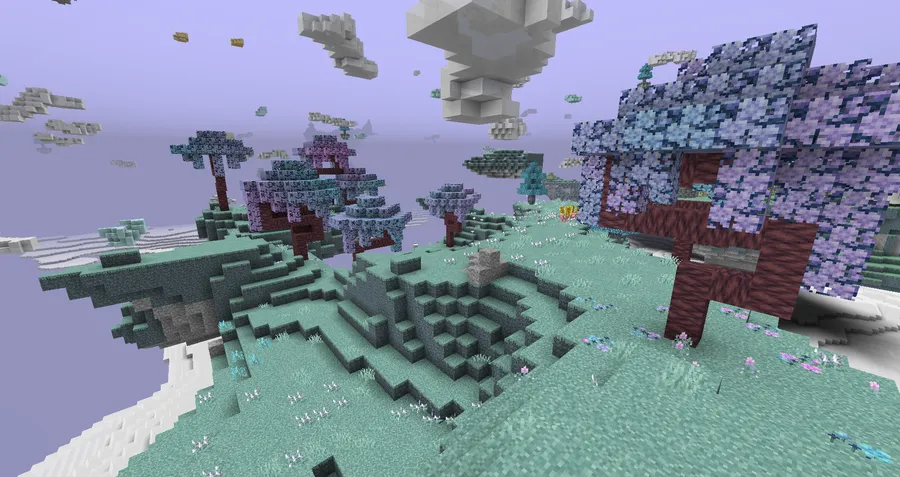
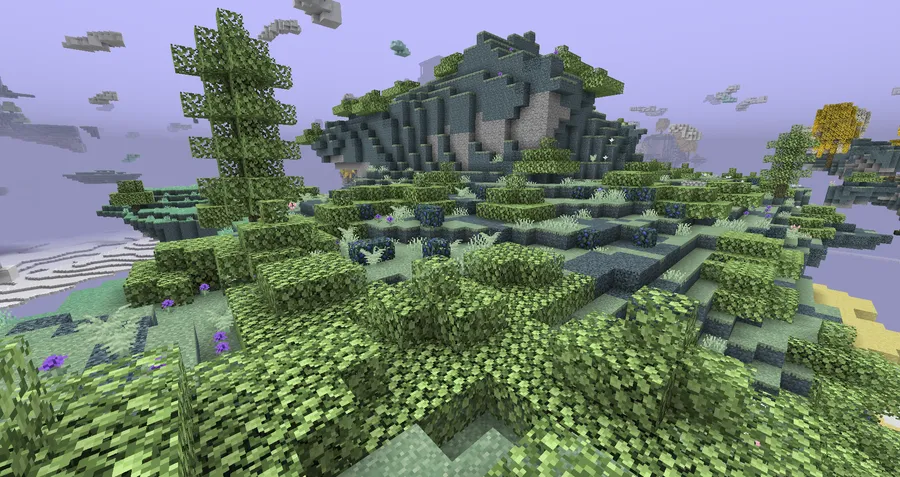
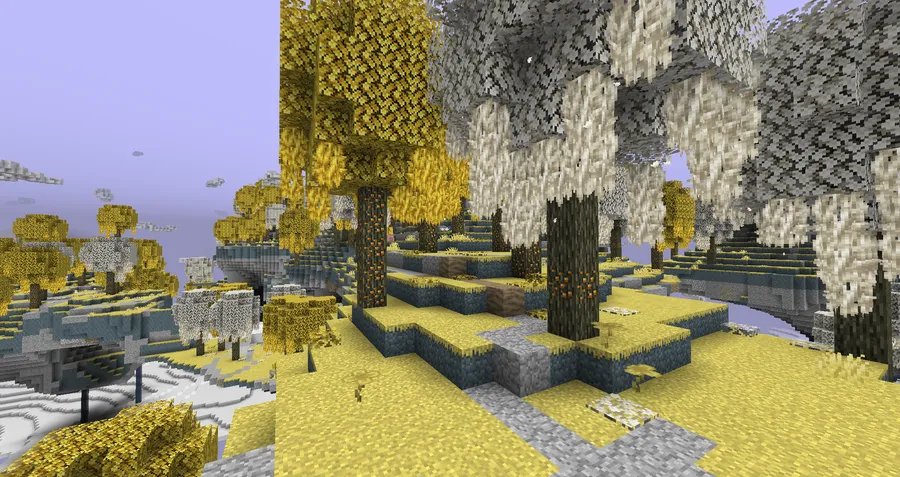
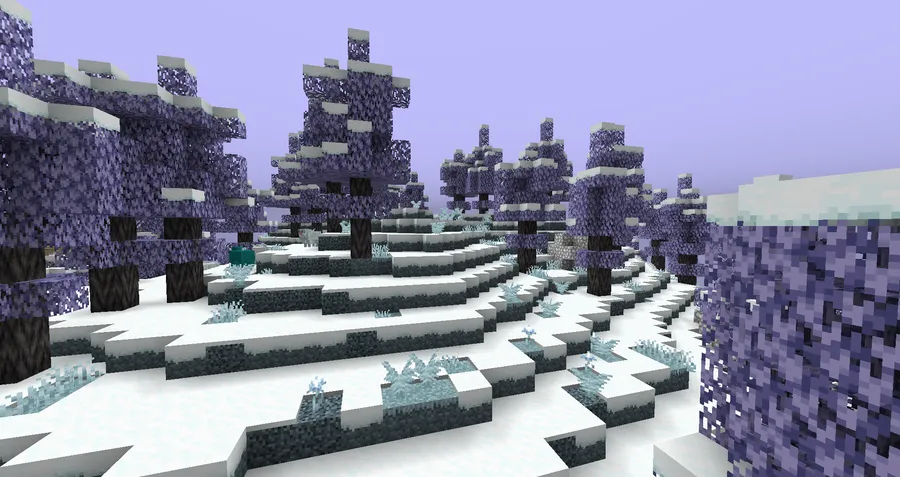
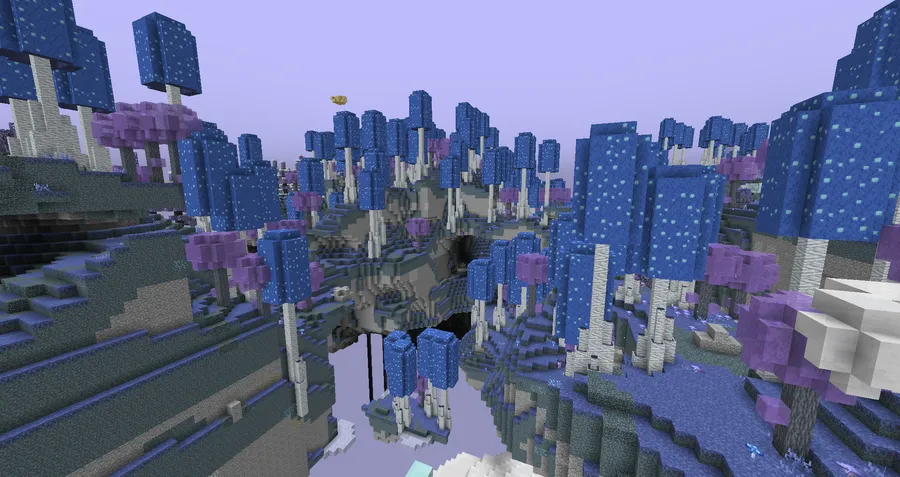
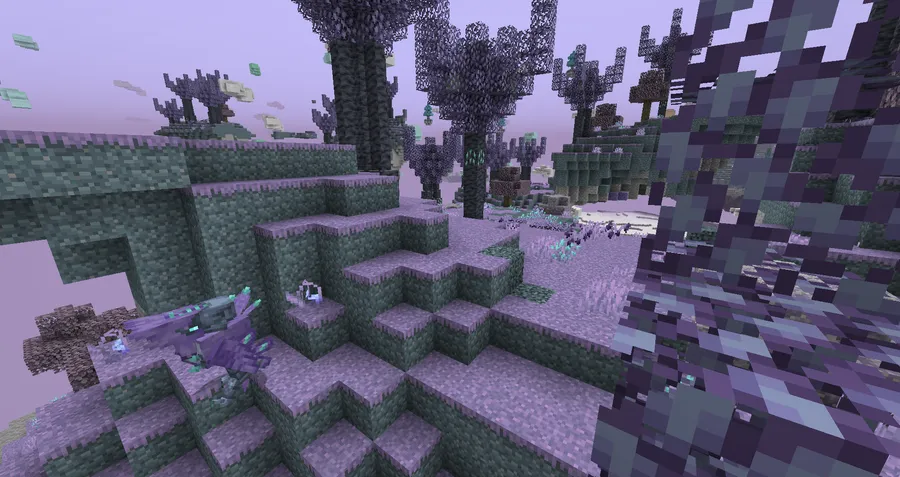
- New biomes and world variety — The mod adds multiple new biomes, which matters because it changes how the Aether feels to explore over a long playthrough. Instead of repeating the same terrain and visual palette, you get more places that feel distinct and worth traveling to.
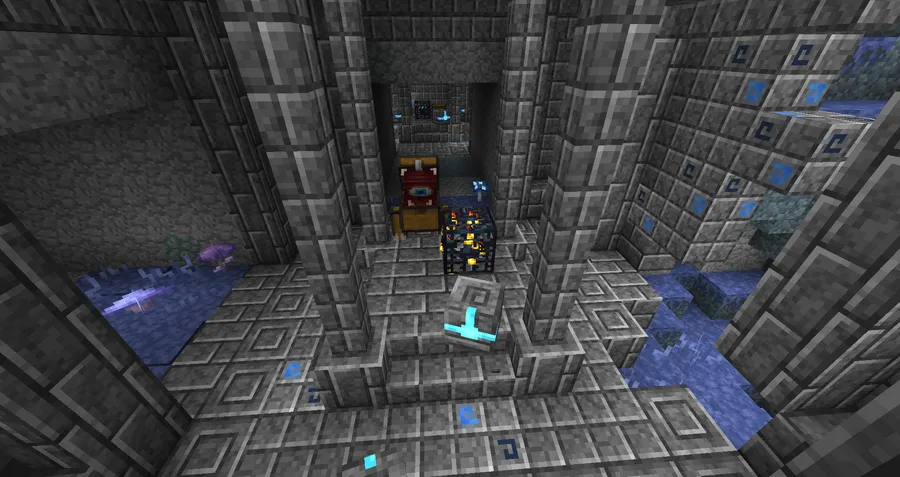
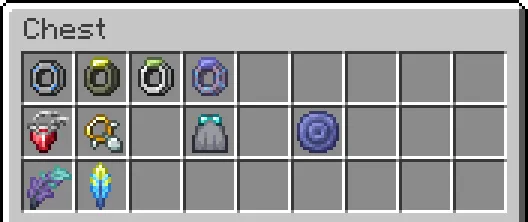
- First dungeon overhaul — Redux reworks the mod's first dungeon, and that is important because dungeons are where many players expect memorable progression and loot moments. A better dungeon structure can make the early Aether experience feel less routine and more worth revisiting.
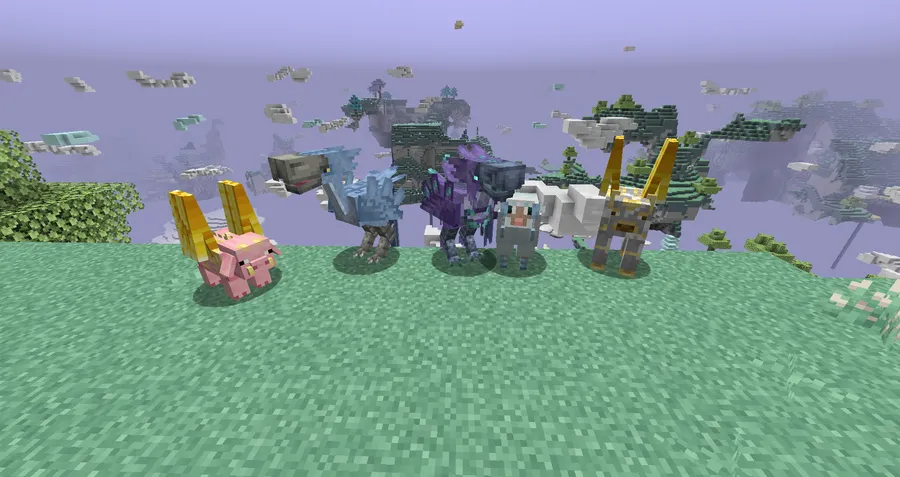
- Configurable mob model updates — A large number of mob models have been refreshed, but the key detail is that you can switch between Redux's versions and the originals. That gives you control over the visual style, which is useful if you want modernization without losing the classic look.
- In-game asset override pack controls — The mod includes its own asset override resource pack with a dedicated in-game config system. That matters because it lets you change how parts of the mod look without leaving the game or juggling separate texture-pack setups.
- Deep configuration options — Redux offers a lot of config settings, and that is one of its biggest strengths for players who like to customize modded worlds. You can shape the experience around what you enjoy most instead of accepting a fixed balance or presentation.
- Visual and audio polish — The update history shows ongoing texture tweaks, renamed items, and added music tracks, which helps the mod feel maintained rather than static. These smaller changes do not headline the mod, but they make the overall experience feel more coherent and deliberate.
Screenshots
How to Install The Aether: Redux Mod
- Install the correct mod loader for your Minecraft version. For 1.20.1, use Forge or NeoForge; for 1.19.4 and 1.19.2, use Forge.
- Install the base mod and dependencies required by version 2.0: The Aether, Aeroblender, Terrablender, and GeckoLib.
- Download the matching Redux file for your exact Minecraft version, since the available builds are split across 1.20.1, 1.19.4, and 1.19.2.
- Place the mod files into your Minecraft
modsfolder and make sure all required versions line up. - Launch the game, then use the in-game configuration options to adjust mob models, asset overrides, and other settings before starting a new world if needed.
Requirements & Compatibility
| Requirement | Details |
|---|---|
| Minecraft Versions | 1.20.1, 1.19.4, 1.19.2 |
| Loaders | Forge, NeoForge |
| Required Mods | The Aether, Aeroblender, Terrablender, GeckoLib |
| World Compatibility Note | Version 2.0 includes large changes, so older worlds from version 1.3.4 or below will most likely need a new world, especially on 1.20.1. |
| Customization | Includes an in-game config system for the asset override resource pack and multiple gameplay settings. |
What's New
- Blighted Aether Grass Blocks were readded, restoring an important environmental detail.
- The Whirlwinds model was updated, along with several texture tweaks across the mod.
- The Redstone Logicator was added as a new piece of content tied to the mod's lore.
- The Ring of Wisdom now uses Zanite in its crafting recipe, and the Blightwillow tree shape was updated.
- Blightworld generation was improved, while Blueberry Pie, Enchanted Blueberry Pie, bagels, lightroot clumps, and raw Gravitite textures were refreshed.
Pros and Cons
Pros
- Adds meaningful new content to The Aether instead of only changing textures.
- Lets players choose between upgraded mob models and the original versions.
- Includes a dedicated in-game config system for asset overrides.
- Supports multiple Minecraft versions across Forge and NeoForge.
- Receives ongoing updates and polish.
Cons
- Requires several dependencies, so installation is more involved than a standalone mod.
- Older worlds from 1.3.4 or below will most likely need a new save after the 2.0 changes.
- Compatibility is limited to the listed Minecraft versions and loaders.
Alternatives to The Aether: Redux Mod
- The Aether — The base mod that Redux expands, so it is the best choice if you want the original dimension without the extra overhaul layer.
- Aeroblender — A complementary world-generation mod that helps support Aether-related content and fits naturally into the same mod stack.
- Terrablender — Another useful companion for world generation compatibility, especially if you want your modded dimensions and biomes to work together more cleanly.
Download The Aether: Redux Mod
| Minecraft Version | Forge | NeoForge |
|---|---|---|
| For Minecraft 1.20.1 | Download | Download |
| For Minecraft 1.19.4 | Download | — |
| For Minecraft 1.19.2 | Download | — |
Always download mods from official sources to stay safe.
Frequently Asked Questions
What does The Aether: Redux Mod add?
It adds an expanded layer on top of The Aether, including new biomes, a reworked first dungeon, configurable mob model changes, and more visual and gameplay customization. In practice, that means the mod is aimed at refreshing the Aether rather than replacing it.
Does The Aether: Redux Mod require The Aether?
Yes, it requires The Aether. Version 2.0 also requires Aeroblender, Terrablender, and GeckoLib, so it is not a standalone install.
Is The Aether: Redux Mod available for NeoForge?
Yes, but only the Minecraft 1.20.1 release lists NeoForge support. The 1.19.4 and 1.19.2 downloads are listed for Forge only.
Will my old world work with version 2.0?
Maybe not. If you are upgrading a world from version 1.3.4 or below, you will most likely need to create a new world, especially on 1.20.1.
Can I keep the original mob models?
Yes, you can. The mod's mob model updates are configurable, so you can choose Redux's versions or stick with the originals if you prefer the classic look.
Does the mod include its own resource pack options?
Yes, it does. Redux includes a built-in asset overrides resource pack that can be managed through a dedicated in-game config system.
Which Minecraft versions are supported?
It supports 1.20.1, 1.19.4, and 1.19.2. Just make sure you match the correct loader and dependency set for the version you install.


![HiddenMons [Cobblemon] Mod (1.21.1, 1.20.6)](http://mcinside.com/wp-content/uploads/2026/04/thumbnail-262-300x169.webp)


