
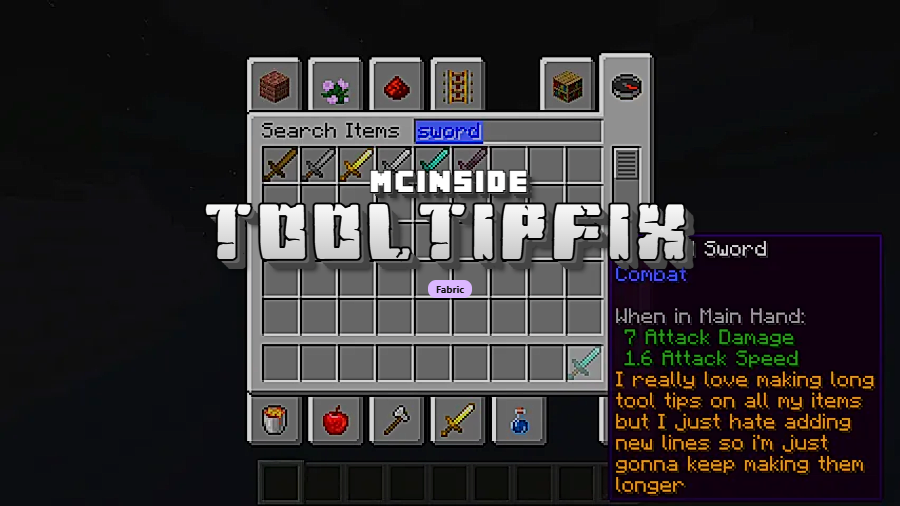
ToolTipFix is a client-side utility mod that prevents tooltips from running off the edge of the screen in Minecraft, available for the Fabric mod loader. It automatically resizes and wraps oversized tooltip text so that item descriptions, enchantment lists, and modded item details remain fully visible within the game window.
Anyone who has played modded Minecraft knows the frustration: you hover over an item with a lengthy description — maybe a complex enchanted tool or a technical machine from a mod pack — and the tooltip text simply runs off the side of your screen. You cannot read the full description, and there is no vanilla option to fix it. This is exactly the problem ToolTipFix was built to solve. With over 11 million downloads on Modrinth alone, it has become one of the most widely adopted quality-of-life mods in the Fabric ecosystem. Developed by kyrptonaught and licensed under MIT, ToolTipFix is a tiny mod that makes a noticeable difference in daily gameplay, particularly for players running large modpacks where items routinely carry detailed tooltip information.
Key Features of ToolTipFix
- Automatic Tooltip Repositioning — When a tooltip would extend beyond the edge of your screen, ToolTipFix shifts it back into view. This means you never have to guess what the last few lines of an item description say, which is especially valuable when comparing gear or reading recipe hints from mods like JEI or REI.
- Smart Text Wrapping — Tooltips that are too wide for the screen get wrapped onto multiple lines automatically. Instead of a single impossibly long line that disappears off-screen, the mod reformats the text to fit cleanly within visible boundaries, keeping all information readable at a glance.
- Newline Character Support — The mod correctly handles the
nnewline character in tooltip strings, wrapping text at those breakpoints as intended by mod authors. Many mods use newline characters to format their tooltips, and without ToolTipFix, these can render incorrectly in certain screen positions. - Zero Configuration Required — There are no settings to tweak, no config files to edit, and no keybinds to set up. You install the mod and it works immediately. For players building large modpacks, this "drop in and forget" design is ideal because it means one less thing to configure across dozens of mods.
- Lightweight Client-Side Operation — ToolTipFix appears to be lightweight and runs entirely on the client side. It does not need to be installed on servers, which makes it safe to add to any multiplayer setup without requiring server admin approval or coordination with other players.
- Broad Version Support — Spanning from Minecraft 1.17.1 all the way through 1.21.1, the mod covers a wide range of Minecraft versions. Whether you are playing on a legacy 1.18 modpack or the latest 1.21.1 release, ToolTipFix has a compatible build available.
Screenshots
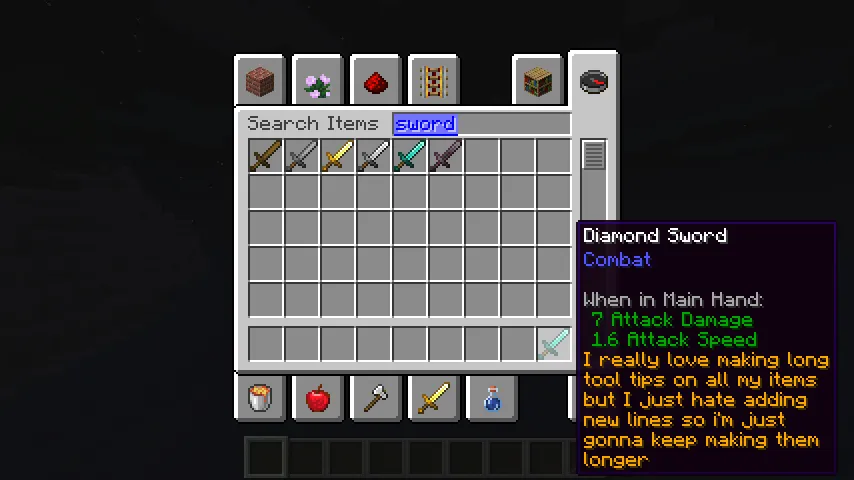
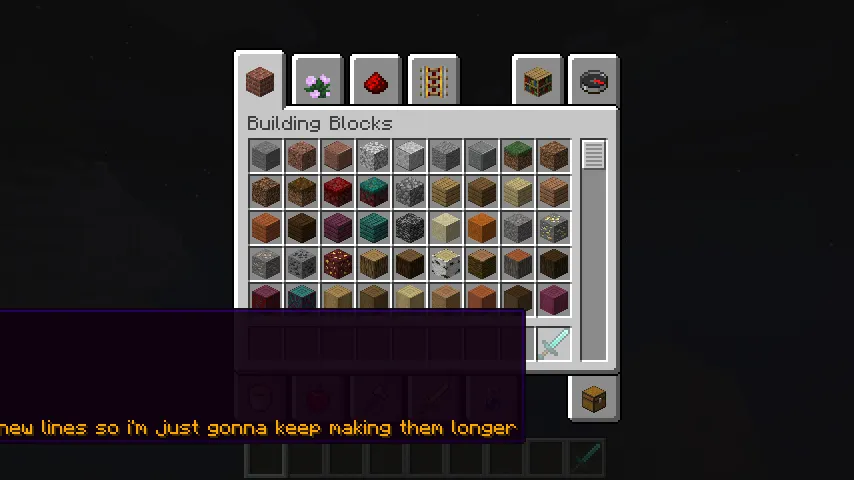
How to Install ToolTipFix
- Download and install Fabric Mod Loader for your Minecraft version. Make sure you select the correct game version (1.17.1 through 1.21.1 are supported).
- Download Fabric API — most Fabric mods require this library to function, and it should be placed in your mods folder alongside ToolTipFix.
- Download the ToolTipFix .jar file for your specific Minecraft version from the download section below.
- Open your Minecraft installation folder, navigate to the
modsdirectory (create it if it does not exist), and place the downloaded .jar file inside. - Launch Minecraft using the Fabric profile. Tooltips will now automatically stay within screen boundaries — no additional setup is needed.
Requirements & Compatibility
| Requirement | Details |
|---|---|
| Mod Loader | Fabric |
| Minecraft Versions | 1.17.1 – 1.21.1 |
| Side | Client-side only |
| License | MIT (open source) |
| Dependencies | Fabric API (recommended) |
What's New
- Ported to Minecraft 1.20, ensuring compatibility with the Trails & Tales update
- Continued support across the 1.20.x release cycle up through 1.20.6
- Added builds for Minecraft 1.21 and 1.21.1
- Maintained backward compatibility with older versions back to 1.17.1
Pros and Cons
Pros
- Solves an annoying vanilla issue that Mojang has not addressed
- No configuration needed — works immediately after installation
- Client-side only, safe for multiplayer without server-side install
- Extremely broad version support from 1.17.1 to 1.21.1
- Open source under MIT license with active development
- Over 11 million downloads — battle-tested in thousands of modpacks
Cons
- Fabric only — no Forge or NeoForge support available
- No configuration options for players who want custom tooltip width limits
- Minimal visual customization — tooltip appearance remains vanilla
Alternatives to ToolTipFix
- Adaptive Tooltips — A similar tooltip-fixing mod that offers additional customization options for tooltip positioning and scaling, giving players more control over how tooltips render on screen.
- Legendary Tooltips — Goes beyond fixing tooltip overflow by adding decorative borders and custom styling to item tooltips, ideal for players who want both functional fixes and visual upgrades.
- Equipment Compare — A complementary mod that adds side-by-side tooltip comparison for equipped items, which pairs well with ToolTipFix to ensure both comparison tooltips stay on screen.
Download ToolTipFix
| Minecraft Version | Fabric |
|---|---|
| For Minecraft 1.21.1 | Download |
| For Minecraft 1.21 | Download |
| For Minecraft 1.20.6 | Download |
| For Minecraft 1.20.5 | Download |
| For Minecraft 1.20.4 | Download |
| For Minecraft 1.20.3 | Download |
| For Minecraft 1.20.2 | Download |
| For Minecraft 1.20.1 | Download |
| For Minecraft 1.20 | Download |
| For Minecraft 1.19.4 | Download |
| For Minecraft 1.19.3 | Download |
| For Minecraft 1.19.2 | Download |
Always download mods from official sources to stay safe.
Frequently Asked Questions
Does ToolTipFix work on Forge or NeoForge?
No — ToolTipFix is exclusively a Fabric mod and does not support Forge or NeoForge. If you use Forge, you will need to look for alternative tooltip-fixing mods built for that loader. The mod author has only released Fabric builds across all supported versions.
Do I need to configure anything after installing ToolTipFix?
No configuration is needed. ToolTipFix works immediately upon installation with no config files, settings menus, or keybinds to set up. Simply drop the .jar into your mods folder and launch the game — all tooltip overflow issues will be handled automatically.
Is ToolTipFix compatible with modpacks that have hundreds of mods?
Yes — ToolTipFix is widely used in large modpacks and appears to be lightweight enough to run alongside hundreds of other mods without conflicts. With over 11 million downloads, it has been tested across countless modpack configurations in the Fabric ecosystem.
Does ToolTipFix need to be installed on the server for multiplayer?
No — ToolTipFix is a client-side only mod. It does not need to be installed on the server and will not affect other players. You can safely add it to your client installation for any multiplayer server without requiring admin permission.
Will ToolTipFix work with Minecraft versions newer than 1.21.1?
Currently, 1.21.1 is the latest supported version based on available releases. The mod has been consistently updated across major Minecraft versions since 1.17.1, so future updates are possible but not guaranteed. Check the mod's source repository on GitHub for the latest development status.





![[Let's Do] Meadow Mod (1.21.1) - thumbnail](http://mcinside.com/wp-content/uploads/2026/04/thumbnail-64-52x52.webp)


![Not Enough Recipe Book [NERB] Mod (1.21.11) - thumbnail](http://mcinside.com/wp-content/uploads/2026/04/thumbnail-63-52x52.webp)
