

Trading Post Mod is a utility mod that adds a dedicated trading block for Minecraft on Fabric, Forge, and NeoForge, letting you access trades from multiple villagers through one interface. It is designed to make village trading faster and easier to manage without changing the core idea of villager commerce.
Vanilla villager trading works well at small scale, but it becomes awkward once your world grows into a real trading setup with librarians, farmers, toolsmiths, and other specialists spread around a village or hall. Trading Post solves that friction by giving you one place to open trades from villagers in a configurable area, which is exactly the kind of quality-of-life improvement many long-term worlds need. That practical focus helps explain why the project has more than 6.5 million downloads on Modrinth, making it one of the more established utility picks for players who spend a lot of time optimizing villager-based progression.
Key Features of Trading Post Mod
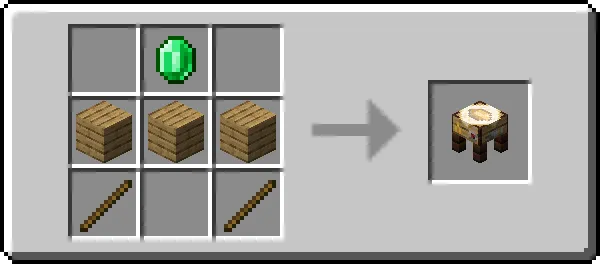
- One dedicated trading block — The mod adds a single block built around villager trading instead of scattering new systems across your world. That matters because it keeps the concept approachable: place the block, use it, and immediately understand what problem it is trying to solve.
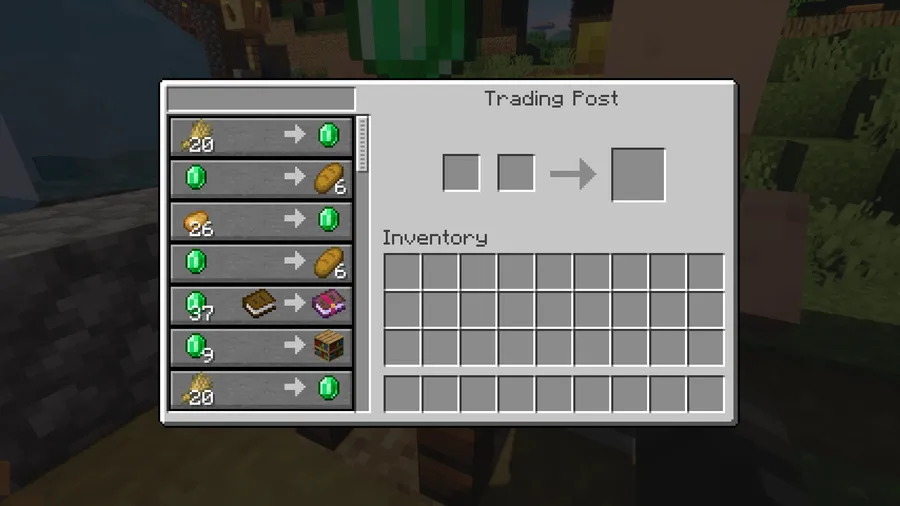
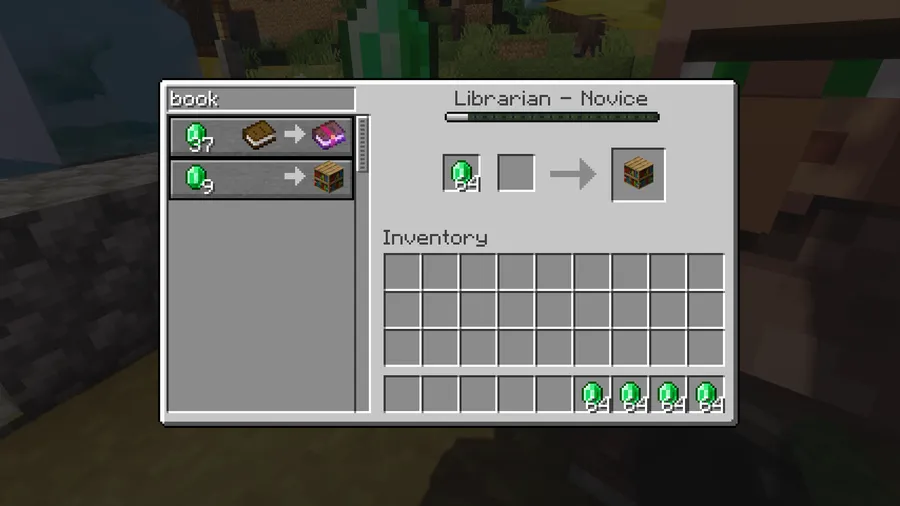
- Trade with multiple villagers at once — The core feature is the ability to access trades from all villagers in range through one interface. For players running busy villages or trading halls, this cuts down on moving from workstation to workstation and makes routine emerald farming feel much less tedious.
- Configurable trading area — The Trading Post works within a configurable area, which gives you some control over how many villagers it can interact with. That flexibility matters because different worlds use different layouts, from compact breeder-based halls to wider natural villages.
- Unified trading interface — Bringing villager trades into a single screen is more useful than it sounds on paper. It helps you compare options faster, keeps your focus on the trade itself, and reduces the stop-start rhythm that usually comes with checking villagers one by one.
- Village management feels cleaner — Because the mod is centered on one block and one interface, it supports a more organized trading workflow. If you care about keeping your base efficient instead of wrestling with crowded villager paths, that streamlined structure is the real reason to install it.
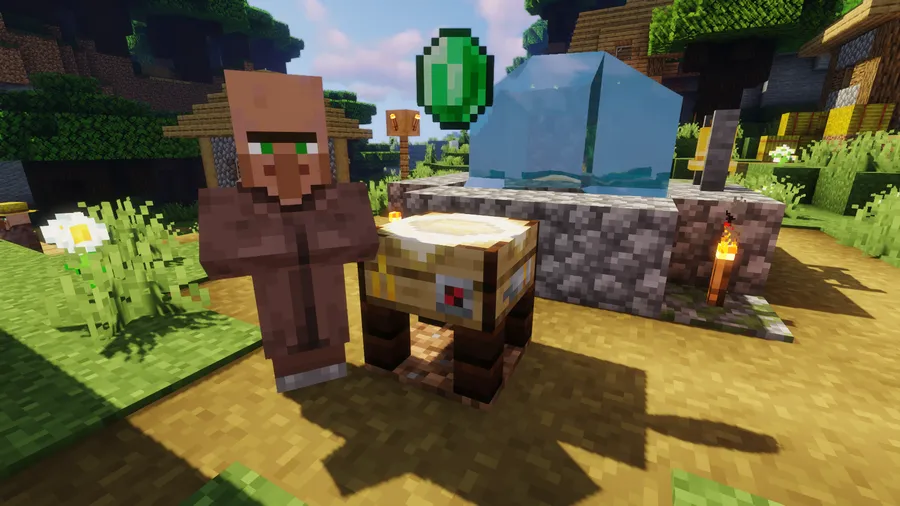
- Stylized block presentation — The author description highlights that the table looks fancy, and that small visual touch matters in Minecraft more than many utility mods admit. A functional block that also looks intentional is easier to keep in a survival base without feeling like pure machinery.
- Proximity-based animation — The Trading Post includes an animation that plays when you come close. It is a cosmetic detail, but it gives the block some personality and makes the feature feel integrated into the world rather than like a plain menu shortcut.
Screenshots

How to Install Trading Post Mod
- Choose the correct Minecraft version for your world, such as 1.21.11, and confirm which mod loader you use: Fabric Mod Loader, Minecraft Forge, or NeoForge.
- Download the Trading Post Mod file that matches both your Minecraft version and your loader. The listed downloads for 1.21.11 are available for Fabric and NeoForge.
- Install and launch your chosen loader once so Minecraft creates the required mod folders correctly.
- Place the Trading Post Mod file into your
modsfolder, then start the game with the same loader profile you used for installation. - Open your world, place the Trading Post block, and check that nearby villagers appear through the interface as expected.
Requirements & Compatibility
| Item | Details |
|---|---|
| Mod Name | Trading Post Mod |
| Category | Minecraft Mods |
| Tag | Utility |
| Author | Fuzs |
| Supported Loaders | Fabric, Forge, NeoForge |
| Required Loaders | Fabric Mod Loader, Minecraft Forge, NeoForge |
| Minecraft Versions | 1.21.11, 1.21.10, 1.21.9, 1.21.8, 1.21.7, 1.21.6, 1.21.5, 1.21.4, 1.21.3, 1.21.1, 1.21, 1.20.4, 1.20.1, 1.20, 1.19.4, 1.19.3, 1.19.2, 1.19.1, 1.19 |
| Latest Listed Download Versions | 1.21.11, 1.21.10, 1.21.9, 1.21.8, 1.21.7, 1.21.6, 1.21.5, 1.21.4 |
| License | MPL-2.0 |
What's New
- Updated to Minecraft 1.21.11 in version v21.11.0-1.21.11.
- The latest listed changelog entry is dated 2025-12-17.
- The project shows an updated date of 2025-12-18 on Modrinth.
- The recent focus appears to be keeping the mod current with the newest supported Minecraft release.
Pros and Cons
Pros
- Makes large villager trading setups much more convenient to use.
- Uses a simple idea that is easy to understand in survival play.
- Supports Fabric, Forge, and NeoForge across many Minecraft versions.
- Includes a polished-looking block and a proximity animation.
- Backed by strong social proof with more than 6.5 million downloads.
Cons
- Focused on trading convenience only, so it does not expand villager professions or economy systems.
- Players who prefer fully vanilla-style interaction may find a central trading interface less immersive.
- The provided 1.21.11 download listing mentions Fabric and NeoForge, so users should double-check loader-specific files before installing.
Alternatives to Trading Post Mod
- Easy Villagers — A villager-focused utility mod for players who want a different approach to managing trading and villager interaction.
- Villager Names Mod — A complementary mod for players who spend a lot of time with villagers and want clearer identity and organization in their settlements.
- Jade Mod — A useful companion utility mod that helps surface in-game information more clearly while you manage complex builds and systems.
Download Trading Post Mod
| Minecraft Version | Fabric | Forge | NeoForge |
|---|---|---|---|
| For Minecraft 1.21.11 | Download | — | Download |
| For Minecraft 1.21.10 | Download | — | Download |
| For Minecraft 1.21.9 | Download | — | Download |
| For Minecraft 1.21.8 | Download | — | Download |
| For Minecraft 1.21.7 | Download | — | Download |
| For Minecraft 1.21.6 | Download | — | Download |
| For Minecraft 1.21.5 | Download | — | Download |
| For Minecraft 1.21.4 | Download | — | Download |
| For Minecraft 1.21.3 | Download | — | Download |
| For Minecraft 1.21.1 | Download | — | Download |
| For Minecraft 1.21 | Download | — | Download |
| For Minecraft 1.20.4 | Download | Download | Download |
Always download mods from official sources to stay safe.
Frequently Asked Questions
What does Trading Post Mod do in Minecraft?
Trading Post Mod adds a block that lets you trade with villagers in a configurable area through a single interface. In practice, that means less walking between individual villagers and a much smoother experience when your trading hall gets crowded.
Should I install Trading Post Mod for a survival world?
Yes — it is a strong choice if your survival world relies heavily on villager trading. The mod keeps the familiar villager system but removes much of the repetitive interaction that usually appears once your setup grows.
Does Trading Post Mod support Fabric, Forge, and NeoForge?
Yes — the provided data lists Fabric, Forge, and NeoForge as supported mod types. You should still match the exact file to your Minecraft version and chosen loader before launching the game.
Is Trading Post Mod available for Minecraft 1.21.11?
Yes — Minecraft 1.21.11 is listed in the supported versions and in the download entries. The latest changelog entry also specifically notes an update to Minecraft 1.21.11.
Does Trading Post Mod add new villagers or professions?
No — the provided description only says it adds one block for trading with villagers in one interface. Based on the available data, it is a utility-focused trading mod rather than a villager expansion mod.
Is Trading Post Mod lightweight?
It appears to be lightweight because the mod description centers on a single block and a focused trading feature set. That said, the provided data does not include benchmark or performance figures, so it is best to treat it as a convenience mod with a narrow scope rather than make stronger claims.


