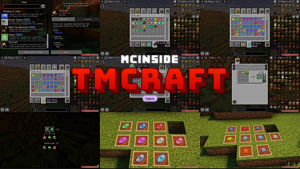
Visual Workbench is a utility mod that makes crafting tables retain items placed inside them and renders those ingredients visually on top of the block, available for Minecraft Fabric, Forge, and NeoForge. Instead of losing your crafting layout every time you close the table interface, items stay right where you left them — and you can see exactly what's sitting on the workbench at a glance.
Anyone who has played Minecraft for more than a few hours knows the frustration: you're in the middle of a complex recipe, you accidentally close the crafting table, and every single ingredient scatters back into your inventory — or worse, onto the ground. It's a minor annoyance that adds up over hundreds of play sessions. Visual Workbench by Fuzs solves this cleanly by turning the vanilla crafting table into a persistent, visually informative workstation. With over 18.5 million downloads on Modrinth alone, this is one of the most trusted quality-of-life mods in the Minecraft ecosystem, and for good reason. It does one thing, does it well, and stays out of your way.
Key Features of Visual Workbench
- Persistent Crafting Grid — Items you place in a crafting table stay inside even after you close the interface. This means you can walk away, manage your inventory, or fight off a mob and come back to find your recipe exactly as you left it. No more re-placing nine items for that chestplate you were about to craft.
- 3D Item Rendering on Block Surface — Every ingredient in the crafting grid is rendered in 3D on top of the workbench. You can see at a glance what recipe is loaded without opening the GUI, which is especially handy in busy workshop areas where you have multiple crafting stations set up for different recipes.
- Crafting Result Preview — The resulting item from your current recipe is also displayed visually on the block. This gives you a quick visual confirmation that you've arranged the right pattern, saving you from opening the table just to check what the output will be.
- Natural Block Breaking Behavior — When you break a crafting table that contains items, everything drops on the ground just like a chest would. This follows vanilla Minecraft conventions, so there's no risk of losing materials. It works exactly the way you'd expect, with no surprises or edge cases.
- JEI Integration — Visual Workbench integrates with Just Enough Items (JEI), the popular recipe browsing mod. This means you can still use JEI's recipe lookup and transfer features seamlessly with the enhanced crafting table, keeping your modded crafting workflow smooth and uninterrupted.
- Multi-Loader Support — The mod is available for Fabric, Forge, and NeoForge, so it fits into virtually any modpack configuration. Whether you're running a lightweight Fabric setup or a heavy NeoForge modpack, Visual Workbench slots right in without compatibility headaches.
- Lightweight and Focused — This mod does exactly one thing: improve crafting tables. It appears to be lightweight with minimal overhead, following the single-responsibility design philosophy that keeps your mod list clean and conflict-free.
Screenshots
How to Install Visual Workbench
- Choose and install your preferred mod loader: Fabric Mod Loader, Minecraft Forge, or NeoForge. Make sure the loader version matches your Minecraft version.
- If using Fabric, also install the Fabric API, which is required by most Fabric mods including Visual Workbench.
- Download the correct Visual Workbench file for your Minecraft version and mod loader from the download section below.
- Place the downloaded
.jarfile into your.minecraft/modsfolder. If the folder doesn't exist, launch Minecraft once with your mod loader profile to generate it. - Launch Minecraft using your mod loader profile. Place a crafting table and open it — your items will now persist and render on the block surface.
Requirements & Compatibility
| Requirement | Details |
|---|---|
| Mod Loaders | Fabric, Forge, NeoForge |
| Minecraft Versions | 1.19 – 1.21.11 |
| Dependencies (Fabric) | Fabric API |
| Dependencies (NeoForge/Forge) | None required |
| License | MPL-2.0 (open source) |
| Author | Fuzs |
What's New
- v21.11.1 (December 2025): Enabled JEI integration, allowing seamless recipe browsing and transfer with the enhanced crafting table.
- v21.11.0 (December 2025): Updated to support Minecraft 1.21.11, ensuring compatibility with the latest game release.
- Continued multi-loader support with both NeoForge and Fabric builds available for all recent Minecraft versions.
- The mod has been actively maintained since its initial release in July 2022, with consistent updates across major Minecraft versions.
Pros and Cons
Pros
- Solves a genuine vanilla annoyance that affects every player
- Beautiful 3D item rendering adds visual polish to workshops
- Supports all three major mod loaders (Fabric, Forge, NeoForge)
- Massive version range from 1.19 to 1.21.11
- Over 18.5 million downloads — well-tested and community-trusted
- Open source under MPL-2.0 with active development
- JEI integration for smooth modded crafting workflows
Cons
- Limited to crafting tables only — does not affect other workstation blocks
- The visual rendering may look cluttered on crafting tables placed in tight spaces
- No built-in configuration options for toggling individual features
Alternatives to Visual Workbench
- Crafting Tweaks — Adds rotate, balance, and clear buttons to the crafting grid for faster recipe management, complementing Visual Workbench nicely.
- Fast Workbench — Focuses on optimizing crafting table performance by caching recipe lookups, reducing lag in heavily modded environments.
- Better Crafting — Overhauls the crafting interface entirely with a searchable recipe list and category tabs for a more modern crafting experience.
Download Visual Workbench
| Minecraft Version | Fabric | Forge | NeoForge |
|---|---|---|---|
| For Minecraft 1.21.11 | Download | — | Download |
| For Minecraft 1.21.10 | Download | — | Download |
| For Minecraft 1.21.9 | Download | — | Download |
| For Minecraft 1.21.8 | Download | — | Download |
| For Minecraft 1.21.7 | Download | — | Download |
| For Minecraft 1.21.6 | Download | — | Download |
| For Minecraft 1.21.5 | Download | — | Download |
| For Minecraft 1.21.4 | Download | — | Download |
| For Minecraft 1.21.3 | Download | — | Download |
| For Minecraft 1.21.1 | Download | — | Download |
| For Minecraft 1.21 | Download | — | Download |
| For Minecraft 1.20.4 | Download | Download | Download |
Always download mods from official sources to stay safe.
Frequently Asked Questions
Does Visual Workbench work with Fabric?
Yes — Visual Workbench fully supports Fabric and has dedicated Fabric builds for every supported Minecraft version from 1.19 through 1.21.11. You will need the Fabric API mod installed alongside it, which is standard for most Fabric mods.
Will items be lost if I break the crafting table?
No — all items inside the crafting table drop on the ground when the block is broken, just like a chest. This follows vanilla Minecraft behavior so you never lose materials. Simply pick up the dropped items and place them in a new crafting table.
Is Visual Workbench compatible with JEI?
Yes — as of the v21.11.1 update in December 2025, Visual Workbench includes JEI integration. You can browse recipes and transfer ingredients directly into the persistent crafting grid without any conflicts or extra configuration needed.
Does this mod affect server performance in multiplayer?
Visual Workbench appears to be lightweight and focused on a single block type, so its impact on server performance is minimal. The mod only needs to track inventory data for crafting tables that have items placed in them. Thousands of players use it in modpacks and multiplayer servers without reported performance issues.
Can I use Visual Workbench alongside other crafting mods?
Yes — Visual Workbench is generally compatible with other crafting-related mods like Crafting Tweaks or recipe viewer mods. Since it modifies crafting table behavior at a fundamental level, conflicts are rare. However, mods that completely replace the crafting table block may not be compatible, so check mod descriptions if you're running an unusual combination.