

Managing Vanilla Tweaks resource packs usually means tabbing out of Minecraft, browsing the website, downloading files, and dragging them into the right folder. VTDownloader Mod eliminates that entire workflow by embedding the Vanilla Tweaks catalog directly into the resource pack selection screen. Browse, pick, and apply packs without ever leaving your game — it's the kind of quality-of-life improvement that feels like it should have been built into Minecraft from the start.
Key Features
- In-game Vanilla Tweaks browser — Adds a dedicated button to the resource pack selection screen, letting you browse and download Vanilla Tweaks packs without alt-tabbing to a web browser.
- Automatic file placement — Downloaded packs are placed directly into your resource packs folder, removing the need for any manual file management or folder navigation.
Screenshots


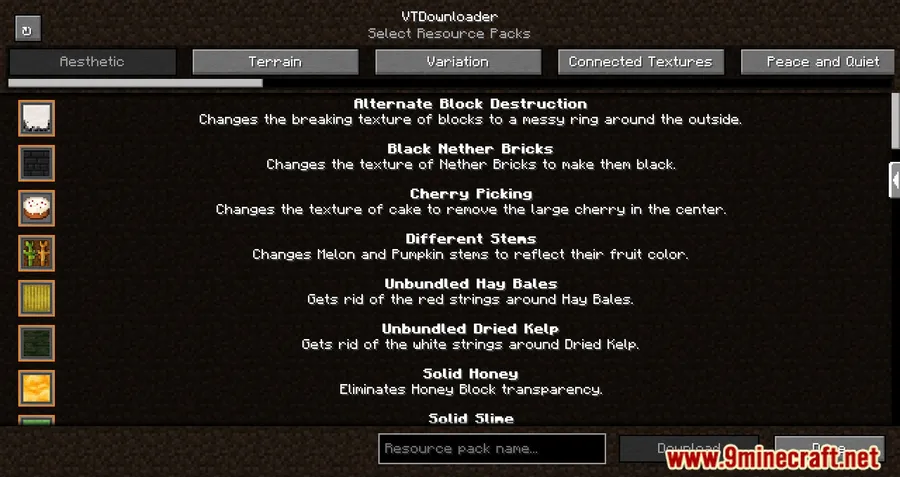
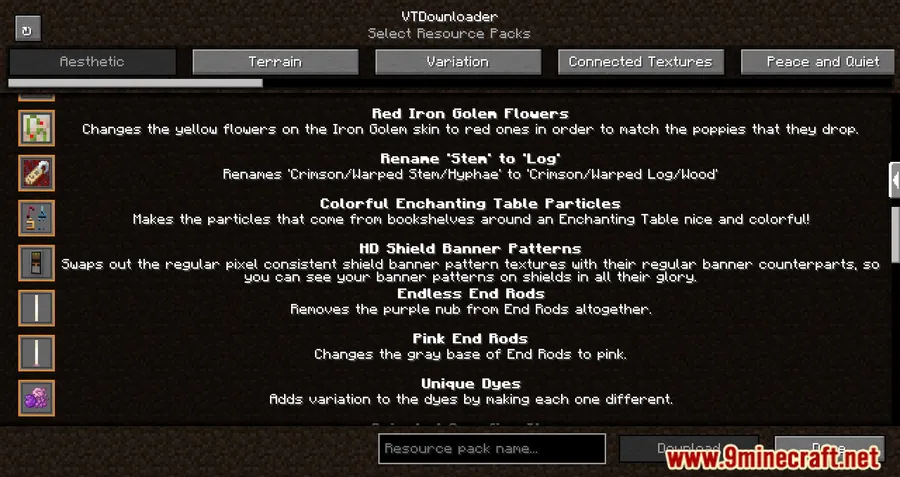
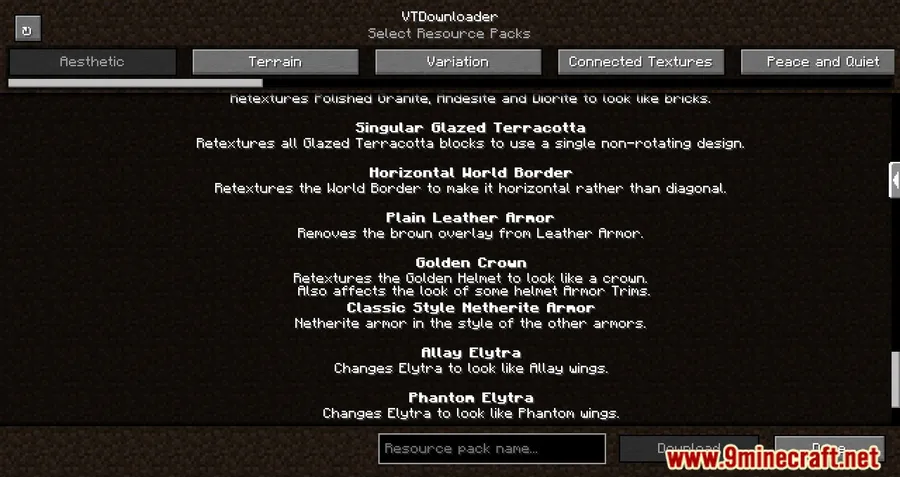
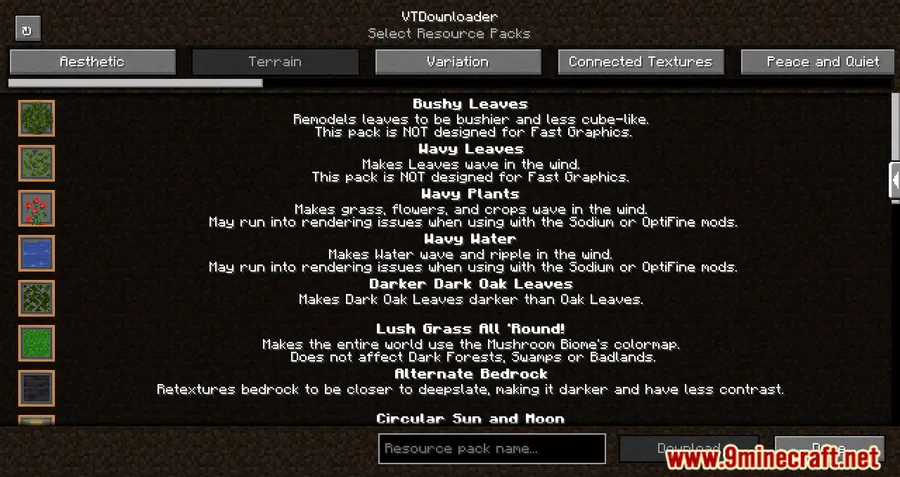
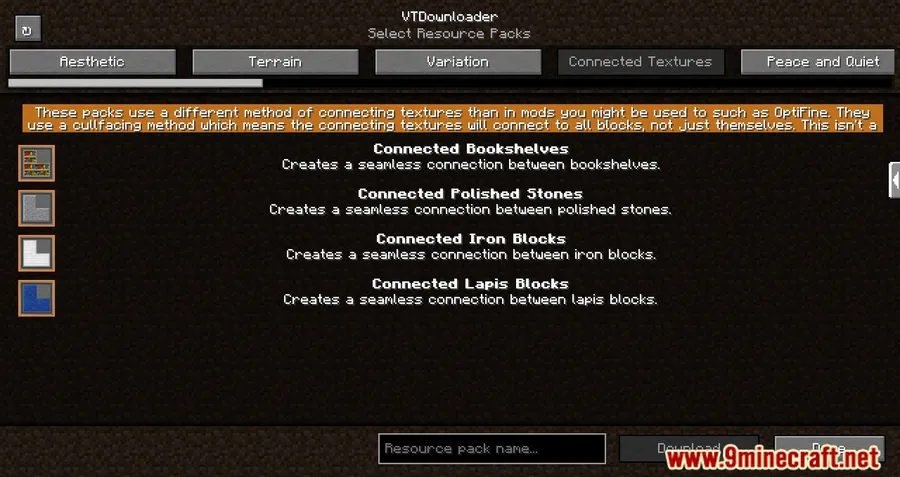
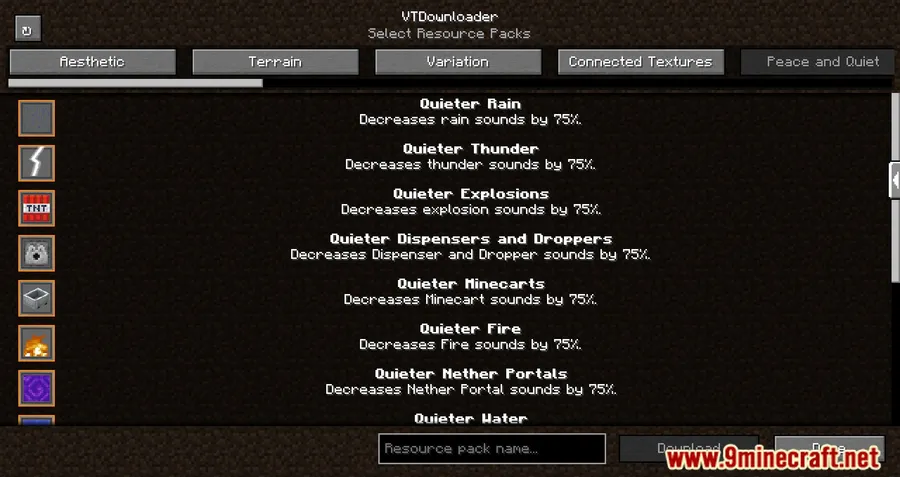
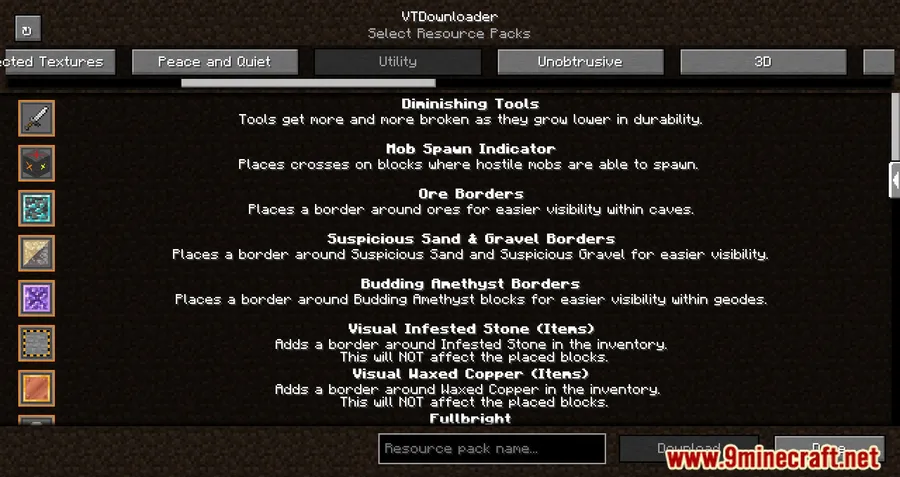
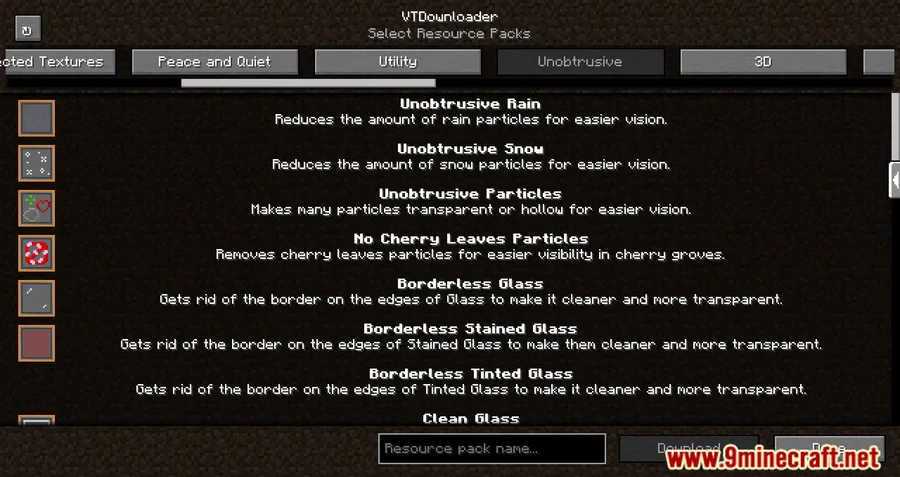
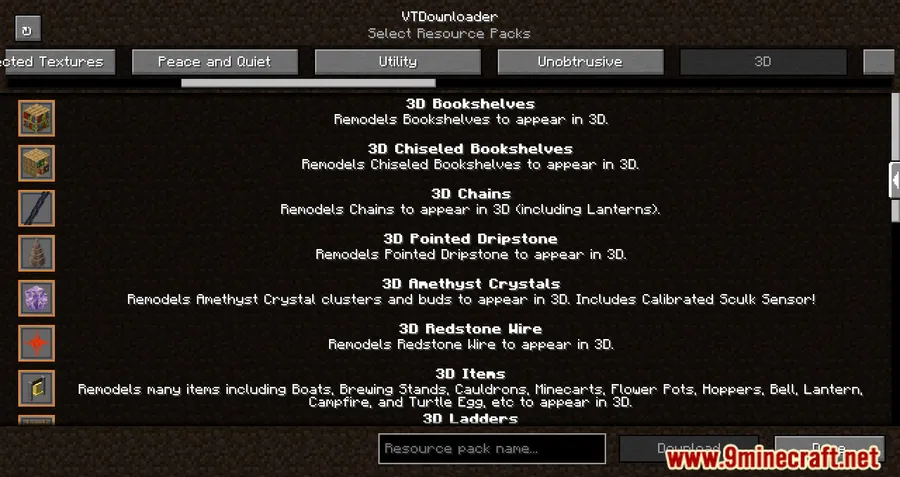
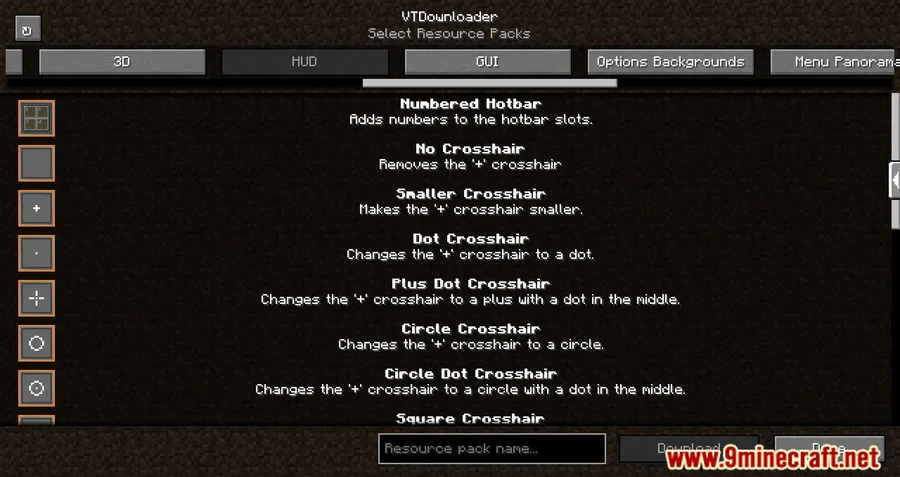
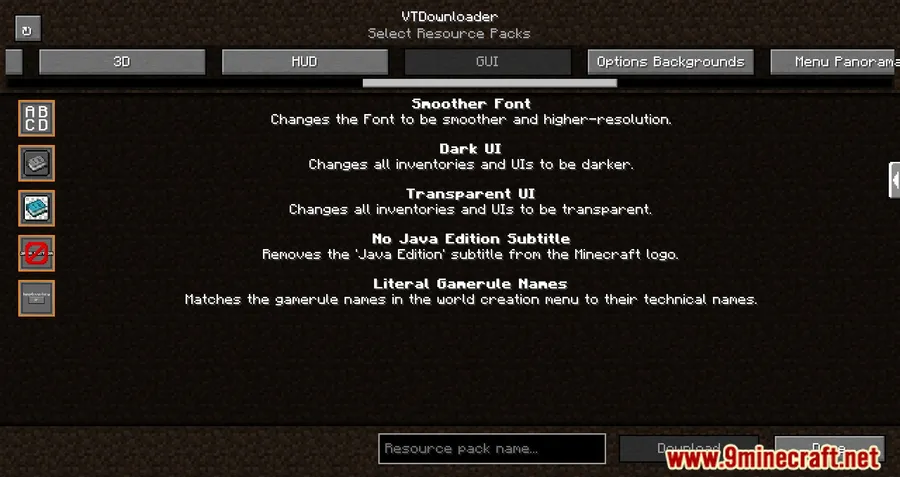
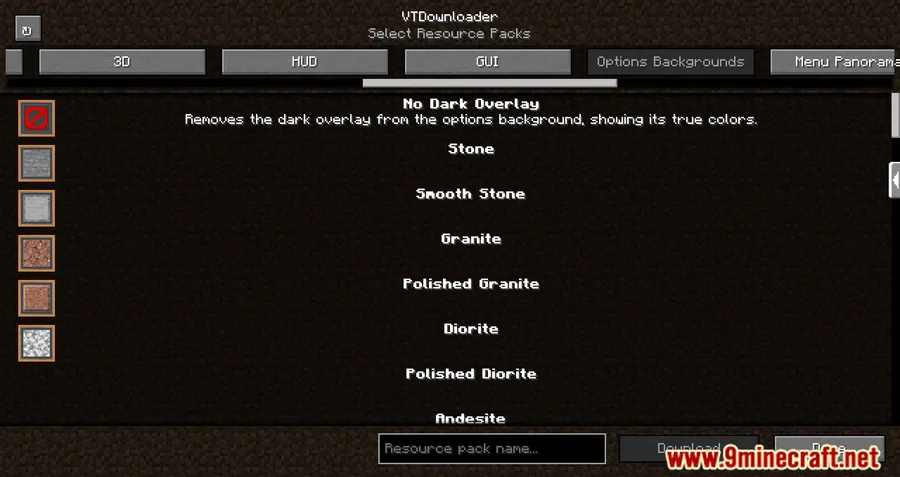
How to Install
- Download and install Fabric Loader for your Minecraft version.
- Download Fabric API and place it in your
modsfolder. - Download VTDownloader Mod for your Minecraft version from the link below.
- Place the downloaded
.jarfile into your.minecraft/modsfolder. - Launch Minecraft with the Fabric profile and look for the new button on the resource pack screen.
Requirements
| Requirement | Details |
|---|---|
| Mod Loader | Fabric, Quilt |
| Dependencies | Fabric Modloader, Fabric API |
| Minecraft Versions | 1.21.11, 1.21.10, 1.21.8, 1.21.7, 1.21.6, 1.21.5, 1.21.4, 1.21.1, 1.21, 1.20.6, 1.20.4, 1.20.2, 1.20.1, 1.19.4, 1.19.3, 1.19.2, 1.19.1, 1.19, 1.18.2, 1.17.1, 1.16.5 |
Pros & Cons
Pros
- Download and apply Vanilla Tweaks packs without leaving Minecraft
- Automatic file management saves time and reduces errors
- Supports a wide range of Minecraft versions from 1.16.5 to 1.21.11
- Works with both Fabric and Quilt mod loaders
- Appears to be lightweight — focused on a single task with no unnecessary extras
Cons
- Limited to Vanilla Tweaks packs only — does not support other resource pack sources
- Requires Fabric API as an additional dependency
- No Forge or NeoForge support available
Download
Always download mods from official sources to stay safe.
FAQ
Does VTDownloader work with Quilt?
Yes, VTDownloader supports both Fabric and Quilt mod loaders. Make sure you also have Fabric API (or the Quilt equivalent) installed as a dependency.
Can I use VTDownloader to download resource packs from sources other than Vanilla Tweaks?
No, VTDownloader is specifically designed for browsing and downloading Vanilla Tweaks resource packs. For packs from other sources, you will still need to download and install them manually.
Where are the downloaded resource packs saved?
VTDownloader automatically places all downloaded packs into your Minecraft resource packs folder. You can find them immediately in the resource pack selection screen after downloading.


![[Let's Do] Candlelight - Farm&Charm compat Mod (1.21.1) - thumbnail](http://mcinside.com/wp-content/uploads/2026/04/thumbnail-81-52x52.webp)


![[Let's Do] Meadow Mod (1.21.1) - thumbnail](http://mcinside.com/wp-content/uploads/2026/04/thumbnail-64-52x52.webp)


![Not Enough Recipe Book [NERB] Mod (1.21.11) - thumbnail](http://mcinside.com/wp-content/uploads/2026/04/thumbnail-63-52x52.webp)