
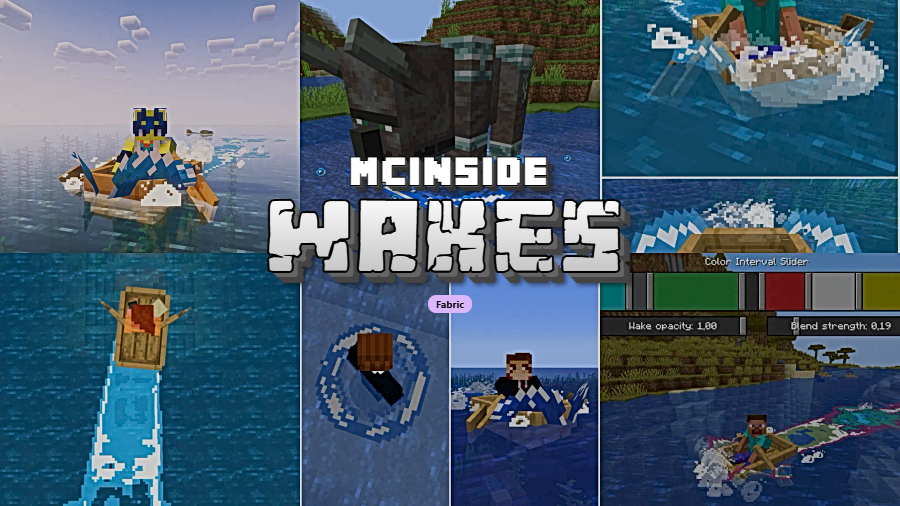
Wakes is a decoration mod that adds realistic water splashes, boat wakes, and wave simulations while traveling on water in Minecraft, available for Fabric Mod Loader. Created by Goby56, this client-side visual enhancement brings a level of water physics detail that vanilla Minecraft has always been missing.
Minecraft's water has always felt oddly static. You can sail a boat across an entire ocean and the surface stays perfectly flat behind you — no ripples, no spray, no evidence you were ever there. That visual disconnect is exactly what Wakes solves. With over 4.7 million downloads since its release in June 2023, this mod has become one of the most popular water enhancement mods in the Minecraft community. It generates dynamic wave trails behind boats, splashes when entities hit the water, and subtle ripples that spread outward naturally. The result is water that actually reacts to everything moving through it, and it all fits the vanilla art style remarkably well.
Key Features of Wakes Mod
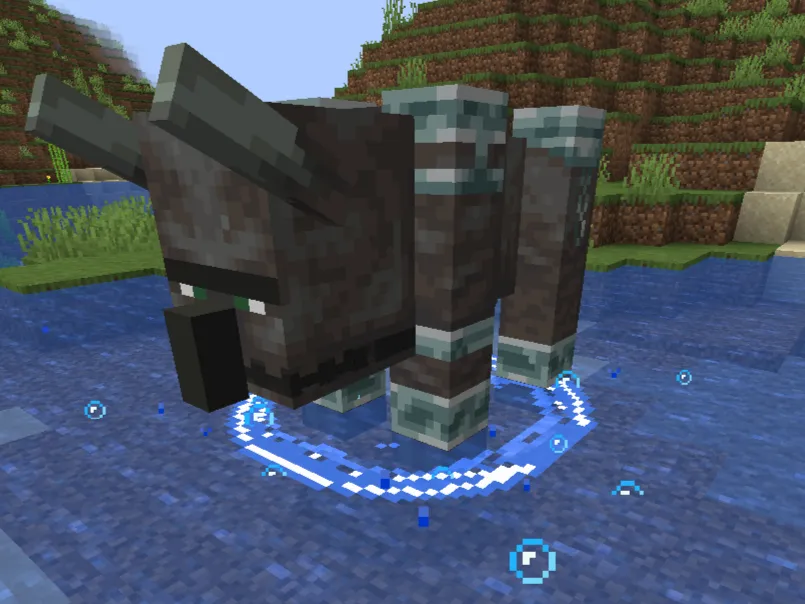
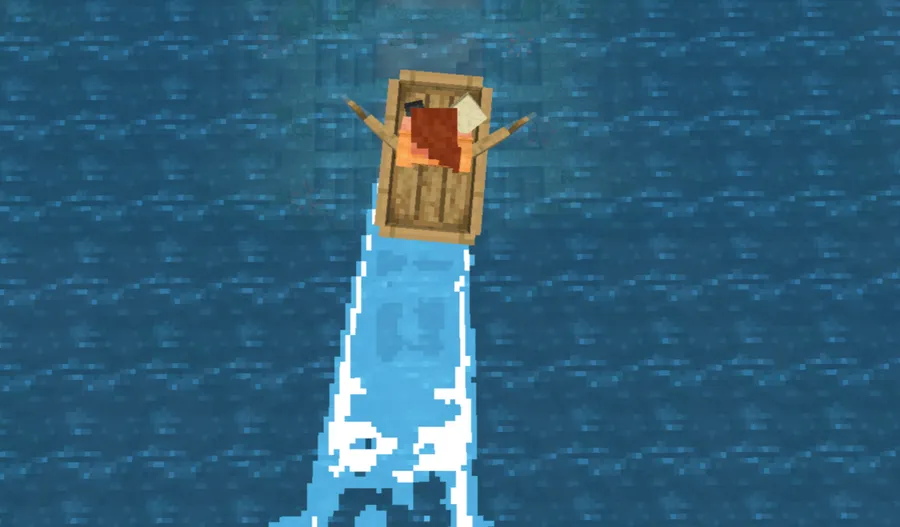
- Wave simulation for all entities — Every entity that moves through water leaves a visible trail of waves behind it. This means players, mobs, dropped items, and even arrows all disturb the water surface. It makes oceans and rivers feel genuinely alive rather than static texture planes.
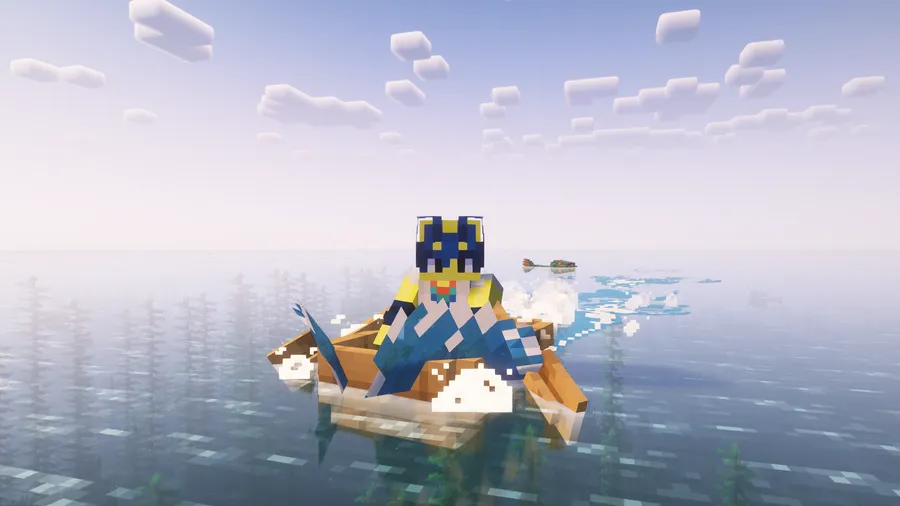
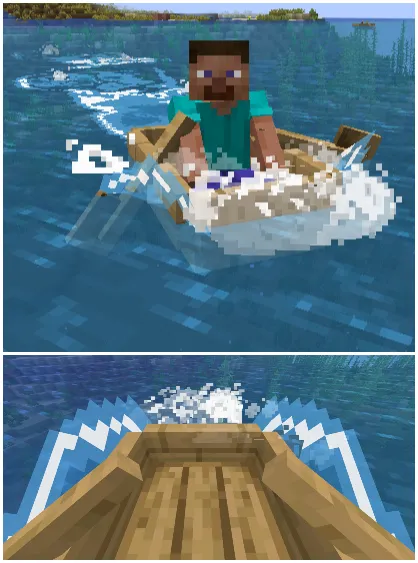
- Boat oar splashes — When you row a boat, small waves form specifically at each oar as it dips into the water. This subtle touch adds a surprising amount of realism to boating and makes long ocean voyages feel far more immersive than paddling across a flat blue sheet.
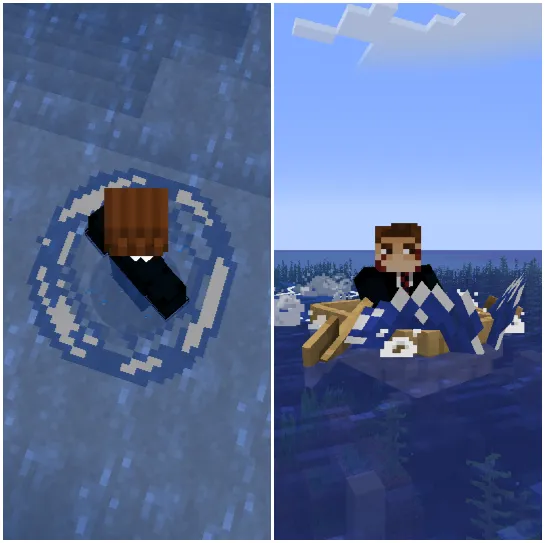
- Falling water splashes — Jumping or falling into water from any height produces a visible splash effect with water shooting outward. The splash scales with the height and speed of the fall, giving satisfying visual feedback that vanilla Minecraft completely lacks.
- Directional water spray — As entities move through water, spray shoots out on either side of their path. This creates a convincing bow-wave effect, especially visible on boats traveling at speed. It is one of the most noticeable visual improvements the mod provides during normal gameplay.
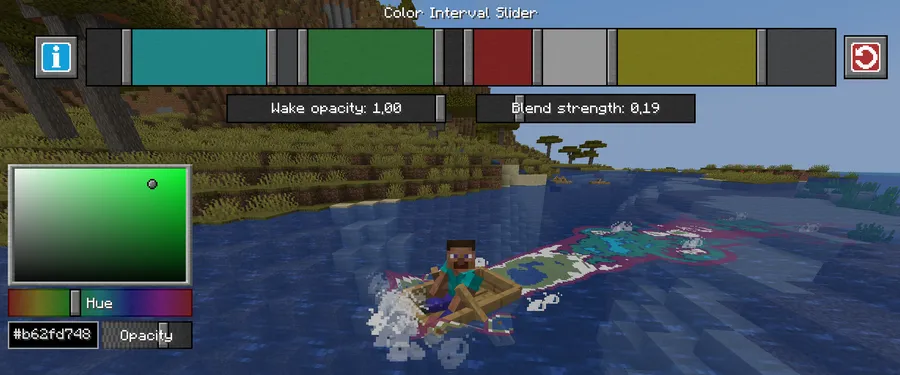
- Extensive configuration via Midnightlib — Wakes ships with a full configuration system powered by Midnightlib, letting you fine-tune wave intensity, effect resolution, splash behavior, and more. If the default effects feel too strong or too subtle for your setup, you have full control to adjust them to your preference.
- Iris shader compatibility — The mod works alongside Iris shaders, so you do not have to choose between realistic water wakes and your favorite shader pack. Some shader incompatibilities have been reported and are tracked on the mod's GitHub issue page, but the majority of popular shader packs work without problems.
- Multiplayer wake visibility — You can see wakes generated by other players on servers, not just your own. This makes multiplayer boating and water-based activities look dramatically better when multiple players have the mod installed.
Screenshots
How to Install Wakes Mod
- Download and install Fabric Mod Loader for your Minecraft version (1.21.11 or your preferred supported version).
- Download and place the Fabric API into your
modsfolder, as most Fabric mods require it as a dependency. - Download the Wakes mod file matching your Minecraft version from the official download links below.
- Move the downloaded
.jarfile into your.minecraft/modsfolder. If the folder does not exist, launch Minecraft once with the Fabric profile to create it. - Launch Minecraft using the Fabric loader profile. Wakes will be active immediately — open the mod settings through Midnightlib to customize wave behavior if needed.
Requirements & Compatibility
| Requirement | Details |
|---|---|
| Mod Loader | Fabric |
| Minecraft Versions | 1.21.11, 1.21.10, 1.21.8, 1.21.7, 1.21.6, 1.21.4, 1.21.3, 1.21.2, 1.21.1, 1.21, 1.20.x, 1.19.2 |
| Dependencies | Fabric API, Midnightlib (bundled) |
| Shader Support | Iris compatible (some known incompatibilities) |
| Side | Client-side |
| License | GPL-3.0-only |
What's New
- Fixed a crash that occurred when changing the effect resolution through the config while splash planes were active.
- Players can now safely adjust wake resolution settings mid-game without restarting.
- Continued Fabric compatibility updates for Minecraft 1.21.11.
Pros and Cons
Pros
- Dramatically improves water visuals while maintaining vanilla Minecraft's art style
- Works with all entities, not just boats — mobs, players, and items all create ripples
- Highly configurable through Midnightlib integration
- Compatible with Iris shaders for combined visual enhancements
- Broad version support from 1.19.2 through 1.21.11
- Active development with over 4.7 million downloads and regular updates
Cons
- Fabric-only — no Forge or NeoForge support available
- Some shader packs have known incompatibilities
- The mod is still in active development with occasional bugs reported
- Planned features like lava wakes and foam outlines are not yet implemented
Alternatives to Wakes Mod
- Physics Mod — A comprehensive physics overhaul that adds realistic water, block, and entity physics far beyond just wakes, though it is heavier on system resources.
- Effective — Adds splash particles, waterfall effects, and other ambient water visuals that complement Wakes nicely for a complete water enhancement setup.
- Sodium — While not a water visual mod, Sodium pairs well with Wakes by optimizing rendering performance so the additional wave effects have less impact on your frame rate.
Download Wakes Mod
| Minecraft Version | Fabric |
|---|---|
| For Minecraft 1.21.11 | Download |
| For Minecraft 1.21.10 | Download |
| For Minecraft 1.21.8 | Download |
| For Minecraft 1.21.7 | Download |
| For Minecraft 1.21.6 | Download |
| For Minecraft 1.21.4 | Download |
| For Minecraft 1.21.3 | Download |
| For Minecraft 1.21.2 | Download |
| For Minecraft 1.21.1 | Download |
| For Minecraft 1.21 | Download |
| For Minecraft 1.20.6 | Download |
| For Minecraft 1.20.5 | Download |
Always download mods from official sources to stay safe.
Frequently Asked Questions
Does Wakes Mod work with Iris shaders?
Yes — Wakes is compatible with Iris shaders and most popular shader packs work without issues. However, some specific shaders have known incompatibilities that are tracked on the mod's GitHub issue page. If you experience visual glitches, check the issues list to see if your shader pack is affected.
Is Wakes Mod available for Forge or NeoForge?
No — Wakes is currently a Fabric-exclusive mod and there is no Forge or NeoForge version available. You will need to use the Fabric Mod Loader to run it. There has been no official announcement about ports to other mod loaders.
Does Wakes affect server performance in multiplayer?
No — Wakes is a client-side visual mod, so it does not add any processing load to the server. Each player who wants to see the water effects needs to install the mod individually on their own client. Players without the mod installed will simply see normal vanilla water.
What Minecraft versions does Wakes support?
Wakes supports a wide range from Minecraft 1.19.2 up to 1.21.11. The mod is regularly updated to stay current with new Minecraft releases. All versions use the Fabric loader, and you should download the specific Wakes version that matches your Minecraft version for best compatibility.
Can I customize the intensity of the wave effects?
Yes — Wakes includes extensive configuration options through its Midnightlib integration. You can adjust wave resolution, splash intensity, and other visual parameters directly from the in-game mod settings menu. This lets you dial back effects if you want subtler visuals or increase them for a more dramatic look.


![[Let's Do] Candlelight - Farm&Charm compat Mod (1.21.1) - thumbnail](http://mcinside.com/wp-content/uploads/2026/04/thumbnail-81-52x52.webp)


![[Let's Do] Meadow Mod (1.21.1) - thumbnail](http://mcinside.com/wp-content/uploads/2026/04/thumbnail-64-52x52.webp)


![Not Enough Recipe Book [NERB] Mod (1.21.11) - thumbnail](http://mcinside.com/wp-content/uploads/2026/04/thumbnail-63-52x52.webp)