
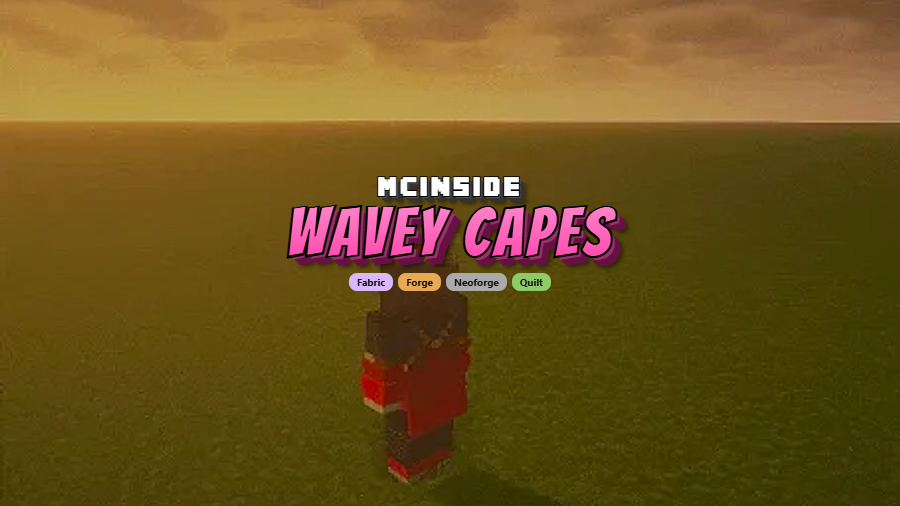
Wavey Capes is a client-side cosmetic mod that replaces Minecraft's stiff, board-like cape with a flexible, physics-driven cloth that bends and flows naturally as you move, available for Fabric, Forge, NeoForge, and Quilt.
Minecraft capes have been a badge of honor since the earliest days of the game — whether earned through Minecon, migrated accounts, or marketplace purchases. The problem is that the default cape rendering treats this cosmetic like a flat, stiff rectangle that clips through armor and snaps awkwardly during movement. It looks dated, and for something players proudly display, that matters. Wavey Capes solves this by turning the cape into a segmented, physics-simulated piece of cloth that reacts to your walking, sprinting, jumping, and swimming. With over 11.6 million downloads since its release in 2022, it has become one of the most popular visual mods in the Minecraft ecosystem — and for good reason. Created by tr7zw, the mod is lightweight, fully configurable through an in-game menu, and requires zero server-side setup.
Key Features of Wavey Capes
- Simulation V2 — Fully Dynamic Physics — The default rendering mode treats your cape as a real piece of cloth with full physics simulation. It sways left and right as you turn, droops naturally when you stand still, and reacts to sudden movements like jumping or falling. This is the mode most players will want to stick with since it offers the most realistic behavior out of the box.
- Improved Bending Without Clipping — One of the biggest annoyances with older cape physics mods was harsh angles and clipping through the player model. Wavey Capes uses improved bending calculations that keep the cape flowing smoothly around your character without folding through armor or the body. The result is a cape that actually looks attached to your shoulders rather than fighting against them.
- Reworked Underwater Behavior — Swimming in Minecraft changes your hitbox and posture entirely, and most cape mods handle this poorly. Wavey Capes features fully reworked underwater resistance, so your cape drags and billows realistically when you dive beneath the surface. It adds a subtle but satisfying sense of weight and fluid dynamics to aquatic exploration.
- Multiple Rendering Styles — Not everyone wants full simulation. The mod offers four distinct styles: Simulation V2 (the default dynamic mode), the original Simulation mode for a classic feel, Classic mode that simply adds a natural bend to the cape without full physics, and Dungeons mode that replicates the cape behavior from Minecraft Dungeons. You can switch between these at any time through the in-game config screen.
- Purely Client-Side — Works on Any Server — Because Wavey Capes only changes how your client renders the cape visually, it requires no server-side installation. You can join any vanilla, modded, or plugin-based server and your cape will animate properly. Other players without the mod will simply see the default cape on your character, so there is zero compatibility risk.
- In-Game Configuration Screen — Every aspect of the cape behavior can be tweaked without editing config files. Access the settings through your mod list to adjust wind effects, physics intensity, and rendering style. This makes it easy to dial in exactly the look you prefer without restarting the game.
Screenshots
How to Install Wavey Capes
- Install a compatible mod loader for your Minecraft version. Wavey Capes supports Fabric, Forge, NeoForge, and Quilt.
- Download the correct Wavey Capes file for your Minecraft version and loader from the download section below.
- Place the downloaded
.jarfile into your.minecraft/modsfolder. If the folder does not exist, launch the game once with your mod loader to generate it. - Launch Minecraft using your mod loader profile. The mod will be active immediately with Simulation V2 as the default style.
- To customize settings, open the mod list from the main menu and click the configuration button next to Wavey Capes. Adjust physics style, wind effects, and other options to your preference.
Requirements & Compatibility
| Minecraft Version | Fabric | Forge | NeoForge |
|---|---|---|---|
| 26.1 | ✅ | — | — |
| 1.21.11 | ✅ | — | ✅ |
| 1.21.10 | ✅ | ✅ | ✅ |
| 1.21.8 | ✅ | ✅ | ✅ |
| 1.21.5 | ✅ | ✅ | ✅ |
| 1.21.4 | ✅ | ✅ | ✅ |
| 1.21.3 | ✅ | ✅ | ✅ |
| 1.21.1 | ✅ | ✅ | ✅ |
| 1.20.6 | ✅ | ✅ | ✅ |
| 1.20.4 | ✅ | ✅ | ✅ |
| 1.20.2 | ✅ | ✅ | ✅ |
| 1.20.1 | ✅ | ✅ | ✅ |
| 1.19.4 | ✅ | ✅ | — |
| 1.19.2 | ✅ | ✅ | — |
| 1.18.2 | ✅ | ✅ | — |
| 1.16.5 | ✅ | ✅ | — |
What's New
- Added Minecraft 26.1 support for Fabric loader.
- Fixed a bug where the back texture of the cape was rendered flipped.
- Resolved compatibility issues with EMF resource packs such as FA+player.
- Major build script and library updates to support the 26.1 release cycle.
Pros and Cons
Pros
- Dramatically improves cape visuals with realistic cloth physics
- Four distinct rendering styles to suit different preferences
- Purely client-side — no server installation needed
- Supports all major mod loaders: Fabric, Forge, NeoForge, and Quilt
- In-game config screen makes customization easy
- Actively maintained with wide version support from 1.16.5 to 26.1
Cons
- Cape can fold incorrectly when swimming or crawling in Simulation V2 mode
- Custom equipment slots from mods like Curios are not accounted for in cape offset positioning
- Mods that hide the chestplate (such as Show My Skin) are also ignored for cape offset calculations
- Other players without the mod will not see your animated cape
Alternatives to Wavey Capes
- Capes Mod — Lets you equip capes from multiple sources including OptiFine and MinecraftCapes, though it does not add physics-based animation to the rendering.
- Not Enough Animations — Adds first-person and third-person animations for actions like eating, drinking, and map holding, complementing Wavey Capes for a more polished visual experience overall.
- 3D Skin Layers — Renders the outer skin layer as actual 3D geometry instead of flat overlays, pairing well with Wavey Capes to give your entire character model more depth and visual quality.
Download Wavey Capes
| Minecraft Version | Fabric | Forge | NeoForge |
|---|---|---|---|
| For Minecraft 26.1 | Download | — | — |
| For Minecraft 1.21.11 | Download | — | Download |
| For Minecraft 1.21.10 | Download | Download | Download |
| For Minecraft 1.21.8 | Download | Download | Download |
| For Minecraft 1.21.5 | Download | Download | Download |
| For Minecraft 1.21.4 | Download | Download | Download |
| For Minecraft 1.21.3 | Download | Download | Download |
| For Minecraft 1.21.1 | Download | Download | Download |
| For Minecraft 1.20.6 | Download | Download | Download |
| For Minecraft 1.20.4 | Download | Download | Download |
| For Minecraft 1.20.2 | Download | Download | Download |
| For Minecraft 1.20.1 | Download | Download | — |
Always download mods from official sources to stay safe.
Frequently Asked Questions
Does Wavey Capes work on multiplayer servers?
Yes — Wavey Capes is entirely client-side and works on any server without requiring server-side installation. The mod only changes how your local game renders capes, so it is fully compatible with vanilla servers, Spigot, Paper, and any modded server setup. Other players will simply see the default cape rendering unless they also have the mod installed.
Do I need a cape to use this mod?
Yes — you need an existing cape from any source for Wavey Capes to have any visible effect. The mod does not add new capes; it changes how existing ones are rendered. If you have a cape from Minecraft account migration, marketplace purchases, or another cape mod, Wavey Capes will animate it with cloth physics.
Is Wavey Capes compatible with OptiFine?
Generally yes, though results may vary depending on your Minecraft version and OptiFine build. Since Wavey Capes modifies cape rendering at the client level, it can work alongside OptiFine capes. If you experience visual glitches, try switching between the different rendering styles in the mod's config screen.
Does Wavey Capes affect game performance?
The mod appears to be lightweight based on its client-side-only design and the scope of changes it makes. It only modifies cape rendering calculations, which is a very small part of the overall rendering pipeline. Most players report no noticeable performance difference after installing it.
Which cape style should I choose?
Simulation V2 is the recommended default for most players. It provides the most realistic physics with left-right swaying, proper bending, and reworked underwater behavior. Classic mode is a good choice if you prefer a subtle improvement without full simulation, while Dungeons mode is worth trying if you enjoy the cape style from Minecraft Dungeons.


![[Let's Do] Meadow Mod (1.21.1) - thumbnail](http://mcinside.com/wp-content/uploads/2026/04/thumbnail-64-52x52.webp)


![Not Enough Recipe Book [NERB] Mod (1.21.11) - thumbnail](http://mcinside.com/wp-content/uploads/2026/04/thumbnail-63-52x52.webp)

