

YDM's Weapon Master Mod is a visual equipment mod that shows your hotbar items on your player model, including dedicated display spots for a shield and banner, for Minecraft on Fabric, Forge, and NeoForge. It focuses on character readability and gear presentation without changing core combat mechanics.
One of the biggest immersion breaks in Minecraft is carrying a full combat and tool setup while your character still looks mostly empty. This mod fixes that by making your loadout visible in third-person and multiplayer, so your gear choices are reflected on your model instead of hidden in UI slots. If you care about roleplay, screenshots, or clearer visual communication during co-op sessions, this solves a very specific but very real problem. Social proof is strong too: the Modrinth page shows 4,905,935 downloads, which puts it in the "5 million+" class of widely adopted utility mods.
Key Features of YDM's Weapon Master Mod
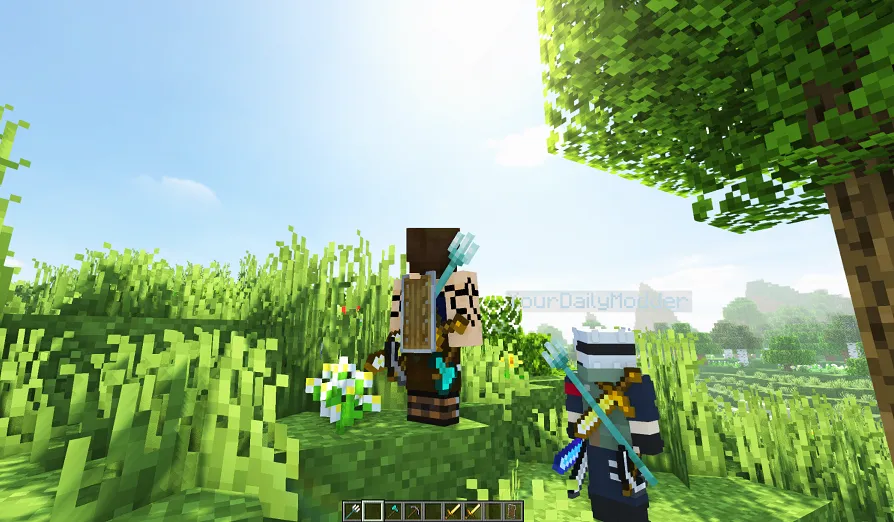
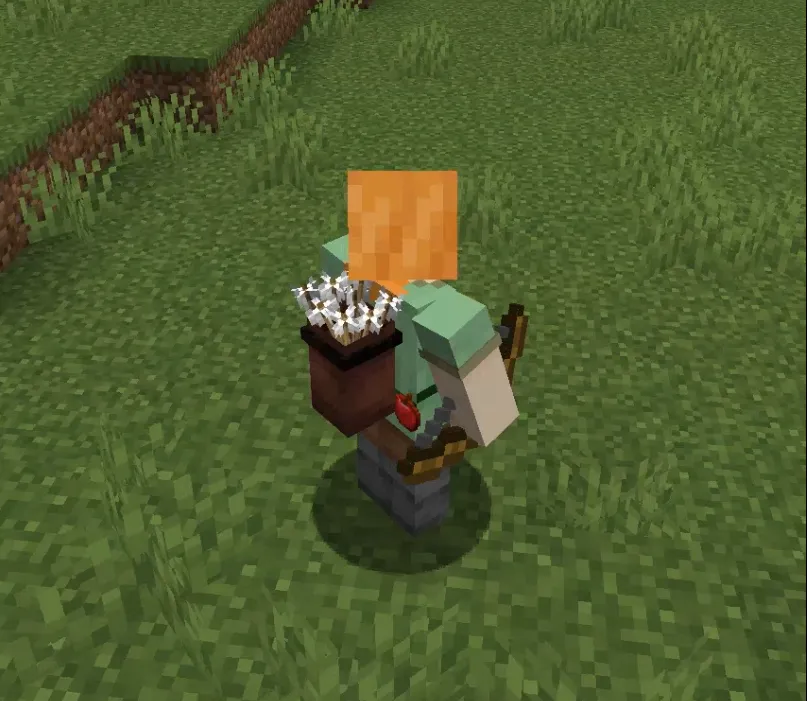
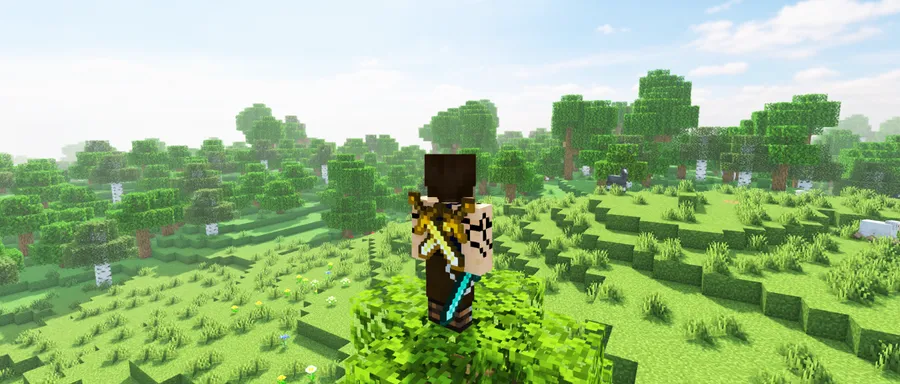
- Hotbar gear is rendered on your character — Your selected weapons and tools are no longer abstract inventory entries; they become part of how your player looks in-game. This matters because it improves visual clarity in third-person play, recordings, and multiplayer moments where loadout visibility helps teammates understand what you are carrying.
- Dedicated shield and banner positions — The mod includes a unique location for shields and banners instead of treating them like generic items. That gives your character silhouette a cleaner, more intentional look, especially if you use banner-based identity or defensive builds.
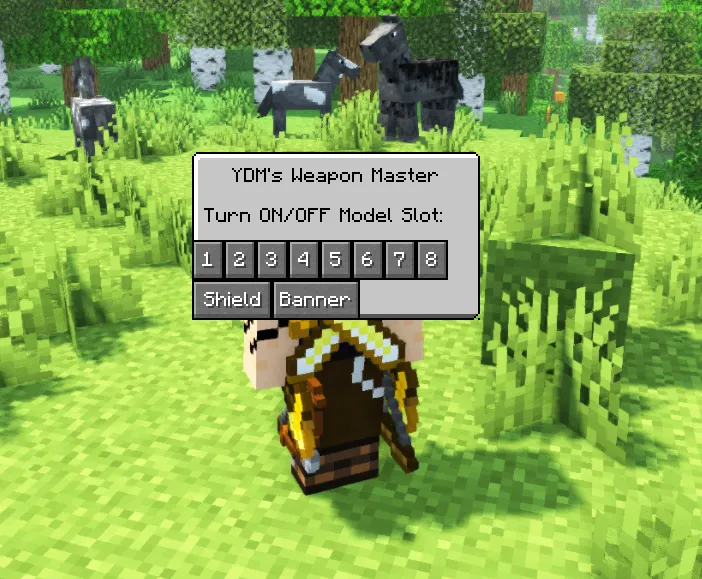
- Per-item visibility toggles (default key: V) — You can open the settings window with
Vand switch item visibility on or off one by one. This is useful when you want immersion without clutter, since you can hide pieces that block a skin, cape, or screenshot composition. - Multiplayer behavior merged with client-only workflow (v4.1.0+) — Earlier versions were split into separate client-only and multiplayer editions, but those were merged from v4.1.0 onward. The practical benefit is simpler setup: one modern branch handles both local visuals and synced appearance behavior when applicable.
- Good compatibility with common weapon/tool item classes — The author calls out compatibility with TieredItem (swords), tridents, shields, bows, crossbows, banners, and DiggerItem tools. That matters because many modded packs expand these categories, and this compatibility focus reduces the chance of your core gear being visually ignored.
- Broad version coverage across multiple Minecraft generations — Current listed support includes Minecraft 1.21.11 down through 1.12.2 (with loader-specific ranges also provided by the author). For players maintaining different servers or legacy packs, that wide range makes it easier to keep a consistent character-visual style across worlds.
Screenshots
How to Install YDM's Weapon Master Mod
- Pick your loader first: install Fabric Mod Loader, Minecraft Forge, or NeoForge for your exact Minecraft version.
- Download the YDM's Weapon Master file that matches both your game version and loader branch (for example, 1.21.11 has Forge, Fabric, and NeoForge builds listed).
- Place the downloaded
.jarinto your Minecraftmodsfolder in the correct game instance or launcher profile. - Launch Minecraft with the same loader profile and confirm the mod appears in your installed mods list before entering a world.
- In-game, press
Vto open the visibility settings and configure which hotbar items, shield, or banner you want shown on your character.
Requirements & Compatibility
| Item | Details |
|---|---|
| Mod | YDM's Weapon Master Mod |
| Author | YourDailyModder |
| Category | Minecraft Mods (tagged as decoration) |
| Required Loader | Fabric Mod Loader, Minecraft Forge, or NeoForge |
| Current listed Minecraft versions | 1.21.11, 1.21.10, 1.21.9, 1.21.8, 1.21.7, 1.21.6, 1.21.5, 1.21.4, 1.21.3, 1.21.1, 1.21, 1.20.4, 1.20.2, 1.20.1, 1.19.4, 1.19.3, 1.19.2, 1.19, 1.18.2, 1.18.1, 1.18, 1.17.1, 1.16.5, 1.16.4, 1.16.3, 1.16.2, 1.15.2, 1.14.4, 1.13.2, 1.12.2 |
| Loader-specific notes from author text | Forge branch listed from older versions through 1.21.x; NeoForge listed for 1.21.7/1.21.8/1.21.11; Fabric listed from 1.20.1 to 1.21.10 |
| Known compatible item types | TieredItem (Sword), TridentItem, ShieldItem, BowItem, CrossbowItem, BannerItem, DiggerItem (Tools) |
| License | CC0-1.0 |
| Published / Updated | 2022-04-19 / 2025-12-20 |
Pros and Cons
Pros
- Strong visual immersion by showing real hotbar gear on your character.
- Useful per-item toggle system with a fast in-game settings key (
V). - Supports Fabric, Forge, and NeoForge instead of locking to one ecosystem.
- Large adoption base (4,905,935 downloads) suggests it is trusted by many players.
Cons
- The feature set is focused on visuals, so players wanting gameplay buffs will need other mods too.
- Best results still depend on using the correct file for your exact version/loader pair.
- Author notes that only the latest Minecraft version gets support priority.
- No source URL is listed in the provided metadata.
Alternatives to YDM's Weapon Master Mod
- Cosmetic Armor Reworked — A complementary cosmetic approach if you want more control over how equipped gear appears without changing your practical loadout.
- Traveler's Backpack — A utility-focused companion mod for players who want visible equipment flavor plus expanded carry options.
- Inventory HUD+ — A UI-oriented alternative when your priority is seeing item information clearly on-screen rather than on the player model itself.
Download YDM's Weapon Master Mod
| Minecraft Version | Fabric | Forge | NeoForge |
|---|---|---|---|
| For Minecraft 1.21.11 | Download | Download | Download |
| For Minecraft 1.21.10 | Download | Download | — |
| For Minecraft 1.21.9 | Download | Download | — |
| For Minecraft 1.21.8 | Download | Download | Download |
| For Minecraft 1.21.7 | Download | Download | Download |
| For Minecraft 1.21.6 | Download | Download | — |
| For Minecraft 1.21.5 | Download | Download | Download |
| For Minecraft 1.21.4 | Download | Download | — |
| For Minecraft 1.21.3 | — | Download | — |
| For Minecraft 1.21.1 | Download | — | Download |
| For Minecraft 1.21 | Download | Download | Download |
| For Minecraft 1.20.4 | Download | Download | — |
Always download mods from official sources to stay safe.
Frequently Asked Questions
Is YDM's Weapon Master Mod client-side only?
Both, in practice — modern releases merged the earlier client-only and multiplayer versions starting from v4.1.0+. That means one current line covers the previous split workflow, while still letting you manage visibility behavior through the in-game toggle screen.
Does this mod work on Fabric, Forge, and NeoForge?
Yes — all three loaders are listed as supported. Availability depends on Minecraft version, so check the matching file branch (for example, 1.21.11 includes all three loaders in the provided download data).
Can I hide specific weapons or tools without disabling everything?
Yes — you can toggle item visibility one by one. Open the settings with the default V key and choose exactly which displayed items should remain visible.
Will other players see the same item display I see?
Yes, in multiplayer-capable behavior — the author states other players can see you the same way you see yourself. If you hide certain items in the toggle screen, those hidden items are also not shown to other players.
What item categories are explicitly called out as compatible?
The stated list includes swords (TieredItem), tridents, shields, bows, crossbows, banners, and DiggerItem tools. That coverage targets the item types most players keep in active hotbar rotation.
Is it available for older Minecraft versions like 1.12.2?
Yes — 1.12.2 is included in the provided supported version list. The dataset also shows a broad range through modern 1.21.x versions, so older and newer environments are both represented.


![[Let's Do] Brewery - Farm&Charm Compat Mod (1.21.1) - thumbnail](http://mcinside.com/wp-content/uploads/2026/04/thumbnail-116-52x52.webp)


