
WorldEdit is an in-game map editing mod that lets players make large-scale terrain changes, copy and paste structures, use brushes, and run scripts directly inside Minecraft — available for Fabric, NeoForge, and Forge, as well as Bukkit-based server platforms like Spigot and Paper.
Anyone who has spent twenty minutes hand-placing a floor or manually demolishing a mountain knows the pain. Minecraft's creative mode gives you infinite blocks, but it does not give you infinite time. WorldEdit solves that problem by turning your in-game client into a full-featured map editor — no external programs needed. With over 6 million downloads and active development since its initial release in 2023 on Modrinth (though the project itself dates back much further), WorldEdit is one of the most trusted building tools in the entire Minecraft ecosystem. Whether you are a server administrator who needs to reshape terrain, a builder designing massive structures, or a survival player who wants to make a quick temporary edit, WorldEdit handles it all without ever leaving the game.
Key Features of WorldEdit
- Region Selection & Manipulation — Select any 3D region in your world using a wooden axe or commands, then fill, replace, smooth, or hollow it out instantly. This is the core of WorldEdit and the reason most players install it — what takes thirty minutes by hand takes one command with a selection.
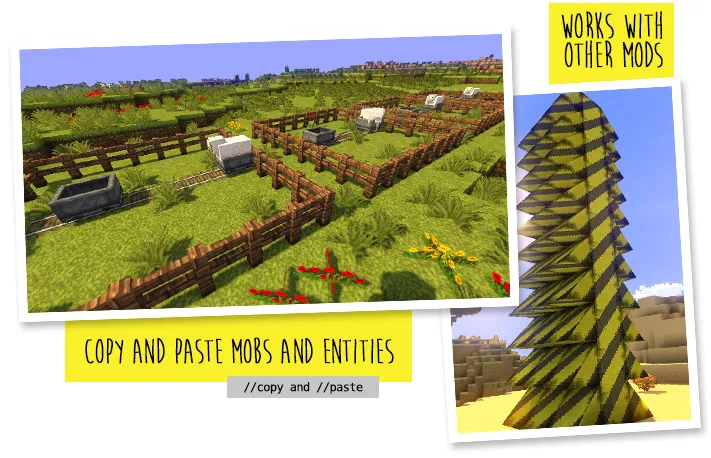
- Copy, Cut & Paste — Copy entire structures, rotate them, flip them, and paste them anywhere in your world. This makes duplicating builds trivial and is especially powerful for creating symmetrical designs or moving buildings across your map without rebuilding from scratch.
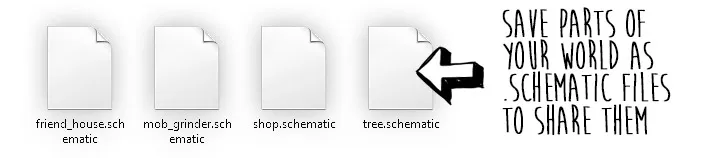
- Schematics Support — Save selections as schematic files and load them later or share them with other players. This means you can build a castle once, export it, and import it into any other world — a feature that entire communities rely on for sharing builds and server templates.
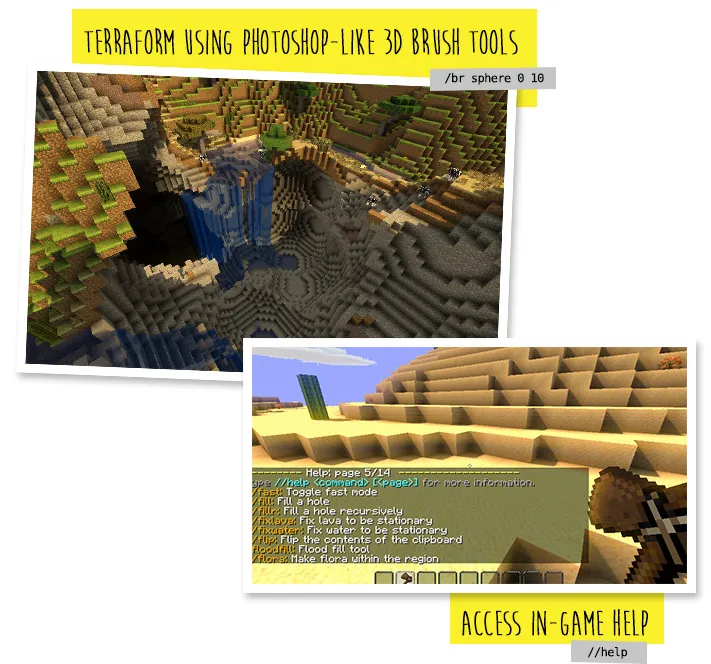
- Brushes & Terraforming — Use brush tools to sculpt terrain naturally by "painting" blocks from a distance. Unlike manual placement, brushes create organic-looking landscapes — smooth hills, eroded cliffs, and natural caves — that would be nearly impossible to shape block by block.
- In-Game Scripting (CraftScript) — Write custom scripts to automate repetitive editing tasks or create procedurally generated structures. Advanced builders use this to generate forests, mazes, cityscapes, and other complex patterns that no amount of manual work could efficiently produce.
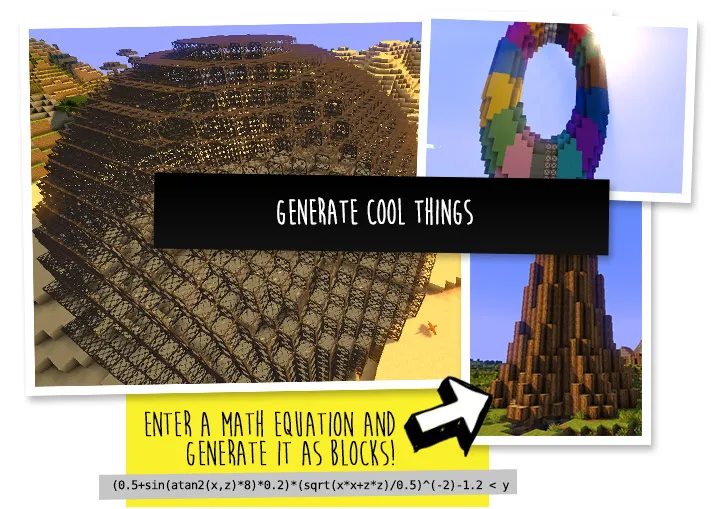
- Generation Commands — Generate spheres, cylinders, pyramids, and other geometric shapes with a single command. This is invaluable for building domes, towers, and arenas where pixel-perfect curves would otherwise require reference charts and painstaking placement.
- Works as Both Mod and Plugin — WorldEdit functions as a client-side mod (Fabric/NeoForge) for singleplayer and as a server plugin (Spigot/Paper) for multiplayer. This dual nature means server owners can offer WorldEdit to players without requiring everyone to install a mod, and solo players can use it without running a server.
Screenshots
How to Install WorldEdit
- Make sure you are running Minecraft Java Edition — WorldEdit does not support Bedrock Edition at all.
- Install a compatible mod loader: Fabric (with Fabric API) or NeoForge for the mod version, or set up a Paper or Spigot server for the plugin version.
- Download the correct WorldEdit file for your platform — the mod version and the plugin version are different files, so double-check that you grab the right one.
- Place the downloaded
.jarfile into yourmodsfolder (for Fabric/NeoForge) or yourpluginsfolder (for Paper/Spigot). - Launch Minecraft or restart your server. WorldEdit is ready to use — equip a wooden axe to start making selections, or type
//wandin chat.
Requirements & Compatibility
| Detail | Info |
|---|---|
| Supported Loaders | Fabric, NeoForge, Forge, Bukkit, Spigot, Paper |
| Latest MC Version | 1.21.11 |
| Oldest Supported | 1.17.1 |
| Java Edition Only | Yes — no Bedrock support |
| License | GPL-3.0-only (open source) |
| Folia Support | Experimental (added in 7.4.1) |
What's New
- Experimental Folia support has been added for Bukkit-based servers, expanding compatibility with newer server platforms.
- A legacy command permissions handler was removed — newer Spigot versions no longer need it, keeping the codebase cleaner.
- Fixed entity rotations during the
//revolvecommand so they are now consistent across all entity types. - Blocks without legacy ID/data values now return
-1in expressions, making it easier to differentiate them from air in scripts. - Fixed an issue where the experimental snapshot mode could close files too early, preventing errors during use.
Pros and Cons
Pros
- Massive time saver — edits thousands of blocks with a single command
- Works on both client (Fabric/NeoForge) and server (Paper/Spigot) without conflicting setups
- Schematic support lets you save, share, and reuse builds across worlds
- Open source with long development history and active maintenance
- Brush tools enable natural-looking terraforming that manual building cannot match
- Supports scripting for advanced automation and procedural generation
Cons
- No Bedrock Edition support — Java Edition only
- Command syntax has a learning curve for new players
- Large operations on older hardware may cause temporary lag or freezing
- Folia support is still marked experimental and may have issues
Alternatives to WorldEdit
- Axiom — A modern visual building mod with a GUI-based editor, ideal for players who prefer clicking over typing commands.
- WorldEdit CUI — A client-side companion mod that renders WorldEdit selections visually in-game, making it easier to see exactly what you have selected before confirming an operation.
- VoxelSniper — A server plugin focused on long-range terrain sculpting with specialized brushes, often used alongside WorldEdit for large-scale terraforming projects.
Download WorldEdit
| Minecraft Version | Fabric | NeoForge |
|---|---|---|
| For Minecraft 1.21.11 | Download | Download |
| For Minecraft 1.21.10 | Download | Download |
| For Minecraft 1.21.9 | Download | Download |
| For Minecraft 1.21.8 | Download | Download |
| For Minecraft 1.21.7 | Download | Download |
| For Minecraft 1.21.6 | Download | Download |
| For Minecraft 1.21.5 | Download | Download |
| For Minecraft 1.21.4 | Download | Download |
| For Minecraft 1.21.3 | Download | Download |
| For Minecraft 1.21.2 | — | — |
| For Minecraft 1.21.1 | Download | Download |
| For Minecraft 1.21 | Download | Download |
Always download mods from official sources to stay safe.
Frequently Asked Questions
Does WorldEdit work on Bedrock Edition?
No — WorldEdit is exclusively for Minecraft Java Edition. The developers have confirmed that Bedrock is not supported, so you will need to use Java Edition to access any of its features.
Can I use WorldEdit in survival mode?
Yes — WorldEdit can be used temporarily in survival mode. Server admins can grant WorldEdit permissions to survival players, and singleplayer users can enable cheats to access commands. Just be aware that it does not give you blocks — it uses existing block types you specify.
Is WorldEdit compatible with Folia servers?
Yes, experimentally — Folia support was added in WorldEdit 7.4.1. Since it is still marked as experimental, you may encounter occasional issues on Folia-based servers, but basic functionality should work for most operations.
Do I need Fabric API to run WorldEdit on Fabric?
Yes — when using the Fabric mod version of WorldEdit, you need to have Fabric API installed as a dependency. Without it, the mod will not load correctly. Simply download Fabric API and place it in your mods folder alongside WorldEdit.
Can WorldEdit handle modded blocks from other mods?
Yes — WorldEdit works with blocks added by other mods. When you select a region or use commands, it recognizes modded block IDs just like vanilla ones. This makes it a powerful companion for modded building projects where custom blocks are part of the palette.


