

Yes Steve Model is a decoration mod that replaces the vanilla player model with fully customizable 3D models and animations for Minecraft Forge, Fabric, and NeoForge. Built on GeckoLib and using Minecraft Bedrock Edition model formats, it lets players swap the default Steve and Alex skins for detailed, animated character models that work in both singleplayer and multiplayer environments.
Minecraft's default player model has barely changed since the game launched — you get Steve, Alex, and a handful of slim or wide arm variants. For players who spend hundreds of hours in survival worlds or on multiplayer servers, that limited customization gets old fast. Yes Steve Model solves this by opening up a full 3D model and animation system that server owners and players alike can use. The mod has crossed 5.6 million downloads on Modrinth alone, and its active community on Discord and GitHub constantly shares new models ranging from anime characters to fantasy armor sets. If you have ever wished your Minecraft skin could actually move, emote, and look three-dimensional, this is the mod that makes it happen.
Key Features of Yes Steve Model
- Full 3D Player Model Replacement — Instead of the blocky default model, Yes Steve Model renders your character using Bedrock Edition geometry and animation files. This means models can have curved surfaces, moving parts, and idle animations that bring your character to life in ways a flat skin never could.
- In-Game Model Switching UI — The mod includes a built-in interface with model switching buttons, texture switching for models with multiple skins, and category filters to browse all models, authorized models, or vanilla models. You can swap your look on the fly without leaving the game or editing any files.
- Server-Side Model Synchronization — When you join a server running Yes Steve Model, all available models are automatically downloaded to your client. Server owners do not need to distribute model packs separately, and players see each other's custom models without extra setup. This makes it ideal for community servers that want a unified cosmetic system.
- Encrypted Model Protection — Starting from version 1.2.0, the mod uses C++ for its core encryption and rendering pipeline. Model files sent to clients are encrypted binaries, which protects the work of artists who create and share custom models. This was a direct response to earlier versions where the Java-based encryption was quickly bypassed.
- Model Authorization System — Server operators can restrict specific models behind an authorization command. This gives server admins control over which models players can equip, making it possible to offer exclusive models as rewards, rank perks, or event items without third-party plugins.
- Simple Model Loading — Adding new models requires no configuration files. You place the model, texture, and animation files into a specific folder, then run a reload command in-game. The mod detects and loads everything automatically, lowering the barrier for server owners who want to add custom content.
- Large Community Model Repository — A GitHub repository maintained by community member Elaina collects models shared by various artists. Combined with contributions from creators on Planet Minecraft, there is a growing library of ready-to-use models you can drop into your game immediately.
Screenshots
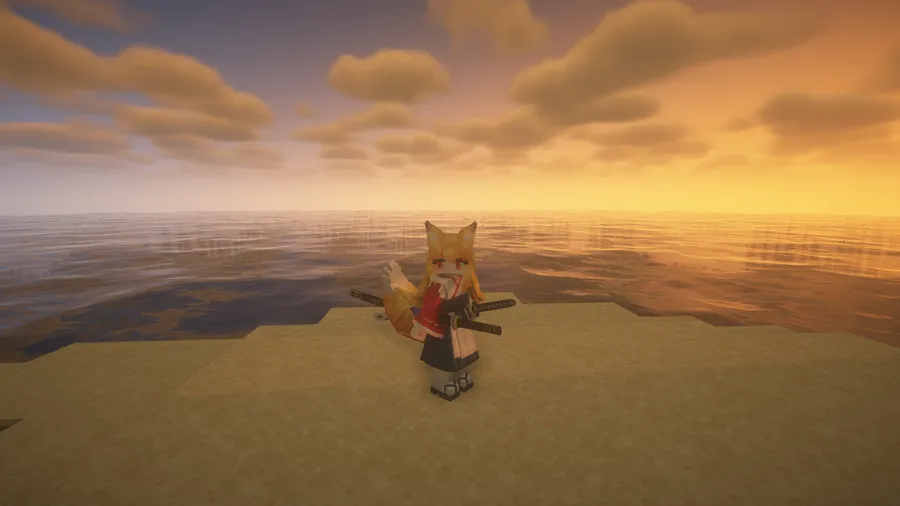
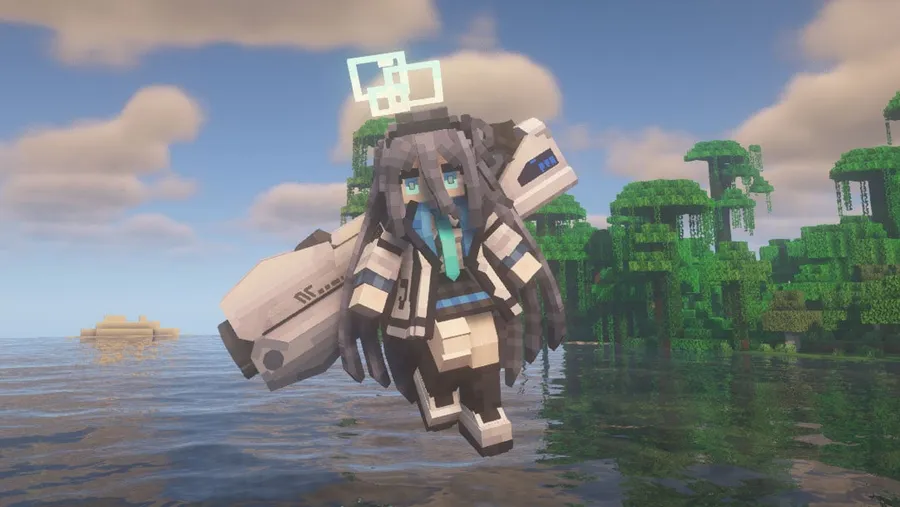
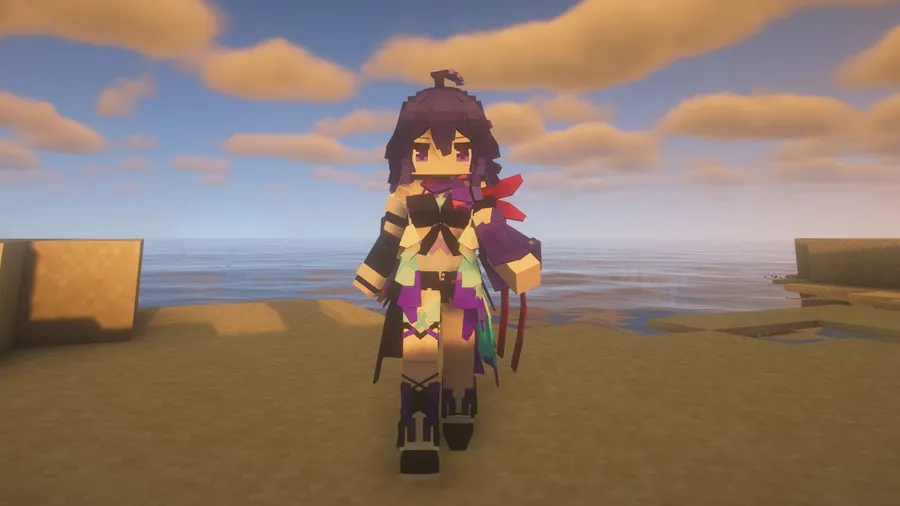
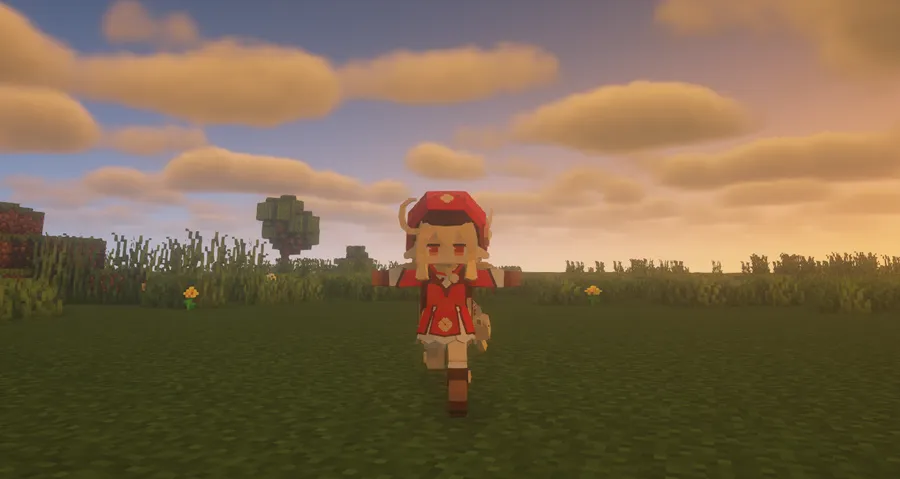
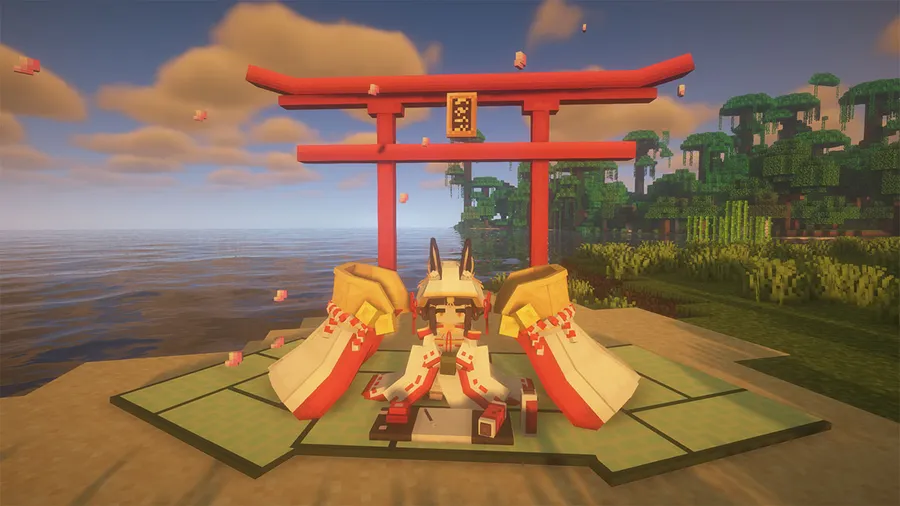
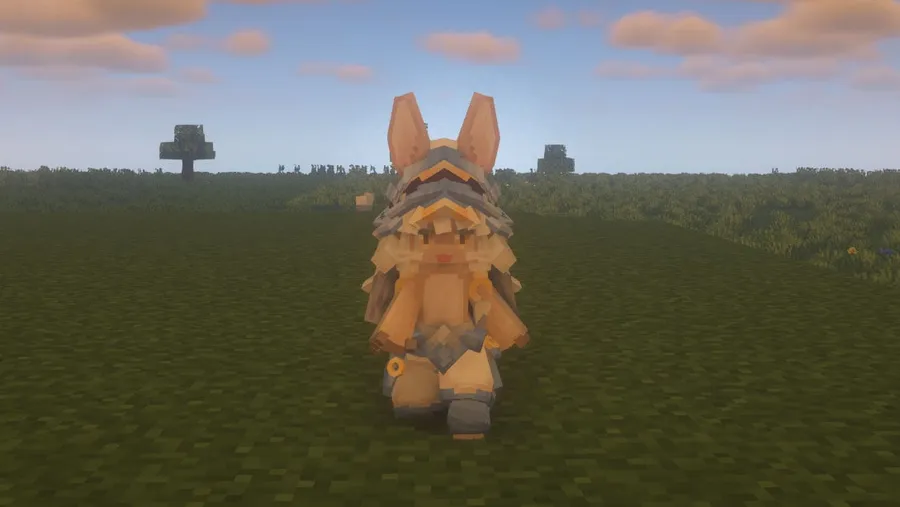
How to Install Yes Steve Model
- Install a compatible mod loader for your Minecraft version: Fabric (with Fabric API), Forge, or NeoForge. For Minecraft 1.21.1, both NeoForge and Fabric are supported.
- Download the correct Yes Steve Model file for your Minecraft version and mod loader from the official Modrinth page. Double-check that the file matches your loader — Forge and Fabric builds are not interchangeable.
- Place the downloaded
.jarfile into your.minecraft/modsfolder. If the folder does not exist, launch Minecraft once with your mod loader selected to generate it. - Launch Minecraft and enter a world. You should see the Yes Steve Model interface button on your screen, allowing you to browse and select available models.
- To add custom models, place Bedrock Edition model files into the mod's designated model folder inside
.minecraft, then use the in-game reload command to load them without restarting.
Requirements & Compatibility
| Minecraft Version | Supported Loaders | Notes |
|---|---|---|
| 1.21.1 | NeoForge, Fabric | Latest supported version |
| 1.21 | NeoForge, Fabric | |
| 1.20.1 | Forge, Fabric | Most popular modding version |
| 1.20 | Forge, Fabric | |
| 1.19.4 | Forge | Forge only |
| 1.19.2 | Forge, Fabric | |
| 1.18.2 | Forge, Fabric | |
| 1.16.5 | Forge, Fabric | Oldest supported version |
Platform support: The mod's C++ rendering core currently works on Windows (AMD64) and Linux (AMD64) for both client and server, and Android (AArch64) for client only. macOS is not supported on either Intel or Apple Silicon hardware.
What's New
- Fixed a crash that occurred when switching Yes Steve Model models while the Touhou Little Maid mod was installed alongside it.
- Corrected Y-axis offset issues when riding boats, minecarts, and other vehicles while using a YSM model with Touhou Little Maid.
- Improved model object loading and molang struct creation logic for better stability.
- Added a new
merge_multiline_exprconfiguration option that fixes a BlockBench export issue with multi-line expressions in command keyframes. - Fixed abnormal rotation when replacing vehicle models from Immersive Aircraft and Simple Planes mods.
Pros and Cons
Pros
- Massive community with 5.6 million downloads and an active model repository
- Works across Forge, Fabric, and NeoForge on modern Minecraft versions
- Server-side sync means players do not need to manually install model packs
- Built-in model encryption protects artists' original work
- Easy model loading with no configuration files required
- Authorization system gives server admins fine-grained control
Cons
- No macOS support due to C++ rendering core limitations
- All Rights Reserved license limits modification and redistribution
- C++ dependency means updates may lag behind new Minecraft releases
- Some older versions (1.19.4) only support Forge, not Fabric
Alternatives to Yes Steve Model
- Customizable Player Models — A cross-platform mod that lets you edit your player model directly in-game with a built-in 3D editor, offering an alternative approach without requiring external model files.
- Figure — A lightweight emote and animation mod that adds custom player animations and poses, useful if you want expressive movement without fully replacing the player model.
- Emotecraft — Focused specifically on player emotes and gestures, Emotecraft lets you create and share custom animations that work on both client and server without changing the base model.
Download Yes Steve Model
| Minecraft Version | Fabric | Forge | NeoForge |
|---|---|---|---|
| For Minecraft 1.21.1 | Download | — | Download |
| For Minecraft 1.21 | Download | — | Download |
| For Minecraft 1.20.1 | Download | Download | — |
| For Minecraft 1.20 | Download | Download | — |
| For Minecraft 1.19.4 | — | Download | — |
| For Minecraft 1.19.2 | Download | Download | — |
| For Minecraft 1.18.2 | Download | Download | — |
| For Minecraft 1.16.5 | Download | Download | — |
Always download mods from official sources to stay safe.
Frequently Asked Questions
Does Yes Steve Model work on multiplayer servers?
Yes — Yes Steve Model is specifically designed for multiplayer use. When installed on a server, it automatically synchronizes all available models to connecting players, so everyone can see each other's custom models without manual file sharing. Server operators can also restrict certain models behind authorization commands.
Can I use Yes Steve Model on macOS?
No — as of version 2.6.4, Yes Steve Model does not support macOS on either Intel or Apple Silicon processors. The mod's core rendering and encryption are written in C++, which currently only targets Windows AMD64, Linux AMD64, and Android AArch64 platforms.
Is Yes Steve Model compatible with Fabric on 1.21.1?
Yes — the latest version supports both Fabric and NeoForge on Minecraft 1.21.1. Make sure you download the correct build for your mod loader, as Fabric and NeoForge versions are separate files. You will also need the Fabric API installed if you are using the Fabric version.
How do I add custom models to Yes Steve Model?
Place the Bedrock Edition model, texture, and animation files into the mod's designated folder inside your .minecraft directory. Then use the in-game reload command to load them automatically — no configuration files are needed. You can also browse the community GitHub repository maintained by Elaina for a large collection of ready-made models shared by various artists.
Are custom models protected from theft on servers?
Yes — since version 1.2.0, all models sent to player clients are encrypted as binary files using a C++ encryption pipeline. This replaced the earlier Java-based system that was quickly cracked. While no protection is absolute, the current system makes it significantly harder for someone to extract and redistribute model files without permission.


![[Let's Do] Meadow Mod (1.21.1) - thumbnail](http://mcinside.com/wp-content/uploads/2026/04/thumbnail-64-52x52.webp)


![Not Enough Recipe Book [NERB] Mod (1.21.11) - thumbnail](http://mcinside.com/wp-content/uploads/2026/04/thumbnail-63-52x52.webp)


