

YUNG's Cave Biomes Mod is a vanilla+ worldgen mod that adds new cave biomes, underground mobs, blocks, items, and music for Minecraft Fabric, Forge, and NeoForge.
Minecraft caves can start to blur together once you have mined through enough stone, and this mod tackles that problem by adding two themed underground biomes with their own atmosphere and loot potential. With 2,025,542 Modrinth downloads, it also has strong social proof behind it, which makes it easier to trust as a cave-expansion pick.
Key Features of YUNG's Cave Biomes Mod
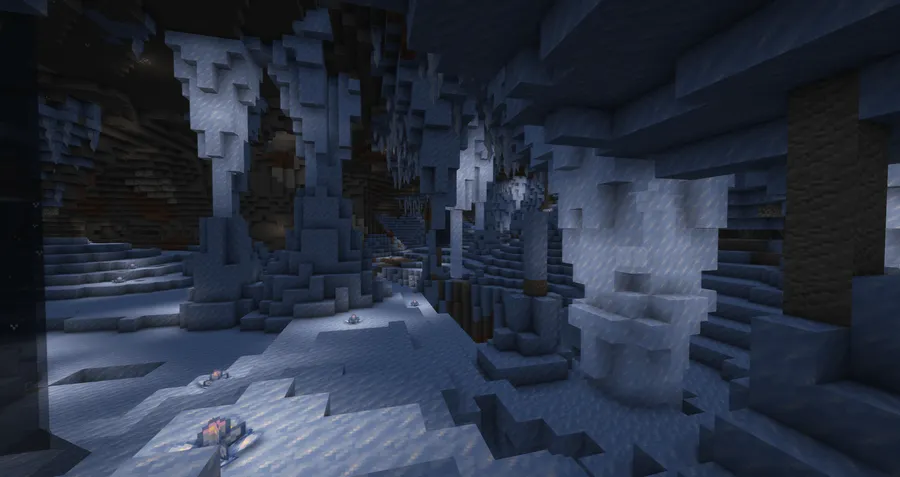
- Frosted Caves biome — This biome gives cold underground exploration a stronger identity, so cave runs feel less like the same tunnels with a different block palette. It is a good fit if you want a vanilla-friendly reason to keep pushing deeper.
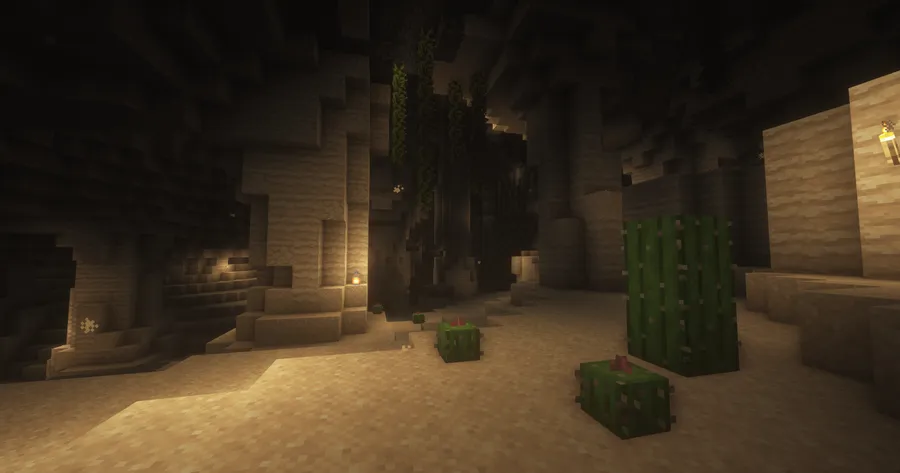
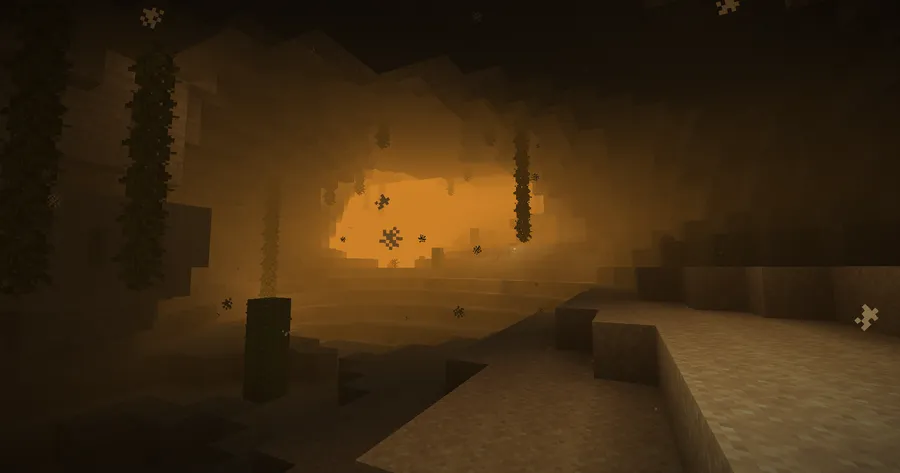
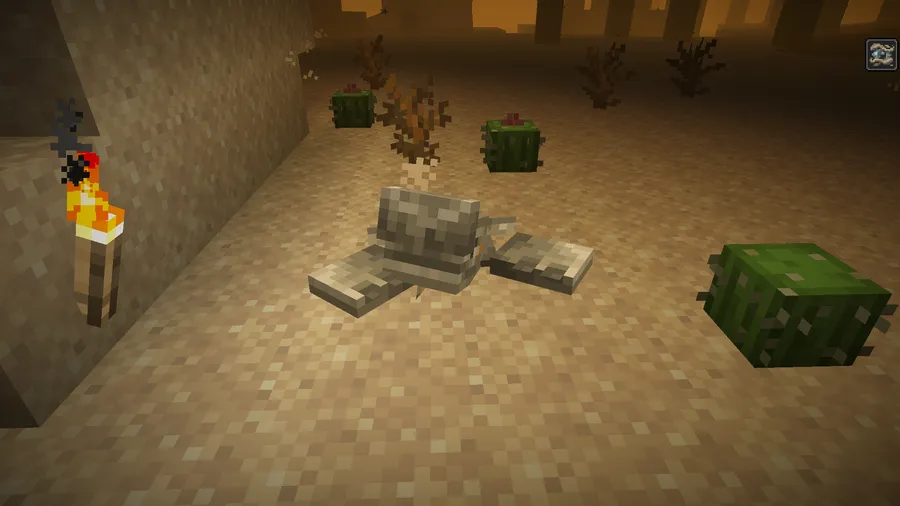
- Lost Caves biome — The Lost Caves add a more atmospheric underground zone, including sandstorm visuals that make the biome feel distinct in motion, not just in screenshots. That matters because it turns cave travel into something closer to discovery than routine mining.
- New mobs in each biome — Each cave biome comes with its own mob, which helps the new areas feel like actual ecosystems instead of simple terrain reskins. For players, that means exploration changes how you move, watch, and prepare.
- New blocks and items — The added blocks and items give you more reasons to stop and interact with the biome instead of sprinting through it. That makes the mod useful for builders and explorers, not just worldgen collectors.
- Custom music and ambience — New music helps the Frosted Caves and Lost Caves stand apart from standard underground spaces. If you care about immersion, that audio layer is a big part of why the biomes feel memorable.
- Broad worldgen compatibility goal — The mod is intended to be compatible with other mods, including world generation mods, which makes it easier to slot into an existing pack. That is important if you are building a mod list and do not want one cave mod to dictate the rest of your setup.
Screenshots
How to Install YUNG's Cave Biomes Mod
- Choose the file that matches your Minecraft version and loader: Fabric, Forge, or NeoForge.
- Install your loader first using the relevant guide: Fabric, Minecraft Forge, or NeoForge.
- Place the downloaded mod file into your Minecraft
modsfolder. - Launch the game with the matching loader profile and create or open a world.
- If you use Sodium, Iris, Optifine, or Distant Horizons, review the compatibility notes below before judging the Lost Caves fog effects.
Requirements & Compatibility
| Item | Details |
|---|---|
| Supported Versions | 1.21.1, 1.21, 1.20.1, 1.18.2 |
| Loaders | Fabric, Forge, NeoForge |
| Required Loader | Fabric Mod Loader, Minecraft Forge, or NeoForge |
| Known Notes | Sodium fog occlusion can hide chunks behind Lost Caves sandstorm fog; Optifine/Iris and Distant Horizons Forge may not render that thick yellow fog; Distant Horizons Fabric may require Enable Vanilla Fog = True. |
| Author | YUNGNICKYOUNG |
| License | LicenseRef-All-Rights-Reserved |
What's New
- Ported the mod to Minecraft 1.21.1.
- Current download options include Fabric and NeoForge for 1.21.1 and 1.21.
- Forge and Fabric builds remain available for 1.20.1 and 1.18.2.
- The changelog also points players to Patreon, Discord, and Twitter for early access and future mod updates.
Pros and Cons
Pros
- Adds two distinct cave biomes while staying close to vanilla style.
- Includes mobs, blocks, items, and music, not just terrain changes.
- Designed with broad mod compatibility in mind.
Cons
- Some fog visuals may not render as intended with Optifine, Iris, or Distant Horizons Forge.
- Sodium users may need to disable Use Fog Occlusion for better Lost Caves visuals.
- Enchanted Ice may appear visible when embedded in ice with Optifine or Iris.
Alternatives to YUNG's Cave Biomes Mod
- Biomes O' Plenty — A strong pick if you want broader biome variety across the whole world, not just underground exploration.
- Alex's Mobs — A good complement if your priority is adding more creature variety alongside new cave environments.
- Supplementaries — Worth considering if you want more decorative and utility blocks to pair with biome-focused exploration.
Download YUNG's Cave Biomes Mod
| Minecraft Version | Fabric | Forge | NeoForge |
|---|---|---|---|
| For Minecraft 1.21.1 | Download | — | Download |
| For Minecraft 1.21 | Download | — | Download |
| For Minecraft 1.20.1 | Download | Download | — |
| For Minecraft 1.18.2 | Download | Download | — |
Always download mods from official sources to stay safe.
Frequently Asked Questions
Is YUNG's Cave Biomes compatible with other worldgen mods?
Yes, it is intended to be fully compatible with other mods, including worldgen mods. If a specific conflict is known, the author notes that it should be mentioned, and players are encouraged to report new issues on Discord.
Does YUNG's Cave Biomes add new mobs?
Yes, each of the two cave biomes includes a new mob. That helps Frosted Caves and Lost Caves feel like more than visual reskins.
Does the mod work on Fabric, Forge, and NeoForge?
Yes, but loader support depends on the Minecraft version you choose. The provided downloads list Fabric and NeoForge for 1.21.1 and 1.21, and Fabric plus Forge for 1.20.1 and 1.18.2.
Should I change Sodium settings for this mod?
Yes, the author recommends disabling Use Fog Occlusion in Sodium's Performance settings. Leaving it enabled can cause chunks behind Lost Caves sandstorm fog not to render, which mainly affects visuals rather than gameplay.
Why is Lost Caves fog not showing correctly with Iris, Optifine, or Distant Horizons?
The likely reason is a known rendering limitation with thick yellow sandstorm fog in those setups. On Distant Horizons Fabric, setting Enable Vanilla Fog to True may help if sandstorms make visibility break entirely.


![[Let's Do] NetherVinery Mod (1.20.1) - thumbnail](http://mcinside.com/wp-content/uploads/2026/04/thumbnail-83-52x52.webp)


![CobbleDollars [Cobblemon Addon] Mod (1.21.1) - thumbnail](http://mcinside.com/wp-content/uploads/2026/04/thumbnail-108-52x52.webp)
