
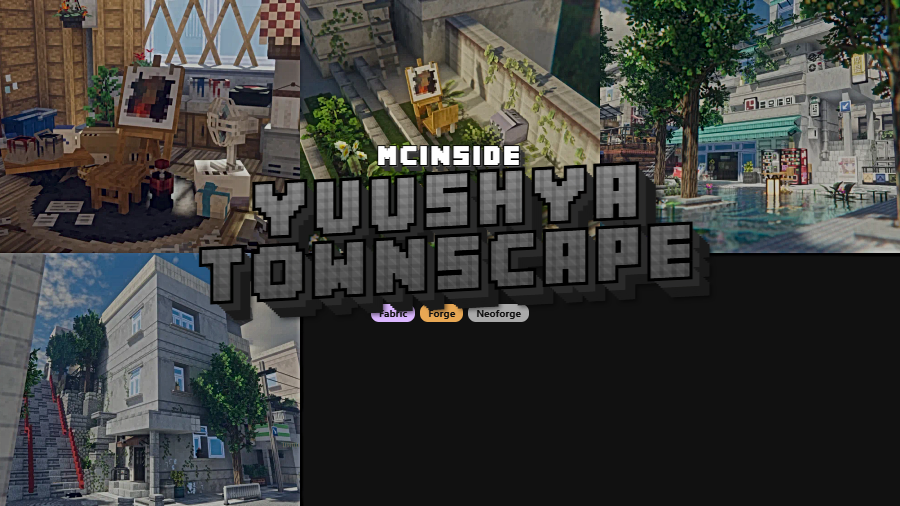
Yuushya Townscape Mod is a decoration mod that adds more than 2,600 building materials and decorative pieces for Minecraft on Fabric, Forge, and NeoForge. It is built for players who want to create detailed townscapes, cozy houses, and more lifelike streets.
Vanilla Minecraft can handle basic city builds, but it often runs out of small architectural details before your idea feels finished. That is exactly where Yuushya Townscape stands out: it gives builders a much deeper palette for urban layouts and cozy structures, and its 1,825,576 downloads on Modrinth show that a large number of players already trust it for serious town-building projects.
Key Features of Yuushya Townscape Mod
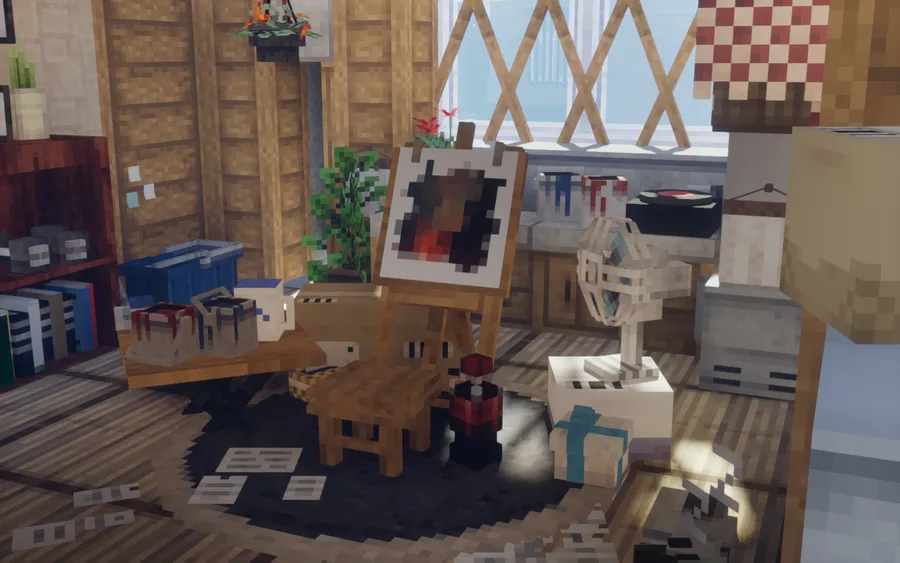
- 2,600+ building materials and decorations — The biggest selling point here is sheer variety. When you are shaping a street, a storefront, or a residential block, having thousands of materials means you can stop repeating the same few vanilla textures and start giving each build its own identity.
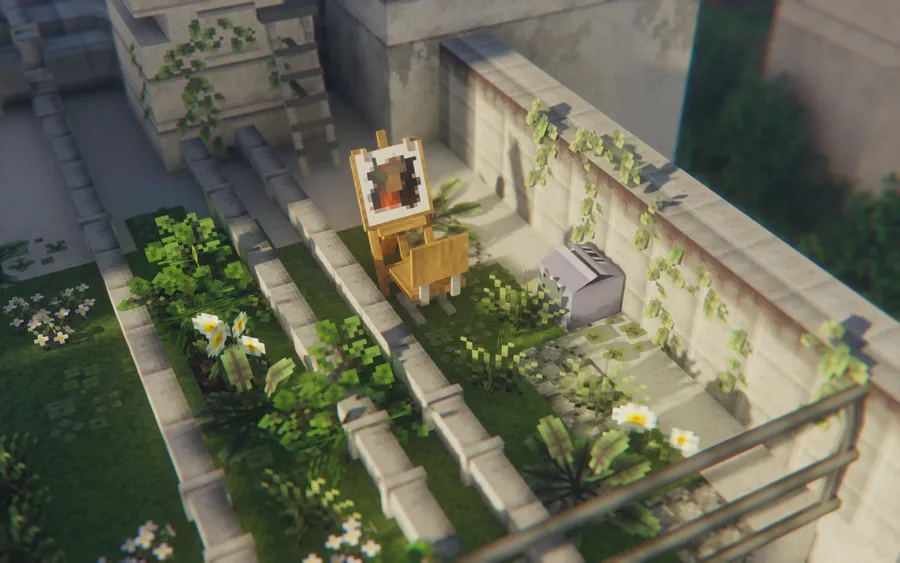
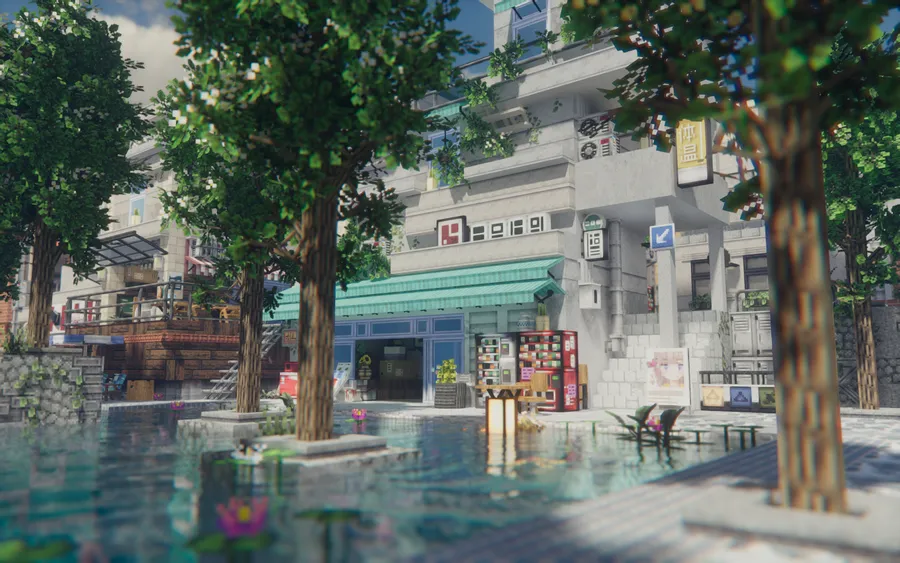
- Town-focused design language — The project is centered on the idea of creating believable townscapes inside Minecraft. That matters because the content feels aimed at roads, houses, public spaces, and lived-in neighborhoods rather than just random decorative filler.
- Real-world and illustration-inspired style — The mod takes visual cues from real places and drawn references, which helps builds feel grounded without becoming stiff. In practice, that makes it easier to create towns that look intentional instead of patched together from mismatched blocks.
- Realistic textures that still adapt to different styles — Yuushya leans into a realistic look, but the author also makes it clear that the blocks can still suit cartoon-style builds. That flexibility is useful if you want better detail without locking your whole world into one strict visual direction.
- Connected Model support — Connected visuals are important for large walls, windows, and repeating surfaces because they reduce the broken-up look that can happen in decorative builds. With the required resource pack and a supported CTM-style mod, the mod's materials look more coherent across bigger structures.
- Expanded city details in recent updates — The changelog adds modern props such as mailboxes, telephones, monitors, office furniture, road marks, traffic signs, and matching doors for colored windows. These details matter because they let you finish a town at street level, where most city builds usually feel empty.
Screenshots
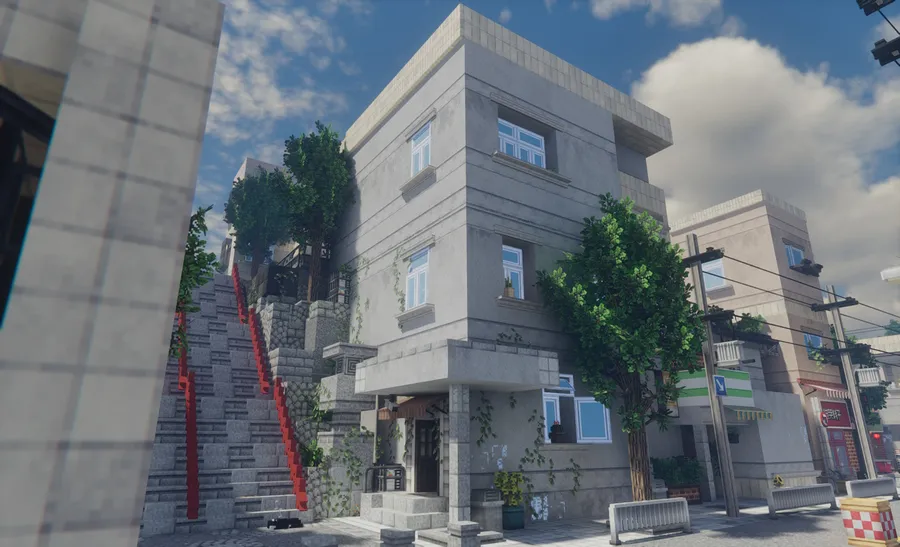
How to Install Yuushya Townscape Mod
- Choose the correct version of the mod for your Minecraft release and your preferred loader: Fabric Mod Loader, Minecraft Forge, or NeoForge.
- Install Architectury API, because Yuushya Townscape requires it to run.
- If your setup uses Sodium, install Indium as well, since the mod specifically needs it in that situation.
- Install the Yuushya resource pack together with a CTM-support mod such as OptiFine, CTM, or Continuity so the visual features work correctly.
- Launch Minecraft with the same game version and loader as your selected mod file, then create or load a world and start building.
Requirements & Compatibility
| Item | Details |
|---|---|
| Category | Minecraft Mods / decoration |
| Supported loaders | Fabric, Forge, NeoForge |
| Required dependency | Architectury API |
| Extra dependency with Sodium | Indium |
| Required visual setup | Yuushya resource pack plus a CTM-support mod such as OptiFine, CTM, or Continuity |
| Supported Minecraft versions | 1.21.1, 1.21, 1.20.6, 1.20.4, 1.20.1, 1.20, 1.19.4, 1.19.2, 1.18.2, 1.16.5 |
| Author | Coco |
What's New
- Recent updates add new building materials and decorative objects including a Monobloc, classic console, boom box, monitor with keyboard and mouse, telephone, water dispenser, kettle, mailboxes, street phone, and work lights.
- The mod now includes 12 new button signs, which gives builders more small signage options for streets and interiors.
- Doors and slide doors were added to match the available window colors, making it easier to keep builds visually consistent.
- Several road marks and traffic signs were introduced, which strengthens the mod's usefulness for modern town and city layouts.
- Optional embedded resource packs were added for connected texture feature mods, and half slabs now have four state variants inside one block space.
Pros and Cons
Pros
- Massive library of 2,600+ building materials and decorations.
- Supports Fabric, Forge, and NeoForge across many Minecraft versions.
- Works for realistic towns while still fitting more stylized builds.
- Recent updates add more modern city props, road details, and signage.
Cons
- Requires Architectury API before it can run.
- Sodium users also need Indium.
- You need the Yuushya resource pack and a CTM-support mod for everything to display correctly.
- The focus is on building and decoration, so players looking for gameplay mechanics may want something else.
Alternatives to Yuushya Townscape Mod
- Yuushya Modelling — A related add-on from the same project that the author directly recommends alongside Yuushya Townscape.
- Continuity — A complementary CTM-support mod that helps the Yuushya resource pack display connected visual details correctly.
- Indium — A complementary mod to install if your setup already uses Sodium, because Yuushya Townscape specifically needs it in that case.
Download Yuushya Townscape Mod
| Minecraft Version | Fabric | Forge | NeoForge |
|---|---|---|---|
| For Minecraft 1.21.1 | Download | — | Download |
| For Minecraft 1.21 | Download | — | Download |
| For Minecraft 1.20.6 | Download | — | Download |
| For Minecraft 1.20.4 | Download | — | Download |
| For Minecraft 1.20.1 | Download | Download | — |
| For Minecraft 1.20 | Download | Download | — |
| For Minecraft 1.19.4 | Download | Download | — |
| For Minecraft 1.19.2 | Download | Download | — |
| For Minecraft 1.18.2 | Download | Download | — |
| For Minecraft 1.16.5 | Download | Download | — |
Always download mods from official sources to stay safe.
Frequently Asked Questions
What does Yuushya Townscape Mod add?
Yuushya Townscape Mod adds more than 2,600 building materials and decorative pieces. Its focus is on helping players create townscapes, cozy houses, and more detailed urban-style builds with a broader visual palette than vanilla Minecraft offers.
Does Yuushya Townscape need Architectury API?
Yes — Architectury API is required. The author states directly that the mod needs it to work, so it is not an optional extra.
Do I need Indium if I use Sodium?
Yes — if you have Sodium installed, Yuushya Townscape also needs Indium. That requirement is specifically called out by the author.
Does Yuushya Townscape work on Fabric, Forge, and NeoForge?
Yes — versions are available for Fabric, Forge, and NeoForge, depending on the Minecraft version you want to play. The listed download options cover NeoForge and Fabric for newer releases, while Forge and Fabric are listed for several earlier versions.
Do I need the Yuushya resource pack and a CTM-support mod?
Yes — the recommended setup includes the Yuushya resource pack and a CTM-support mod such as OptiFine, CTM, or Continuity. The author says this is necessary for everything to work correctly.
Is this mod only for realistic builds?
No — the art style is realistic, but it is not limited to realistic towns. The author notes that the materials can still work when you build in a more cartoon-style direction.
Which Minecraft versions are supported?
The supported Minecraft versions listed here are 1.21.1, 1.21, 1.20.6, 1.20.4, 1.20.1, 1.20, 1.19.4, 1.19.2, 1.18.2, and 1.16.5. That range makes the mod relevant for both newer and older modded setups.


