Chalk (Fabric) Mod is a Fabric and Quilt utility mod that adds placeable chalk marks for route-finding and block marking in Minecraft. It gives you standard Chalk, Glow Chalk, and dye-based color options for clearer navigation underground.
Getting lost in caves and branch mines is one of those problems that quietly wastes a lot of time in survival worlds. Chalk (Fabric) solves it with quick, readable marks you place directly on block faces, and with more than 1,044,520 downloads, it already has the kind of social proof that makes it stand out among small utility mods.
Key Features of Chalk (Fabric) Mod
- Simple Chalk crafting — Regular Chalk is crafted shapeless with 2 Calcite, and you can add dye when you want color. That matters because it keeps the core tool easy to restock in normal play, so using markers feels like part of your routine instead of a special setup.
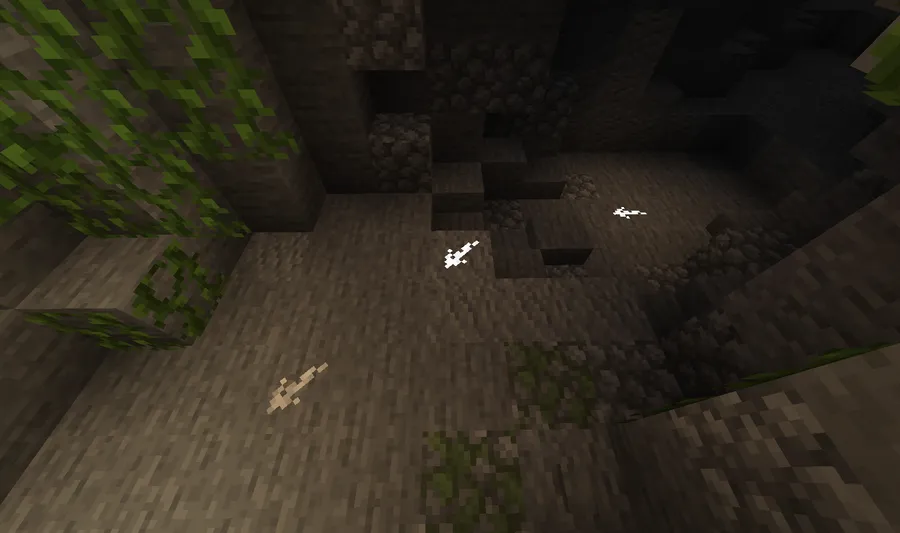
- Glow Chalk for dark areas — Glow Chalk is crafted shapeless with 2 Calcite and a Glow Ink Sac, with dye added if you want a colored glowing version. In actual cave runs, this is the feature that makes the mod more than decorative, because your signs stay useful even in total darkness.
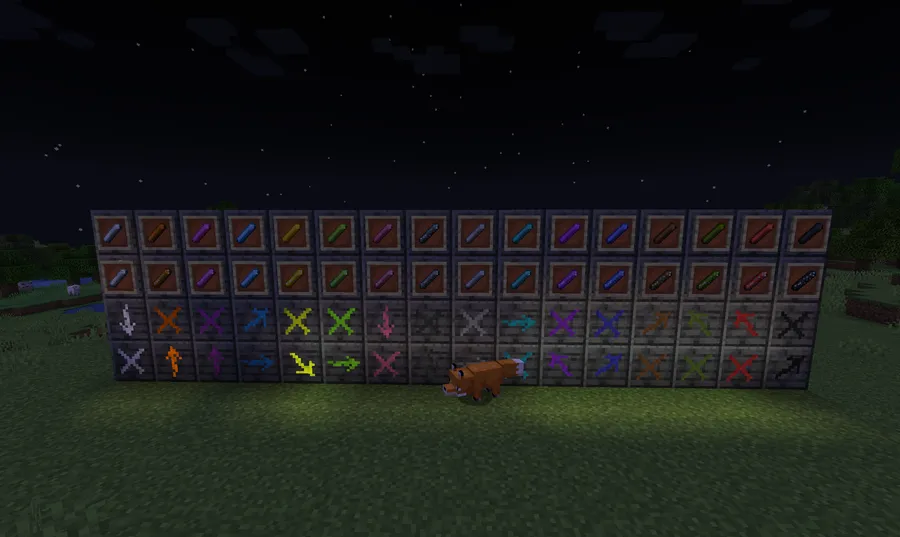
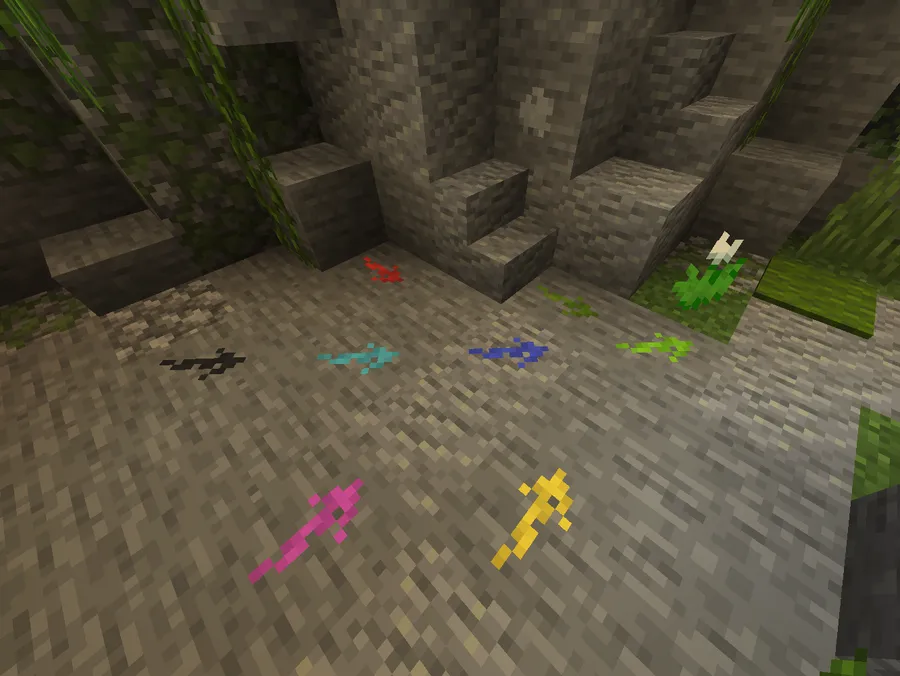
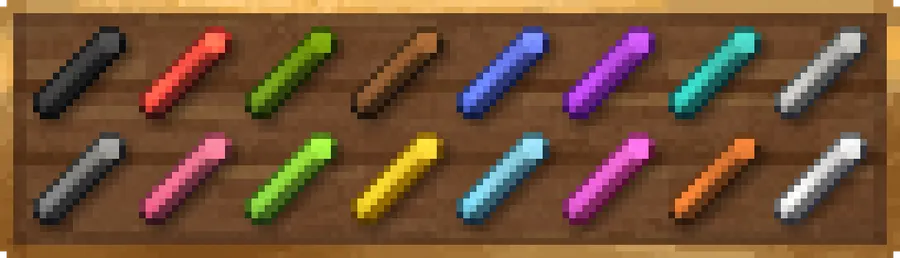
- All 16 vanilla colors — The mod supports all 16 vanilla chalk colors, created by adding a dye to the recipe. That gives players a clean way to color-code routes, such as one color for exits, another for explored paths, and another for areas worth revisiting.
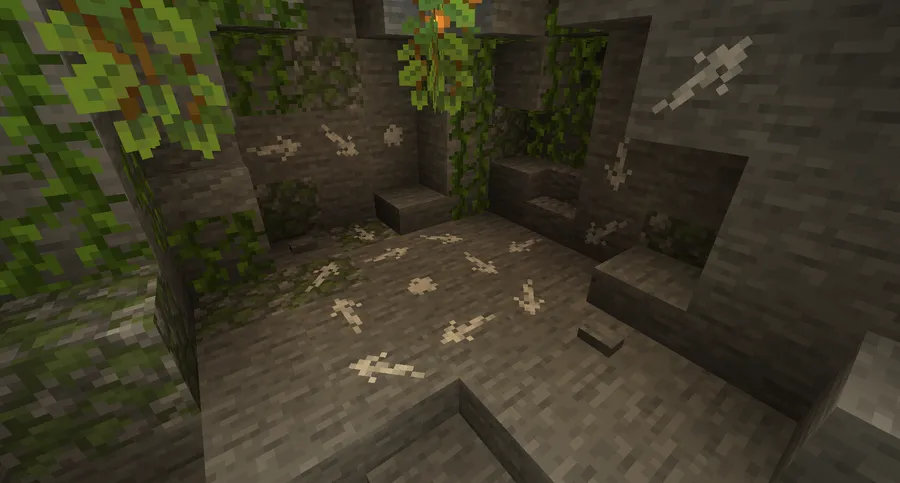
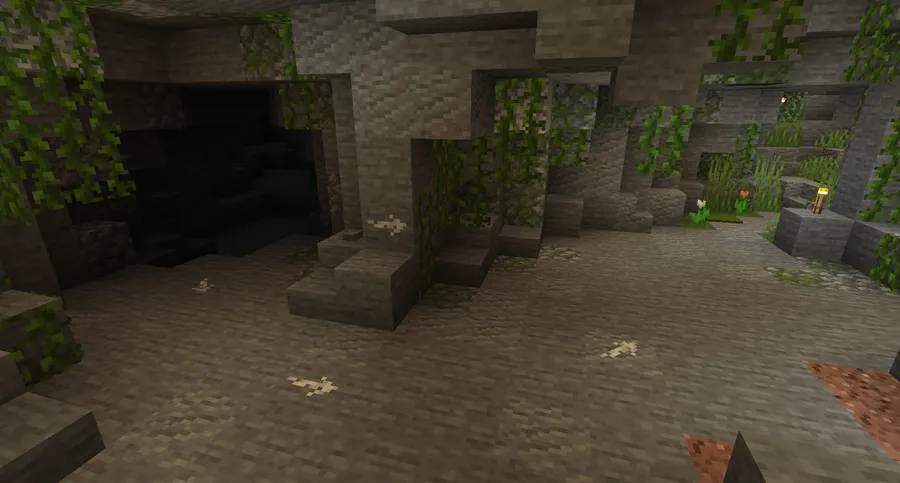
- Marks on full block surfaces — Chalk can be used on the surface of every full block. The benefit is consistency: once you understand where you can place it, the system stays predictable across mines, tunnels, and built structures.
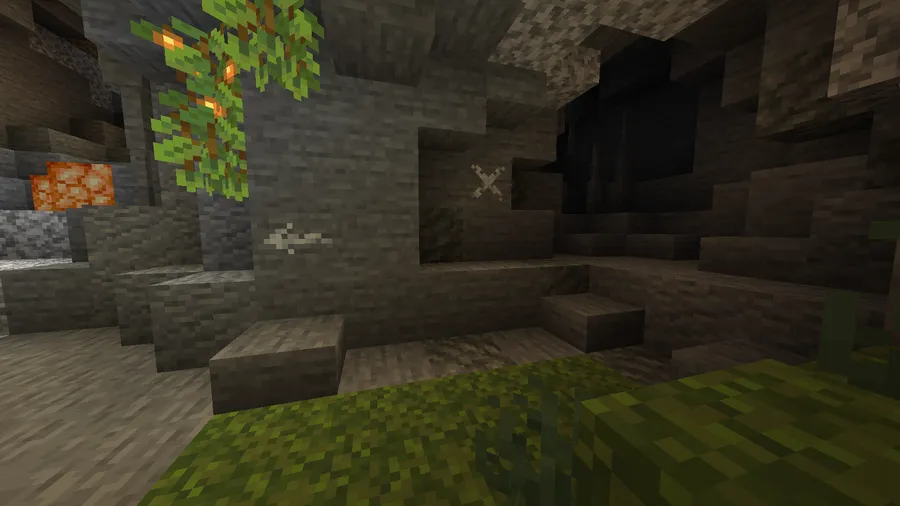
- Directional arrows and X marks — Hitting the corner of a block creates an arrow, while hitting the center creates an X. That small placement rule is surprisingly useful in play, because one item can handle both "go this way" and "stop or checked already" without extra clutter.
- Fabric port with Quilt support — This project is a Fabric port of the original Chalk mod by mortuusars, with some additions and adjustments, and it also lists Quilt support. For players who stay in the Fabric or Quilt ecosystem, that makes it an especially convenient way to get a proven idea without changing loaders.
Screenshots
How to Install Chalk (Fabric) Mod
- Install a supported Minecraft version, then set up either Fabric Mod Loader or Quilt Loader.
- Download the correct Chalk (Fabric) file for your exact game version from the download section below.
- Place the mod file into your Minecraft
modsfolder for the Fabric or Quilt instance you plan to launch. - Start Minecraft with your Fabric or Quilt profile and create or load a world.
- Craft Chalk with 2 Calcite, or craft Glow Chalk with 2 Calcite and a Glow Ink Sac, then test your first arrows and X marks on full blocks.
Requirements & Compatibility
| Item | Details |
|---|---|
| Loaders | Fabric Mod Loader, Quilt Loader |
| Mod Type | Fabric, Quilt |
| Minecraft Versions | 26.1.1, 26.1, 1.21.11, 1.21.10, 1.21.8, 1.21.7, 1.21.5, 1.21.4, 1.21.1, 1.21, 1.20.6, 1.20.4, 1.20.2, 1.20.1, 1.20, 1.19.4, 1.19.3, 1.19.2, 1.19.1, 1.19, 1.18.2, 1.18.1, 1.18, 1.17.1 |
| Category | Minecraft Mods |
| Tags | adventure, decoration |
| License | MIT |
| Published | 2021-10-10 |
| Updated | 2026-04-05 |
Pros and Cons
Pros
- Solves cave and tunnel navigation with fast visual markers.
- Glow Chalk stays visible in total darkness, which is ideal for mining trips.
- Supports 16 vanilla colors for simple route coding.
- Works with both Fabric and Quilt across a wide version range.
Cons
- Marks are described for full blocks, so placement is more limited on non-full shapes.
- The feature set is intentionally narrow and does not replace broader map or waypoint mods.
- The rainbow-style look shown in the project screenshot points players to a separate Colorful Addon.
Alternatives to Chalk (Fabric) Mod
- Chalk — The original Forge version by mortuusars is the closest alternative if you play in a Forge-based setup and want the same core concept.
- Chalk (Fabric): Colorful Addon — This is the direct companion choice if your main goal is the broader rainbow-style chalk selection shown in the screenshot.
- Chalk (Fabric) 1.18.2 — The 1.18.2 releases include colored chalk by default, so that version branch is the most relevant pick if built-in color support matters most to you.
Download Chalk (Fabric) Mod
| Minecraft Version | Fabric | Quilt |
|---|---|---|
| For Minecraft 26.1.1 | Download | — |
| For Minecraft 26.1 | Download | — |
| For Minecraft 1.21.11 | Download | — |
| For Minecraft 1.21.10 | Download | — |
| For Minecraft 1.21.8 | Download | — |
| For Minecraft 1.21.7 | Download | — |
| For Minecraft 1.21.5 | Download | — |
| For Minecraft 1.21.4 | Download | — |
| For Minecraft 1.21.1 | Download | — |
| For Minecraft 1.21 | Download | Download |
| For Minecraft 1.20.6 | Download | Download |
| For Minecraft 1.20.4 | Download | Download |
Always download mods from official sources to stay safe.
Frequently Asked Questions
Is Chalk (Fabric) worth installing for survival worlds?
Yes — if you spend time mining, caving, or building underground routes, this mod solves a real navigation problem with very little friction. Its value comes from being quick to use and easy to understand the moment you start placing marks.
Does Chalk (Fabric) work with Quilt Loader?
Yes — Quilt Loader is listed alongside Fabric Mod Loader in the requirements. That makes the mod a good fit for players who want the same chalk-marking idea without leaving the Fabric or Quilt side of the modding ecosystem.
Can you make colored chalk in this mod?
Yes — add a dye to your chalk recipe to create one of the 16 vanilla colors. That color support is one of the mod's best practical features because it lets you assign meaning to routes instead of relying on a single marker style.
What is the difference between Chalk and Glow Chalk?
Glow Chalk is the version that can be seen in total darkness. Regular Chalk is useful for general marking, while Glow Chalk is the better choice for caves, deep mines, and any route where normal visibility drops off.
How do the block marks work?
Hit the corner of a block to create an arrow, and hit the center to create an X. That direct control makes the system feel intentional in play, because you can point toward exits or label dead ends with the same item.
Does the mod include the rainbow colors shown in the screenshot?
Not fully — the project specifically points players to Chalk (Fabric): Colorful Addon for the rainbow-style set shown in the screenshot. The base mod provides 16 vanilla colors, and the 1.18.2 versions contain colored chalk by default.