

Client Tweaks is a quality-of-life utility mod that provides various optional client-side tweaks to improve everyday Minecraft gameplay, available for Fabric, Forge, and NeoForge.
Minecraft is a brilliantly designed game, but after hundreds of hours you start noticing the tiny frustrations that chip away at the experience. An offhand torch that places itself when you misclick a chest. A firework that launches while you are standing still with your elytra on. A shield that blocks your view during a casual stroll. These are not game-breaking bugs — they are paper cuts, and they add up. Client Tweaks, developed by BlayTheNinth, bundles a collection of individually toggleable fixes for exactly these kinds of annoyances. With over 7.6 million downloads on Modrinth alone, this mod has become one of the most trusted quality-of-life companions in the Minecraft modding community. Every tweak is optional and disabled by default, so you pick only the fixes that matter to your playstyle.
Key Features of Client Tweaks
- Offhand Torch Control Suite — This is the headline feature and the reason most players first discover Client Tweaks. The mod offers five separate torch-placement rules: prevent placement when holding a block, when your main hand is empty, when holding food, completely disable offhand torches, or only allow torch placement when holding a tool. Each option targets a specific scenario where accidental torch placement ruins your flow, letting you choose the exact level of control you want.
- Do Not Use Last Torch — If you rely on dynamic lighting from mods like OptiFine or Sodium, this tweak is essential. It prevents you from placing the very last torch in your offhand, ensuring you always have a portable light source. No more suddenly plunging yourself into darkness at the worst possible moment deep inside a cave system.
- No Offhand Fireworks While Grounded — Elytra users know this pain well: you have firework rockets in your offhand for boosting flight, but you accidentally right-click while standing on the ground and waste one. Client Tweaks blocks firework use from your offhand whenever you are not actively flying, saving your rocket supply for when it actually matters.
- Auto-Hide Shield When Not In Combat — Shields take up a significant portion of your screen when held in the offhand. This tweak automatically lowers or hides your shield model when you are not actively blocking or in a combat situation, giving you a cleaner field of view during exploration without sacrificing protection when you need it.
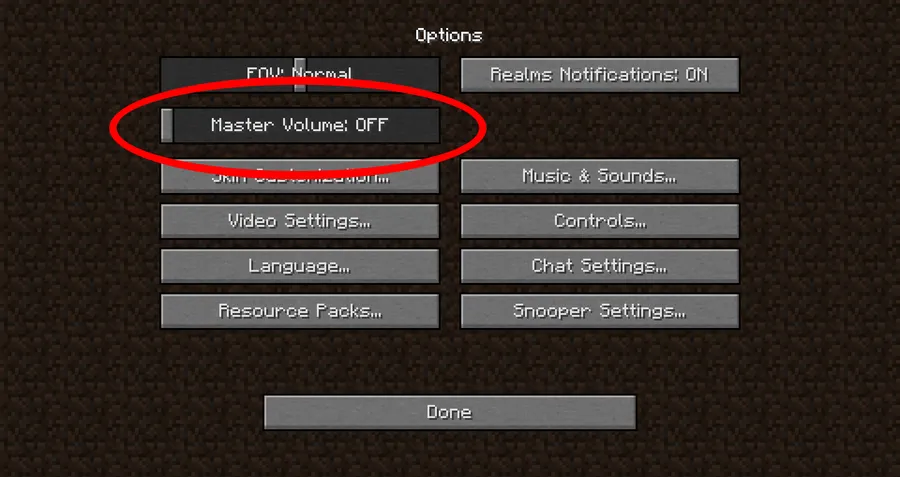
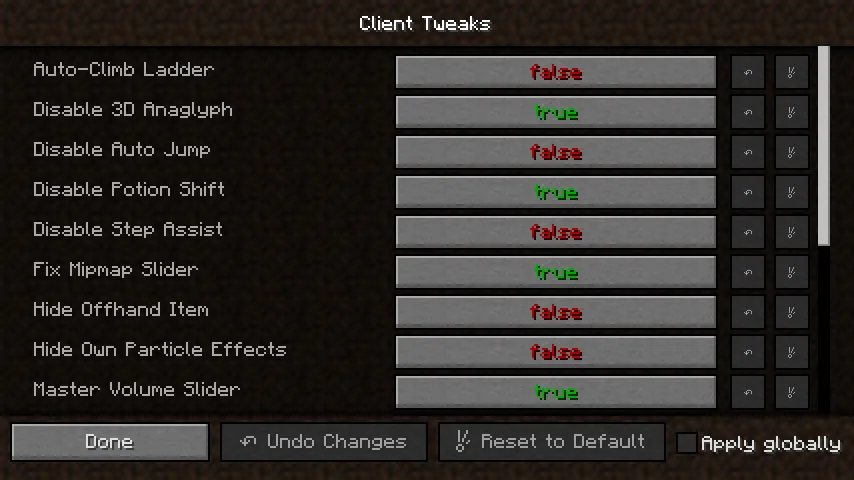
- Disable Potion Shift — When you have active potion effects, vanilla Minecraft shifts your inventory screen to make room for the effect icons. This can be disorienting and interferes with muscle memory. Client Tweaks can disable this shift entirely, keeping your inventory exactly where you expect it every single time.
- Master Configuration Menu — Every single tweak in the mod can be individually toggled on or off through a clean configuration screen. This means you never have to accept changes you do not want. Install the mod, open the config, enable only the tweaks that address your personal frustrations, and leave everything else at default.
- Requires Balm Library — Client Tweaks uses the Balm abstraction library to maintain cross-loader compatibility across Fabric, Forge, and NeoForge from a single codebase. This means updates arrive quickly for all platforms, and you get the same consistent experience regardless of which mod loader you prefer.
Screenshots
How to Install Client Tweaks
- Install a compatible mod loader for your Minecraft version: Fabric, Forge, or NeoForge.
- Download the Balm library mod that matches your loader and Minecraft version — Client Tweaks will not run without it.
- Download Client Tweaks for your specific loader and Minecraft version from the download section below.
- Place both the Balm and Client Tweaks
.jarfiles into your.minecraft/modsfolder. - Launch Minecraft, then open the Client Tweaks configuration screen through the Mods menu to enable the specific tweaks you want.
Requirements & Compatibility
| Requirement | Details |
|---|---|
| Mod Loaders | Fabric, Forge, NeoForge |
| Minecraft Versions | 1.12.2, 1.20 – 1.21.11, 26.1 |
| Required Dependency | Balm library |
| Side | Client-side only |
| Author | BlayTheNinth |
| License | All Rights Reserved |
| Source Code | GitHub |
What's New
- Updated to Minecraft 26.1 with full NeoForge and Fabric support.
- Continued cross-loader compatibility through the Balm library.
- Maintained all existing quality-of-life tweaks for the latest game version.
Pros and Cons
Pros
- Every tweak is individually toggleable — zero all-or-nothing compromises
- Supports all three major mod loaders: Fabric, Forge, and NeoForge
- Client-side only — no server installation required for singleplayer use
- Actively maintained with over 7.6 million downloads and years of updates
- Appears to be lightweight with minimal impact on game performance
Cons
- Requires the Balm library as an additional dependency
- Most tweaks are disabled by default, requiring manual configuration after install
- Focuses exclusively on client-side fixes — no server-side quality-of-life improvements
- Licensed as All Rights Reserved, limiting redistribution in modpack compilations
Alternatives to Client Tweaks
- Tweakeroo — A broader client-side tweak collection for Fabric that includes inventory management shortcuts, placement helpers, and rendering adjustments alongside basic quality-of-life fixes.
- Item Scroller — Focuses specifically on inventory interaction improvements, letting you move items between slots and containers faster with scroll-wheel and click shortcuts.
- Adaptive Tooltips — Tackles a different but equally annoying client-side issue by making tooltips fit inside the screen boundary so you can always read item descriptions fully.
Download Client Tweaks
| Minecraft Version | Fabric | Forge | NeoForge |
|---|---|---|---|
| For Minecraft 26.1 | Download | — | Download |
| For Minecraft 1.21.11 | Download | Download | Download |
| For Minecraft 1.21.10 | Download | Download | Download |
| For Minecraft 1.21.9 | Download | — | Download |
| For Minecraft 1.21.8 | Download | Download | Download |
| For Minecraft 1.21.7 | Download | Download | Download |
| For Minecraft 1.21.6 | Download | Download | Download |
| For Minecraft 1.21.5 | Download | Download | Download |
| For Minecraft 1.21.4 | Download | Download | Download |
| For Minecraft 1.21.1 | Download | Download | Download |
| For Minecraft 1.21 | Download | Download | Download |
| For Minecraft 1.20.1 | Download | Download | — |
Always download mods from official sources to stay safe.
Frequently Asked Questions
Is Client Tweaks client-side only?
Yes — Client Tweaks runs entirely on the client side. You do not need to install it on a server to use its features in singleplayer or when connecting to multiplayer servers. All tweaks modify client behavior only, so server administrators do not need to add it to their mod list.
Does Client Tweaks work with OptiFine or Sodium?
Yes, Client Tweaks is compatible with both OptiFine and Sodium. In fact, features like "Do Not Use Last Torch" are specifically designed to complement dynamic lighting from these performance mods. Since Client Tweaks operates on gameplay interactions rather than rendering, there are no known conflicts with graphics optimization mods.
Do I need to install Balm separately?
Yes — Balm is a required dependency that must be installed alongside Client Tweaks. Without Balm, the mod will not load. Make sure you download the Balm version that matches both your mod loader and your Minecraft version, then place it in the mods folder together with Client Tweaks.
Can I use Client Tweaks on servers that do not have it installed?
Yes, you can use Client Tweaks on any server without the server needing to install it. Because all tweaks are client-side modifications to your own game behavior, they do not require server-side support. However, always check a server's rules regarding client-side mods before connecting.
Are all tweaks enabled by default after installation?
No — most tweaks are disabled by default to avoid changing vanilla behavior without your consent. After installing Client Tweaks, open the mod configuration menu to review all available options and enable the specific tweaks you want. This design philosophy ensures the mod never forces changes you did not explicitly choose.




![[Let's Do] Meadow Mod (1.21.1) - thumbnail](http://mcinside.com/wp-content/uploads/2026/04/thumbnail-64-52x52.webp)


![Not Enough Recipe Book [NERB] Mod (1.21.11) - thumbnail](http://mcinside.com/wp-content/uploads/2026/04/thumbnail-63-52x52.webp)

