
Crawl Mod is a movement mod that allows you to crawl on demand by pressing a keybind in Minecraft, available for Fabric, Forge, NeoForge, and Quilt mod loaders. Instead of relying on specific block setups to trigger the vanilla crawling animation, this mod lets you enter crawl mode anywhere, anytime, with a single keypress.
Vanilla Minecraft technically supports crawling, but triggering it is awkward. You need to find or create a one-block-high gap, swim into a trapdoor, or use other workarounds that break immersion and waste time. The Crawl mod solves this by giving you a dedicated keybind that instantly puts your character into crawl mode — no setup required. With over 5.5 million downloads since its initial release in 2022, it has become one of the most popular quality-of-life movement mods in the Minecraft modding community. Created by fewizz and actively maintained through Minecraft 1.21.11, it is a simple concept executed reliably.
Key Features of Crawl Mod
- On-Demand Crawling — Press a single key and your character immediately enters crawl mode, no matter where you are. This means you no longer need to engineer trapdoor setups or find naturally occurring one-block gaps just to crawl. It works in open fields, inside builds, and even mid-combat.
- Custom Keybind Support — The crawl key is unbound by default, so you choose exactly which key activates it. This is a deliberate design choice that prevents accidental activation and lets you fit it into your existing control layout without conflicts.
- Multi-Loader Compatibility — Crawl works on Fabric, Forge, NeoForge, and Quilt, covering virtually every modded Minecraft setup. Whether you run a lightweight Fabric client or a heavy Forge modpack, you can add crawling functionality without switching loaders.
- Wide Version Range — The mod supports Minecraft versions from 1.18.2 all the way up to the latest 1.21.11 release. Players who stay on older versions for modpack stability and those who update immediately both benefit equally.
- Lightweight and Non-Intrusive — Crawl appears to be a lightweight mod that focuses on doing one thing well. It does not overhaul your movement system or add complex mechanics — it simply enables crawling on command, making it an ideal addition to any modpack without worrying about bloat or conflicts.
- Open Source and Actively Maintained — The source code is publicly available on GitHub under the WTFPL license, meaning the community can inspect, fork, and contribute. The mod was last updated in December 2025, confirming that the developer continues to maintain it for new Minecraft releases.
- Uses Vanilla Crawling Animation — Rather than introducing a custom animation, Crawl leverages the existing vanilla crawl pose built into Minecraft. This means it looks natural, works seamlessly with resource packs and shaders, and does not cause visual glitches with other mods that modify player rendering.
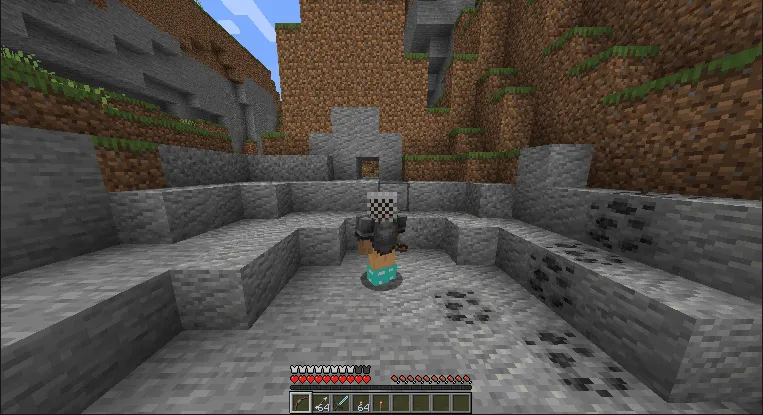
Screenshots
How to Install Crawl Mod
- Install your preferred mod loader: Fabric, Forge, NeoForge, or Quilt. Make sure you select the version matching your Minecraft installation.
- Download the correct Crawl mod file for your Minecraft version and mod loader from the download section below.
- Open your Minecraft installation folder — press Win + R, type
%appdata%.minecraft, and hit Enter. Navigate to themodsfolder. If it does not exist, create it. - Drop the downloaded
.jarfile into themodsfolder and launch Minecraft with your mod loader profile. - Once in-game, open Options → Controls → Key Binds and search for "Crawl." Assign your preferred key — the mod ships with the crawl key unbound by default, so you must set it manually before using it.
Requirements & Compatibility
| Requirement | Details |
|---|---|
| Mod Loaders | Fabric, Forge, NeoForge, Quilt |
| Minecraft Versions | 1.21.11, 1.21.10, 1.21.8, 1.21.7, 1.21.6, 1.21.5, 1.21.4, 1.21.3, 1.21.1, 1.21, 1.20.2, 1.20.1, 1.19.3, 1.19.2, 1.18.2 |
| License | WTFPL (Do What The F*** You Want To Public License) |
| Author | fewizz |
| Source Code | GitHub |
What's New
- Updated to support Minecraft 1.21.11, ensuring compatibility with the latest game release.
- Forge support expanded — recent versions now include Forge builds alongside Fabric and NeoForge for 1.21.6 and newer.
- Continued multi-loader support across Fabric, NeoForge, and Forge for a broad range of 1.21.x versions.
- Maintained backward compatibility with older versions including 1.20.x, 1.19.x, and 1.18.2.
Pros and Cons
Pros
- Extremely simple to use — one keybind, no configuration needed beyond that
- Works across all four major mod loaders (Fabric, Forge, NeoForge, Quilt)
- Supports 15 Minecraft versions spanning from 1.18.2 to 1.21.11
- Over 5.5 million downloads — well-tested by a massive community
- Uses vanilla crawling animation for maximum visual compatibility
- Open source under WTFPL license — fully transparent and community-auditable
Cons
- Crawl key is unbound by default — new users must manually assign it in settings
- Limited feature scope — only adds crawling, no other movement options like sliding or prone
- Some older Minecraft versions only support Fabric (e.g., 1.21.3 lacks Forge/NeoForge builds)
- No built-in configuration file for advanced tweaks like crawl speed adjustment
Alternatives to Crawl Mod
- Not Enough Animations — Adds a variety of missing first-person and third-person animations to Minecraft, including crawling visuals, eating, climbing, and map-holding animations for a more polished look.
- Better Animations Collection — Overhauls multiple entity and player animations in Minecraft. A good choice if you want broader animation improvements beyond just crawling.
- Elytra Slot — While focused on Elytra equipment, this mod complements Crawl by expanding movement options. Pair it with Crawl for a full movement-enhanced experience that covers both ground and air traversal.
Download Crawl Mod
| Minecraft Version | Fabric | Forge | NeoForge | Quilt |
|---|---|---|---|---|
| For Minecraft 1.21.11 | Download | Download | Download | — |
| For Minecraft 1.21.10 | Download | Download | Download | — |
| For Minecraft 1.21.8 | Download | Download | Download | — |
| For Minecraft 1.21.7 | Download | Download | Download | — |
| For Minecraft 1.21.6 | Download | Download | Download | — |
| For Minecraft 1.21.5 | Download | — | Download | — |
| For Minecraft 1.21.4 | Download | — | Download | — |
| For Minecraft 1.21.3 | Download | — | — | — |
| For Minecraft 1.21.1 | Download | Download | Download | — |
| For Minecraft 1.21 | Download | — | — | — |
| For Minecraft 1.20.2 | Download | — | — | Download |
| For Minecraft 1.20.1 | Download | — | — | Download |
Always download mods from official sources to stay safe.
Frequently Asked Questions
Is the Crawl mod compatible with Fabric and Forge at the same time?
No — you need to download the specific version built for your mod loader. Crawl offers separate builds for Fabric, Forge, and NeoForge. Check the download table above to grab the correct file for your setup. The mod also supports Quilt, which can load most Fabric mods natively.
Why is the crawl key not working after installation?
The crawl key is unbound by default — you must assign it manually. Go to Options → Controls → Key Binds in your Minecraft settings and search for the Crawl entry. Assign any available key, save your settings, and the mod will work immediately.
Does the Crawl mod work in multiplayer servers?
Yes — the Crawl mod works in multiplayer as long as the server allows client-side mods. Since it uses the vanilla crawling animation that already exists in Minecraft, most servers will display the crawl pose correctly to other players. However, some anti-cheat plugins may flag unexpected movement behavior, so check with your server administrator.
Can I use the Crawl mod alongside other movement mods?
Yes — Crawl is designed to be lightweight and non-intrusive, so it generally works well alongside other mods. It does not override core movement mechanics, which means mods like parkour enhancements, Elytra tweaks, or animation overhauls should remain compatible. With over 5.5 million downloads, it has been tested in countless modpack combinations.
Does the Crawl mod affect game performance?
No noticeable performance impact has been widely reported. The mod appears to be lightweight since it simply triggers a built-in vanilla animation state rather than adding new rendering or physics calculations. It is a single-purpose mod with minimal code overhead, making it safe to include even in large modpacks where performance headroom is limited.


![[Let's Do] Meadow Mod (1.21.1) - thumbnail](http://mcinside.com/wp-content/uploads/2026/04/thumbnail-64-52x52.webp)


![Not Enough Recipe Book [NERB] Mod (1.21.11) - thumbnail](http://mcinside.com/wp-content/uploads/2026/04/thumbnail-63-52x52.webp)


