
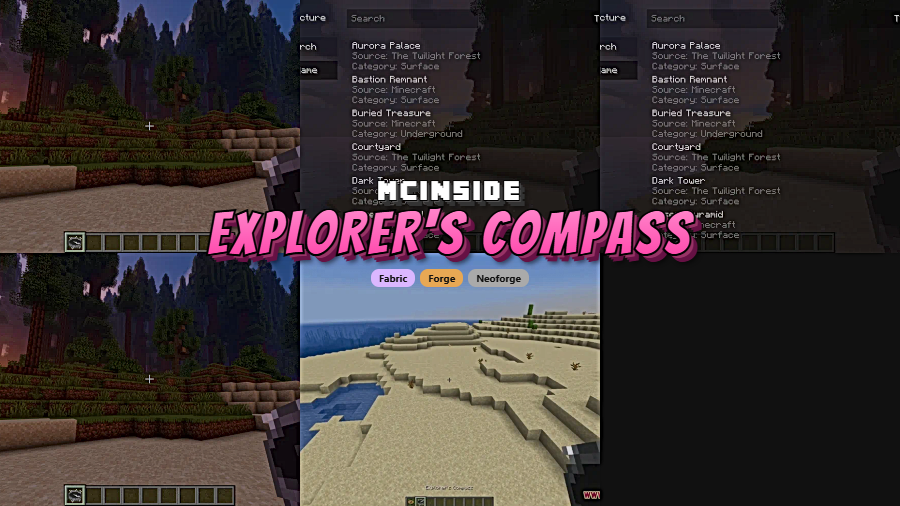
Explorer's Compass is a utility mod that adds a craftable compass item to locate any structure in your Minecraft world, supporting Fabric, Forge, and NeoForge mod loaders across versions 1.18.2 through 26.1.
Finding structures in vanilla Minecraft is one of the most tedious parts of the game. Eyes of Ender only work for Strongholds, and everything else — from Ocean Monuments to Trail Ruins — requires blind exploration or relying on third-party seed maps that break immersion. Explorer's Compass solves this by giving you an in-game craftable item that can search for any registered structure, including those added by other mods. With over 7.8 million downloads on Modrinth and consistent updates since 2023, it has become an essential quality-of-life tool for survival players, modpack creators, and anyone who values their time over aimless wandering. The mod was created by Chaosyr, who also maintains the companion mod Nature's Compass for biome searching.
Key Features of Explorer's Compass
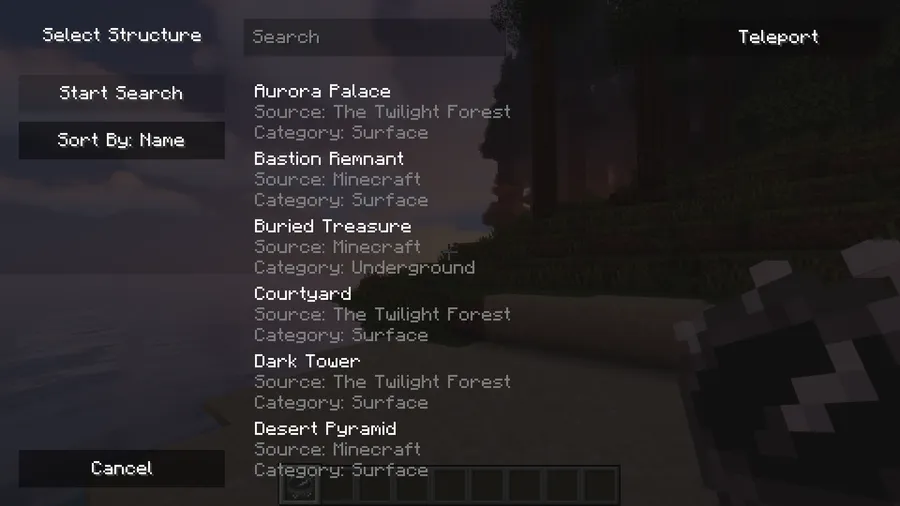
- Structure Search GUI — Right-clicking with the Explorer's Compass opens a clean graphical interface where you can browse and select any structure to search for. This means you don't need to memorize command syntax or IDs — just scroll through the list, pick your target, and the compass does the rest. You can even search for groups of structures at once.
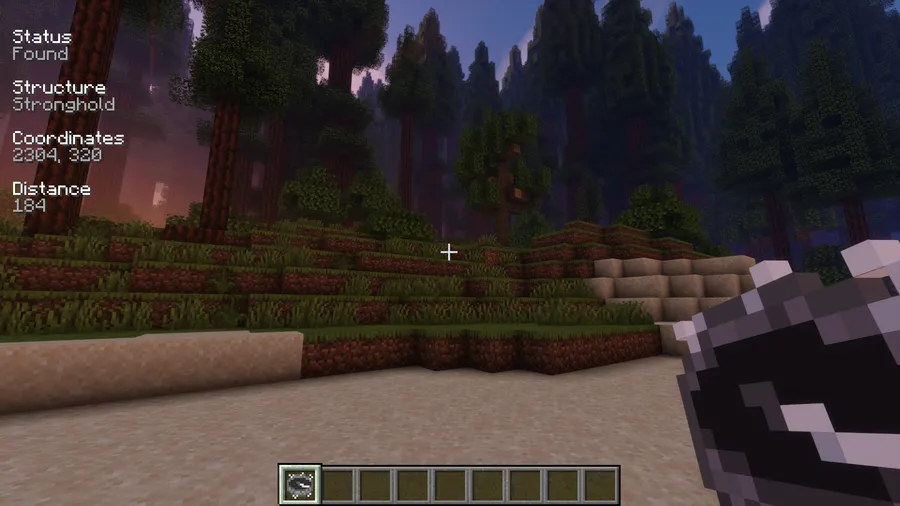
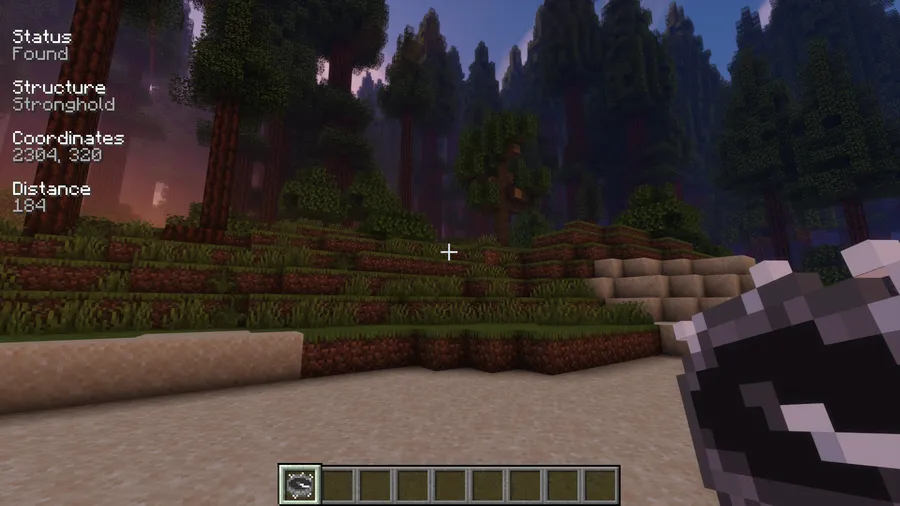
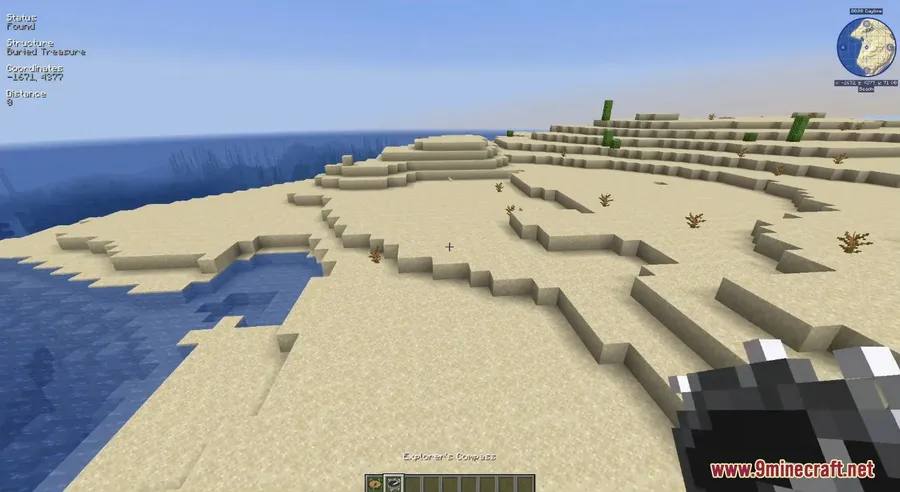
- Real-Time HUD Information — Once a structure is found, the compass displays detailed search results directly on your screen, including distance and direction. This heads-up display lets you keep moving without constantly opening menus, making navigation feel natural and unobtrusive during gameplay.
- Full Modded Structure Support — Explorer's Compass automatically detects all registered structures, both vanilla and from other mods. If you're running a heavy modpack with dozens of mods adding new structures, the compass picks them all up without any extra configuration. This makes it invaluable for large modpacks where finding specific structures would otherwise be nearly impossible.
- Configurable Search Parameters — Through the config file, you can adjust the maximum search radius and blacklist specific structures from appearing in the compass GUI. Server admins can use this to prevent players from easily locating certain structures, while players can declutter the search list by hiding structures they don't care about.
- World Spawn Fallback — When the compass isn't actively tracking a structure, it defaults to pointing toward the world spawn point. This doubles its usefulness as a general navigation tool, ensuring the item slot is never wasted even when you're not hunting for structures.
- Simple Reset Mechanic — Shift-right-clicking instantly resets the compass to its default state. No menus, no extra steps — just a quick action to clear the current search and start fresh. This keeps the workflow fast when you're hopping between multiple structure searches.
- Optional Durability System — A recent update added an optional config setting that gives the compass limited durability, along with a repair recipe. This is ideal for servers or modpacks that want to add a resource cost to structure-finding rather than making it unlimited.
Screenshots

How to Install Explorer's Compass
- Install a compatible mod loader for your Minecraft version: Fabric, Forge, or NeoForge. Fabric users will also need Fabric API.
- Download the Explorer's Compass file that matches your Minecraft version and mod loader from the download section below.
- Open your Minecraft installation folder. On Windows, press
Win + R, type%appdata%.minecraft, and press Enter. - Drop the downloaded
.jarfile into themodsfolder. If the folder doesn't exist, create it. - Launch Minecraft using the correct mod loader profile. Craft the Explorer's Compass using the recipe (4 logs, 1 compass, 1 map, and 3 additional materials) and right-click to start searching for structures.
Requirements & Compatibility
| Detail | Info |
|---|---|
| Mod Loaders | Fabric, Forge, NeoForge |
| Minecraft Versions | 1.18.2 – 26.1 |
| Latest Update | March 25, 2026 |
| Author | Chaosyr |
| License | CC-BY-NC-SA-4.0 |
| Client/Server | Client-side (works in singleplayer and on servers) |
| Companion Mod | Nature's Compass (biome locating) |
What's New
- Updated to NeoForge 26.1 with full compatibility for the latest Minecraft version.
- Added an optional durability config for the compass, plus a crafting recipe to repair a broken compass.
- Fixed compass HUD information not rendering when certain debug display elements were set to always-on.
- Fixed structures tagged with
c:hidden_from_locator_selectionnot being properly hidden from the search list. - Added Ukrainian and Turkish translations, expanding language support for international players.
Pros and Cons
Pros
- Saves enormous amounts of time searching for rare structures like Woodland Mansions or End Cities
- Clean GUI makes it accessible even for players unfamiliar with commands
- Automatically supports modded structures without extra setup
- Available on all three major mod loaders (Fabric, Forge, NeoForge)
- Actively maintained with frequent updates across many Minecraft versions
- Configurable search radius and structure blacklist for server admins
Cons
- May reduce the exploration challenge for players who enjoy discovering structures naturally
- Large search radius settings can cause brief lag spikes on lower-end systems
- No built-in waypoint or marker system — you still need to navigate manually after finding a structure
- Does not locate biomes (requires the separate Nature's Compass mod for that)
Alternatives to Explorer's Compass
- Nature's Compass — A companion mod by the same author that does for biomes what Explorer's Compass does for structures. Pair both together for complete world navigation coverage.
- Xaero's Minimap — Adds a minimap with waypoint support, which complements Explorer's Compass by letting you mark and track structure locations after finding them.
- JourneyMap — A full-featured mapping mod with real-time world mapping, waypoints, and teleportation options for players who want comprehensive navigation tools beyond structure finding.
Download Explorer's Compass
| Minecraft Version | Fabric | Forge | NeoForge |
|---|---|---|---|
| For Minecraft 26.1 | Download | — | Download |
| For Minecraft 1.21.11 | Download | — | Download |
| For Minecraft 1.21.10 | Download | — | Download |
| For Minecraft 1.21.8 | Download | — | Download |
| For Minecraft 1.21.7 | Download | — | Download |
| For Minecraft 1.21.6 | Download | — | Download |
| For Minecraft 1.21.5 | Download | Download | Download |
| For Minecraft 1.21.4 | Download | Download | Download |
| For Minecraft 1.21.3 | Download | Download | Download |
| For Minecraft 1.21.1 | Download | Download | Download |
| For Minecraft 1.21 | Download | Download | Download |
| For Minecraft 1.20.6 | Download | Download | Download |
Always download mods from official sources to stay safe.
Frequently Asked Questions
Does Explorer's Compass work on multiplayer servers?
Yes — Explorer's Compass works on multiplayer servers as long as both the server and client have the mod installed. Server admins can also configure the mod to blacklist certain structures or limit the search radius to balance gameplay for all players.
Can Explorer's Compass find structures added by other mods?
Yes, it automatically detects all registered structures in the game, including those added by other mods. You don't need any extra configuration — if a mod properly registers its structures with the game, they will appear in the Explorer's Compass search GUI.
Is Explorer's Compass available for Fabric?
Yes — Explorer's Compass supports Fabric across all its supported Minecraft versions from 1.18.2 to 26.1. You will need Fabric Loader and Fabric API installed. The mod also supports Forge and NeoForge, so you can use whichever loader you prefer.
Does Explorer's Compass affect game performance?
The mod appears to be lightweight during normal use and should not noticeably impact performance for most players. However, setting a very large maximum search radius in the config file may cause brief lag when initiating searches, especially on older hardware or heavily modded worlds with many registered structures.
Can I use Explorer's Compass in modpacks?
Yes — the mod author explicitly allows modpack inclusion. Explorer's Compass is licensed under CC-BY-NC-SA-4.0, which permits redistribution in modpacks as long as proper credit is given and the pack is not sold commercially.


![[Let's Do] Candlelight - Farm&Charm compat Mod (1.21.1) - thumbnail](http://mcinside.com/wp-content/uploads/2026/04/thumbnail-81-52x52.webp)


![[Let's Do] Meadow Mod (1.21.1) - thumbnail](http://mcinside.com/wp-content/uploads/2026/04/thumbnail-64-52x52.webp)


![Not Enough Recipe Book [NERB] Mod (1.21.11) - thumbnail](http://mcinside.com/wp-content/uploads/2026/04/thumbnail-63-52x52.webp)