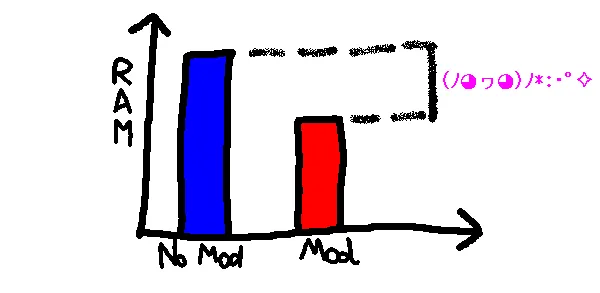
FoamFix is an optimization mod that improves memory usage and targets a few server-side efficiency issues for modded Minecraft on Fabric and Forge. It is built for modded setups rather than vanilla play and focuses on simple, targeted changes instead of broad gameplay edits.
One of the biggest problems with modded Minecraft is that a pack can become harder to load and manage as more content is added, even before you get into actual world performance. FoamFix is built to address that kind of overhead with focused optimizations, and that is exactly why it still gets attention from modded players. With more than 1 million downloads on Modrinth, it has clear social proof behind it, and the appeal is easy to understand: if you want your modded game to feel less bloated without replacing the whole experience, this is the type of utility mod people install first.
Key Features of FoamFix
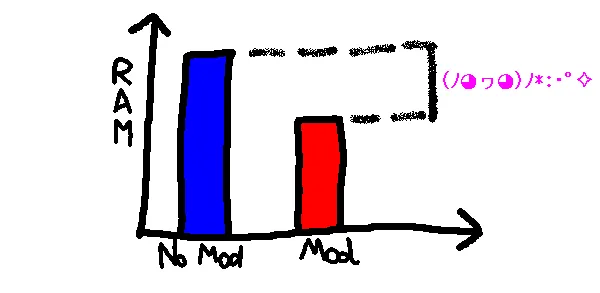
- Memory usage optimization — FoamFix was originally created to improve memory usage in modded Minecraft, and that remains its main selling point. For players using heavy packs, that matters because memory pressure often shows up before any other issue, whether that means longer startup times, a more sluggish client, or a game that feels harder to keep stable.
- Targeted approach instead of broad changes — Rather than acting like a full gameplay overhaul, FoamFix focuses on specific optimization points. That makes it attractive if you want the benefits of a utility mod while keeping the rest of your pack as close as possible to its intended design.
- Better fit for large modpacks — The mod description points directly at heavy modpacks as a place where FoamFix can make the most noticeable difference. If your pack is already packed with content, an optimization mod like this can be easier to justify because even small savings can improve the overall feel of the game session.
- Server-side TPS-focused improvements — FoamFix also targets TPS usage, especially on larger servers. That matters more to multiplayer operators than solo players, because server-side issues can build up quietly and affect the experience for everyone connected to the world.
- Ghost chunk-loading and network-related improvements — The author specifically mentions ghost chunk-loading and network improvements as part of the server-focused side of FoamFix. These are the kinds of background problems that may not be flashy, but they can matter a lot when you are trying to keep a larger multiplayer environment running smoothly.
- Flexible configuration through foamfix.cfg — FoamFix includes additional smaller optimizations, and the full list lives in its config file. That is useful for experienced modded players because it gives you a clearer idea of what the mod is doing and lets you review its behavior instead of treating it like a black box.
Screenshots
How to Install FoamFix
- Check your Minecraft version first, then match it to the correct FoamFix build listed for 1.14, 1.12.2, 1.11.2, 1.11, 1.10.2, 1.8.9, or 1.7.10.
- Install the correct mod loader for your version: use Fabric Mod Loader for Minecraft 1.14, or use Minecraft Forge for the supported Forge releases.
- Download the FoamFix file that matches both your Minecraft version and your loader.
- Place the mod file into your Minecraft
modsfolder, then start the game once so the config files can generate properly. - Open the generated
foamfix.cfgfile if you want to review its smaller optimization options before settling into your final setup.
Requirements & Compatibility
| Minecraft Version | Loader | Category | Notes |
|---|---|---|---|
| 1.14 | Fabric Mod Loader | Optimization | Fabric release listed in the provided download data. |
| 1.12.2 | Minecraft Forge | Optimization | Forge release listed in the provided download data. |
| 1.11.2 | Minecraft Forge | Optimization | Forge release listed in the provided download data. |
| 1.11 | Minecraft Forge | Optimization | Forge release listed in the provided download data. |
| 1.10.2 | Minecraft Forge | Optimization | Forge release listed in the provided download data. |
| 1.8.9 | Minecraft Forge | Optimization | Forge release listed in the provided download data. |
| 1.7.10 | Minecraft Forge | Optimization | The author notes this branch shares some functionality with later versions. |
What's New
- The latest listed update is dated 2023-11-10.
- The changelog note says a missing
mcmod.infofile was added. - This appears to be a maintenance-style update rather than a major feature expansion.
- The source for the project is publicly listed on GitHub, which is useful if you want to track development context.
Pros and Cons
Pros
- Clear focus on memory usage, which is often a pain point in modded Minecraft.
- Supports both Fabric and Forge across several older Minecraft versions.
- Includes server-oriented optimizations in addition to client-side memory goals.
- Does not change gameplay, making it easy to add to an existing pack.
- Offers extra tuning through the
foamfix.cfgfile.
Cons
- The main benefits are aimed at modded environments, not vanilla Minecraft.
- Some server-related improvements are less meaningful for single-player users.
- Compatibility depends on choosing the exact right loader and version pairing.
- If a bug appears only with FoamFix installed, troubleshooting may take extra testing.
Alternatives to FoamFix
- Optimization Mods — A broader way to compare other utility mods if you want to tune a modded Minecraft setup around performance goals.
- Fabric Mod Loader — Useful if you are building a lighter 1.14 modded environment around the Fabric version of FoamFix.
- Minecraft Forge — Helpful if your pack is based on the Forge releases supported by FoamFix across older Minecraft versions.
Download FoamFix
| Minecraft Version | Fabric | Forge |
|---|---|---|
| For Minecraft 1.14 | Download | — |
| For Minecraft 1.12.2 | — | Download |
| For Minecraft 1.11.2 | — | Download |
| For Minecraft 1.11 | — | Download |
| For Minecraft 1.10.2 | — | Download |
| For Minecraft 1.8.9 | — | Download |
| For Minecraft 1.7.10 | — | Download |
Always download mods from official sources to stay safe.
Frequently Asked Questions
What does FoamFix do in Minecraft?
FoamFix improves memory usage and adds a handful of targeted optimizations for modded Minecraft. Its main purpose is to make a modded setup feel more efficient, with extra attention given to memory use and some larger-server concerns.
Should I install FoamFix for a big modpack?
Yes — FoamFix appears to be especially relevant for larger modpacks. The author description highlights memory usage as the core reason the mod exists, which makes it an easy candidate if your pack feels heavy before you even start playing.
Does FoamFix work on both client and server?
Yes — the provided FAQ says it can be run on the server side or client side even if it is not present on the other side. That makes it easier to test in different setups without forcing a perfectly mirrored install in every case.
Can the client and server use different FoamFix versions?
Yes — the original FAQ says mixed versions between client and server are allowed. Even so, it is still a good idea to stay organized with your files and confirm you picked the correct build for your Minecraft version and loader.
Is FoamFix meant for vanilla Minecraft?
No — the provided description says almost all of FoamFix is focused on optimizations specific to modded environments. If you are playing vanilla only, the mod is not presented as a must-have solution in the same way it is for modded packs.
What should I do if Minecraft has issues after installing FoamFix?
Update first — the FAQ advises making sure you are on the latest version before reporting problems. It also recommends reproducing the issue without FoamFix, because if the same bug appears without it, the cause is probably somewhere else in the mod setup.