

TslatEntityStatus Mod is a utility and game-mechanics mod that shows entity health and combat status details in HUD and in-world overlays for Minecraft on Fabric, Forge, and NeoForge. It is built to make combat feedback clearer with configurable status elements and damage/healing visuals.
Minecraft combat can feel vague when you cannot quickly read enemy state, armour, effects, or damage flow during fast fights. TslatEntityStatus solves that by surfacing practical information exactly where you need it, either in a HUD panel or directly above entities in the world. With more than 5.6 million downloads and ongoing updates, it has strong social proof and a mature feature set for players who want better combat readability.
Key Features of TslatEntityStatus Mod
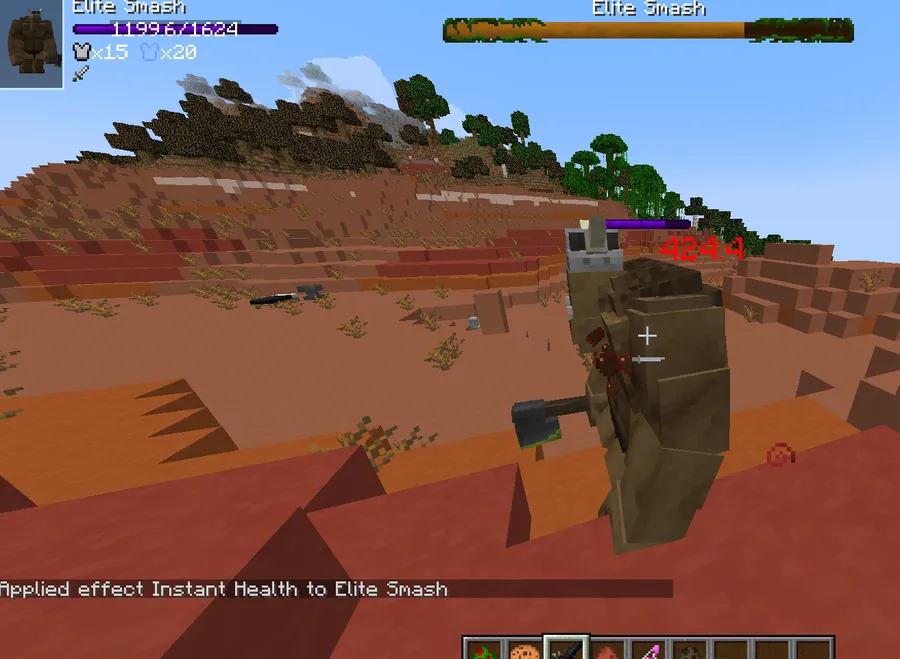
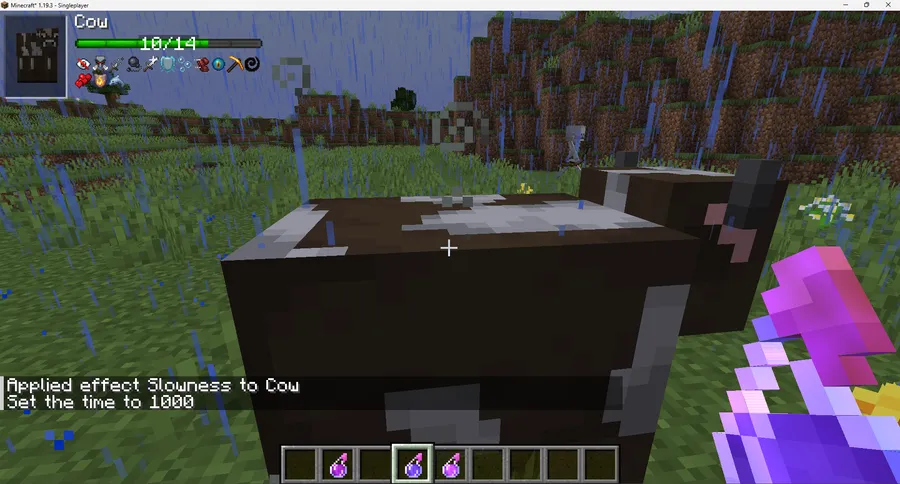
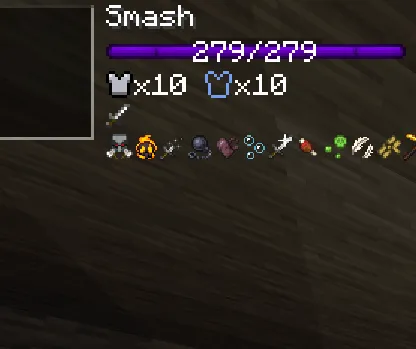
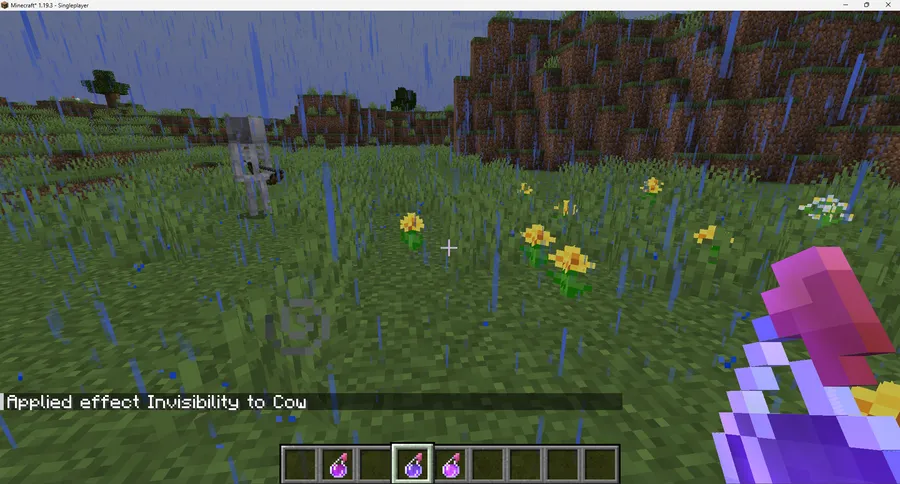
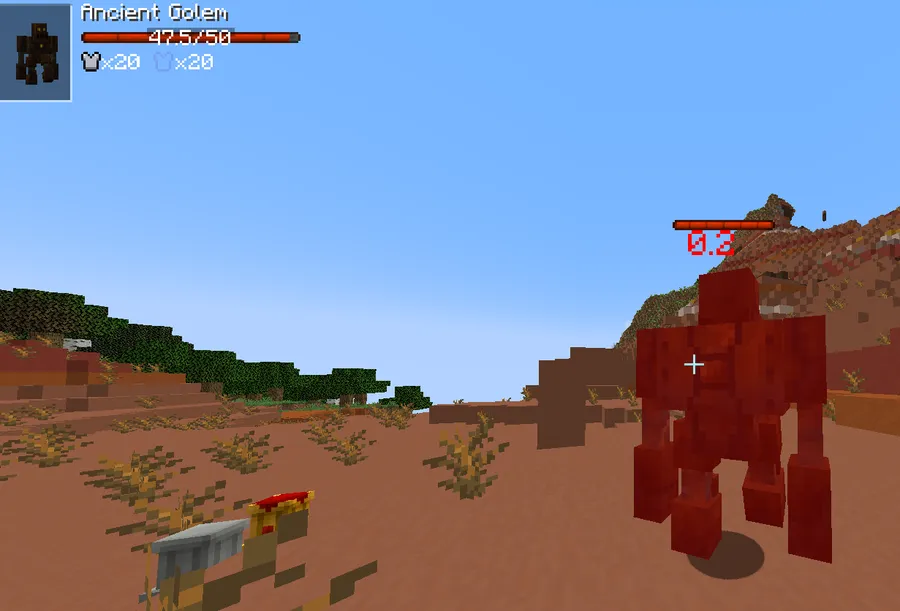
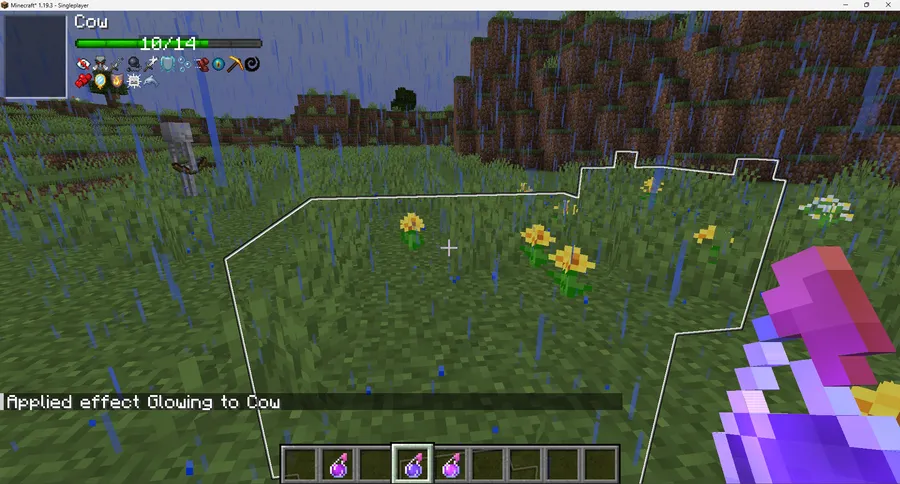
- HUD-style entity status interface — This gives you a consistent status panel during combat, so you do not have to guess how close a target is to defeat. It matters in longer fights where quick decisions depend on health and defensive state. You can also decide when the HUD should appear, which helps keep your screen clean outside combat.
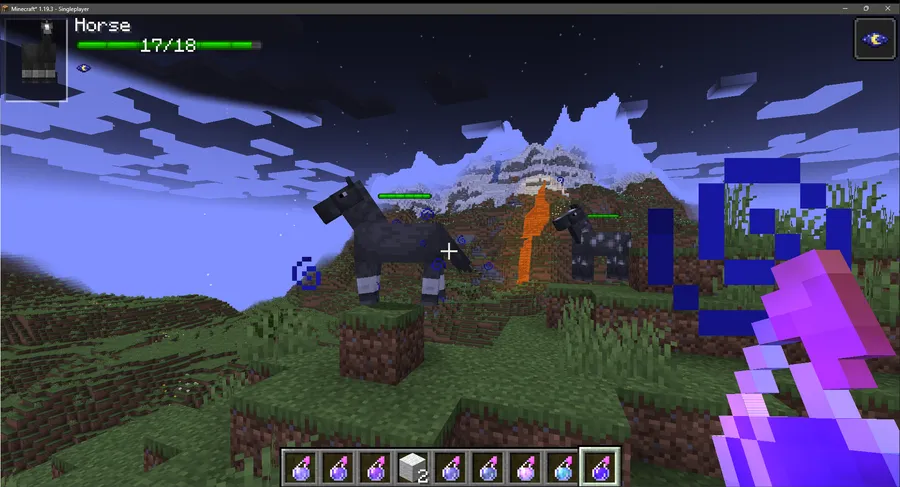
- In-world overhead entity status interface — Seeing status information above mobs and other entities keeps your eyes on the action instead of bouncing to a corner UI. This is especially useful in crowded encounters where target priority changes quickly. It also makes team play easier because everyone can read the same fight context at a glance.
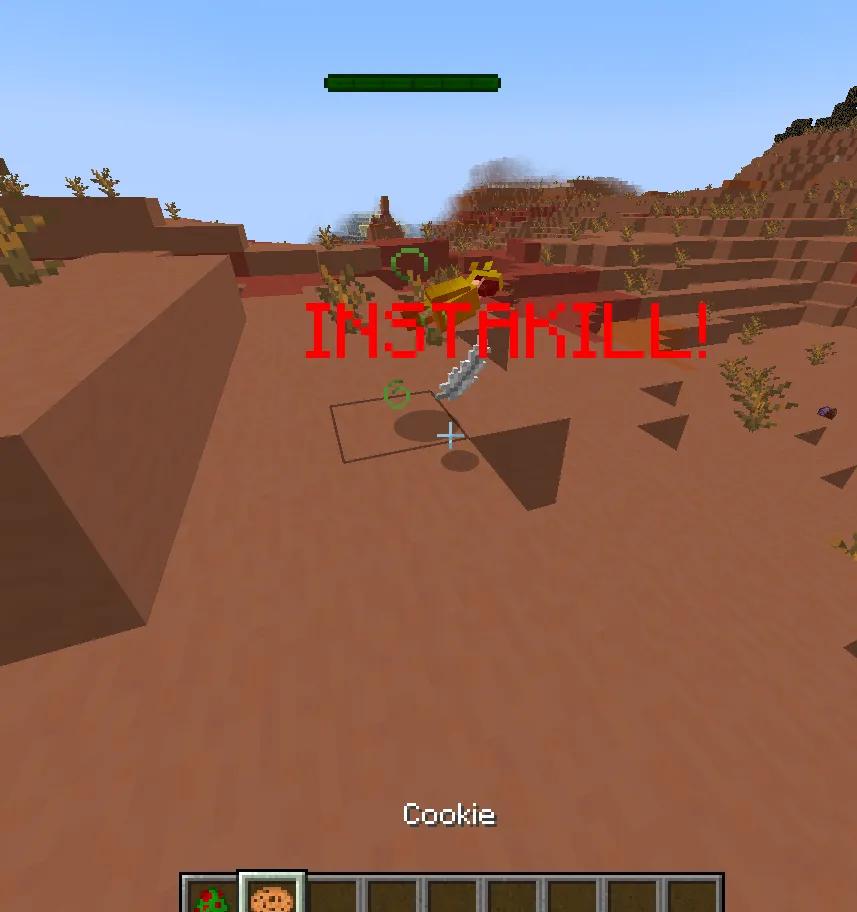
- Damage and healing pop-off particles — Combat feels more readable when each hit and heal has immediate visual feedback in the world. The particle pop-offs make damage timing and burst windows much easier to track. Team-colour particle support on 1.20+ adds an extra layer of clarity in mixed-group scenarios.
- Multi-facet status elements (name, health, armour, toughness, alignments, effects) — You get a broader view of an entity's state, not just a health number. Armour, toughness, and alignments like fire immunity or ranged/melee tendencies can influence your weapon and positioning choices. Potion effect icons add context that is easy to miss in hectic fights.
- Per-element and per-feature toggles — You can disable anything you do not want, rather than accepting an all-or-nothing overlay. This matters because players value different data: some only want health bars, others want full combat telemetry. Fine-grained toggles let you build a UI that matches your playstyle.
- Performance-oriented automation controls — The mod includes configurable automation options so you can tune update behavior to your preference. That flexibility is useful on different hardware and pack sizes, where one preset never fits all. In practical use, it appears to be lightweight when configured sensibly for your setup.
Screenshots
How to Install TslatEntityStatus Mod
- Choose your loader and install it first: Fabric Mod Loader, Minecraft Forge, or NeoForge.
- Download the TslatEntityStatus file that matches your exact Minecraft version (for example, 1.21.11, 1.21.10, or 1.20.1).
- Check dependencies before launch: for Fabric on 1.16.5–1.21.1, install MidnightLib; for Fabric/Forge on 1.21.3+, install Forge Config API Port.
- Place the mod and required dependency files into your Minecraft
modsfolder. - Start the game once, then open config options and choose which HUD elements, particles, and display conditions you want enabled.
Requirements & Compatibility
| Item | Details |
|---|---|
| Mod Type | Minecraft Mod (Utility, Mobs, Game Mechanics) |
| Author | Tslat |
| Loaders | Fabric, Forge, NeoForge |
| Supported Minecraft Versions | 1.21.11, 1.21.10, 1.21.8, 1.21.7, 1.21.6, 1.21.5, 1.21.4, 1.21.3, 1.21.1, 1.21, 1.20.6, 1.20.5, 1.20.4, 1.20.2, 1.20.1 |
| Dependencies | Fabric 1.16.5–1.21.1: MidnightLib; Fabric/Forge 1.21.3+: Forge Config API Port |
| Client/Server Notes | Mostly client-side; potion effect icons require server-side mod presence with potion icon config enabled |
| License | MPL-2.0 |
What's New
- The latest listed project update is dated 2025-12-16, showing active maintenance beyond the original 2023 release.
- Current release listings include Minecraft 1.21.11 support with Fabric and NeoForge builds.
- Version entries from 1.21.10 through 1.21.3 list multi-loader availability across Fabric, Forge, and NeoForge.
- The public source repository and commit history remain available, making ongoing changes transparent for players and pack creators.
Pros and Cons
Pros
- Clear combat feedback through both HUD and in-world displays.
- Deep configuration with per-element and per-feature toggles.
- Broad modern version coverage from 1.20.1 to 1.21.11.
- Supports Fabric, Forge, and NeoForge.
- Large user adoption and active update history.
Cons
- Initial setup can take time if you want a highly customized layout.
- Dependency requirements vary by version and loader, so installation needs careful matching.
- Potion effect icons are not fully client-only and depend on server setup.
Alternatives to TslatEntityStatus Mod
- Jade — A tooltip-focused utility option if you want contextual information when looking at blocks and entities.
- Neat — A simpler health bar style approach for players who prefer minimal combat overlays.
- Damage Indicators Mod — A classic combat-readability choice centered on visible health and hit feedback.
Download TslatEntityStatus Mod
| Minecraft Version | Fabric | Forge | NeoForge |
|---|---|---|---|
| For Minecraft 1.21.11 | Download | — | Download |
| For Minecraft 1.21.10 | Download | Download | Download |
| For Minecraft 1.21.8 | Download | Download | Download |
| For Minecraft 1.21.7 | Download | Download | Download |
| For Minecraft 1.21.6 | Download | Download | Download |
| For Minecraft 1.21.5 | Download | Download | Download |
| For Minecraft 1.21.4 | Download | Download | Download |
| For Minecraft 1.21.3 | Download | Download | Download |
| For Minecraft 1.21.1 | Download | Download | Download |
| For Minecraft 1.21 | Download | Download | Download |
| For Minecraft 1.20.6 | Download | Download | Download |
| For Minecraft 1.20.5 | Download | — | Download |
Always download mods from official sources to stay safe.
Frequently Asked Questions
Is TslatEntityStatus a client-side mod?
Mostly yes. The mod is almost entirely client-side, so most of its HUD and combat status features work from the client installation. One notable exception is potion effect icons, which need server-side support and configuration.
Do I need the same loader and exact Minecraft version match?
Yes. You should always match the mod file to both your loader (Fabric/Forge/NeoForge) and your exact Minecraft version to avoid load errors. The listed version range currently runs from 1.20.1 to 1.21.11.
Can I disable individual parts of the interface?
Yes. The mod supports toggling individual elements and features on or off, so you can keep only the information you want. That includes display behavior and automation settings for a cleaner experience.
Is this mod configurable for performance-sensitive setups?
Yes. It includes automation controls you can adjust to balance behavior with your preferences. In real-world use, it appears to be lightweight when those options are tuned appropriately for your hardware and modpack.
Does the project have active development visibility?
Yes. The source code and commit history are publicly available on GitHub, and the listed update date is 2025-12-16. That makes it easier to track maintenance and version progress over time.


![Not Enough Recipe Book [NERB] Mod (1.21.11) - thumbnail](http://mcinside.com/wp-content/uploads/2026/04/thumbnail-63-52x52.webp)


