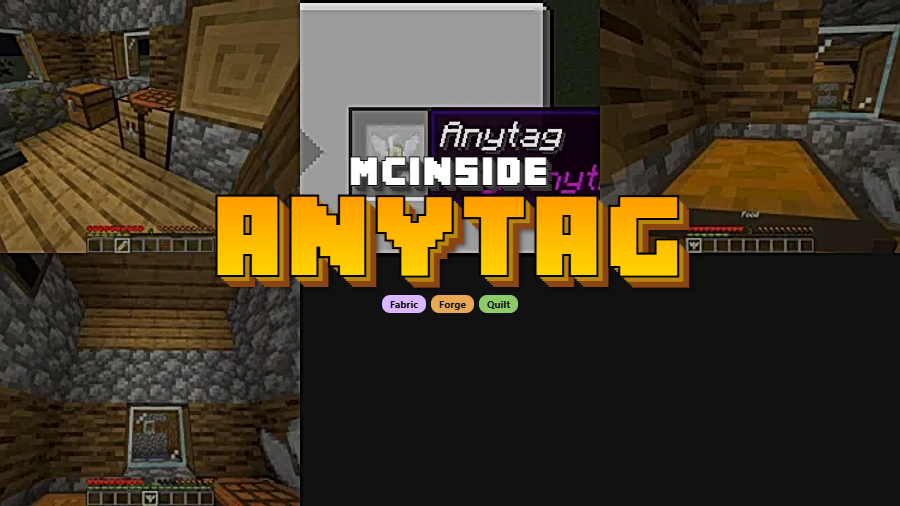
Anytag Mod is a datapack-style utility and decoration mod that lets you place floating text labels on blocks in Minecraft for Fabric, Forge, and Quilt. It turns a renamed Anytag item into in-world text you can place, remove, and reuse with simple clicks.
Minecraft already gives you signs, but signs always occupy space, lock you into a surface, and can look clunky in polished builds. Anytag solves that by letting you place floating text exactly where you need it, which makes it useful for museums, spawn hubs, minigames, organized storage, and decorative builds that need clear guidance without extra block clutter. That focused idea has clearly connected with players, with 1,727,233 downloads listed on Modrinth. If your world needs labels that look cleaner and feel more flexible than another wall sign, this mod fills that gap well.
Key Features of Anytag Mod
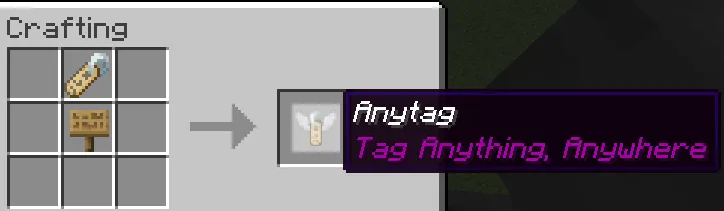
- Craftable Anytag item — The core mechanic starts with a craftable item made from a name tag and any sign. That matters because it keeps the feature grounded in normal survival-style progression instead of hiding it behind commands, so labeling a base or public area feels intentional and accessible.
- Custom text through item renaming — You can rename the Anytag item before placing it, and that custom name becomes the floating text in the world. This is the reason the system feels so usable in practice: you are not locked into preset phrases, which makes it easy to create room names, directions, warnings, shop labels, or exhibit titles that match your build.
- Point-and-place floating labels — Right-clicking a block with the item places text where you are aiming and consumes the item at the same time. For players, that means placement feels direct and visual, so you can fine-tune signs for paths, displays, and interiors without redesigning the surrounding structure just to fit a sign block.
- Two removal options with different item returns — Right-clicking the middle of placed text removes it and drops the used Anytag item, while left-clicking removes it and drops the name tag instead. This small detail gives you practical control, because you can either move an existing label quickly or recover the core name tag if you want to make something new.
- Useful hitbox visibility — The author specifically points out that pressing
F3 + Bhelps you see the hitbox of the floating text. That is more helpful than it sounds, especially when you are adjusting labels in a detailed build, because it makes interaction points clearer and reduces guesswork while editing. - Wide version and loader coverage — Anytag is listed for Minecraft 1.21, several 1.20.x versions, and 1.19.4, with Fabric, Forge, and Quilt support. That broad compatibility matters for modded players and server groups, since it lowers the friction of fitting the mod into different setups instead of tying you to one loader or one narrow game version.
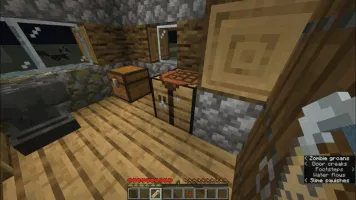
Screenshots
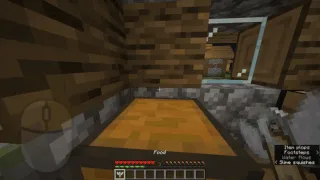
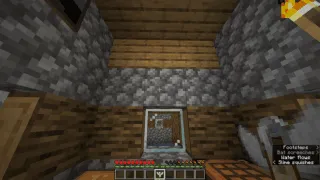
How to Install Anytag Mod
- Choose a supported Minecraft version such as 1.21, 1.20.6, 1.20.1, or 1.19.4, then install one compatible loader: Fabric Mod Loader, Minecraft Forge, or Quilt Loader.
- Download the Anytag file that matches both your Minecraft version and your loader from the download table below. Matching the exact version is the important part, especially if your current modpack is already locked to a specific release.
- Add the file to the installation used by your chosen loader, then launch Minecraft on that same profile. If you keep separate profiles for Fabric, Forge, and Quilt, make sure you start the one that matches the file you downloaded.
- Open your world and craft an Anytag item using a name tag and any type of sign, following the recipe shown by the author. Rename the item to the text you want players to see before you place it.
- Right-click a block to place the floating text, then edit or recover it later with the two click options if you want to move it or reuse the name tag. This makes it easy to refine labels after you see them inside the actual build.
Requirements & Compatibility
| Item | Details |
|---|---|
| Type | Datapack-style utility and decoration mod |
| Author | Blatko1 |
| Category | Minecraft Mods |
| Supported Minecraft Versions | 1.21, 1.20.6, 1.20.5, 1.20.4, 1.20.3, 1.20.2, 1.20.1, 1.20, 1.19.4 |
| Loaders | Fabric, Forge, Quilt |
| Requires | Fabric Mod Loader, Minecraft Forge, Quilt Loader |
| Tags | datapack, decoration, social, utility |
| License | MIT |
| Published | 2024-05-21 |
| Updated | 2024-06-14 |
What's New
- The latest listed update is dated 2024-06-14.
- Floating text placement was adjusted to sit a bit higher than before.
- The goal of that change was to help hovering text avoid looking grey.
Pros and Cons
Pros
- Simple concept that immediately improves readability in builds and shared spaces.
- Custom text workflow is flexible because the placed label uses the renamed item.
- Removal options are practical, letting you either reuse the Anytag or recover the name tag.
- Broad support across Fabric, Forge, Quilt, and multiple recent Minecraft versions.
Cons
- The feature set is intentionally narrow, so it is best for labeling rather than broader building utilities.
- You need to craft and rename items before placement, which adds a small setup step for every label.
- Players may need the hitbox view tip to make editing feel more precise at first.
Alternatives to Anytag Mod
- Signpost — A good pick if you want more traditional directional markers rather than floating text labels.
- Waystones — A useful complement for bases and hubs where labels and fast-travel points need to work together.
- Supplementaries — Worth a look if you want broader decorative utility tools alongside cleaner world labeling.
Download Anytag Mod
| Minecraft Version | Fabric | Forge | Quilt |
|---|---|---|---|
| For Minecraft 1.21 | Download | Download | Download |
| For Minecraft 1.20.6 | Download | Download | Download |
| For Minecraft 1.20.5 | Download | Download | Download |
| For Minecraft 1.20.4 | Download | Download | Download |
| For Minecraft 1.20.3 | Download | Download | Download |
| For Minecraft 1.20.2 | Download | Download | Download |
| For Minecraft 1.20.1 | Download | Download | Download |
| For Minecraft 1.20 | Download | Download | Download |
| For Minecraft 1.19.4 | Download | Download | Download |
Always download mods from official sources to stay safe.
Frequently Asked Questions
What is Anytag Mod used for?
Anytag Mod is used to place floating text labels on blocks and locations in your Minecraft world. In practice, that makes it handy for storage systems, shop counters, museum displays, spawn areas, directions, and any build where readable labels matter more than placing another physical sign.
Is Anytag available for Minecraft 1.21?
Yes — a download is listed for Minecraft 1.21. The compatibility data also includes several 1.20.x versions and 1.19.4, which gives the mod a solid spread across recent releases.
Does Anytag work with Fabric, Forge, and Quilt?
Yes — the listed loaders are Fabric, Forge, and Quilt. That is one of the mod's strongest practical advantages, because it gives you the same core feature across multiple modding setups instead of limiting you to one ecosystem.
How do you create custom floating text with Anytag?
You create custom floating text by renaming the crafted Anytag item before placing it. Once you right-click a block, the floating text uses that custom name, so the naming step is what turns the item into a personalized label for your world.
Can you remove placed text and get the item back?
Yes — right-clicking the middle of the floating text removes it and drops the previously used Anytag item, while left-clicking removes it and drops the name tag instead. That split behavior makes the system more flexible than a one-way placement mechanic, since you can either reuse the same label or recover the tag for a different one.
Is Anytag a large content mod?
No — it appears to be a focused utility rather than a broad content expansion. Based on the listed features and author description, the mod is built around one clear idea: making in-world labels cleaner, easier to place, and easier to manage.
Is Anytag a good fit for multiplayer servers or adventure builds?
Yes — its labeling system appears especially useful in shared spaces where players need fast visual guidance. Shops, event lobbies, quest hubs, museums, and curated build tours all benefit from text that can sit exactly where the builder wants it without adding more block clutter.