ClickThrough Plus Mod is a utility mod that lets you open chests, barrels, shulker boxes, and similar containers by right-clicking the sign or item frame attached to them for Minecraft Fabric, Forge, NeoForge, and Quilt setups. It is designed as a modern port of ClickThrough and works clientside, so it does not need to be installed on the server.
The big problem this mod solves is friction in organized storage builds. Decorative labels look great, but they also get in the way when you actually need to open a container quickly, and that gets annoying fast in survival bases or large sorting rooms. ClickThrough Plus removes that annoyance by making your labels useful instead of obstructive, which helps explain why it has more than 902K downloads. For players who care about smoother inventory management, it feels like one of those small changes that makes a busy base more practical every day.
Key Features of ClickThrough Plus Mod
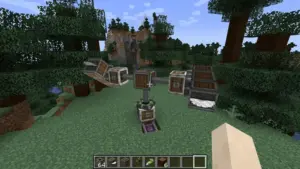
- Open containers through signs and item frames — The core feature is simple but extremely practical: right-clicking a sign or item frame attached to a valid container opens the storage behind it instead. That matters because it lets you keep labels on your builds without sacrificing usability. If you run a chest wall, barrel room, or shulker storage setup, the difference is noticeable immediately.
- Clientside behavior — This mod works on the client and does not need to be installed on the server. That makes it much easier to add to an existing setup, especially if you play on servers where you only control your own mod list. For many players, that lower setup friction is what turns a niche utility into a daily-use mod.
- Sneak-click keeps normal interactions available — You can still rotate items in item frames or edit signs by sneaking and clicking them. That matters because the mod does not remove the original purpose of those blocks; it just changes the default interaction in a smart way. In actual play, this keeps the feature convenient without making signs and frames feel broken.
- Container-focused compatibility logic — By default, the mod only clicks through to valid containers, including modded storage blocks that are properly tagged. This is useful because it keeps behavior predictable instead of making every attached block act the same way. If you use a mixed modpack, that kind of targeted behavior is safer and easier to live with long term.
- Configurable behavior for broader setups — Additional containers can be added through the config, and the
onlyContainersoption can be changed if needed. That gives advanced users more control over how the mod behaves in custom packs or unusual storage builds. It appears to be a thoughtful middle ground between plug-and-play convenience and manual customization. - Modern multi-loader support — ClickThrough Plus is available across Fabric, Forge, NeoForge, and Quilt, with current downloads listed for Fabric and NeoForge. Broad loader support matters because it makes the mod easier to keep across different installations instead of tying your quality-of-life setup to one ecosystem. For players who move between packs, that flexibility is a real advantage.
Screenshots
How to Install ClickThrough Plus Mod
- Install one supported mod loader for your game setup: Fabric Mod Loader, Minecraft Forge, NeoForge, or Quilt Loader.
- Match the ClickThrough Plus file to your Minecraft version, such as 26.1.2 or 1.21.11, and choose the correct loader build where available.
- If you use Fabric, install Fabric API because it is required for Fabric versions of the mod.
- Place the mod file into your Minecraft
modsfolder, then start the game once to confirm it loads correctly. - Join a world and test a labeled chest, barrel, or shulker box by right-clicking the attached sign or item frame; if you want extra control, the author also recommends McQoy for configuration.
Requirements & Compatibility
| Category | Details |
|---|---|
| Mod Loaders | Fabric, Forge, NeoForge, Quilt |
| Required on Server | No, it works clientside |
| Fabric Dependency | Fabric API is required on Fabric |
| NeoForge Dependency | No dependencies listed |
| Older Version Notes | Older builds may require Architectury API and Cloth Config |
| Recommended Tool | McQoy is recommended for configuration |
| Known Compatibility Note | Optional compatibility with Fast Item Frames, with a rotation limitation noted by the author |
| Listed Minecraft Versions | Versions are listed from 1.21.11 through 26.1.2, including release candidates, pre-releases, and snapshots |
What's New
- Fixed a crash on release 26.1.
- The latest listed version in this data is 26.1.2.
- The project was updated on 2026-04-06.
- The author notes that updates and improvements are focused on Minecraft 1.21.10 and above.
Pros and Cons
Pros
- Makes labeled storage much faster to use.
- Clientside setup is convenient for both single-player and servers.
- Preserves normal sign editing and item frame interaction with sneak-click.
- Supports multiple loaders and a wide range of listed versions.
- Config options give extra control for modded storage setups.
Cons
- This is a focused utility mod, so it only appeals if you use organized storage often.
- Fabric users need Fabric API.
- Older versions may need extra dependencies.
- Fast Item Frames users should note the item rotation limitation mentioned by the author.
Alternatives to ClickThrough Plus Mod
- Fast Item Frames — A complementary item frame mod that ClickThrough Plus can work with, though the author notes a rotation caveat when both are used together.
- McQoy — A recommended companion mod if you want an easier way to configure ClickThrough Plus.
- Cloth Config — A useful supporting mod for some older versions where extra configuration-related dependencies may be needed.
Download ClickThrough Plus Mod
| Minecraft Version | Fabric | NeoForge |
|---|---|---|
| For Minecraft 26.1.2 | Download | Download |
| For Minecraft 26.1.1 | Download | Download |
| For Minecraft 26.1 | Download | Download |
| For Minecraft 1.21.11 | Download | Download |
| For Minecraft 1.21.10 | Download | Download |
| For Minecraft 1.21.9 | Download | Download |
| For Minecraft 1.21.8 | Download | Download |
| For Minecraft 1.21.7 | Download | Download |
| For Minecraft 1.21.6 | Download | Download |
| For Minecraft 1.21.5 | Download | Download |
| For Minecraft 1.21.4 | Download | Download |
| For Minecraft 1.21.3 | Download | Download |
Always download mods from official sources to stay safe.
Frequently Asked Questions
Is ClickThrough Plus Mod worth installing?
Yes — it is worth installing if you regularly label storage with signs or item frames. The main benefit is convenience: you keep the visual organization of your base while making containers easier to access.
Does ClickThrough Plus need to be installed on the server?
No — the mod works clientside and does not need a server installation. That makes it a practical choice for players who want a personal quality-of-life upgrade without changing server files.
Can I still edit signs and rotate item frames?
Yes — you can still do both by sneaking and clicking. The mod changes the normal click behavior for attached storage access, but it keeps the original interactions available when you intentionally use sneak-click.
What loaders does ClickThrough Plus support?
It supports Fabric, Forge, NeoForge, and Quilt. The provided download entries specifically list Fabric and NeoForge builds for current versions, while the project description also states compatibility with Forge and Quilt on older versions.
Does ClickThrough Plus work with modded containers?
Yes — by default it works with valid containers, including mods that properly tag chests, shulker boxes, and similar storage blocks. If your setup needs more flexibility, additional containers can be added through the config.
Are there any extra dependencies?
Yes — Fabric API is required on Fabric. NeoForge does not list dependencies here, and the author notes that some older versions may require Architectury API and Cloth Config.