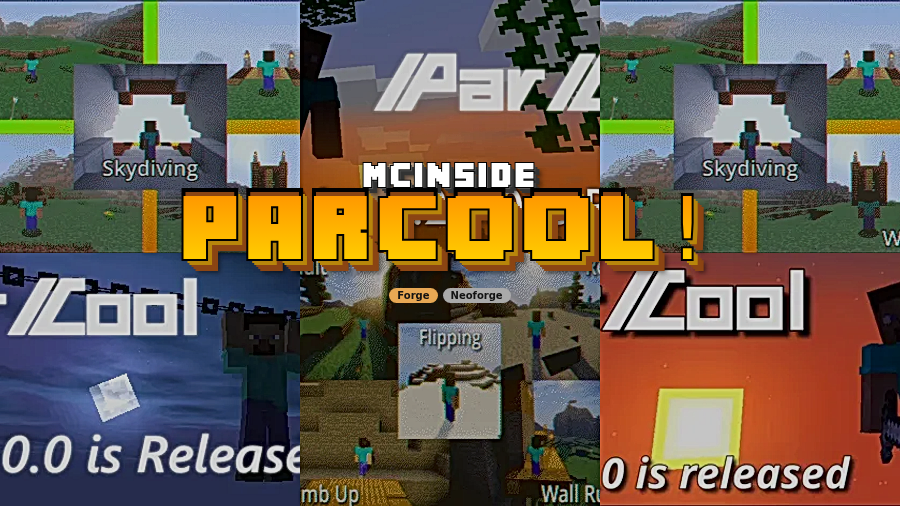
ParCool! Mod is a movement-focused Minecraft mod that adds parkour-style actions such as cliff clinging, horizontal wall running, and safety taps for Minecraft Forge and NeoForge.
If vanilla sprint-jumping feels too limited, ParCool is the kind of mod that changes how you move through the world instead of just adding another item or block. It gives you more ways to recover from mistakes, route across terrain, and chain movement together, which is why its Modrinth page has passed 1.3 million downloads.
Key Features of ParCool! Mod
- Cling To Cliff — This gives you a real recovery tool when a jump falls short. Instead of dropping immediately, you can catch yourself on the edge and keep the run going, which makes vertical terrain less punishing and a lot more interesting to climb.
- Horizontal Wall Run — Wall running is useful because it turns flat barriers into movement opportunities. On parkour routes, it helps maintain momentum and makes movement feel deliberate rather than stop-and-start.
- Safety Tap — Safety Tap is the kind of move you appreciate once you start moving fast through caves, rooftops, and ledges. It gives you a buffer against small mistakes, which makes the mod feel smoother to use in real survival play.
- Smooth action animations — Every action has its own animation, and that matters because the movement becomes readable instead of looking like a jarring teleport. The result is better feedback while you play, especially when you are learning the timing for new moves.
- Deep customization — ParCool includes configuration options and even mentions support for modpack makers and server hosts. Pressing Alt+P opens the settings menu in game, so you can tune the experience without digging through files.
- Guidebook support — The mod includes a tutorial guidebook on GitHub, and Patchouli lets you read it in game. That is helpful if you want to learn the movement system without constantly tabbing out to remember which action does what.
- Optional add-on compatibility — The mod can work with extras like Feathers of Elenai Dodge 2, Paragliders, EpicFight, BetterThirdPerson, and ShoulderSurfingReloaded in the versions listed by the author. That makes it easier to fit ParCool into a larger movement or combat setup without treating it as a closed-off system.
Screenshots
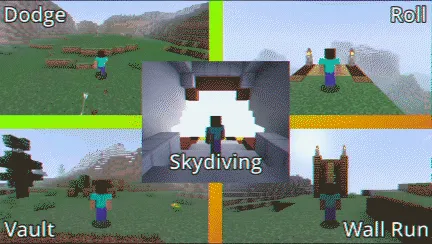
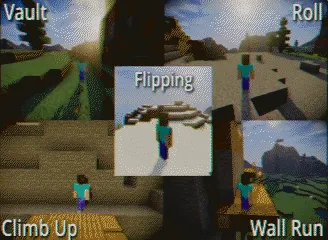
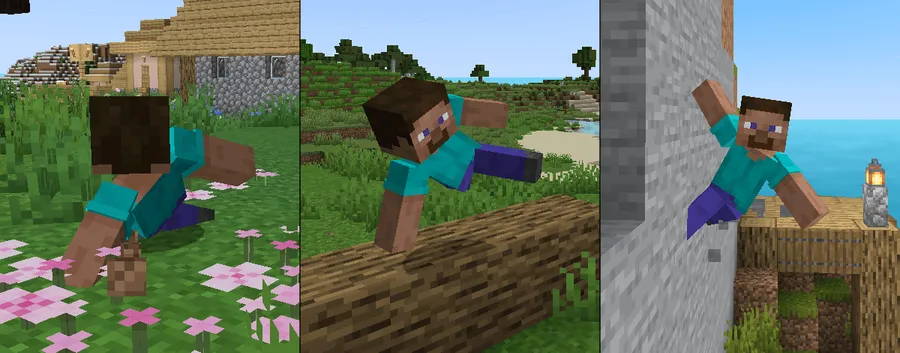
How to Install ParCool! Mod
- Choose the correct loader guide first: use How to Install Forge Mods for Forge builds or How to Install NeoForge Mods for NeoForge builds.
- Download the ParCool file that matches your exact Minecraft version from the table below.
- Install the matching loader in your Minecraft launcher and start the game once so the folders are created properly.
- Place the ParCool jar into your
modsfolder, then relaunch Minecraft with the same loader profile. - In game, press Alt+P to open the settings menu, and add Patchouli only if you want the guidebook inside Minecraft.
Requirements & Compatibility
| Requirement | Details |
|---|---|
| Minecraft versions | 1.21.8, 1.21.4, 1.21.3, 1.21.1, 1.21, 1.20.6, 1.20.5, 1.20.4, 1.20.3, 1.20.2, 1.20.1, 1.20, 1.19.2, 1.18.2, 1.16.5 |
| Loaders | Forge and NeoForge |
| Settings menu | Alt+P opens the in-game configuration menu |
| Guidebook | Patchouli is optional and enables the in-game guidebook |
| Optional support mods | Feathers of Elenai Dodge 2, Paragliders, EpicFight, BetterThirdPerson, ShoulderSurfingReloaded |
| Project license | LGPL-3.0-only |
What's New
- Zipline entities now provide a bounding box for culling support.
- Packet networking has been optimized.
- The latest Modrinth update is dated 2026-03-15.
Pros and Cons
Pros
- It supports a wide list of Minecraft versions, including modern 1.21.x builds and older releases like 1.16.5.
- It has both Forge and NeoForge versions in the data provided.
- Each movement action has smooth animations, which helps the mod feel polished in motion.
- The Alt+P settings menu makes it easy to adjust without leaving the game.
- Optional guidebook support and add-on compatibility make it flexible for different setups.
Cons
- The in-game guidebook depends on Patchouli, so that part is not built in by default.
- Some helper mods are version-specific, so the full add-on stack is not universal across every listed Minecraft version.
- You need to match the correct loader and game version carefully, especially because the listed downloads are split between Forge and NeoForge.
Alternatives to ParCool! Mod
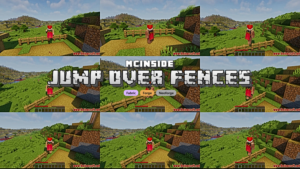
- Jump Over Fences Mod is a simpler parkour-flavored option if you want traversal that feels easier without leaning into a full movement system.
- FastMove - Parkour Movement is another movement-focused choice for players who want a more agile feel while moving around the world.
- Let's Parkour Mod is a complementary pick if you want another parkour-centered mod to compare routes, controls, and overall movement style.
Download ParCool! Mod
| Minecraft Version | Forge | NeoForge |
|---|---|---|
| For Minecraft 1.21.8 | — | Download |
| For Minecraft 1.21.4 | — | Download |
| For Minecraft 1.21.3 | — | Download |
| For Minecraft 1.21.1 | — | Download |
| For Minecraft 1.21 | — | Download |
| For Minecraft 1.20.6 | Download | — |
| For Minecraft 1.20.5 | Download | — |
| For Minecraft 1.20.4 | Download | — |
| For Minecraft 1.20.3 | Download | — |
| For Minecraft 1.20.2 | Download | — |
| For Minecraft 1.20.1 | Download | — |
| For Minecraft 1.20 | Download | — |
Always download mods from official sources to stay safe.
Frequently Asked Questions
What does ParCool! Mod actually add?
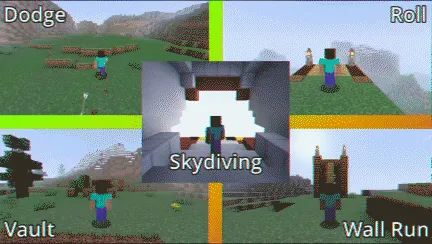
It adds parkour-style movement actions such as clinging to cliffs, wall running, diving, vaulting, sliding, and more. The main value is that Minecraft traversal becomes more expressive and less dependent on vanilla sprint-jump movement.
Does ParCool! Mod support Forge and NeoForge?
Yes, it supports both Forge and NeoForge in the data provided. The downloads are split by loader and version, so you should pick the exact file that matches your setup.
Can I use ParCool! Mod on Minecraft 1.21.8?
Yes, there is a NeoForge download listed for Minecraft 1.21.8. The same pattern also appears for 1.21.4, 1.21.3, 1.21.1, and 1.21.
Do I need Patchouli to use the mod?
No, Patchouli is optional. It only adds the in-game guidebook, while the mod itself can run without it.
Can ParCool! Mod work without the optional add-on mods?
Yes, the mod is designed to work well without those extras. The listed add-ons are supporting mods, not hard requirements.
How do I open the settings menu in game?
Press Alt+P. That opens ParCool's settings menu so you can adjust the mod without leaving Minecraft.
Is ParCool! Mod good for players who like parkour?
Yes, it is a strong fit for parkour-focused players. The mod is built around movement flow, recovery options, and traversal control rather than around combat or building systems.